Microsoft Outlook Calendar Microlearning Video: Setting "Always on" Default Reminders for New Items
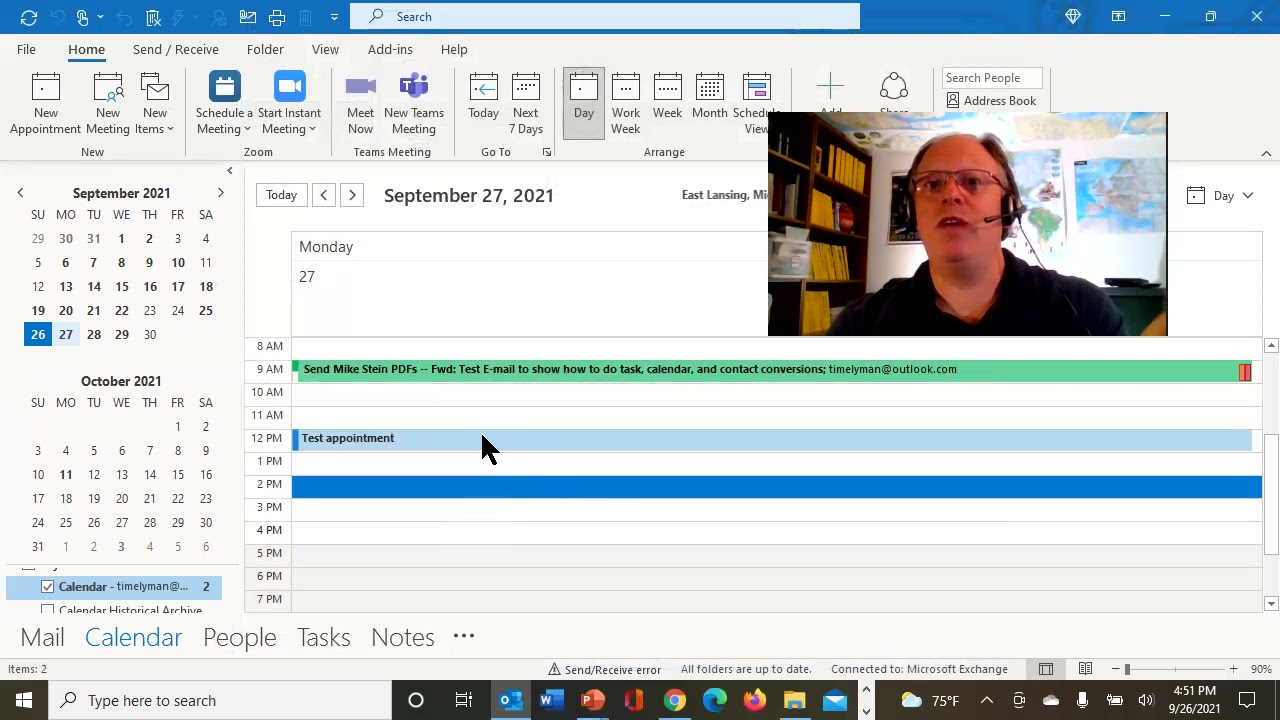
Randy Dean shows how to set default reminders for all Outlook calendar events. Go to File, Options, Calendar, and enable Default reminders. He recommends 15 minutes before each event so you never miss an appointment.
Chapters
Hey, Randall F. Dean here, email sanity expert. As part of my process to celebrate the upcoming, uh, new subscriber milestone I'm about to make on my channel, um, I am going to make yet another microlearning video, and this one's super easy. Want to stop missing your meetings and showing up late to your meetings and events and appointments? You need to turn on a default reminder that's always on so that you get a reminder to pop up every time before the action happens. And it's super easy. Let's show you. I'm going to jump out of here. Let's go into my Outlook calendar. And what you'll need to do, like in my last microlearning tip video, I'll link that one below, uh, File, Options. So that was upper left corner of the screen, File tab, then go to Options, Calendar, and this one's right here on the first part of the screen. Just turn on default reminders right there. Although if 15 minutes, you don't like that, you can go in and change it to whatever you'd like it to be. I do like 15 minutes though, because the nice thing about that is that always 15 minutes prior to any new thing I put on there, unless I overwrite it with a different timed reminder, I'm going to get a 15-minute pop-up reminder before that item happens. Fantastic. Let's hit OK. And now let's show you what happens when you do this. Uh, Test Appointment. I'm gonna hit OK. I'm just gonna click off of it. I didn't even hit OK or save or anything. But look at this. If I page over this now and just hold my mouse, 15 minutes before. That easy. Stop missing your meetings. All right, with that, I'm gonna say thank you for your time. Uh, I am Randy Dean, the Email Sanity Expert. Like I said, uh, you want to learn more about me, go out to my website randalldean.com. I'm hoping you're liking these microlearning tip videos. Give me a comment if you do or not, and, um, also consider subscribing because I'm getting really close. Bump me over the top. You can also get my PDF tip sheets, time management, email management, Outlook, Google Suite, which is now Google Workspace, smartphones and tablets and distractions. Send me an email, randy@randalldean.com, just put YouTube PDF in the subject line and I'll send you all that bonus material. Thanks a lot. Bye now.
More from Randall

This simple #ADHD #hack might end your #tasklist paralysis called #executivedysfuntion #productivity

Have #ADHD? Do you make a daily #tasklist ? This might help. #tasks #productivity #procrastination

Found too many cool Petoskey Stones and “Greens” on vacation. Had to do something!


Another free #pallet project: I built a heavy duty #ladder stand for #housepainting

Quick Windows Tip: Organizing Multiple Windows on One Monitor or Screen for Faster Multi-Tasking!

Classic Outlook (New Screen): Converting an Email to Task, Calendar, or Contact Using Drag & Drop

Email Sanity Expert Tests SaneBox: Is This AI Email Tool Worth It? Might be for overloaded inbox!

Taming the Outlook Email Beast: 3 Flexible Learning Paths to Master Your Inbox (Video Course Intro)

#workspace #productivity multiscreen setup #email #calendar #pdf #outlook #gmail #microsoft #google

