Randy Dean shows how to use Microsoft Teams' Wiki feature to build a shared knowledge base. Unlike project tools that track what's next, a Wiki documents what happened: company milestones, lessons learned, client history. It speeds up onboarding, preserves institutional knowledge, and prevents repeating mistakes.
Chapters
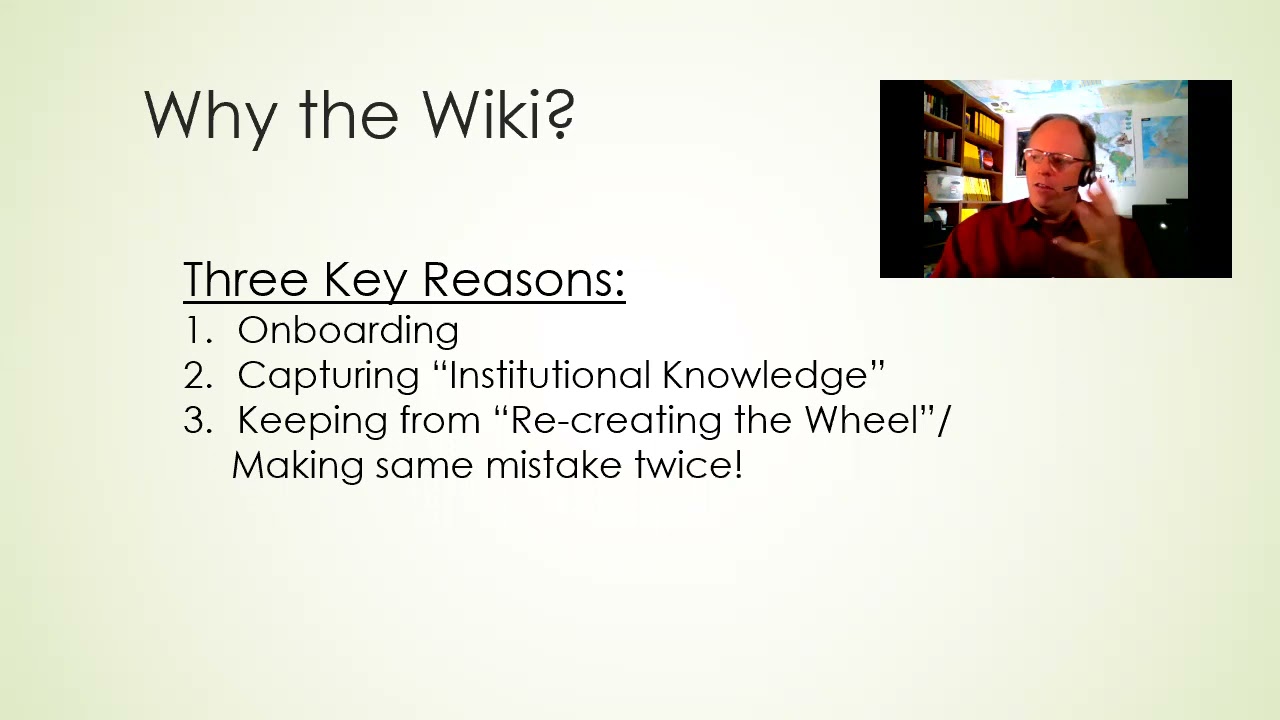
All right, hi everybody. Wanted to make a new YouTube video today, uh, for especially for the people that are Microsoft Teams users. Many of you may have noticed that there's this little thing inside of the channels that you can create on Microsoft Teams called a wiki. What's a wiki? Let's talk about what this is and why I actually think it's a super useful tool if you are using Microsoft Teams. So I actually went out and did a little research on this. The definition of Merriam-Webster, and when you think of Wikipedia, this makes sense, it's a website that allows visitors to make changes, contributions, or corrections. So, you know, the model of Wikipedia is that people can log into the site and add additional information on the wiki pages that have been created. One acronym that I saw is "What I Know Is." what I know is this. Although what's interesting is when I did the research on this, I actually went out and found out that the terminology wiki comes from the Hawaiian phrase wiki wiki, which means fast or quick. And so, um, all of these things are fairly relevant in helping you understand sort of what it is, uh, but what I want to do is show you an example of of what I think a wiki could be and why it can be so useful in Microsoft Teams. So what I did is I went out to my own Teams account and I built this wiki for my business in general. And basically what I did is I just sort of created this history lesson, you know, and sort of walked you through pretty much most of the major milestones of my business, you know, starting in 2004, starting my e-newsletter, started writing the book that went Amazon bestseller, started doing international gigs, getting picked up by speakers bureaus, developing new content, building my e-learning channel. Notice the use of pictures and additional content inside of here. You can add stuff into here, um, talking about the programs and the fact that hopefully next month I get back on the road to start doing live in-person events because I got the shot in the arm. Yay! That's a wiki. Now, to make it truly a wiki, let me show you something here. So here's my team. Here's one of my channels that I've created. And what I might want to do is add team members. And when I add team members to this particular team, my business team, they would also potentially have the ability to add content that's relevant and appropriate to this wiki for this channel in my Teams. And the beauty of that is what that means is, let's say you've got a work group, 5, 6, 7 people, everybody is adding stuff in on the wiki as things happen and progress through the business. Now, so sort of the way I see it is wikis are looking backward, whereas your project management tools— I'm going to be doing a video on that for Teams users here shortly— are looking forward. And most of us are spending our time always looking forward. We're not thinking about what we've already passed by. And where I see the benefit of the wiki is that, you know, some of the things that it can do— I'd say there's 3 key things that you can think about with this tool. One, for onboarding, it is genius. If you're bringing somebody new onto the team and you've been keeping records in something like a wiki on all of your major projects, all of your major initiatives, all of your major products or services, activities, activities, events, all of your key clients. When you bring somebody on, they're not gonna have to recreate the wheel, so to speak, just to learn what's going on with this company. Um, could be really useful if you ever have an unexpected departure. Somebody surprises you and gives you a very short notice and leaves. You don't have time to keep them on to train their replacement. Well, if you've been maintaining your wikis, at least you've got that information so that you can get people up to speed much more quickly. Um, so this sort of relates to point number 2, which is capturing the institutional knowledge. So many companies make a big fall down here where what happens is they have people working on stuff and then that critical person leaves and you got to start over because you don't have their notes or their records. It's not well assembled. And what you could do with the wiki, you know, one of the things that I would probably suggest is if you're doing project management, event management, activity management, client management, build wikis that list key milestones. What got done, when it got done, how long it took, who worked on it, etc. So that way you've got all of this information. Of course, that leads into step number 3. You're not going to have to recreate the wheel and make the same mistakes twice. Hopefully by having this, as you get moving through time in your business and your process, having these wikis will allow you to be able to do these things better, more efficient, more professional, because over time you're going to be able to have these reference sources to allow you to build things better, do it better, execute it better the next time. You know, one of the things that you could put in here are watch-outs. Let you know the first time you do something, you don't know what's going to happen a lot of the time. And you'll have things not expected occur. Well, you could put the not expected things in the wiki. Now they should be expected. You know, we thought this would take 2 weeks, it took us 6. You know, I mean, that's the kind of thing that you can build in. So when you're building future plans moving forward, the wiki can really help with allowing you to do that. So these are just a few of my ideas. I think this thing could be super useful for a lot of organizations. Of course, you got to spend a little bit of time building them, but, you know, maybe you make it a team project and say, hey, every time we have any milestone of any type, good or bad, get it in the wiki. And by doing that, that will allow you to really take advantage of that institutional knowledge. So I hope that you found this helpful. Once again, my name is Randy Dean. I'll put myself right down here over my photo. If you'd like to learn more about me and my programs, including my full-length online programs, Go ahead and check out my website, randalldean.com. Maybe click on the e-learning tab to learn more about what's out there recorded. Obviously, I'm out here on YouTube too, so if you like the video, please, uh, like it, subscribe to the channel, maybe leave some comments if there's anything else you'd like to see on this topic, or you have other ideas on how to use the wiki. And if you'd like to get, um, you know, a whole set of bonus productivity PDFs on topics like Outlook usage, email usage, Google and Gmail usage, smartphones and tablets, reducing your general level of distraction and gaining focus. Hey, send me an email, randy@randalldean.com, put YouTube PDF in the subject line, and I'll send you a whole bunch of stuff for you to go through. And so with that, thanks for your time. Go check out and build a wiki.