My Favorite GoToWebinar and GoToMeetings tips and tools
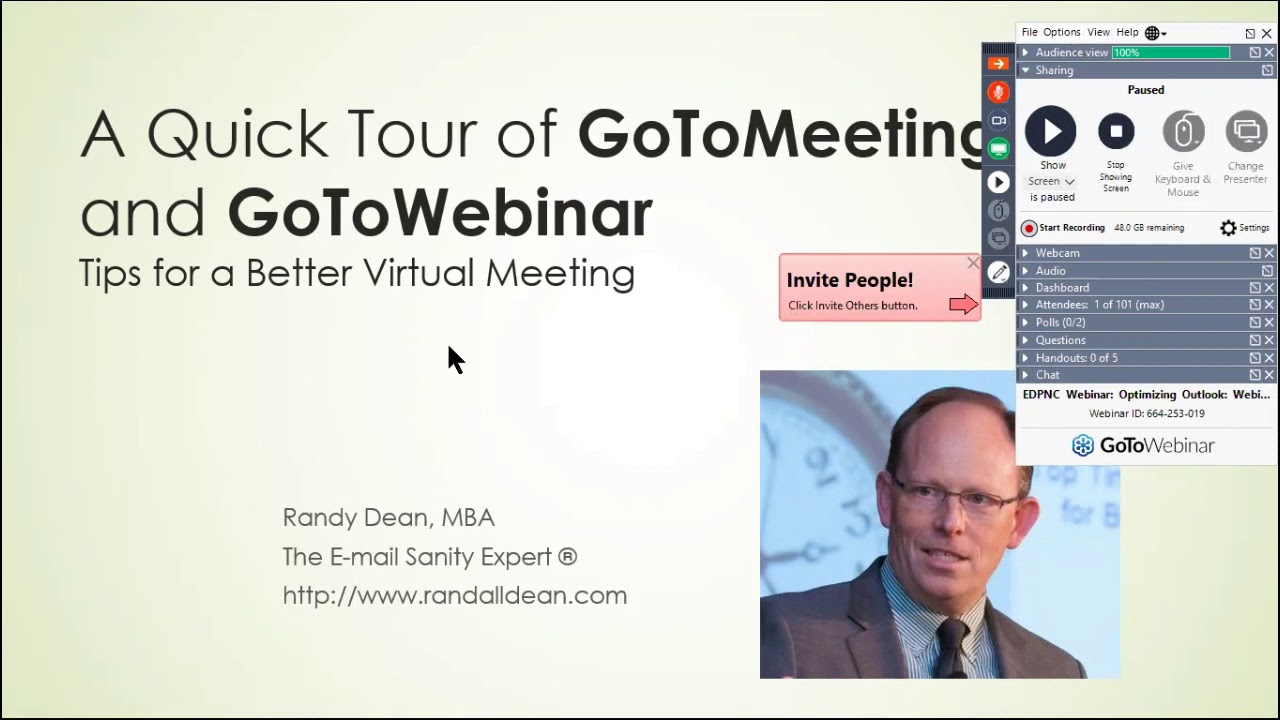
In this 2020 tutorial, Randall F. Dean (the “Email Sanity Expert”) gives a comprehensive, step‑by‑step tour of GoToWebinar and GoToMeeting. He starts by showing the dashboard and analytics, then walks through creating, copying, and scheduling events, explaining the distinction between panelists and attendees and how to set up payment options. Dean demonstrates branding the registration page with logos, colors, and feature images, and previews the attendee experience. He covers audio configurations (computer mic vs. dial‑in, access codes, mute defaults) and the importance of sound checks and fallback phone lines. Recording options are explored, including automatic vs. manual start, MP4 conversion, and using the platform to produce YouTube videos. Interactive features such as polls, Q&A, hand‑raising, and file handouts are highlighted. The tutorial then shifts to live meeting controls: screen sharing, webcam use, bandwidth considerations, and how to pause or hide content while participants join. Dean shows testing tools, drawing/whiteboard utilities, and how to turn a blank PowerPoint slide into a collaborative whiteboard. He compares GoToWebinar (formal presentations with panelists, Q&A) to GoToMeeting (small‑group discussions) and offers workflow recommendations for each. The video ends with a call‑to‑action for more tip‑sheet PDFs and a subscription invitation.
Chapters
So what I'd like to do tonight, um, with this program is basically what I want to do is give you a quick tour of the GoToMeeting and GoToWebinar tools on how to run a better virtual meeting using those tools. You may have already seen my video about how to utilize Zoom for doing better video conferencing. This video is going to actually go into one of their competitors, the GoToMeeting and GoToWebinar platforms, and we'll be able to share some of these tips also in terms of how you can use these tools to sort of run your meetings. I will let you know, as you can see, I'm Randall F. Dean, the Email Sanity Expert. I've actually been using GoToWebinar for years. It's been my primary webinar tool for my clients for several years now. And so let's dive out and take a quick look at what GoToWebinar can offer. I'm going to pop in, and as you can see, one of the first things that will happen is you'll have this thing called the dashboard. In the dashboard, you can actually go in and see upcoming events and past events. If I pop in here, you'll actually see I've got a lot of history here. Look, it goes back 13 pages. So I've been using this for some time. One of the nice things inside of the dashboard is that you can actually come in and see your analytics about the different programs that you've led. Now what's interesting, you'll see I have a couple webinars here with zero viewers. Let me tell you why. I actually use the GoToWebinar tool to create videos. And so sometimes I'll just have a meeting with just me and I'm using it to record the— do a screen capture of the videos that I'm making on my screen. I actually use that to make my video about Zoom. And so you can see that you can actually come down and take a look at this. It's got some other capabilities. You can actually add recordings that you can upload and share with people that are have access to your channel. And you've got some additional information, including something that you might want to take a look at, complimentary training. They have some training videos for both GoToWebinar and GoToMeeting in both of these platforms. Now, one of the things that's interesting though, you know, if you're coming in here, you can actually come in and hit schedule. And when you do schedule, you can create a new event. You can put in the— is it going to be live or recorded event? Is it going to be a one-time or a multi-time event? You can actually actually talk to it about when that happens. Start date, end date, all of the basic stuff. But what I really like to do is once you've created a few meetings, you can actually come up and do this and save yourself a ton of time. Hit copy an event. And so let's take a look here. Um, I actually did a client webinar on optimizing your Outlook. And the beauty of this is now that I'm copying the event, I can actually come in and change the title. To any client that I'm working with, and I can say, okay, here's this webinar. I can set the date and time. I can set, you know, some additional information about it. What time zone is it going to be in? I can even, you know, when you say standard event, you can then go ahead and hit schedule. Now what's cool is when you hit schedule, it's got some pretty cool capabilities. So the event's now scheduled. Here's the webinar here. Obviously I'm going to want to come in and change this since I'm doing a copy. And, uh, E-D-P-N-C. And then, um, what I'm going to do is drive down a little bit deeper into here. And then if you page down, notice this, that let's say you're the organizer. I could add panelists. And what the panelists are, you give them the name and the email. They will have higher privilege when you are holding the webinar or the meeting, because what will happen is they will have speaking capabilities, their mics won't automatically be muted. And then you can also have people that are attendees, and the attendees are the ones that will get the standard item. But I want to show you something in here. By the way, no, you, you might even be able to set up payment privileges in here so that people can actually pay. But, you know, if you get that setting, that's probably something in one of their upgrade packages. But I wanted to show you that it's at least available. You pop into the settings and notice here you can either automatically start recording Or you can come down— I usually turn that off, by the way, because I like to get everything set up. And usually I'm logging in maybe 15 minutes before the webinar begins. And so I like to get in, get everything set, get everything ready, and then once I have everybody in the room and it's the start time, you can also turn on recording once you're in the webinar manager. We'll show you that in just a minute. Notice that you can have them use their computer mic and speakers, or they can dial in. And as you can see, you can have different, uh, access codes depending on whether whether you're the host, whether you're the panelist, or whether you're just an attendee. And notice how the attendees are by design automatically muted. I also want to share something that's pretty cool inside of here. Take a look at this, branding and colors. Now take a look at this. I've done this before. I brought in a logo. I actually just went out onto my computer and I found a photograph that I could bring in. And I could also do a feature image. So like I could pop into here. It's going to allow me to go in and browse the computer and I can click to browse. I'm going into my computer and I can pop in here into my website files where I know I've got some promotional items. Let's double-click on that. And now what I can do is I can page down and let's see, uh, right here, uh, let's do this one, Onstage Close-up. And I'm just gonna hit open. And so what's gonna happen is you'll upload that, and then what will happen is as you take a look, you'll see, hey, that looks sort of like it's supposed to belong together. The other thing that's sort of nice is you can get the, um, you can do some feature colors. And if you take a look at this, I've already got a palette in the blue. So what I do is I will put the darker blue. And now what's cool is you can preview the registration page. What will happen is when people come to register to sign up for the event, this is what they'll see. And it looks nice, it looks professional, looks like you put it together. You just got to get their names and emails, hit register. And then the system will automatically generate an email that will go out to that person giving them the link to log into the webinar at the appropriate time. So it's a pretty handy system. Now speaking of that, you know, I could come in here and now let's say I want to hit start and I could start the program and it's going to be bringing it up in the background here. And what's interesting is you'll notice that you have to open the GoToOpener. Now it sort of works the same way in GoToMeeting. But you launch this thing, and what happens is a live meeting will come up. And what's going to happen is, as it comes up, you're going to get your control panel that's going to launch. This is the control panel. Now notice here up in the corner, I could mute myself on the call, and I do that a lot of time before the actual formal meeting starts. What I typically do is when people get onto the program I will basically, you know, make an introduction, say hello to people who are logging in 5, 10, 15 minutes early, but then I'll mute my line so I can continue doing my work in the background while I'm waiting for the other attendees to come on. The other thing that you want to do though right away is hit this button called Start Broadcast. Now notice you could do Record on Start, but I have that deselected because I usually don't like to do that. There you go. And now by doing that, it's actually in live webinar mode even though I haven't really started the webinar. And now I'm going to hit Share Screen. And now by hitting Share Screen, what's going to happen is what they see on the screen will be here. This is when I usually jump out and flip to a PowerPoint. And so I can have the PowerPoint sort of sitting on the screen. Now what's sort of cool, take a look at this, I could actually do the full front page of the PowerPoint, then come up here and hit pause. And now look what it says: people can see a paused version of your screen. So while people are logging in, they can see the COVID thing, but you're in the background. You could be going out of here and working on your emails, you know, and nobody's gonna really know if you've got the mic muted and if you've got the screen paused on the front page of your presentation. And so, you know, you can sit there once you know everything's working properly, you can make it work right. Now, if you're doing this on the fly, you can actually invite people right here. Um, the interesting thing is though, I'm going to go back to the control panel in a minute to show you one of the features that I prefer to use instead when I'm usually sending out things, uh, beforehand. Now, a couple other things that can come into here. Notice that I can open up my webcam, and if I hit share webcam— hey, how about this? This is going to be sort of fun. Let's see if this works. And there I am. Hi everybody. So as you can see, I'm in my home office. And now what you can do when you're in the program is you can allow people at the start of the program and possibly through the program have the opportunity to see you as part of the presentation. Now I will tell you a little thing, because I do tech demos where I'm opening up 2 or 3 different pieces of software, I typically close this when I get into the demos because this does take a lot of bandwidth. And if you've got video bandwidth and a couple live active programs on your screen plus a PowerPoint, ooh, you might run into a bandwidth issue in terms of just how much data load that you're getting on the screen. So I'm going to close that right now. And notice that it's not really closed, other people could still see me. So what you need to do is actually come up here to turn off the webcam to make sure that's off. Right in here is your testing box where you can go in and test to see if your mic's working. Now let's try this, I'm going to unmute myself. And I'm going to start talking. And look, when you see that green bar come up, you know that works. And down here you can actually see if your sound is working. And if you come up here and hit Sound Check, then what's going to happen is the sounds are going to play in the background, allowing you to test to make sure that what— that you are able to hear what's coming through and that people can hear you with your mic. So that's actually something I recommend you do every single webinar. Test your sound, see what's going on. Also, never forget, let's say you're having a problem with audio or sound with a webinar that you're leading. You could dial into the dial-in number on your phone and do the audio that way. And I've done that a couple times where, you know, all of a sudden the computer audio starts getting a little splotchy. I'll pop over to the phone line, jump right in. You might even want to have the phone number just sort of sitting to the side ready for when that kind of a situation can occur. Now the other thing you can do is you can create polls. And if you take a look, take a look at this. I've actually set up a poll from one of my previous ones. What version of Outlook are you currently using? And if I do this, you can see what's in here, and then I can hit launch. And what will happen is it'll launch into the live webinar and people can actually vote, and you as the organizer can see what they're saying when they vote. I actually recommend setting up polls if you know you're going to have at least, you know, 10 or more attendees. Because it can make it a lot more interactive. It keeps people's attention a little bit better. And the other thing that you've got down here is a question field. I actually— it's sort of funny— I, I actually, when I'm using GoToWebinar, I actually encourage people to type stuff in the question bar because the question bar will pop up right here at the bottom of this little control panel marker right here. And then I can see right away, oh, somebody's got a question. You can also have people raise their hands. And if they raise their hands, then what you can do is if their mic is muted, you can actually go to that attendee and unmute their mic. It'd be right in here, and actually you would see them right here, and you can click on the little icon that looks like the mic that's blocked out, and it'll be right there for each participant. You click on that, that'll make their mic live, and they can ask the question live by raising their hand. Um, so some really good capabilities. Notice also you can even put your handouts file down in here. So if somebody forgot to print the handouts that you sent before, they still have it handy and accessible as you're doing the program. It's a solid tool. And like I said, I actually use it for a lot of my client programs. And in terms of— I actually use this to make several of my YouTube videos because the recording quality is really solid. And you just come up here, hit Start Recording. And what's neat is when you finish the program, you just come up here and click the X. So the program's over, you want to end it for everyone. Right there is when that'll generate the ability to grab your recording. You'll see a little icon come up that looks like the GoToWebinar icon up here. It'll pop down on your screen and it gives you the option to go in and convert the recording, which will turn it into a standard MP4 file. Um, you know, now I recommend when you first start using these recording tools, get in and play around and learn what you're doing. Figure out what's going on, figure out what your mistakes are so that you can save that. Now with that, let's, let's do something here. I'm going to now, uh, come up here and I want to hit a new tab and I want to do, um, I'm going to close that one. Let's do GoToMeeting. GoToMeeting. All right, we're going to go into a different platform here since we're in here, and I'll go ahead and hit my sign in. It should take me right in because I've already been in here before and it knows my account. So let's see if it actually logs me right in. I think it's going to. Yep, it did. And now notice that right up in here you can come in and you can play around with your settings. I brought my picture in so when people are coming in and they invite me, you can come into my profile. When you bring in my profile, you can fill in all of your information about who you are, and right here's where you can change your picture. You can put in what your normal time zone is, your job title, location, uh, web link to your business. So that's just some basic stuff to get in the background. And then once you have that set up, you can actually come in here and check to see what meetings you have. Now what it'll see is it'll see one time or your history, and you can take a look at the meetings that you've had before. You'll notice I've had a couple Meet Now. What's nice about this is that when you do a Meet Now meeting That means you can just open this thing up and immediately launch a meeting. And from inside that meeting, boom, you can invite other people. And you do that here in your personal meeting room. And take a look at this. So I'm going to hit Start. And if I hit Start, it's going to bring up a new meeting in GoToMeeting, not GoToWebinar. Notice how similar they look though. So you hit the GoTo opener, and this is going to now open up your GoToMeeting manager. Notice the slightly different color scheme. And then it'll tell you that this is Randall Dean's meeting. And right now what I can do from inside of here— notice it's telling me my microphone's muted. I can share my screen from right here. I can share my webcam once again. Let's go ahead and turn that on. And so what's going to happen is my webcam is going to pop up, and it looks awful familiar, doesn't it? I'm going to go ahead and turn that off now because what I want to show you is that from right inside of here, you can actually come down here under Attendees And, um, also what you can do is come down here to the meeting ID, and this is what I wanted to show you. Right here is where you can invite people. If you're inside the meeting, you can actually just come down, click on this, and you can either copy meeting ID or you can email the meeting invitation. And when you click this, what it's going to do is it's going to open up your default email tool. As you can see, it did it right down here, and it's going to create a meeting invitation. So you can send it to 2 or 3 people and say, hey, let's jump on a call right now, and they will be able to jump right into the call. Um, so I'm going to go ahead and once again turn off that webcam. The other thing that you can do is obviously you can record the meeting, and over here you've got your settings of what you want to record. Do you want to record all of the stuff? You want to do integrated audio? This is the one I recommend because, look, it'll integrate microphone and telephone regardless of who speaks. So you'll get everything. If you use, use your own, then you might only get like the one party. And you can even see your recordings here for meetings, webinars, and trainings right here in this bucket where you can go find the stuff. And the other thing that's nice is you can actually do local recordings, which records it right onto the C drive of your local computer. I recommend you do that because that's where you're going to be able to get those videos faster and access them more quickly. All right, so it's got a lot of the same kind of stuff, but you can actually come in here and click on each of these areas inside of your settings and play around with some of the things that you want to have available as you're doing your stuff, including the recording, um, type of information that's available. So they're solid tools. They're very closely related. As you can see, there's a lot of crossover. Um, GoToMeeting is probably better when you're having a 2 or 3 person sort of real-time discussion or meeting, maybe even up to more people than that. I like GoToWebinar when somebody's doing a formal presentation and people are going to log in to hear the presentation but want the ability to do some Q&A, maybe have a couple panelists. You know, one final thing, take a look at this. There's some drawing tools hiding down in here, and I want to show you something sort of cool. Um, watch this. I'm going to close that, that's a little bit of a visual distraction. Let's come up here to the pen And what I want to do, I can actually come in here into any white space on my screen, and I can either do pen or I can do my highlighter. I can turn on my pinpointer and show you exactly where I'm looking on the screen. So some pretty cool stuff. Uh, you can also erase all drawings, then it goes away. And what I want to show you, which is sort of cool, is let me say you're in a meeting and all of a sudden you want to do like a brainstorm. I would recommend you just come in here and go up to File, New, and open a blank presentation. Because now you can quickly select these text blocks and get rid of these. And now you could do drawings on here for people in the meeting. You could actually come up here and switch to the arrow button, click on the text option inside of here, double-click, and then you can come down here and you can actually even put in text. Hi there. So you can do it, play around with this stuff, and then almost turn this power— this blank PowerPoint slide into a whiteboard as part of your meeting. All right, I think I've covered a lot here. I'm going to go ahead and erase all drawings. I am going to get out of this PowerPoint and go back to my original, and I am going to close this GoToMeeting window so that it's not running in the background. Hey, hope you had a great meeting. Thanks a lot. I'm going to go back to my original presentation and say thank you all for your time. Um, by the way, once again, my name is Randy Dean. I am considered the email sanity expert, and I do a ton of programs—time management, email management, Outlook usage, Google and Gmail usage, smartphone and tablet usage, and how to reduce your day-to-day distractions so you can stay more productive. One of my new areas, because of everything that's going on right now, is even helping people with setting up virtual meetings and programs. And so with this information, um, if you're interested, you can go find out more here. And I recommend, if you like this video, come on out, subscribe to my YouTube channel where I'm going to be producing more content regularly. And, um, if you'd like, you can get a whole series of additional PDF tip sheets and documents on time, email, and related tech management simply by sending me an email, randy@randalldean.com. And putting YouTube PDF in that subject line, and I'll send you a whole slew of little electronic PDF files, some of which link through to my other YouTube videos. Hope you had fun. Thanks, everyone.
More from Randall

This simple #ADHD #hack might end your #tasklist paralysis called #executivedysfuntion #productivity

Have #ADHD? Do you make a daily #tasklist ? This might help. #tasks #productivity #procrastination

Found too many cool Petoskey Stones and “Greens” on vacation. Had to do something!


Another free #pallet project: I built a heavy duty #ladder stand for #housepainting

Quick Windows Tip: Organizing Multiple Windows on One Monitor or Screen for Faster Multi-Tasking!

Classic Outlook (New Screen): Converting an Email to Task, Calendar, or Contact Using Drag & Drop

Email Sanity Expert Tests SaneBox: Is This AI Email Tool Worth It? Might be for overloaded inbox!

Taming the Outlook Email Beast: 3 Flexible Learning Paths to Master Your Inbox (Video Course Intro)

#workspace #productivity multiscreen setup #email #calendar #pdf #outlook #gmail #microsoft #google
