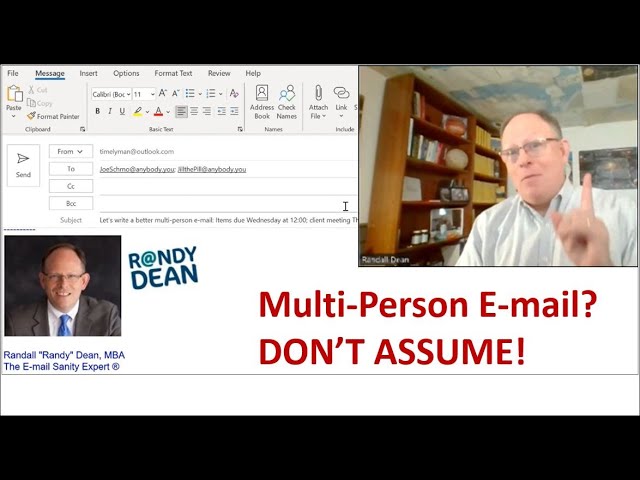
Randy Dean shows how to write emails that actually get action. Use a subject line with due dates, bold deadlines in the body, assign tasks with bullet points to specific people, and put anyone with a job to do in the To field, not CC.
Chapters
Hi everybody, Randy Dean, Email Sanity Expert here. Hey, wanted to do just a really quick add-on to my email etiquette series. And as you can see, I've actually set up my computer screen to be right inside an email so we can talk about how to better send a multi-person email. All right, so let's talk about this. First, let's get rid of that little, uh, funny thing at the beginning of this subject line. And let's get it down to the way I recommend maybe doing the subject line. Notice that in the subject line, items due Wednesday at 12, client meeting Thursday. So I'm sort of setting the tone right off the bat. And then if we look at the text of the email, you'll see this is an email to Jill and Joe, um, and I'm telling them the client meeting's on Thursday morning. I'm I'm asking for them to get a couple items to me by Wednesday at noon. Notice how that's bolded. And I'm telling them why. I need a little bit of time to respond and review on Wednesday afternoon before the meeting. Then notice the bullet points. And this is, I think, a critical point when you're doing a multi-person email. You know the phrase, don't assume, that makes a you know what out of both you and me. Notice here, I'm telling Joe, here's what I need. I'm telling Jill, here's what I need. And then I reiterate right below that to have those to me by or before Wednesday at noon to give me time to review and respond with comments and changes. I also give them the option to say, hey, let me know if you see a problem with this timing or if you need any help. And below that, I'm also asking them to just keep their calendar casually open from 3 to 5, uh, just in case we need to catch up. Now I notice a little something Maybe I should be even more clear and say on Wednesday. All right, so let's make it as clear as it can be because that way there's no lost expectations. Now look at this, remember the CC Watch Out? Here's the CC Watch Out. Let me grab Jill here and do a Ctrl+X and then let's do a Ctrl+V. If Jill has a bullet point, which she does, meaning she has a task, which she does. Jill should not be in the CC field, she should be in the To field. So that was covered in one of the previous emails in the email etiquette series, but I just wanted to remind you that if they have active action items, both of them should be in the To field, not in the CC field, because sometimes people make the assumption that if they're in the CC field, they're just being copied for informational purposes. Okay, so with that, I'm gonna say, hey, we're done. I'm Randy Dean, Email Sanity Guy. If you'd like to get my whole set of bonus materials, notice down there at the bottom you can subscribe to my YouTube channel, which I hope that you will do if you like these videos. But, um, if you'd like to get my bonus PDFs, including my brand newly updated I'm not sure that I said that well. YouTube channel guide, which gives you links to more than 100 of my videos on my channel so that you can quickly click through on the PDF and see the content you'd like. Just send me an email at randy@randalldean.com. You can see that right there, randy@randalldean.com, and I'll get those out to you. Hope you enjoyed this one. Thanks a lot. We'll talk to you soon.