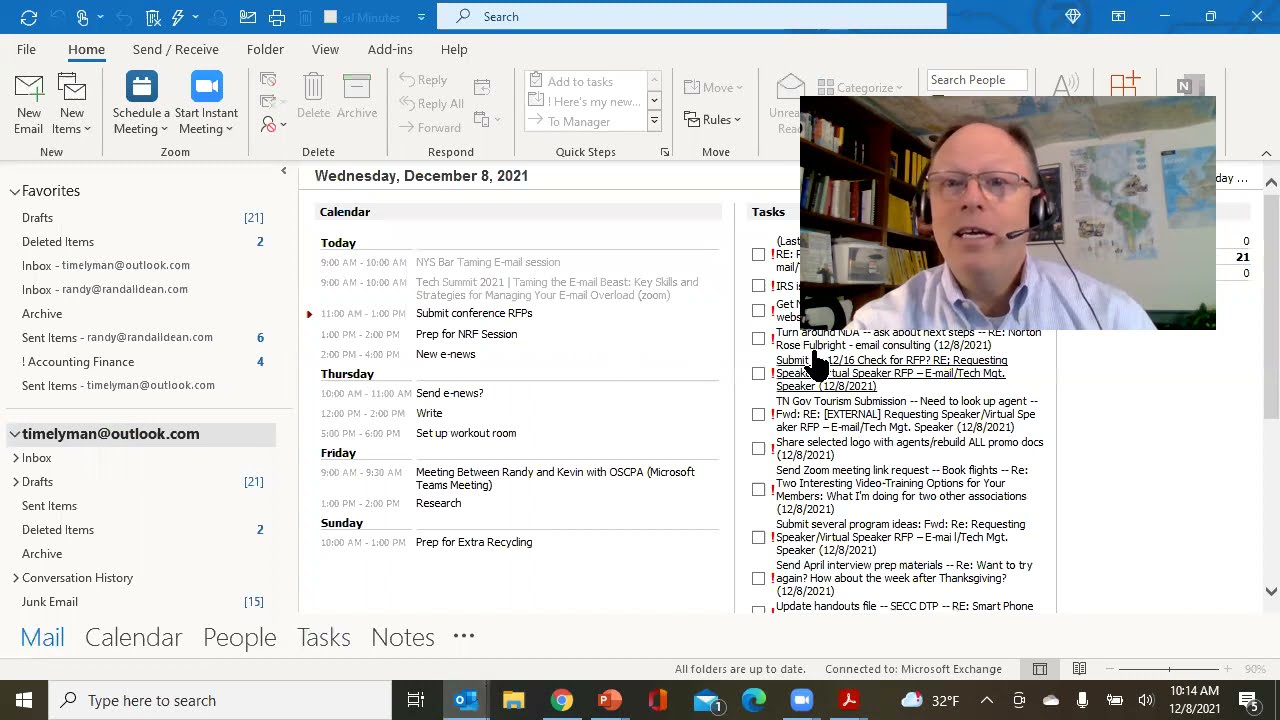
In this microlearning video, Outlook productivity expert Randall F. Dean (Randy Dean) re‑engages his audience after a brief hiatus and demonstrates a lesser‑known Outlook "account/overview" view that consolidates calendar, task list, and inbox information in a single pane. He walks through how to customize the Outlook Today panel—showing only today’s tasks, excluding tasks without a due date, and sorting by due date and importance—to create a focused snapshot of the day. Dean recommends incorporating this view into the first minutes of a daily startup routine before diving into the inbox. The video concludes with calls to action: visiting his website (randaldean.com), noting an upcoming site redesign, subscribing to his channel, and requesting his productivity PDF tip sheets via email.
Chapters
Hi everybody, Randall F. Dean, Email Sanity Expert here. Hey, um, sorry for being— having a little pause here and posting new videos. I just had a very extensive wave of client work, plus I did a big home improvement thing over the holiday and I was playing contractor in the back of my basement. Yay! But I wanted to share with you a new microlearning video for Outlook users. And this is sort of a cool view that I'm wondering if not a lot of you know is out there. And maybe it'd be a really good way to start each day just to sort of see what's going on with a little bit of an overview. Let me show you what I mean. I'm gonna pop out, and you know I've done a ton of videos about how to clean up your inbox. I've also done a ton of videos, uh, about the different ways I use the task function, including especially the today view task list. I'll put the link to that one down below. Um, I also have shown you how to be more strategic with the calendar and how I work in my Outlook from both calendar and task list once I know my inbox is pretty clean to figure out how to work on my day. But let me show you a little something. Let's go back to the inbox, and rather than being in the inbox Notice right above it, you can see basically the account that this inbox is from. And if you don't click on inbox but you instead click on the account, look what this gives you. It's a pretty cool view. It shows you— take a look, I'm going to get myself out of the way a little bit— what's going on in your calendar, what's in your task list. And I'm going to talk about the task list view here in just a minute. And what's going on in your inbox. Notice nothing in my inbox, nothing in my outbox. Hey, nothing unread at least. But notice right here with this view, you can actually customize this view right here. Customize Outlook today. And one of the things that I did, I found that showing all tasks got really cumbersome. I'm a big advocate of the Today Task View. I just switched it to today's task, and I did not include tasks with no due date because I actually keep tasks in my task list with no due date as a way to store ideas. So to make it very focused, I made those modifications to the task view of that panel. Today's tasks, due date descending, which would mean it would just show Anything maybe prior through today. Importance descending. Priority high to mid to low. And that allows you to, uh, see it like this: calendar view, task view, inbox overview. Not a bad way to start the day. So, um, check it out, play around with the settings. Maybe consider adding this into your first minute or two of your daily startup process before you dive into that crazy inbox. All right, I'm going to finish this one up. Once again, my name is Randy Dean. I'd like to thank you all for your time. Notice I can click the little button right here to get it back into full PowerPoint mode. If you'd like to learn about more about me, go out to my website, randaldean.com. I will let you know I'm about to do a pretty major website restage in the next few weeks, so watch for that coming soon. If you like the videos that I'm making, please like, please subscribe, please add comments. And if you want to get my productivity PDF tip sheets, including my YouTube channel viewers guide and tips on Outlook and Gmail and smartphone tablet usage, send me an email, randy@randalldean.com. Put YouTube PDF in the subject line. Thanks everybody, bye now.