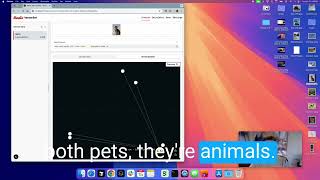
In this tutorial Rowan Trollope demonstrates the VectorSet Browser by first creating an empty VectorSet and loading a handful of image files (toy, army man, tanks, etc.). He shows how single‑vector text queries retrieve matching items (e.g., searching "statue" returns a statue image, "Pope" returns a Pope image) and clarifies that the original file names are stored but not used for search. He then switches to multivector mode, combines the vectors for "Pope" and "statue" with equal weighting, and obtains results for "Statue of the Pope". The demo highlights several vector‑combination algorithms available in the tool—Stat, Linear, Power, Weighted Average, Orthogonalized—encouraging users to experiment to find the best approach for their data.
Chapters
Okay, I was pretty inspired by Salvatore's video of vector math, implemented that in the VectorSet Browser. I'm gonna demonstrate that to you today. So we've got a, a VectorSet here and we're just gonna create a empty VectorSet. Just delete my vectors. There we go. So we've got an empty VectorSet called New Demo Set, and I've got some images here. You can see I've got a toy. I've got an army man, I've got tanks, all kinds of different things. And I'm gonna do— let's see, we'll start with Pope, Statue of the Pope, and a statue. We'll add those three. So just to show you what those look like, there's the Pope, there's a statue of the Pope, and then there is a statue not of a Pope. So what we should expect here, if I do a single Searches statue, we should get a statue. If I search Pope, we should get a Pope. And if I do statue of the Pope, there we go. So single vectors, obviously we are now doing text instead of image and we're finding those. As a reminder, the element names are not being used for the search. Those are just stored from the, from the file name. So they're not actually used in the search. This is converting this into a vector search, which is nice. So now let's do that, but that's a single vector. Now we can do some multivectors. So let's do that. Select multivector here. This is the new setting. And what you can do is you can combine multiple vectors together and then do your search against that. So now we could do— just give me the vector for Pope, and then let's combine that with the vector for statue. And if you put those two together at equal weighting, you get Statue of Pope, which is what you would expect. We have some different algorithms here that you can use to do that: Stat, Linear, Power, Weighted Average, Orthogonalized, and so on. So there's a few different ways you can do that. So you can play with that just to see where you get the best results for your particular data.