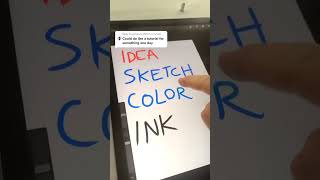
In this informal tutorial, Ryan Maloney explains his four-step digital drawing workflow after his stylus pen failed, so he draws with his finger. He begins by describing how he gathers ideas from other artists and keeps a list of reference concepts. He then sketches the composition in Procreate using a blue pen to make the rough layout stand out, noting that the initial sketch always looks terrible. The third step covers applying color and ink, emphasizing the use of the alpha‑lock feature to lock colors while inking and to create effects, and he demonstrates how the order of these actions can vary. To illustrate his process, he toggles layer visibility—turning off ink and color layers—to reveal the underlying steps, all done with finger taps. He lists his primary brushes (studio pen, light pens, airbrushes) and mentions that alpha lock is always active. Ryan invites viewers to follow him for more tips and promises a deeper tutorial in the future.
Chapters
More from Ryan




Drawing Mr. Beast into a Beastly Baller trading card #art #drawing #tradingcards card




The first draft of my graphic novel #art #procreate #originacharacter #graphicnovel #drawing


