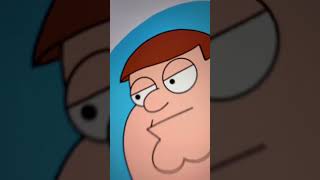
Ryan Maloney sketches Peter Griffin in Procreate, drawing his face and fourteen mouth shapes for animation. He transfers the layers to Photoshop and renames them to match Adobe Character Animator's preset conventions, which he says is crucial for rigging.
Chapters
Have you ever been sitting around and you thought to yourself, I could automate the way they animate Family Guy Peter Griffin's face? Me too. So I got to work studying Peter Griffin's face. It's pretty basic. It doesn't move around too much. Yeah, I can do this. Grab my Apple Pencil and hit up Procreate and start sketching out Peter Griffin's face. Sketch out some eyes, draw in the mouth shapes. I'm using this thin line calligraphy pen. There we go. It's not perfect, but it'll do. I'm going to start making some blinks, then some mouth shapes. I can never remember these shapes, so I always Google it and paste it in my Procreate document when I'm drawing, and I just follow along. Creating these 14 mouth shapes. All right, this is looking pretty good. Let's get it over to Photoshop on my computer. Cheesy sound effect. This is what all my layers look like. I need to rename the layer. Adobe Character Animator has these preset characters with the layers named. Don't recreate the wheel, just follow these and more in part 2.










