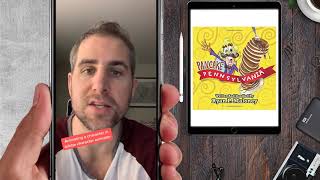
In this tutorial compilation, Ryan Maloney (RyRyArt) shares a rapid-fire series of practical tips and workflows for artists and animators. He begins with a step‑by‑step method for drawing cartoon eyes, then explains how he generates story ideas by listening to music and working backwards from a nostalgic VHS‑tape concept used in an Owl City video. He outlines his modern pipeline for lip‑sync animation using Adobe Character Animator, including Illustrator character preparation, pivot point setup, and body‑pose triggers. Ryan demonstrates how to build 3D comic‑style backgrounds in After Effects with the free AE Scripts “Create 3D Shapes” plugin, detailing composition sizes, shape layers, and 3D box creation. He recommends a low‑cost Muji storyboard book for planning videos and graphic novels, and lists his preferred hardware (iPad Pro, Cintiq, Wacom, MacBook Pro, LG monitor, custom PC). He breaks down the animation approach for Ariana Grande’s “Boys Like You” video, mixing hand‑drawn whipped‑cream sequences with choppy character animation, and stresses the importance of storyboarding to music. Ryan also shows how to set up characters in Adobe Animator, key body poses via sub‑layers and triggers, and shares quick production examples such as a Joker prank shop promo and an Owl City/Hanson music video. He reveals his graphic‑novel pipeline (Clip Studio → InDesign) for “The Night My Bed Turned Into a Submarine,” and finishes with a concise After Effects tutorial for removing on‑screen text using masks and Content‑Aware Fill. Throughout, he blends instructional detail with personal anecdotes, offering actionable advice for creators at any skill level.
Chapters
How to draw cartoon eyes. Draw 3/4 of an egg, 3/4 of an egg on the other side, circle, circle, some reflections on top, fill it in. One circle, one circle, one big circle, one circle, one circle, one big circle, one circle, one circle, one big circle, W, W, W, W, nipple, nipple, nipple, nipple, nipple, nipple, E. Here's a tip if you're stuck writing a story or producing a video. When I worked on the Owl City music video, I didn't have any ideas for this, but then I listened to the song and I thought it was all about nostalgia. And it made me think of VHS tapes and how VHS tapes used to have "Be kind, rewind" at the end of them. So I thought of the ending first. And I work backwards to piece together a story to get the beginning. I used to have to animate my character's mouths frame by frame, but now I use Adobe Character Animator, build the character in Illustrator, and import it. And then I let the camera record my face, and it automatically lip syncs to whatever I'm saying. I'm creating a 3D comic background in After Effects, so I figured I'd show you exactly how I'm doing it. The first thing you're going to need to do is go to AE Scripts and search for a script called Create 3D Shapes. It's free. Install that plugin, then open up After Effects and create a new composition, 300 by 700. Create a shape layer with a 5-point black stroke. This will be the side of one building. Once you have that 300 by 700 shape set up, drop it into a new comp that's 1920 by 1080. Then select that layer and go to Window, Create 3D Box. A pop-up window will show up. Refresh it. Select the side or the name of that building side comp. Set the width and depth of your building however you'd like it. Hit Create, and then you have a 3D building. Now let's select all of those layers and the null object above it. Duplicate that. Slide it over. Hope you like this. This is one of my favorite tools for planning out animated videos or books. It's a storyboard book from Muji, and I write out all my stories, and then I can work on, you know, one page a day, one by one, and never really lose track of where I am. So here I have graphic novels, there's some music videos in here, some picture books. It's really cool, all the boards laid out for you, and I think this costs less than $5 or so. Quick look at an illustrator and animation setup: iPad Pro with the pencil, Cintiq, Wacom with pen, storyboard book, widescreen LG, MacBook Pro, tablet, keyboard, Bose, tea. Custom PC made by these dudes. Animation breakdown. I'll tell you a little bit about animating Ariana Grande in the "Boys Like You" music video. I made this video using Flash and After Effects. My characters are animated in Flash and they're imported into After Effects. In this scene, I wanted to do a combination of Ariana squirting whipped cream onto cherry pie, frame-by-frame hand-drawn animation, mixed with choppy character animations. I wanted her eyes to blink to the music and the whipped cream to come out slowly and back to choppy character animation. Story-wise, this was a simple way to cover 20 seconds of the video without getting too complicated. When you're making an animated video, I recommend thinking about the story for a very long time and then doing rough storyboard thumbnails and listening to the music at the same time to make sure that it's all going to work out. This allows you to prioritize which shots you're going to put your budget and time into. Here's how to set up a character in Adobe Animator. Set up your character in Adobe Illustrator and name all of your files just like the way they're named in the templates you can download from Adobe Character Animator website. Then launch Adobe Character Animator. Import your character. This is your character comp where you will adjust your character. Set pivot points for the bottom of the head and the bottom of the body so your character's body stays still but its head can still move. Select your character and create a scene by pressing this button. Now your character is all set up. You'll just want to have your camera record your face by setting a pose. Hit record and start animating. Here's how to key your body poses in Adobe Character Animator. When you're building your character in Adobe Illustrator, put each pose on its own sub-layer within a main body layer. Import your character into Adobe Character Animator, and you can drag these sub-layers right into the body triggers. Then you can link that pose to any key you want. Then when you create a scene with your character, as you're recording, you just hit keys. And your character will move. Saves a ton of time. Here's a quick look at a toy promo I just shot. It's called the Joker Prank Shop at Walmart, and we set up these scenes to show the pranks being played out. To end each scene, I did this comic freeze effect. Here's a look at a music video for Owl City I made for the Unbelievable music video featuring Hanson. This is a combination of hand-drawn animation and composited animation in After Effects. The idea just came from the music, listening to music over and over, and then eventually developing this character of a VHS tape to tell the nostalgic story. It was super fun piecing together this story with all the things from my childhood, like Nintendo video games. This scene was pretty fun to draw. So for scenes like this, I would do crazy walk cycles, very rough and choppy, but flip his limbs inside out. You can see here, just for a quirky walk. Here's a look at my new book, The Night My Bed Turned Into a Submarine. It's a graphic novel. I drew everything in Clipart Studio, and I'm now bringing it into Adobe InDesign. I'm laying out the COVID on the right-hand side, and this is gonna be the back cover. I'm gonna put information all over it. And right now I have everything in black and white, but I plan to color it in, and I'm just about ready to start pitching agents. I have about 1/3 of the book left to go. Let me know what you think. How to remove text from a video clip in After Effects. Drag your video clip to a new comp, then use the Pen Tool to create a mask around the text. Hit F and turn up the feather to about 24 pixels or so, then set the mask to Subtract. And you should see a hole, transparent hole in it. Then go to Window Content-Aware Fill. Make sure your playhead is at the beginning of the clip, then in the Content-Aware Fill box, hit Generate Fill Layer. It takes a second to run, but then and magically disappears.