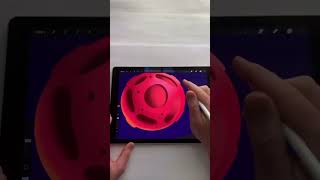
Ryan Maloney shows how to paint a red planet in Procreate in 60 seconds using the Studio Pen, Airbrush, and Nebula pen. He builds it with a base circle, adds shadows and highlights, carves in meteor craters, and uses complementary colors like green shadows to make the red pop.
Chapters
60-second Procreate tutorial: How I draw this planet. With the Studio Pen, I draw a circle and drop a color into it. Using the airbrush and a darker color, I draw a shadow on the left and highlights with a brighter color on the right. I add colorful highlights on the right and left-hand side. Then with the Studio Pen and slightly darker color, I start to draw meteor impact craters. The craters on the left will be darker than the craters on the right. I use the airbrush to draw in shadows of where the light and the shadows will catch. Then I like to go around the outside of the planet and draw the side profile of the meteor impacts. Then I grab the studio pen and draw darker shadows on the inside of the meteor impacts. Then I add bright colors to the outside of the planet. There's no right or wrong way to do this. I just pick colors that pop. One thing I do like to do is add complementary colors to the shadows. So if I'm working with a red planet, that'd be green in the shadows. Then with the studio pen, I go in and add some stars. And with the Nebula pen, I add some of these blue space clouds. Hope this tutorial helped. Follow along for more creative stuff, and let's chat in the comments.