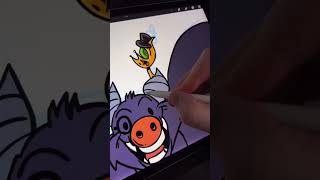
Ryan Maloney walks through inking a sketch in Procreate, adding hand-drawn colors and highlights on one layer, then building shadows on a separate layer set to Darken mode. He finishes with a simple background and eye reflections, showing a complete workflow for comic book characters.
Chapters
Let's turn this sketch into an inked and colored character. I'm using Procreate, but you can use any drawing app to do something like this. I create a layer above my sketch and I start to draw my inked lines. Remember, there's no such thing as a perfect line, so just move quickly here. Your lines will get better over time. I like to duplicate my line layer and drop in some colors. I messed that up right there. There we go. I draw some color by hand. Then usually on that same layer, I add in highlights on one side of my characters. For shadows, I'll create a new layer, turn down the opacity, and set it to Darken, mostly because people in the comments complain I don't set it to Darken, so now I do. Draw a closed shape and drop in your shadows like you would a color. Add some details, no rhyme or reason here. Let's throw in a simple background, a wave crashing, some highlights in the sky to set the character apart from the background using Bonobo Chalk. Don't forget the reflections on the eyes. And that's how you draw characters for a comic book, or this is going to be for my graphic novel.