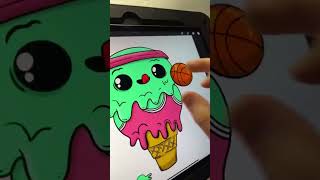
Ryan Maloney draws a mint chip ice cream cone basketball player in Procreate. He uses eight layers per character, sets shadows to Multiply, and applies highlights with Overlay at 50% opacity. He adds texture dots and dripping details to keep the piece playful instead of perfect.
Chapters
Have you been wanting to draw a mint chip ice cream cone basketball player? Then you have come to the right video. It's amazing how these algorithms work. I'll be drawing this character in Procreate. Of course, I forgot to record the sketch of it, but I'm always drawing it in blue. Each character gets about 8 layers of lines, inks, colors, shadows, highlights. Right now I'm just working on the lines layer. I'm still very curious why you would want to create a mint chip ice cream basketball player, But let's move on to the reflections in the eyes, arguably one of the most satisfying parts of the drawing process. Duplicate that layer. Now we're going to add the colors on the bottom layer. Drag and drop colors, and I make my color choices with the good old intuition, that feeling in your stomach where you're like, oh yeah, that works. Ugh, terrible. And there are a few things that I learned at advanced art in high school, like complementary colors, analogous colors. I think I'm saying that right. So I am making some color decisions based on those to make things pop. That's really what pop means, is sort of a contrast and something that creates excitement for the viewer. Shadows get put on a layer with Multiply. I think I forgot to record that part too. Highlights, I was feeling a little lazy today, so I picked the white color and set the layer to Overlay at about 50% opacity, and then I draw that color on the left-hand side of the character. You can get deep into highlights and shadows. For this, I'm just keeping it really simple and quick. I'm always putting myself in the shoes of the viewer or the owner of this product and thinking, what are they thinking when they're looking at this character? And And then I focus on adding these little details like the numbers dripping down. You know, maybe the ice cream is dripping underneath the basketball jersey and it's just filling up that space. And then I like to go through and I just like to dirty up the drawing with some dots and dashes and try to get out of perfection mode. Shadows, I don't know if this is the right way to do it. There is no right way to do anything, so scrap that. I just fill in a circle and go to motion blur, and then I drag it sideways, turn down the opacity on that layer. And then I'm going to duplicate that layer. Well, first let's shift it around, get it into place. I'm going to duplicate this layer after I turn on the opacity. You'll see that coming up in a second. Dupe, transform, scale it down a little bit, and then move it in so it looks like there's a little bit darker shadow. It's not just one set shadow. You don't want to look like an amateur shadow drawer. That would be, you know, your reputation would take a major hit if you only drew one shadow. And that really wraps it up. There's Mint Chip Basketball player.