How I Make Abstract Art on my iPad
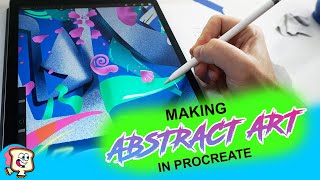
Ryan Maloney shows how he creates abstract iPad art in Procreate by starting with a white block and letting his pen move without a plan. He uses complementary colors from the color wheel, relies on specific brushes like Studio Pen and Bonobo Chalk for texture, and employs layer techniques like alpha lock to keep work contained.
Chapters
This morning I sat down with absolutely no ideas of what to draw, and I struggled through it. Usually I'll start sketching on my Procreate canvas to try to figure out what I'm going to draw, but I couldn't come up with any ideas for characters or anything for my graphic novel. So what I did was just start making some abstract shapes in Procreate. I started off with this white block, and to be honest, when I started it, I didn't feel like this drawing was going to go anywhere. I think it was more of a mood that I was in in the morning. Sometimes you sit down, and if you feel like you don't have any good drawings in you, you usually do. It's more just the, uh, if you wake up, uh, in a bad mood, you're not gonna feel like you have any good drawings, but it's always there. Sometimes you got to fight through it. And this is one of those drawings that I just let my pen do all the work and I stopped thinking and I decided I was going to put this drawing out no matter what. And that'll sort of wake you up and get you excited about the drawing, knowing that a lot of other people are going to see this and you got to make something of it. Sort of like going, going to the gym early in the morning. You don't want to be there when you first arrive, but then once the workouts start starts going, you sort of get amped up and, uh, put a lot more energy into it. With these abstract drawings, there's really no meaning or ideas behind it. I'm usually just playing with color and shapes and shadows and trying to make things pop off the canvas. Some things that are running through my head on color choices are laying down like a flat color that the blue or, you know, simple colors, maybe not flat colors. I did a blue gradient and then these white shapes and then I'm going to build on top of those. And I find myself always choosing the same colors over and over. So every drawing I, I'm asking myself, you know, can I choose a different color here? What goes good with this, with this blue, what's a complementary color, meaning, you know, what's on the opposite side of the color wheel that I can put in this drawing to make it pop. The pen that I'm using the most for this video, actually, yeah, the pen that I'm using for the solid shapes in Procreate is the Studio Pen. And that texture you see, I'm using a Bonobo chalk brush, and you can find that in the sketching tab underneath that brush icon in Procreate. You'll see me jump into layers and turn on alpha lock. That allows me to draw just on the shape and not spill over the edges. Here you can see alpha lock is on and I'm drawing these lines and it's not going over the edge. There's a few ways to do that. You can use the alpha lock, the clipping mask, or you can use a reference layer. Well, the reference layer you'll need to have alpha lock on too. While I'm doing these drawings, I'm also shooting the video for TikTok, and I am going to export this video as an image to Instagram, a video to Instagram, and I'll also put it up on Pinterest. I might post it to Reddit. And definitely my YouTube channel that I've been working on lately. My character drawings, I lay down flat colors and then I put on shadows and then I put on highlights and then I put on details. So I'm following a similar structure in this drawing here. I lay down my flat color bases, I pick my basic colors, some bright colors, and then I put in my shadows. With this Bonobo chalk brush, and then I go through and I put a few highlights in here, but not too many. These pink shapes start to look like flower petals, so I push that a little bit. I don't want to make it too literary or make it too— I don't know if that's the word to use— too much like a rose, you know, too realistic. I want people to be able to interpret it and maybe like the drawing because they could say, oh, that's a rose petal. So you can see me pop in here for my TikTok videos. I usually record the shots that I think will be the coolest, like that's going to be— that twirl is going to be pretty cool. And then I do 15-second TikTok videos. Here I'm going to turn on the alpha lock and I'm going to drop this purple shadow, make these sort of weird out-of-this-world flower-type shapes. Those blocks sort of look like 2x4s or wood boards to me, so I put some cracks in them. I find myself always putting this green, almost aqua color— oh well, maybe I wouldn't say aqua, maybe a bright green color— into a lot of my drawings. So I'm putting highlights with color, but then I'll go back in and I'll put bright white highlights on top of those highlights with a little jagged edge almost to make it look like a shiny surface. This is the studio pen that I'm using. I'm zooming in and out. I zoom out so far on these drawings, but they're pretty decent size. I work at 300 DPI and DPI means the resolution of the canvas in Procreate. 300 is great for printing. 600 is even better for printing. The higher you go in DPI, the sharper the drawing is going to be. And I work at— I'd say this canvas size is about 10 inches by 12 inches at 300 DPI. That stands for dots per inch. So like I said, I sat down with no ideas for a drawing. And it took me a good 15 to 20 minutes to relax and to sort of get amped up for this drawing. And once I did, I was really into it and I'm really pleased with the way it turned out. But some days you just sit down in a bad mood. You're just— you don't want to do it. You don't want to work out, but you start doing the first pushup and then your heart rate gets up and then you see it and you can see what it can become and you start to focus and you get into the zone. And before you know it, 45 minutes is up. And you feel great afterwards. I shoot this video for YouTube. I'm using a Sony A5100 camera. I'm recording this voice on a microphone from around 2011. It's an Audio-Technica microphone, still works great. I'm recording directly into Adobe Premiere. I'm editing this video in Adobe Premiere too. I recently discovered that you can record a voiceover directly into Premiere, and I'm pretty excited about that. So I don't have to record it on my phone and then import a WAV or MP3 file. I'm recording directly on the timeline. These black and white shapes sort of reminded me of almost like Tim Burton drawings, and I'm a big fan of his, his old artwork. So I always sort of incorporate people that influenced me into, into my drawings and my artwork. For this shot, I think I turned off the white blocks on one of the layers in the background because it looks almost like I reversed— I went back in time on this video. I think in the next shot all those details will be back in here. Yeah, really no rhyme or reason to the meaning of this drawing. That's sort of the point of doing these. I do so many character designs that, uh, with like, I try to make crystal clear expressions and meanings and make people relate to those characters. For this, I just want to turn off my brain and let whatever happens happen. Now I'm going back through and adding some more of this pink. Here's the Bonobo Chalk brush. I think it has the perfect texture. It comes built in with the Procreate app. Throwing down some highlights with the Bonobo Chalk. Now, this is a lightning brush or a luminance brush that comes with Procreate 2. I didn't set this up. This is, this is built in. I love this brush. It has that outer glow. Now I'm going through and I'm picking spots where I think the best lightning will, will look. No rhyme or reason, I just go off feeling, and I'm trying to balance things out or not balance things. In this case, I'm Distributing the lightning brush pretty evenly throughout the drawing. I'm gonna put my Herbie Hancock on this one. Call it a day. Enjoy the reveal. Thanks for watching.
More from Ryan




Drawing Mr. Beast into a Beastly Baller trading card #art #drawing #tradingcards card




The first draft of my graphic novel #art #procreate #originacharacter #graphicnovel #drawing


