How I set up my characters in Adobe Animate

28 Apr 2024 · 0 min
0:15

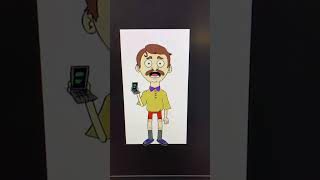
Ryan Maloney shows how to organize a character in Adobe Animate using nested symbols. He walks through the main timeline, then into the character symbol to reveal body part layers, then into the head symbol to show mouth components. The nested structure keeps everything organized for animation.

More from Ryan

youtube.com

Sandlot Custom Helmet work in progress #posca #paint #customhelmet

9mo ago
youtube.com

Procreate brushes

9mo ago
youtube.com

How I use my favorite Muji notebooks #productivity

9mo ago
youtube.com

Drawing Mr. Beast into a Beastly Baller trading card #art #drawing #tradingcards card

10mo ago

youtube.com

I made a fun fitness card game out of my drawings

10mo ago
youtube.com

Josh Allen Drawing

1y ago
youtube.com

My morning routine when making a graphic novel #art #procreate #graphicnovel

1y ago
youtube.com

The first draft of my graphic novel #art #procreate #originacharacter #graphicnovel #drawing

1y ago

youtube.com

Drawing a page from my Graphic Novel in Procreate #art #drawing

1y ago
youtube.com

Simplifying your drawings #art #drawing

1y ago
youtube.com

Assembling my graphic novel in Indesign #art #drawing #originacharacter

1y ago
See all content







