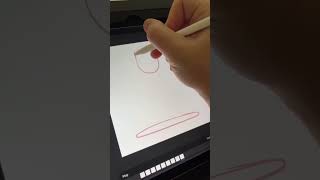
Ryan Maloney shows how to animate a bouncing ball in Procreate using the timeline and layers as frames. He works backward from the final frame, creates key poses with squash-and-stretch to add personality, then plays it back to check the motion.
Chapters
Let me show you how to make a bouncing ball animation in Procreate. If you tap on the wrench canvas, you're going to get a little timeline at the bottom of the screen. This timeline is linked to your layers above. So if you create more layers, you're going to create more animation frames. So I'm just going to create a bunch of those and I'm going to draw a ball at the top here. And then in the middle, I'm going to draw the ball squashing on the ground. A lot of times in animation, I like to work backwards. So I'm going to find the last frame before it loops and I'm going to draw the ball almost at that original starting point. And then I'm going to start drawing the ball blobbing up on the floor, initially making contact with the floor. And with squash and stretch animation, you can add some personality here. There are really no rules when it comes to this. Draw some crazy frames and poses for your ball, which is also a character really when you think about it, and just have some fun with it. See what you come up with. Tap play, and here's what I came up with.