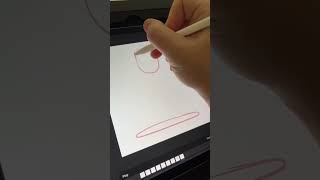
Ryan Maloney shows how to make a bouncing ball animation in Procreate using the squash-and-stretch principle. He draws eight frames, working backwards from the end position, and explains that squash adds personality while stretch conveys motion. After the basic loop, you can add layers for clean lines and color.
Chapters
Let me show you how to create a really simple ball bouncing animation in Procreate. This is going to take about 1 minute and 38 seconds. Bear with me. You're going to see in the animation timeline, this links to your layers palette. See, there's 3 little frames down below. Those 3 are also layers. See, when I squeeze them together, that becomes 1 layer. We're just going to get rid of that. I'm going to add 8 frames in here. I'm actually going to end up adding a few more later on. I'll grab my Crunchy Cow pen and I'll just draw a circle up top. Is going to be the ball at the top of the animation. Now, I know in the middle of the animation, this thing is going to squish on the floor, just a blob of, I don't know, like a super stretchy rubber bouncy ball or something. Now, I also know at the end, this ball is going to come back at the top. So the animation loops relative— relatively smoothly. So I'll draw a couple of the end frame animations. A lot of times in animation, I'm working backwards. I like to see where I'm going before I move forward. Once I draw this squished out ball on the bottom, I'm going to draw the next frame where the ball is sort of beginning its squish and beginning to fit to, to the floor. Really, when I'm making this, I'm just thinking squash and stretch. Any time something is moving, you're stretching it. Any time it hits an object, it's going to squash. That's going to give this thing personality and a little bit of bounce. You could get this animation done with a few frames if you really wanted to. So add as many frames in here to make this as smooth as you want. I'm not going for perfection here. I'm just trying to get something done pretty quickly. You can go back and you can actually create new layers on top of this and add nice smooth lines with color and shadow. So that's it. You can see all the animation frames here, and now we just hit play and we have a bouncing ball.