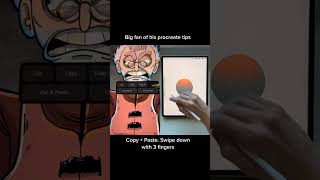
Swipe down with three fingers in Procreate to open the hidden cut, copy, and paste menu. Copy All flattens your entire document into a single layer, which you can then use to apply color adjustments or effects to everything at once without merging layers.
Chapters
Another thing I wanted to show you really quickly today is the cut, copy, and paste menu. So a lot of people don't know where this is, and I'll just show you. Basically, if you make a selection— and you don't even need to make a selection to do this, but that's how I'm going to do it now— and then just swipe down with 3 fingers, you're going to get this menu where you can cut, copy, you can copy all, you can cut, cut and paste, a lot of different things. So one thing that I really like to do with this is right now this circle that I made is on a separate layer, but if I want to try applying an adjustment to all of my layers at once, you can just do something like this where you just say copy all and then swipe down again with 3 fingers and say paste. And now you can see that's pasted an entire copy of my document just flattened at the top of my layer stack. And then if I wanted to, I can come in here and do a bunch of crazy color things with this, and it will adjust everything all at once.










