HOW TO SELF PUBLISH YOUR CHILDREN'S PICTURE BOOK - 2023
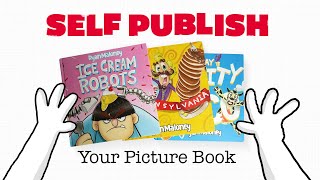
Ryan Maloney compares two self-publishing routes for picture books: Amazon KDP for fast, low-cost launches, and overseas bulk printing for higher quality and custom finishes. He walks through KDP setup, ISBN choices, and how to source printers on Alibaba, then suggests selling paperbacks on KDP while offering premium hardcovers on your own Shopify site.
Chapters
In this video, I'm going to talk about two ways you can self-publish your own picture book. I'll break down the pros and cons of using Amazon KDP print-on-demand service or printing your books overseas and managing and shipping out the inventory yourself. So let's get started. In my opinion, the best way to get familiar with either of these strategies is to just throw yourself into both of them. So let's go to kdp.amazon.com and log in. You're going to need an Amazon username and password, and if you want to save a little bit of time, You're also going to need an employer ID number or a tax ID number because Amazon's going to need to pay you for when you start selling your books. Amazon KDP is a platform that allows you to upload two files, a cover and an interior file, to create a book. When you upload these, Amazon is going to print and ship the book. You're not going to hold any inventory. You're not going to manage any of the shipping. You can see my dashboard here. I have all of my book titles. You're going to be able to upload the COVID the interior. You're going to be able to set the price of the book, and then you're going to be able to control the margins of the book. When you sell a book through KDP, Amazon is going to take a printing fee, a cut of that sale, and then you get a royalty of that book. So you can see here I have a book listed for $9.99. The printing cost is $3.44, the rate is 60%, and the royalty that I get on each one of these books is $2.55. Let's go through the process of creating a book on KDP, and then we'll talk about some of the pros and the cons of using this platform. Whenever you want to create a new book, all you do is hit create from within your bookshelf. I usually create paperbacks, but there are also hardcovers which are in beta, and you can do Kindle ebooks. And the other ones I haven't really worked on— the series page and Kindle Vella, don't even know what that is. I'm going to go to create a paperback. This is where you would enter your book title, if there's a subtitle, if it's part of a series, an edition number, yourself as the author, whoever wrote this book, whoever illustrated this book, all Along with the description and the publishing rights, you wanna mark that you own all of the publishing rights for this, or if it's a public domain. A good way to get keywords is to start searching on Amazon and see what the keywords that populate in the search tab. Use those for any keywords that relate to your books and place them in here. Choose your category. This is all pretty straightforward. Usually I'm choosing juvenile fiction for picture books and maybe bedtime books, bedtime stories. Mark that there's no adult Content, and then you're gonna hit Save and Continue. Now within the paperback content, you're gonna need to create an ISBN number. This tripped me up a little bit when I first started making books. What you need to know is on the back of every single book, you need an ISBN number. This allows libraries to track the inventory, bookstores to sell it. You're allowed to sell it on Amazon, you're allowed to sell it on your website, but here's the catch. If you upload to Amazon KDP and you check that they will give you an ISBN number, those books can only be sold on Amazon. If you check that you already have an ISBN number, you can sell those books on Amazon and you can sell those books on your website, in bookstores, wherever you'd like. That can be a little bit confusing. I found it confusing at first. So let me break down my strategy. On Amazon KDP, I create paperback books. When I create a paperback book, I have Amazon assign that paperback book an ISBN number. So I don't have to pay for this ISBN number. Amazon assigns it, they place it on the book, I don't have to do anything with that ISBN number. On Amazon, I will price my paperback books a little bit more expensive than on my website. On my website, I sell hardcover versions of that book with my own ISBN number that I buy from myidentifiers.com. On my website, I sell hardcover books a little bit cheaper that I add my own ISBN number to, and I usually buy them in bulk. It's around $250 for 10 ISBN numbers. A little bit later in the video, I'll talk about how to get those ISBN numbers onto your hardcover books, but for now, let's stay focused on Amazon KDP, creating your paperback with an Amazon ISBN number. Next up, you're going to choose your publication date. That's pretty straightforward, whenever you want the book to be listed when it came out. Pancake Pennsylvania was created in 2016. That was a long time ago. Print options are important because it's going to affect the printing price of your book and ultimately affect the margin of your book. What I have checked here is Premium Color Interior with White Paper. In my opinion, this is 80 to 90% quality, acceptable quality for picture book printing. It could be better. For not having to manage inventory or quick shipping, it's sort of worth it in my opinion, and I've never had any complaints about it. If you want to increase the margins of your book, you can check Standard Color Interior with White Paper. It reduces the cost of printing and you'll get a little bit more margin. Depends on the style of book you're working with. If you want to go with a little bit lower quality of print, you might be able to get away with it, but find that balance. If you're giving people a low-quality printed book, they're not going to feel a connection to it as they would a higher-quality product. For trim size, I always go with 8.25 by 8.25. This is a square book, great for illustrations. What I do have a problem with, and the size of the book won't matter when it comes to shipping through Amazon KDP, but when you're printing your book overseas and managing your own inventory, you're going to choose media mail that you put your book into. And I find that the 8.25 by 8.25 books, they get stuck on the edges of the package. And I wish I would have gone a little bit skinnier, but I'm sort of stuck in this square zone trying to make all of my books consistent. So that's one tip. If you want to reduce the shipping costs in the future, you might want to look into test out different sizes of your books. For bleed settings, I choose bleed PDF only in glossy books. I find the matte material is a little bit sticky, so I always go glossy. The glossy is a high quality, high premium feel. Now we're going to upload our manuscript. This is the interior of your book. This will be multiple pages. One thing to note is Amazon KDP requires 72 72 pages to print your book on demand. So I found that I've had to add in a lot of pages, maybe a how-to-draw section, maybe an extra about the author page, and stretch drawings out on these in order to hit the 72-page count. When you're independently printing your books, you don't have to worry about the page count. The printer is more likely to be flexible on the amount of pages you print. But with Amazon KDP, you need to print a certain amount. The book cover— this is going to be your PDF stretched out. This is going to be a wide file. So if you're uploading an 8.25 by 8.25 file, you're going to need to multiply that by 2 to upload it. Now, these books, they're going to be so skinny when they're printed that they don't need binding. So when I upload this PDF file, all I have is cover, a back with information about my book. And then on the back, you will also check that you are using an Amazon ISBN number and not your own. If you do want to upload your own, just download it from myidentifiers.com, create a PNG file, paste that onto your cover PDF file, and then upload it to KDP. The book preview is going to allow you to launch your book and flip through it and view any printing errors that there may be. You don't want your text too close to the margins. You don't want your images overlapping the margins and not being able to be printed. Take your time to check your cover, check your interior, and then upload your files. And you're going to need to launch the book previewer in order to submit your book for review. So you're going to mark the territories where your book is sold. I just go with all territories, worldwide rights. I choose Amazon.com as my primary marketplace. And then when it comes down to pricing, royalty, and distribution, I set set my book, like I said, a little bit higher on Amazon KDP because I want people to either buy it there or compare it to the price on my website. And the price on my website is going to be a little bit cheaper. Books are going to be premium quality hardcovers, and hopefully people will choose to buy on my website as often as they choose to buy on Amazon. But I set my pricing a little bit higher on Amazon, and I'm happy with the royalties they send me. But one downside that we didn't talk about yet is when you sell a book on Amazon, you do not get any of the customer data. The only way you can see who buys your books is if you look at the comments after books are sold. So you go down to the terms and conditions, make sure you check that, and you can request a proof of your book. If you request a proof, get a book in probably a week, and your book will come with a sticker across the front that says not for resale. This will get the book in your hands and you can flip through it, make sure there are no errors that you missed in the previewer. And I highly recommend that. I believe it's a few bucks to get your book printed and shipped to your door. So make sure you take the time to do that. And after you do that, you can submit your book for publishing, and within 72 hours you usually get a response of whether it's approved or denied. Once you are ready to publish, just hit Publish Your Paperbook and your self-published book will be listed on Amazon on your author page and throughout the Amazon marketplace as soon as you do that. Before we move on to printing and managing your own book inventory, let's quickly list the pros and cons of using kdp.amazon.com. The pros: Amazon KDP is easy to use and you can self-publish a book within 72 hours after having it created. 2, there are very low or no upfront costs to creating your book on Amazon KDP. This is a lot different than managing your inventory where you'll need to pay for your book before you sell it. Third, and this is the biggest one, Amazon has a massive marketplace. People are always searching and buying books. Now let's talk about the cons of Amazon KDP. There's not a lot of flexibility when it comes to printing your book and managing the quality of your book, of getting it to 100% where Every single pixel is perfect. Third, it limits the distribution channels that you can sell your book on using their ISBN number. I do like to use their ISBN numbers because I feel like they're more friendly in the Amazon algorithm and will sell your books through the site. But having your own ISBN number gives you flexibility to sell on Amazon or your website. Another con, you have very little to no ability to communicate with your customers. You only see their feedback after they buy a book., and you can't retarget, re-email, or send notifications to these people. They can follow your author page, but it's not the same as having them in an email list. All right, that wraps up the pros and cons of using Amazon KDP. Now let's move over to what I'm calling self-inventory management. I think I just made that up. I don't know if that sounds good. I'm gonna give you some recommendations for book printers right here that I've worked with that are super reliable. I went with Jame Printing to print hardcover books. And I went with Best Win Printing. Both of these had excellent customer service, super high quality prints, super quick shipping. And when I say quick shipping, sometimes it can take 15+ days to have them shipped overseas. So be prepared for that. I've had great experiences with both of these. And to find these printers, I went on Alibaba.com. On Alibaba.com, I search for children's book printers. When I'm vetting a book printing factory, I'm looking at the price, but I'm also looking at the amount of reviews, the authenticity of the views, quality of the books, And then I will contact around 10 suppliers. I will be looking for how quickly did they get back to me? How enthusiastic are they about the project? Did they give me extra information about the project? Did they take the extra step in printing a mockup of my book? I'm trying to get a feel for out of these 10, which ones I sort of get that warm and fuzzy tingling feeling about. You'll quickly find that 8 out of the 10 of them, they'll say, oh, I'll get back to you tomorrow. They'll never get back to you. And maybe 1 or 2 of them will hang around, constantly follow up with you, give you a good quick estimate, and maybe even take the extra step to, to ask them questions about your book. Or some will print a sample and send you photos of it. It won't send you the actual book because that will cost them too much money, but you can move forward with a sample of the book with the printers that you feel most comfortable about and spend $100, $150 to get that sample shipped to your door. All right, let's talk pros and cons of printing overseas and managing your own book inventory. Pros: it's super high quality. You're going to be able to experiment with different printers, different factories, and get your book to look exactly how you want it to look. A premium quality book will stand out on kids' bookshelves. The higher quality book that you sell them, the longer they're going to have it, and they may even pass it down to family members who will continue to talk about your book for a long time to come. You're going to have more printing options when you work with a factory. You're going to be able to experiment with book sizes, paper weight, paper quality. You're going to be able to add bindings to your book. Maybe you can package your book up in different ways. Third, you're going to have unlimited distribution channels. You can still sell that book on Amazon. You can sell that book through your website. You can sell that book at local bookstores, and you're going to have inventory to give away as gifts or bring to book readings, to speaking gigs. I like having a lot of inventory on hand. I also like having inventory because I like to sign as many books as possible. I find that if sign your book, people are going to fall in love with it a little bit more. They're going to keep it around for longer. That's something that you cannot do with Amazon KDP. Let's talk cons of managing your own book inventory and printing overseas. There's going to be a higher upfront cost. It can be a little nerve-wracking to put a couple thousand dollars down to buy 400 or 500 books you don't even know if you can sell. You need to be prepared to, one, pay the upfront cost, and two, be ready to move these books, get the inventory moving so they don't sit around and take up space, and you don't just leave them sitting in your garage collecting dust. 2, there's a longer production time. Amazon KDP, it's a few days you can have your book up and in a marketplace. When you work with China, Mexico, India, you're looking at 15 to 45 days to have your books printed and shipped to you. So be prepared for that longer time gap. In my opinion, it's nice to have the higher quality books to take that time to do that, but I use a dual strategy between Amazon and printing books myself. So I have my books up quickly on Amazon, people get to know about them, and maybe they'll look at my website and see the premium quality books that by the time they get to my website, those books are in. So balance the two, get your books up in the marketplace quickly and get your high quality inventory ready to ship out as well. All right. Now we've talked about pros and cons of Amazon KDP and the pros and cons of printing and managing your own inventory. I don't like to choose one or the other, so I go with a dual strategy of Amazon Marketplace and a Shopify website so my customers can buy from either one of these. I'm happy with the royalty of KDP. I'm also happy with a high average order value on my website. Maybe one day I'll go with one or the other, but right now I like to go with both Amazon KDP and a Shopify site. That's going to wrap up this video. I hope you learned a little bit about self-publishing your books through KDP or self-publishing your books and managing the inventory yourself, selling it through your website. If you have any questions or comments, drop them down below. I'll respond to every single one, and I will see you in the next video. Thanks for watching.
More from Ryan




Drawing Mr. Beast into a Beastly Baller trading card #art #drawing #tradingcards card




The first draft of my graphic novel #art #procreate #originacharacter #graphicnovel #drawing


