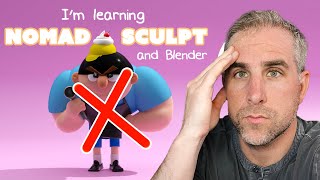
Ryan Maloney walks through sculpting a character in Nomad Sculpt, from concept sketch to Blender render, using low-poly shapes and simple tools. He admits his own struggles with 3D modeling and pushes a "just-get-something-done" approach over perfectionism, with daily 5-minute practice sessions as his learning strategy.
Chapters
All right, so you know those tutorials where people teach you like they're experts, they know everything? This is not going to be one of those videos. I am terrible at 3D. I have been trying 3D modeling and design for 20 years. Every time I pick it up, I just dabble in it and then I run away because it's so complicated and it makes my brain want to explode. This video, I'm doing it. Nomad Sculpt and Blender. I'm just gonna make something. It's gonna be cringeworthy. I hope you learn a little bit something from it. I'll teach you the things that I'm learning as I go, but this is— this one's just gonna be painful. Let's just get started. I've always thought a character from one of my books would make a good 3D model. This is Mad Vlad from Ice Cream Robots. And although he's drawn in the book, I still need to work on a front pose and a side pose, so we're gonna sketch those out right now. And by right now, I mean we first need iced coffee. For sketching, I'm using Procreate. It's the GOAT of all drawing programs. Don't even waste your time with anything else. I always promised myself I'd never become a YouTuber who does coffee B-roll. You gotta do what you gotta do.
Last night I had a dream of us coming together. Last night In my dream, I saw Unity.
When you first open it up, you're gonna see a little sphere in there. You can delete that. You can, you can play around with it. You can sculpt it a little bit. The overall user interface is going to scare you. It's going to freak you out and make you never want to do it again. But I recommend just keeping it open for a month, 5 minutes a day, every single day for 30 days, and you'll be a little bit better at the end of those 30 days. And then you'll be so exhausted you want to take 60 days off and then come back and do it again for another 30 days. That's been my strategy. Hasn't really worked, but give it a shot. Nomad Sculpt, up in the layers tab, this is where you're gonna add objects to the scene. And just think of it like throwing clay on a, you know, on a board, and then you're gonna use the sculpting tools on the right to shape these. And then the tools on the left, that's more for stage control, for moving your object around. I mean, my technique in Nomad Sculpt is basically find a way to get it done any way possible. I actually don't know if my techniques are the right way to go. I just try to build with really basic shapes and I occasionally overcomplicate it. Like, I redid the hands in this like 10 times and redid the shoes a bunch of times. I actually, I was going to put a Velcro strap over the shoes, but I was just overcomplicating it, so I just wanted simple shiny black shoes. One of my favorite tools is the trim tool. I'm using it here. You can use it as a lasso or a straight line, and then you can duplicate layers and trim off the edges that overlap and then move things into place. It's how I built the eyebrows. When I combine shapes together, I'm putting— usually put clay in the gaps and then smoothing it or using the flatten tool to blend them together. I had trouble with this ice cream scooper. Uh, the resolution was too high and then was too low to smooth it out, so if you zoom in close, the edges are still pretty jaggedy. All right, to export from Nomad to Blender, just go in the File menu, check all these boxes, and follow this export settings. I actually don't know if this is totally correct, but I saw Above Wong Art do it, so I'm gonna stick with it. I added a simple area light, and now I'm gonna add a stage. If you grab the vertices when you're modeling this and press E and then Z, you can lift up the back edge, and then grab the middle vertices and press Ctrl+B and scroll up on your wheel, and you'll get this smoother curved edge here. I'm going to set up a camera. I did a quick render, zoomed in at a medium shot, but then I pulled back to show the full body. And here's the amazing reveal. Why 3D hurts my brain so bad, I don't know. This one took a lot out of me. Hope you learned a little something. I'm gonna go take a nap. I think, uh, I think I need a nap after this one. Thanks for watching.
Every land was arriving with love. And prosperity. And I woke up asking myself, oh, I woke up asking myself, why can't we achieve a sustainable peace? Why can't we have a sustainable future? Why can't we achieve a sustainable peace? Why can't we have a sustainable future? Why can't we