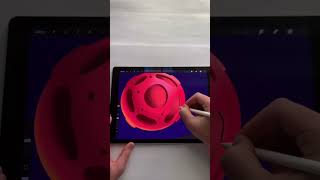
Ryan Maloney walks through creating a stylized planet in Procreate, starting with a basic shape and Alpha Lock, then adding craters, colored highlights for depth, clouds, and stars. He shows how to export it to After Effects for animation, like he did for an Asher Rothel Yachty music video.
Chapters
Let's make this planet in Procreate. Maybe it's an asteroid, not sure. Anyways, I use it in the Asher Rothel Yachty music video I made. So the first thing we're going to do is create a shape and set the alpha lock and then throw some shadow on the bottom. And then we're going to go over top on a new layer and create these circles. You can just pick, pick anywhere they go. You can make them skinnier on the sides and fatter in the middle to give the shape some dimension. And then on the outside of the shape, let's create these little— I don't know what you want to call them, like the the rims of the holes on this planet as if it were hit by asteroids. So those would pop up a little bit. Then I'm going to add a blue highlight and a yellow highlight on both sides of the planet, throw in some green just to make it look a little bit different. I was just experimenting here, and then I'm going to throw some clouds and stars in the background. And then you have a planet in Procreate. And if you want to move this around and animate it, maybe bring it into After Effects.










