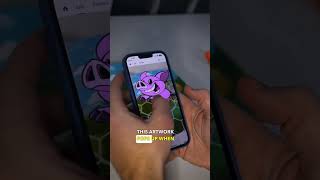
Ryan Maloney tests Adobe Aero for adding AR to picture books using artwork from his project Quazi. The main problem: AR doesn't stay anchored when pages move because Aero uses a simple pin instead of image tracking. He wants an app that recognizes actual pages and animates characters without QR codes.
Chapters
I'm looking for a way to turn my picture books into augmented reality experiences, so I'm dabbling in Adobe Aero. Now, I'm sure there's a much better app for this, but I'm just going to experiment at first. It's super easy to just drop a pin and add an image, but I still need to research this and look around. So I'm going to take some of the artwork that I created for Quazi a while ago, fuel up on coffee, and try to drop a pin over my book so this artwork pops up when somebody opens the book. Now, it's not the perfect experience. You can see when the book moves, the artwork doesn't stay with the book, but I'm going to experiment here and print out a QR code. So if you scan the QR code, the artwork will pop up, but it's still Adobe Aero, which is a great app, but I need more of like a kids book app that can scan the actual image and not the QR code. You open a book and it takes you to the app, and then you can see the characters, they talk to you, they read the story. It's much better than a QR code. So if you know a better app, let me know in the comments, because I think this would be cool to turn all kids' picture books into augmented reality experiences.