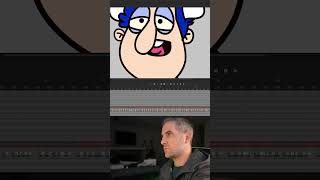
Select by shape: Auto Lip Syncing in Adobe Character Animator

20 May 2024 · 0 min
0:29

Ryan Maloney shows how to use Adobe Character Animator's auto lip sync feature, which is roughly 80% accurate but often needs manual tweaking. He walks through selecting a shape, importing audio, and activating the sync, then demonstrates with a joke about two Bills fans frozen in ice.

More from Ryan

youtube.com

Sandlot Custom Helmet work in progress #posca #paint #customhelmet

9mo ago
youtube.com

Procreate brushes

9mo ago
youtube.com

How I use my favorite Muji notebooks #productivity

9mo ago
youtube.com

Drawing Mr. Beast into a Beastly Baller trading card #art #drawing #tradingcards card

10mo ago

youtube.com

I made a fun fitness card game out of my drawings

10mo ago
youtube.com

Josh Allen Drawing

1y ago
youtube.com

My morning routine when making a graphic novel #art #procreate #graphicnovel

1y ago
youtube.com

The first draft of my graphic novel #art #procreate #originacharacter #graphicnovel #drawing

1y ago

youtube.com

Drawing a page from my Graphic Novel in Procreate #art #drawing

1y ago
youtube.com

Simplifying your drawings #art #drawing

1y ago
youtube.com

Assembling my graphic novel in Indesign #art #drawing #originacharacter

1y ago
See all content







