Setting up characters in Adobe Animate
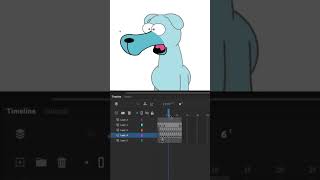
In this brief tutorial, Ryan Maloney walks beginners through the process of building a character in Adobe Animate. He frames each character as a "shell" that contains nested symbols for individual body parts. By double‑clicking the character symbol, you can create separate layers for each part—head, torso, limbs, etc.—allowing independent movement. The mouth is treated specially: nested shapes for different mouth positions are placed on their own layers, and the frame picker is used to key those positions for animation. The segment ends with a light‑hearted demo line, illustrating the setup in action.
More from Ryan




Drawing Mr. Beast into a Beastly Baller trading card #art #drawing #tradingcards card




The first draft of my graphic novel #art #procreate #originacharacter #graphicnovel #drawing


