0:29
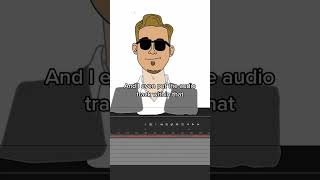
Ryan Maloney shows how to nest a character's head, sunglasses, mouth, and audio into one symbol so the mouth animation stays synced when you move the head. This cuts down layers and keeps lip-sync consistent across the whole animation.

Ryan Maloney shows how to nest a character's head, sunglasses, mouth, and audio into one symbol so the mouth animation stays synced when you move the head. This cuts down layers and keeps lip-sync consistent across the whole animation.
When you're setting up your characters in Adobe Animate, I like to nest the files. That means I have an object here like the Hanson singer's head, and then when I double-click in that, I have all the pieces to the head, the sunglasses, the mouth, and I even put the audio track within that. So I can animate the mouth within this piece and then jump back out here and I can move the head around and the mouth will be animating, but I won't have to animate it on two different layers. I only have to animate it once, and then I can shift this around as much as I need to, and the mouth will always stay with that character head and be lip-syncing with that head.

Drawing Mr. Beast into a Beastly Baller trading card #art #drawing #tradingcards card

The first draft of my graphic novel #art #procreate #originacharacter #graphicnovel #drawing










