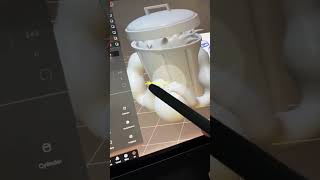
Ryan Maloney walks through five essential Nomad Sculpt features: the objects and layers panel, adding primitives, subtracting geometry with Voxel Merge, the Gizmo navigation tool, Subdivide for smoothing, and the Tube tool for drawing shapes with adjustable radius and taper.
Chapters
These are the top 5 features and things I've been using in Nomad Sculpt. All of your objects and your layers are packed into this menu over here, and your tools are on the right-hand side. If you want to add a shape, you pick it in the primitive and it shows up on stage. Let's subtract from a shape. Here I put 2 shapes together. I select both of their layers and turn off the one I want to remove from the other shape. Then I hit Voxel Merge and it is removed from that shape. The Gizmo tool, I don't even need to teach this one. It just gets you around the 3D world. Up top in this grid menu, you have subdivide. When things are looking chunky, hit subdivide. That'll smooth things out a little bit. I love the tube tool, mostly because you just draw away. Tap radius to add some taper, move the points to shape it.










