0:15
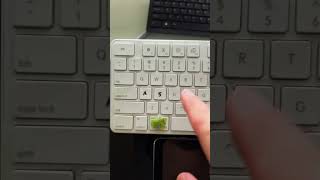
In this short video, the creator introduces their Macally keyboard and explains two simple modifications they made to improve tactile and visual identification of the Command key. They attached a piece of Velcro to the Command key so they can feel its location without looking, and they used a permanent marker to add a visual cue. The speaker frames these tweaks as responses to frequent questions from viewers about the keyboard seen in the background of their creative videos.
More from Ryan




youtube.com
Drawing Mr. Beast into a Beastly Baller trading card #art #drawing #tradingcards card
10mo ago




youtube.com
The first draft of my graphic novel #art #procreate #originacharacter #graphicnovel #drawing
1y ago


See all content
