How to Build an AI Content Machine - Step-by-Step (FULL GUIDE)
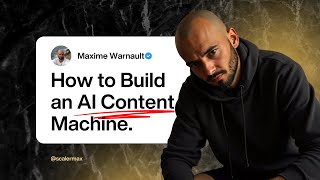
Maxime Warnault shows how to build a fully automated AI content system using N8N and Claude that turns competitor ideas into carousel posts, reels, and scripts for Instagram, TikTok, LinkedIn, and YouTube. The system maintains a 42-day queue and publishes daily at noon, cutting a creator's weekly workload to just a few hours.
Chapters
In this video, I'm going to show you my complete AI content creation system that allows me to publish content on Instagram, X Thread, TikTok, Facebook, LinkedIn, YouTube and virtually every platform on Autopilot every single day without me having to publish manually, without me having to create the content from scratch. So let me show you exactly how it works. This video has been requested from so many people and I'm excited to share this with you today. So let's get started how it works. Here we have the backlog of all the IDs that I have. These are also like the IDs from my competitor that are automatically added into the IDs list. And from their content I can recreate any content that I want from them, branded to me, so I don't have to reinvent the wheel and build everything from scratch. And that allows me to cut my content creation to literally just a few hours a week. And I've everything literally automated. And here you can see published posts, we have 40, I have 42 posts in the queue, so I have like 42 days of content in advance. So I have images, I have carousels, I have videos, so reels like long form YouTube videos as well in here that are going to be automatically posted for me literally on Autopilot. So all I have to do is to come here, see the IDs, what my competitors are doing, and if I like what they have, I can recreate any of their videos for myself, with my brand, with my target audience, with the problem that I solve, pretty much everything. And the way I do this is by having this brand section in here. So I have my brand name, I have the presenter, which is who I am, my story, pretty much everything they need to know about me, I kept it pretty short. The prospects that I'm helping, the problem that I'm solving, the promise that I'm making, the process that I'm using to solve that problem, the products that I'm selling, the pitches. So these are the calls to action I want to have on my post based on what I'm saying. I can get people into different lead magnets or products. The content strategy, the brand identity, the brand pillars, the brand personality. So literally everything is fully branded to me. And then I have my competitors, Instagram, my competitors YouTube, I can add their name in here and it's automatically going to send me all of their content for the past week, every single week, so I don't have to once again reinvent the wheel on the content. And if I want to create original Content then I can ask in my Slack channel, I have a content marketing channel and I can tell him please create a new piece of content. Ook. I've never publicly shared this. It's hard to admit. And the next slides will reveal that I have a double life. Supermax during the day building AI systems to scale businesses, 200k per month profit and Superman during the night saving cats and grandmas from the villains. And I have created image of myself, Supermax and Superman that I want to share and make a funny post. So what I'm going to do is just hit enter on this and it's going to add the content automatically for me once again. Another thing that we can do is when I scroll through Instagram, I can share any post into this Slack channel and it's going to add the content as an ID inside of my airtable database. That can be from Instagram, that can be from YouTube. As you can see here with Leila or Mozzie, she talks about why you need to have systems instead of goals which is fully aligned with my brand. So I was like, okay, this is a very good topic that I want to recreate for myself. So now Layla created the video, the long form video. I can recreate it with my brand, with my own spin on it. I can search YouTube for anything that I want. So preying YouTube content on N8N MCP servers. And then I can see, okay, Claude's MCP is here, blah blah blah. Which is what I've done to build this entire system that I'm showing you right now. So perfect, your content ID has been captured. I love the concept, really your double life, blah blah blah blah blah. And then we can go back in into the system and see here what it did to make your funny AI post showcasing blah blah blah. I've never shared this publicly. Use a minimalist design, vulnerable setup, text to the confession. But I live a double life. Slide 3. By day I am Supermax caption building AI system image or custom image. So as you can see, it creates pretty much everything. And all I would have to do is create this carousel and upload it in here and put it into the queue to be published. Now all of this, that all of these carousels that you see are created automatically for me, I don't write, I don't build this automatically. They are built, the images are built automatically as well. So I don't have to go into Canva and build the images. Okay, so we have this in here now. So it should be the last one. C754. So what I can tell him now is to actually create the carousel text. So we already have it, but it's now going to turn it into the right thing and it's going to give me the full. The full carousel text. And then it's all I have to do is just copy the text. We're going to see change in here and turn it into images. Okay. So now it created the carousel so we have a children content. So if now I click on. On here. So it told me, perfect, I've created the carousel. Blah, blah, blah. So now we have the carousel in here. I've never publicly shared this, but the truth about my double life might shock you. So we can quality control this. I've never publicly shared this. This is going to be the first slide. It's hard to admit I want this to be the second slide. But I've been leaving two completely different. But I've been living a devil life and keeping it. Yeah, I like this. And keeping it secret from everyone. By day, I'm one person. By night, I'm someone else entirely. By day, I'm Super Max. This is so funny. By day I'm supermax. And basically what I'm using is flux. So what I would do here, I would do it three by four. Max flying over New York City. Max, these guys as Clark. Maybe it's okay. Clark Kent. Oh, no, it's a c. Clark Kent flying over. We're gonna put Barcelona. Because I'm living in Barcelona. So it's. These guys are Clark Kent. I'm precising that I'm bald because sometimes it just gives me error. Max bald disguised as Clark Kent working on. Bald with glasses disguised as Clark Kent working on his computer during the day in a professional environment. Okay, we're gonna do this. It's gonna generate the image. I'm showing you, like a few things as well at the same time on. Yeah, I like this. And I want to make the Superman costume appear below the shirt that is wearing model clock Kent. Before he turns into Superman. Okay, let's see what we have now. Okay, so. We're gonna try this again. I don't think he got the. Yeah, I like that. Turning into super Max during the day. So we can use this picture. And then what we can do is Max build. This as Superman flying. Flying over. Over Barcelona during the night to save cats and grandmas. Let's see what we get. I'm excited about this generating image. Okay. The end is weird. This is really weird in here. So we're going to regenerate this thing in here. Maybe I need more steps. Let's see. There we go. Still a little bit weird. I don't know what these things are. So what we're gonna do is we're gonna increase the number of steps. Max. Pal. Flying as Superman over Barcelona during the night. Saving. Saving. Maybe it gets confused about this. Saving. The word generally. The simpler the prompt, the better the quality the image is going to be. I don't know why it gave me a shot. I'm in the middle of the wall. So, you know what? Flying over New York City was pretty nice. So we're gonna keep using this. And. Oh, it's actually four by five that we need in here. Four by five. I think it's fine. Anyways, I can redo this, but yeah, I could definitely use this image. It looks pretty much like me. I'm pretty, pretty mad on that picture. Anyways, don't want to spend too much time on this. But basically what I would do here is I would turn this into the carousel and I would drop the images in here. And what I wanted to show you by the, I'm one person. By night, I'm entirely someone else. By day, I'm Supermax building AI systems profit per month. And then by night, I'm Superman, saving cats stuck in trees, helping grandmas cross the street. Same difference. Costume saving, scaling businesses. By day, saving the world. Both system requires an escape, obviously. So whether you need an AI system or superior services, I got you covered. I don't want to have a cta on this. No cap required, but highly recommended. Okay, so I like that. So what I want to show, what I wanted to show you is like, quality control. And then we can generate these images automatically. And what I would do, really, is go to canva, change image 3 and 4, and then I would have the entire thing built for me. I just want to wait here and show you how it generates the images automatically. So we're going to wait a few seconds, and the images are going to start appearing in here. All right. So we can see that the images start to appear right here. So I've never shared this. It's hard to admit, but I've been living a double life and keeping it secret for everyone. By day, I'm one person. By night, I'm someone else entirely. By day, I'm Supermax, building AI systems that scale online. Businesses 200k per month profit. By night, I'm Superman, saving cats stuck in trees and helping grandmas cross the street. Same mission, different Costume scaling businesses by day, saving the world by night. Whether you need an AI system or a superhero, I've got you covered. No cap required, but highly recommended. So basically what I would do now is I would just change these two images and, and add the like the two images that I just loaded in in here. And basically what I can do is put this in here just to show you an example that would be need to be the latest image and then I can re direct them into Supermax and then Superman and we would have the entire carousel built and I would just need to add the text on these images and that would put this into the queue and that would be posted automatically for me. So I went on a side tangent but I just wanted to show you this cool, this cool thing. Now let me show you the back end of all of this. Oh, I have built this entire beast. Okay, so let's go into the AI creator system. This is all working inside of N8N. So this is an automation platform that allows you to automate literally everything you want. So everything goes into the trigger. So let's open this. Then the trigger calls an MCP server where I have a call to all of the automations that we can do in here. So what we can do is we can create new content from the Slack channel from Airtable as well. We can import content from Instagram, we can import content from YouTube, we can update the content in any way, shape or form that we want just by typing a custom prompt basically in here. And I can tell it custom prompt please turn this into a 10 slide carousel instead of just two for example. And then I would just update the content and it would go into the update content automation, run the changes, send it back, tell me when it's done and that's it. Create the carousel text. So you've seen this generates the text first. We can quality control, we can make any changes that we want and then we create the images that I just showed you in here. So the images are the Twitter post style. You can create anything you want in here. And if you want to have a background, if you want to have like it's just a matter of updating the automation, then what we need to do is create short form. So from a YouTube video we can create a short form. For another short form, we can create a short form. From a carousel we can create a short form, we can create a long form video outline. I know some of my clients just want to have bullet points and they don't want to have a full script to read when creating YouTube videos. So that's what this allows them to do. And then we have create a long form script. So from the outline. Now if you want to record your YouTube videos using a script, reading one by word, then this is what this does. And finally we have the publishing in here that allows me to publish this content automatically every single day at 12pm so let's start with the trigger, the main automation where everything is working. So we have a slack trigger. So anytime I post something in this slack channel, it goes here and it sees it. Check if I posted an audio so I can talk to it and I can tell him, please create a piece of content that talks about why every business owner on earth needs an AI system to completely manage their content creation. From ideation, spying on their competitors or sending a simple voice message into a slack channel to create any piece of content that they want and repurpose it into a short form, long form or image post. Boom. So this is going to process the audio file and then if it's an audio, it's going to download it to transcribe it and send it to the AI agent which has access to the MCP server. Okay. And then it's updating us based on where it came from. Here, it's from Airtable. So we can create a new content in Airtable and do whatever we want the same way. And then it's going to tell us, okay, here's what happened. And so basically here you can see we can create a new piece of content. We can, we have actions to. To take and the results of the action. Perfect. Have you successfully created the carousel for blah blah, blah. So it's updating this and it's letting you know exactly what it did. And then you can click on the, the con, the, the children content and you have it in here. Okay, so next we have this here. So this is an automated trigger. This is to spy on your competitors. So this was quite a beast to build because. So it's scheduled on a, on a daily basis, on a weekly basis, sorry, on Friday at 6am every Friday. So I spy on my competitors and I get all of their content being added to my database on autopilot. So I get first I get the, the list of competitors that I want to spike. And then I get their YouTube channel, I get their Instagram post. So their YouTube videos, I get their Instagram post. And if it's an image, I add the image. If it's a video, I add the video in here and I need to transcribe the video. If it's an image, I need to read the text that is on the image and transcribe it as well and add it the IDs database when it transcribes it comes here to a webhook and it updates the text on the generates a title and it updates the text on the ID itself. So this is what you can see. For example, let's just use the danko here. It created the text. Unlocks your superpower for success today. Pretty vague, but you as a single person have more power today than a 20 person company. This is a post that I liked. Basically what it did. It transcribed all of the images and gave me the transcript in here and the description. And what I can do now is I can recreate a carousel from this so I can create a short, short form video. Let me show you the short form video. Boom. And then it's going to give me the results, give me access to the child post that has been created. So I can create any type of content that I want like from this main piece of content in here. Nothing more to say on YouTube here. So sometimes we get the transcript right away, sometimes we don't. So I have two calls in here. If we don't get the transcript, then I use another tool to get the transcript and then I add it if it's, if the transcript is too long, I add the transcript into a Google Drive and because there is a character limit on airtable and I just have to put this into a Google Drive file, set the permission for everyone to read and then update the link in airtable. So this way I always, always, always have, sorry, the transcript. So that's pretty much it for this one. Let me show you now the MCP server. So anytime the AI agent is being called, it has access to this MCP server and it has access to all of these tools. So if I send an Instagram post, it's going to come here. If I send a YouTube post is going to come here. If I ask for research on YouTube is going to come here and if I have to manage the content on Airtable, it's going to come here. So we're going to get the record id, we're going to get the content, we can list the content, we can delete the content, we can add new content, we can update the content. So basically we can literally update any piece of content from here. Let me show you, please show me all the content I need to record. And basically it's going to come into the trigger. You can see the execution, it's going to run. So now it's running and it's going to ask the system, okay, what are we doing now? We are going to go to the MCP server and we're going to ask it to inside the MCP server to list the content. So this is what it's doing in here. So this is what you see here. List all the content. And basically what it did is created the formula for airtable to show only the content that I need to record. And now I have the list of the content that I need to record. Well, you're stuck at 10k months. It's not what you think. Why 90% of entrepreneurs are actually just employees. Why 99 of percent of business owners are burning out. So this is, this is all the content that is in the database in here that I need to record. So you're stuck at 10k months where 90% or just employees, why are you burning out, etc. Etc. So this is pretty advanced. I'm not go like, I'm not going to like go through the, the entire thing because it's gonna take me an hour. But this one new content, this is when I send a new content id, create a piece of content like I've done here. Please create a piece of content. We can see that it goes into Claude and it generates a title. It search on perplexity to expand on what I, what I've done and then it creates the airtable record. So when I send a new Instagram post, what we do is we extract the reel. If it's an image, which we transcribe the reel and then when it's transcribed it's getting updated into the database. And then here, if it's an image, we are transcribing the image, we add a title from the description and we update the description and title. Okay, when it's a YouTube video, we get the link of the YouTube video, we get the transcript. If we have the transcript, we get it right away. If we don't have the transcript, we call this other automation to get the transcript. And then if it's, if the transcript is way too long then we put it in the, in a Google Drive. And if it's not, if it's short enough to fit into airtable, then we put it directly into airtable. So that required quite a lot of brain capacity to figure all of this out because like these are so many different things. So sometimes you want to have like a three hour YouTube video transcript, it's a podcast and you want to extract like all the values from it and it's not going to fit in Google Drive. So I had to find a clever way to make it happen. So basically create a Google file, put the transcript in there and also edit all of the other automation to look for the transcript. If there is an URL in there, then we need to get the URL and get the transcripts from the URL instead of the directly into Airtable. Update content, very easy as well. We get the content, the record to update, we update the content and we send it back to airtable. Create the carousel text. Pretty much the same. We see if the transcript is too long, this is what I was talking about. If the transcript is too long, then we look into the file, we extract the text from the file and then we use perplexity to expand on the on this and then we generate the carousel, we generate the title and that's how we create the carousel. Next up we have the carousel images. So this is using another API. So we create as many image as we have. So we loop over the items and basically we have the items split by the character break. So here, this is what we have in the text. So we have a break. And this is what is going to allow us to create each slide with the text that we want on each slide. Create the short form. Pretty complex as well in here. So if the transcript is too long, once again we get the transcript from the Google Drive and then extract real IDs. Okay, so what this is doing here is if it's a long form YouTube videos, there might be a lot of ideas from this video. And instead of just creating one reel from one YouTube video, now what it does is for example, this Leila or Mozzie, she might be sharing a lot of different ideas to systemize your your life. And I just don't want to have one generic reel for this. I want to have many different reels about many different things she's talking about. So if it's a YouTube video, generally what I do is I extract the real IDs. So I analyze the transcript, I tell it, okay, extract the real IDs that you want, I split them and for each of them I generate a new reel, I generate a new title caption and I upload it to Airtable. So this way I can turn one video YouTube long form YouTube videos into many different short form scripts. If it's not a YouTube then we can just generate one reel, one title with caption and that's about about it. Long form Outline. So summarize the the text doesn't this needs to be added research. So if it comes from YouTube generally we don't need research, we just need to rewrite the the script based on what we want to say. Outline. So create the outline and upload the outline to airtable and then the long form script. Basically what we do is from the outline we then generate a full on script that is teleprompter ready. So someone can just read the script on a teleprompter and upload it to YouTube. Finally, last but not least, the publishing automation. So here I have like three different, four different types of content that I post on a weekly basis. So I have short form, I have images, I have carousels. So basically all of these things do the same, the same thing. Some of them you can post. For example the, the carousel, you can't post the carousel on Tick Tock. You can't post the carousel on like different platforms. So basically you have to. I had to just update the automation based on the type and the, the platform that we can post this type in. So short form we have Instagram, YouTube, TikTok, personal Facebook page, business Facebook page, threads, Twitter, personal LinkedIn and business LinkedIn page images. Same thing. And then we have same thing for the carousel on the the platforms that we want. And finally we have the long form YouTube video to be posted automatically on YouTube every single week. That was a lot. So that's how the system works. It's really allowing me to create like hundreds of of pieces of content in a matter of of days instead of months. Literally. I'm the only one doing all of this. I don't need a team because I have this system to manage all of my content creation in one place. I have created the system in advance and now I can use the system and the system works for me 247 every single day posting for me on all the social media platforms. And all I have to do is once or twice a month create some images, create some carousels, create some short form video, long form YouTube and it's going to be uploaded to all my social media platforms. So that's all I wanted to show you in this video. Let me know if you guys have any questions and I will see you in the next one. Peace.
More from Maxime



I was talking to one of my clients' husband today and she's very not tech savvy and her hu
Most of the time we undercharge in the marketplace because we feel we do is not valuable e
