Shally's Alley Live
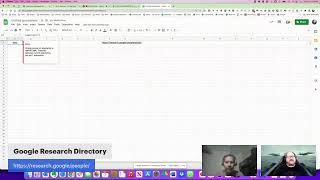
In this live session, Shally Steckerl hosts a collaborative, on‑the‑fly exploration of how to scrape the Google Research people directory. After introducing the challenge—collecting all researcher profiles—Shally invites guests (David Marr, Randy Bailey, Srini Vasa) to discuss and demo various web‑scraping tools. The group first tries Instant Data Scraper, which quickly pulls 2,272 rows but only captures three expertise fields per profile. They then experiment with Octoparse, noting similar pagination handling, cloud‑vs‑local execution, and the need for a second‑level loop to reach deeper profile details. Randy highlights missing records (≈60) and the diminishing returns of large‑scale scraping. The conversation shifts to alternative solutions: WebScraper.io (Chrome extension), DataMiner (free vs. Pro recipes), Outward Hub, and regex‑enhanced approaches. Srini demonstrates using Google Sheets’ IMPORTXML with XPath to pull URLs and meta data, while the team wrestles with syntax quirks (quotes, curly vs straight). Throughout, they share Excel tricks like Flash Fill (Ctrl+E) for name parsing, discuss handling compound names, and consider enrichment services (Swordfish, SeekOut) to add contact information. The session ends with a reflection on collaborative problem‑solving, the trade‑off between tool simplicity and depth, and next steps for a more robust, multi‑layered scrape.
Chapters
Hey everybody, it's Shally and you are live on Shally's Alley. Happy Friday, October 7th. It's our first October Shally's Alley, um, and I'm flying solo today. So if you have something you want to talk about, come on to the chat, drop me a note. If you're on Facebook and you want your post to have your name on it, in other words, so it doesn't say like anonymous, go ahead and use this here. And that'll help you connect your account so that you'll be visible. In other words, it'll show your name, your username. Now that reflection is bothering me. Let me see if I can do this. That better? Oh, that's not very good. One more thing. There we go. How about that? Okay. At least that reflection is gone. That was bothering me. Anyway, how do you like my social coding t-shirt? I got that from a friend that was at GitHub. It's a GitHub t-shirt. What's up? If you want your icon to show up, instead of being Facebook user, just put that, uh, connect that link there. Let me drop it in here again on Facebook so you can see. There, David, this one's for you. Do you want to come on live? You're welcome to, David, if you want to chat or rant or, um, whatever. So I, uh, posted a question: what do you want to talk about on the Face group, Facebook group? And, uh, Glenn said, what if I try to download or scrape, I guess, all of the people from the Google Research directory? So I'm gonna give that a try. I decided I was gonna shoot— use Octoparse. So, okay, David, let me grab a link for you here. I'm gonna send it to you via, um, chat, Facebook chat. Here we go. So use that and that'll drop you right into the stream. And I'll, I'll add you into the feed. So if anybody else wants to jump on, let me know and I can send you a link to join the meeting live. Glenn, if you want to come on, I'll send you a link as well. Here, don't feel obligated to join if you can't or if you're busy, but here is that link. There you go. So as I was saying, Glenn challenged me to go look at this website here. So I'm going to share my screen. Share screen. There we go. So I'm sharing this, I'm actually just sharing this tab right now, which is the people directory that Glenn was talking about. If you're wondering what this is, basically it's research. Google— research.google, not.com, research.google— and then, uh, /people. So let's see if I can post this on the chat. There it is. All right. Hey, David, how are you doing? Good, man. Welcome.
I like your background. Yeah, I haven't had a chance to see the movie yet, but I hear it's, uh, really impressive.
The, uh, Maverick is actually really good. I saw it with the family, um, the other day, and, uh, yeah, it was definitely, definitely impressive. So Glenn sent us his representative Randy, who's on, um, I'm not sure we can see. Yeah, Randy Bailey right there. See if we can do— are we gonna do this? We do this or we do this? Which one's better? Are we doing this one?
How you doing?
Which one?
I like this one.
This one? All right, we're sticking to this one. Yeah, hey guys, wow, we got, we got two famous people today. We got Randy Bailey and David Marr. Awesome, that's freaking fabulous. Cool, so I, uh, was challenged— well, I already told you the story, but I was challenged by Glenn to try to scrape this website here, the research directory, and I figure I would try to use Octoparse for this, but do either of you have a better idea?
I just did it in 2 seconds, Instant Data Scraper.
Yeah, I, I thought about that as well.
So like back in the day when Glenn originally made the video for, uh, what was it, um, the 30-minute video with Jeremy Roberts for, uh, Shoot, what's it called? Got it on my other computer. Hold on a sec. Brain is not working. Outward Hub. Like, I watched his video hundreds of times, literally, as I was figuring out to figure out how to do scraping. And some of these new tools are so much easier now.
Right.
And I'd give it like— and I don't do it nearly as much as I used to, but like Instant Data Scraper is my go-to for certain things like this. And he was like, I don't know how to like cross-reference or like dig deeper like I would without Hub to go to that next level. But I just spot-checked all the people in like one of the, for the co-authors. And basically anybody that has a link is in that list.
It's coming up, right?
And anybody that isn't, isn't. But if they're not linked, am I gonna cross-reference? Am I gonna use it? So yeah, I don't know if it's like, I would probably stop at that point because I don't know how much I, I'm always skeptical of lists because in my experience with attendee lists, any of these things, I've spent days, countless days in cumulative time of trying to go through these things with where I get onesie-twosie results where it's, it's just, it's diminishing returns I've found for these things. That's my experience. I'd love to be challenged on that, but that's like, I've had various debates with various other thought leaders of this and that's, I just, I have trouble with it.
So that when you say diminishing returns, you mean like it's a lot of, you may be able to scrape this stuff quickly and then you got a spreadsheet, but then it's a lot of cleaning up and a lot of—
Right, right. And to get 1 or 2 people when like, And I have— there's nothing I hate more than when I spend all day on something and have like almost nothing to show for my work. Like, it just— productivity aside, it's— to me, it's not satisfying.
I see what you mean. Okay. All right. Well, let's see if I can do— well, I'm going to see if I can do what you did first, because that was my first instinct. But then I went to— I went to Octoparse instead. Because I thought it would be a good, good one to try this with. Um, so let me try Instant Data Scraper first. I'm gonna have to stop sharing and then go to full screen sharing, I think, because otherwise it won't show Instant Data Scraper. Okay, so here's the page. Zoom in a little bit here. And this is the Instant Data Scraper right here. I'm assuming— help me out here if I'm not doing what you did, but basically I just clicked on this and it would grab all the information from this page. And then I basically need to do— it's not infinite scroll, so it would be next button, right?
And the arrow on the far right worked, which is that one.
Yep. And then I go to start crawling. Let's see if it goes page by page. Looks like it is.
Yeah, it's lightning fast.
Yep, it's loading all the pages.
It's instant. It's pretty instant, right?
Well, I'm gonna let this run for a second here. Yeah, while I—
a minute or two.
Yeah, exactly. Yeah, it should be— that should be done soon. It's almost more than halfway. So this is Octoparse. It's basically the same idea, right? I put, I put the, uh, address in here and hit the start button. In fact, why don't I just Why don't I just do it over? Don't save and just start over. So I put it in here and I just hit start and then it goes to the website and it seems like it's basically doing the same thing, right? It identifies the structure. It says detecting website or web page data, checking for infinite scroll, and then it's essentially finished with its, I don't know, analysis, I guess. It looks like it built something very similar here. Yep. And then it says list data detected, preview your data at the bottom and choose how you'd like to extract the data. I don't know if I need to choose. I mean, it's like, yeah, this is what I want. Like, what else is there? Right? Extract the data in a list, paginate, paginate and add a page. So it looks like that's it. Right? So I guess I just create workflow or just run? Nope, run on your device. Ah, okay, run on your device, run on the cloud. Cloud, go for cloud.
I would, that way you're not wasting your, your, uh, your local machine resources. I don't know if you have a, uh, a power station or not. I don't, so I couldn't run it online.
Ah, it looks like for the cloud it wants me to um, pay, pay to go on the cloud. So I'll just do this one here. Auto-hide. Okay. All right, looks like it got the pagination, and now it's apparently just doing the work. So, so far seems like the same as Instant Data Scraper. I'm not seeing any, uh, advantage or disadvantage here. What—
is there a way to dig in? Like, can you tell it to dig in and take the— so if you click on one of the profiles which I did afterwards also to see what it looks like. Yeah, like just any one of the, the, the, yeah, Riff. If you click on Riff to see what, what it actually shows you when you go into it.
Link select, total 60 similar, select all, extract text, URL. It's, yeah, it's basically saying here's the structure of it, all the div tags, and it's telling me what's all in it. Um, and select all. Yeah, it's grabbing everything in here apparently.
But not— so right now you're just highlighting what's in this, in the box, in the card, this card. But when you actually click in to go look at the profile, the people/105197, like, for Rich, hover over his name, you can see the URL. Yeah.
And it's not allowing me to click in this mode. Yeah. Not Octoparse.
Yeah, that was the same with— yeah, same with Instantaneous.
So let me click run and see what happens. Standard mode. Okay, so the cloud one you have to pay, but the standard mode you don't. Starting. So this looks different because I think it's running— perhaps it's running, um, a layer deeper. So let's let this go for a second and go over to Instant Data Scraper, which apparently has finished. 2,272 rows collected, and I can essentially just put it right into— I'm going to open it as an Excel spreadsheet.
So we lost 60 somewhere for whatever reason, or they're duplicates or whatever, right? Well, yeah, it was supposed to be 2,332 according to the directory, but like that again, like I've spent time in the past trying to figure those things out and it like So it's diminishing returns, right?
You try to figure out the 60 that are missing, but really they're either not missing or it's not a big deal or whatever. Yeah.
But these are things I've had to learn the hard way by banging my head against the wall and like trying to figure it out and just, all right, what is this getting me? What are the odds that those 60, one of those 60 people will be the hire that we, we get?
So this is what, these are the areas. And then this is what? I don't know.
That's the heading of the area, basically.
Expertise, perhaps.
Yeah, that's good. I like that. And how is this different than the other one? Machine percept— oh, it's the second area.
Like, he's machine intelligence, machine perception, software engineering, right? Speech processing, like, yeah.
And then this must be area 3 expertise. 3. Okay, so far so good. So the only thing that it's not doing, it's not really parsing.
Well, it only took 3. It's only taking the 3 expertise, whereas like he had 5.
I wonder why it stopped there. 1, 2, 3. Oh, because it's +1. I wonder if that shows up when you, uh, you have to go there. You'd have to go one. This is what I'm saying. Yeah, this is the layer deeper that you would need something like Power Automate for. I'm wondering if Octoparse will actually go that far. So what you're saying is it's only picking up the 3 because it's the 3 that are visible on the card. But if you go to the page, then you see the other ones. And really, other than the articles themselves and the co-authors, there's nothing else. There's no contact information or anything else in here. Okay, so let's see if I can— one thing I want to do is we could easily make this first last by using the autofill. So you know how to do that, right? So Riff, uh, Salros, Martin—
was that as easy as it—
Douglas, Pepper, Dean.
Okay, this is amazing. If this is— if this is going to do what I think it's going to do, watch. This is just with Google, with Excel.
Excel and Google does the same thing. It's called autofill or flash fill, basically. So there's the last name. Oh my gosh, that's life-changing, isn't it? It's so easy.
Like, well, I can't tell you how many times, like, substitute a tab for every space. Like, I would, like, for this, I would do very non-technical, just go to Notepad is how I've always done it.
Done. It's now done.
Nice.
So I can now—
so where's that feature? Do you have to like select something? It's not just copy, obviously.
Well, I have it disabled, um, so that it is optional only because I don't want it to automatically do it. But if you don't disable it, then anytime you, anytime you do this and that, it'll fill it out. I have it so that you actually have to do the, the, just like you would do, um, you know, copy, copy to rows. It's the same thing. I have it manually done. That's just because I don't want it to automatically do it because it's actually messed me up in other situations before.
I always use that's the example of like adding a call, like I hate when I add a column and then you sort and you didn't realize you added the column, right? And then my email is on Shelly's name. For example.
So for that reason, I don't have the autofill, um, I mean the flash fill, um, auto-populate. But, um, you can turn that on. I think that's a setting in the, in the, in the preferences. Uh, let's see if I can find it right now. Flash fill. When I got it and I turned it off first time, I've never ever turned it back on again. Oh, that's not— that's the wrong— I want to do help. There we go. /fill. Okay, where's the setting though? See what the help file says. You can go in here.
Ctrl+E is what, uh, Springy Boss is saying.
But does it turn it on and off like auto, or— I guess I can try that. I don't know what's— he said, uh, no, that's— that executes it. You said what?
He said we only need to fill the first cell, first name, uh, last name from row 2 onwards. We can just select Ctrl+E and it will do same. And he said it's— it is the— it is default mode.
It's not. I turned it off. You might have to turn it back.
That did work what he said for me.
Yeah. And for me, I don't— I think I manually disabled it because it would automatically do it. So it could literally just be a setting.
Well, how— but how with Ctrl+E? When are you going to hit Ctrl+E accidentally?
No, no, no, it normally— so sorry. Normally if I type in Riff and Saurus, it would just automatically fill. Like, it wouldn't wait for me to input. It would just— and it kept doing that. It would, it would automatically like predict that, that I want to do that. And I said no, stop doing that. Now I have to do Ctrl+E or I have to do this, either one.
I figured out, I figured out where your 60, your missing 60 went. It started from the second page.
Where did I start? From the second page?
Yep, because I have all of them.
So, oh, weird, it says page 1.
No, but when you went to next, it went to next automatically and you have to tell it to go back.
Oh, I started with the next page. I see.
Yes.
Okay, gotcha.
All right, or actually, no, it could be because Riff was on the first page. All right, all right, I'm not— yeah, that's my guess.
So let's see what Octoparse is doing. Run completed and underlines are okay. Export later. All right, so let's see. Export data.
Only 900.
It could be duplicates, I guess. Export to database. Oh wow, you can export directly to a database. So I'm just gonna do Excel and see how this is different than the other one. If it's different. So this is the Octoparse one. I'm not seeing a whole lot of difference. It still has the same—
it has all of them, not just 3.
Oh, it does. That's right. It does have 1, 2, 3, 4, 5, 6. It's got all of them.
Well, it has the same— it has the first 3 because it has the area 1 and expertise 1.
Okay. Yep. Sorry. It's just called the content 1, content 2, but yeah.
All right. So it is the same thing.
It's the same thing. Same thing. So it's 3 pairs. Pair number 1, pair number 2, pair number 3. Okay. So maybe The difference is with this, we might be able to run it so that it can go to each of these pages and get that second layer. That may be the other, the other level, right?
So with the autofill, I just have a question. So if you look at line 6, 7 of your autofill.
Yeah. Oh, oh, sorry. Back to the— yep.
Yeah, Sami, or Sami Abu El—
Yep.
Hajj, Hajj. But the autofill doesn't do that whole—
No, it looks like it goes first, last, and it ignores middle.
Well, right, which is what you're telling it to do. But I guess how to include the dashes.
I could do this. A, like that. And then let's use the Ctrl+E, see if it— yep. Where's Abu7, you said? Ah, okay, it picked up one of them.
That's so weird.
But it— for the most part, it works. That's just one that actually has 4: first, middle, second middle, and last. So basically it ain't perfect. A human eye, you need to look at it. It ignores it if there's no middle. But so now that we know that, um, let's just again delete this and add another one. So now that you know that there's 4, it'd be first, middle 1, middle 2, and then last.
So it'd be—
probably want that sound to be the first one. Oh. All right, maybe.
That's a good point.
Just because how is it going to know otherwise?
Abu El—
Oh, you started the wrong one.
I got it. Yeah. Abu El-Hayjah. Now, I happen to know that that's actually one name.
Well, that was my guess. That was what I was thinking too.
Yeah, I just know that because of my knowledge of Middle Eastern culture. But the point is still valid. That there are times that where it's compound. And so here it is, by place. It's also even—
oh yeah, sometimes complicated to know which last name is something I don't understand in the culture.
Uh, Srini Vasa is, uh, suggesting or recommending webscraper.io as a free solution to go inside each person's profile or card and grab the inside information and comes out and goes to the next one results and then gets to the next page, Asian, and it repeats the whole thing again until it's complete.
Okay, let's try that because I thought I could do it with— and maybe we could still do it with Octoparse, but apparently there's another step that I didn't program because I just loaded this right now. So let's try webscraper.io because I'm not really able to— oh, you can add a trigger. Here we go. You'd be able to do— yeah, so there's a trigger you can add here. So basically you can trigger going to this page, you can say go to this page. And so that might take a little bit more thought, but let's see if it's as easy as— so we went to Web Scraper and we did what? Oh, I have to install it. Okay, let's see.
So it's a Chrome extension.
Yeah, let's see if it does what we hope it does.
You already have it.
So it's not activated for some reason.
That's something I've started doing is like I don't uninstall, I just disable here because otherwise I don't remember what I tried.
Right. So it's been reactivated or re-enabled or whatever. Let's go back here. And it is— oops, darn it.
I think it's that.
Yeah, I just— I'm missing. I keep missing. It's tiny. I missed like 3 times. All right, there it is. I just saw it and I went past it again. Web scraper. It's not pinned there.
Just pinned it.
Okay, so that's the one. So he said Execute and— oh, learn how to use— how do I skip this test site? It's Control. Oh, I have to— I see Command. I'm sorry, I've got to go to developer tools. So basically it runs in the developer tool. Here. That's where it runs. So if I do it here, it must be something that we execute here. This one's new to me, so maybe we can get, um, let me get Sreeni on, on here and see if he can come on.
Uh, he said Brett has— is a master in using WebScraper.io, uh, and that he needs to get his head around using it.
Oh, so he can't come and do it?
He said Octoparse and ParseHub are good too.
Yeah, I was using Octoparse. Can you come on and, um, and show us how to use the WebScraper.io? Because I haven't used that one.
He's talking to you, Srini Voss.
Yeah, I'm gonna send you the link to join. If you can join, come on. But if you can't join, no worries, totally get it. Um, okay, so back to— we got Octoparse that has this extra trigger that I think we would have to tell it to go to. Oh, I see. It's gonna create an inner— it's like a loop inside to dig deeper. Yeah, it's a loop. So what it'll do, it'll, it'll go to this, it'll go to this page, and then do a little subroutine and then come back to the main one. Then go to that one subroutine and come back. Looks like that's what I would have this do.
With Outward Hub, I know Outward Hub was able to do it, but I never did it that way. When I did it, I would go and grab all the initial links and then go back in and scrape the actual profiles. Just, I found it easier to just keep my head around what was happening where, right? And error check it.
Let's see what they have for templates because they do have a Google search one here, and this might See, I'm gonna find the address. So that is that. And since I'm not really sure how to do it with the executable here, I'm just gonna try and do this from a Google search. So if we can do this as a domain, so it'd be site colon.
That's an interesting idea.
:research.google.com.
And for those listening—
research.google, sorry.
This is what I think is so interesting. When there's different minds coming, approaching the problem differently, you can figure out, like, that's how we all learn is when— because we each will approach these problems differently, and that's what makes us human.
That actually works, I think. So let's try it. Is that now Oh, he's here. Hey, Sri.
Hi, Shelley. Hi, David. Yes. Hi, Randall, I guess.
Randy.
Randy, sorry. In fact, not off the top of my head.
Sorry.
Yeah. Yeah, in fact, WebScraper.io is something which I had used about one year before, but I really didn't get the grips of it. We also need to use regex actually to get it working properly. However, I have used DataMiner. If we actually go into a Pro version, if we actually take up the DataMiner Pro version, we could actually do the same wherein we can get into the individual pages, profile pages, and get the inside information and scrape all of it as well.
Oh, okay. How much is that?
I'm not sure. In fact, I have only used the DataMiner free version, but if we take up the pro version, it works on LinkedIn as well as any other places where we can get deeper inside the pages and grab information or the anchor tags and anchor texts, anchor text of the anchor tags of every web page that's out there.
Okay, can we do it with— because I went into, I went into the developer mode and that's what webscraper.io said to do. So I'm in here and I tried to run it. And is there something I have to run in here?
It's been a long time. In fact, I have not used it since then. But how I used to kind of practice and do that is if we go to YouTube, we have Brett Feig's channel, which is Antec, Antec Videos. So when I recently, in fact, about it, this was last year, he made a video on how to scrape with WebScraper.io. Yeah, with WebScraper.io, and it was ibmalumni.com. Okay, well, scrape the entire database of IBM alumni.
That would probably be the same here, but we don't have the— I'm not really sure where to execute it, so I'm not gonna, yeah, do that. It's a Developing possible. Yeah, it's too much, too much code, code stuff, um, which we could probably figure out. This looks like it's actually working, so I'm gonna let this run. It looks like it's working really well.
Wait, what is that that you're doing?
That's Octoparse. That looks like it worked. And then, um, so we got Instant Data Scraper produced sort of everything, but it only got us 3 of the areas. And it did get everybody. So this is, this so far is the best one, 2273. Octoparse came in second, but now that we're trying it a different way, it might work. And the one that you just said, Srini, was the, this one, the data miner.
Data miner, yeah. So I think the pro one has a green logo.
Got it.
Yeah, correct.
Would you, would you have to like use a recipe and have them custom, or could you do it with here with this?
Uh, yeah, in fact we need to build a recipe, um, and basically that has a little more functionalities, uh, in terms of, um, we could, um, basically get, um, we— there are more options. In fact, this, uh, in, in the Data Miner regular one as well, we have those options, but, uh, we just can't use them. Uh, whereas that becomes functional in the, uh, Pro version of DataMiner.
Oh, I see. Okay, so then we would have to basically create it from scratch, and it's basically a list.
And, and, um, people, um, when many a time even if we use the free version of DataMiner, there are some public recipes which are there to be used, and Those are basically created by DataMiner Pro users.
Right.
So you have to be a Pro user to be able to save your recipe as a public one which can be consumed by everybody who uses the free version of it.
That's pretty cool. Share it. Okay. I think it found the row, but I'm not sure. Okay. So this got like 8 steps. That's a lot more. That's a lot more steps than I was prepared to swallow right now. But I like it, so I'm going to put this one on the to-do later since it involves 8 steps. Let's see what Octoparse is doing. Whoa, still working. Okay. I think this, even though this is slower, this might be the way to go. It's a lot slower, but it's still—
well, what is it getting though? More— what more information is it getting?
Is this—
is this just going to every part, or is it opening up each profile and then scraping?
It's opening up each profile. So if we were on the— oh great, now I have to close this, I think. See if I can go back to— if I were here Sorry, try that again. If I were here, it would be like it's going to each one of these. So what I did is I gave it the site search command and it's going to each of these pages. Imagine if it opened it up like that, then it's scraping this, then going to the next one and scraping that, and so on. It's good, it's doing that off of the Google. Now, like, what I'm wondering is if it's going to stop at 300, which I think it will.
What? Yeah, that was my next question. Like, it rarely gets everything in my experience with Google.
It's only going to start— it's going to go to 300, probably. So it's 7, huh? Oh, 7 out of 10. Okay, so in order to defeat that, I would have to find a way to section it off into the different 300-byte categories, basically. And with 2,500 or 2,300, that's, well, or just focus on the ones that are— or that's the other way to think about it, is focus on the ones that are relevant, right? Like, what are the research areas that we want? Let's say that we wanted data mining and data modeling, then that's only 287.
So the next question is, how do you— how would you enrich this data? To make it usable.
I can— you can do a lot with that once you have it. Um, right off the bat, I can think of Swordfish, get phone numbers and email addresses, but there's other providers. I just— Swordfish is really easy to upload spreadsheets to.
I think my, my go-to would be SeekOut.
Don't you need a LinkedIn URL? No. Then yeah, then I would do that.
Well, I don't know if we could do it without— if you have company name and company or type company and title, the more information you give it, the better it'll be.
We don't have that though. We just have a name.
Right, right. Exactly.
And I can't assume they all work at Google.
I would assume they don't.
They probably don't. You're right.
Yeah, otherwise why would Google give this?
These are people who do research, but that doesn't necessarily mean these are people that work at Google.
So my other question is, why is it only 2,300? There have to be way more than this.
I don't know that. I don't know. Colleen gave me this website. I'm wondering if I can do this name. No, name only is not going to work. Yeah, I would— you would have to use Swordfish, quite frankly. Because this— there's no social media links here at all. You would have to have some social media links.
Uh, there's one thing we can do, uh, Shalil, to get the underlying URLs of all the publications, things like that. If we're using Google Sheets, we could use the IMPORTXML function, which grabs, uh, and if we just give the URL, mention the URL main page URL. It grabs all the URL links within the page.
Okay, let's try that.
Kind of, yeah. Import XML is the command.
Yeah, so it would be—
if you just Google out, Google it out, the import XML command, there's something that comes after import XML as well. Head colon colon.
URL expected primary local. Okay, so import XML. There's the website URL. XPath query to run. So what would be the XPath for this?
The title.
Uh, one second, I have to drop off, Shelly.
Okay, man, thanks for joining.
I'm gonna have to also soon.
I think we have to put the URL in quotation marks. Then I don't think we actually need the other one, so let's see if it does it. Oh, it only imported the structure.
Okay. There's a chat message which I have shared, which kind of—
yeah.
So, this is the syntax basically. I think this should work.
Okay. Yeah. I tried that. And then it only got the directory. It only got the directory. See, check it out.
So is what this is saying is it takes out all the href from the code? Is that what that says?
Essentially, as far as it got. I wonder if Yeah, it's not, it's not building the entire tree, so I don't think that was successful. I wonder if I can do that with— oh, wait a minute, I just had an idea though. Did this stop working yet? This is ended, not quite. Okay, uh, I'm gonna stop this hopefully because we know what it's gonna do eventually, and it's eventually gonna grab all 70 pages right? So, and it's going to produce the same as this source website. So we already have that, which means, which means I might be able to do it with the sheet that we already have. Which, which one do we want, this one or This— no, we want this one. We want this one, right?
Yeah.
Okay, so let's see if I can do— let's see what happens if I do this. So it would be import XML and then concatenate, char, what's the char 38? It is. And then g1, and then char 38. I think it's char 38. Oh, hey, which character is the quotation? But it was character 34. Ah, it's 34. Close. Yep, but hey, not close enough. Okay, we'll try that again. Or see if that works. No. Oh, before I do the import somehow, let's see if I can actually get this to work, just the concatenation of the character alone. Yes, that does it. Okay. So that produces that. So then I need import XML. So do that, then that. It doesn't like that. Hmm.
Why don't you just point it to G1? Why do all the fancy—
Because of the quotes. You mean why don't I do import— sorry, um, import xml and then g1? Yeah, because that's what you're trying to get at. Yeah, but it won't, um, add the quotation marks. Does that make sense? So let's just do that. G1. See, there was a problem. Missing a parenthesis. Okay. Did it import the quotation marks or not? Oh, what did it do? It's like it went back to It's not getting anything. It's just the structure again. It grabbed these links, but that's it.
I have to hop off.
Unfortunately, that's not what I was expecting it to do. Bummer. Okay, well, thanks, Randy. Appreciate you coming over. Yeah, yeah, I have to check it out again. I can tell Glenn that we got this far. The, uh, spreadsheet from, um, the scraper. Srini, you sent other expats, right? So yeah, it was for the links.
If you say— if you click on the link below, uh, Shelley, in fact, there's, uh, contains is for the other one. Yeah, the second one which says sheetsformarketers.com, Google Sheets. So if you click on that, um, there are quite a few expats that we can use, uh, for which is for HRF, all internal links, internal external links, page title, H1s, meta description, uh, all these things.
So these are the different things that we could capture. Yes, like the page title and the meta description. Let's see what the page title is. It's the name, so that's not bad. That'll capture one piece. Um, all of internal links, all— where's the— does it copy the content? External, internal, page title, heading 1, meta description. Wait, what was the meta description?
I should have I think if you use the title, if you use the title, all the Google search results that come up, I believe if you use the title, it will show up the title.
Let's try that. Yeah.
For example, if you do a Google search, I believe, yeah.
So it would be Grab one of these again. Here's the original one. So we have import.
I did this last year and see, I believe this is all the duplication of work. The moment we stop duplicating it or stop practicing it, we again have to relearn that. That's That's one of the biggest problem statements.
Wait, I did something wrong. Check my work here. Oh, I see. I need this. Slash slash. Nope, I don't need that. Huh, am I missing something? That's the XPath query, right? But does it need another— nope. Let's see if it does href. Is that the— yeah, slash slash href doesn't do that either. Okay, so I'm definitely doing something wrong.
Yeah, I think before title we need to use h1. For example, it says use h1 and then forward slash and then add title.
Okay. Formula parse error. It has a problem with the formula. Let's see. Oops. Nope, I don't need that extra comma in there. I don't need that extra parentheses in there either. It doesn't like this for some reason. I wonder if it's because of the quotation marks. Let me try using this instead of copying it over, actually going to that directly, then I do need the quotation marks. Then don't like that either. Okay, what am I doing wrong? Oh, it's these quotes. It's straight quotes versus curly quotes. Such a rookie mistake. Oh my God. Total rookie mistake. But it's only bringing in the author name and that's not really useful either. What if I do h1? Nothing. Yeah, that's not doing what we thought it was going to do. Oh well, I do like this. I have to play with it though. So I'm going to try this and then I'm going to try the, the—
yeah, so it definitely works. It definitely works when we do these things on our own. It kind of works then. So, but if in fact I can't remember these things and Only when I try these things, the trial and error method, that's when it works. And then I bookmark it or save the file with the XPaths that are working. So, need to figure—
Well, we got one that works. We got the name. We got the name. Maybe I can get the title now. See if I can get the title.
Yeah, the title definitely works.
Uh, it's the same as the name, so that's useless. Okay, so what else do we want to get? Internal links, external links, meta, name, equal description, content. I guess I could try that too, see if that brings us anything interesting. Nothing. Well, I gotta go. It's time's up here. I'm actually over the time. Thanks for coming on. I will, um, try both of these, uh, the, the, um Sorry, the web scraper.io one that's in the console. I'm going to try that one because that one looked good. And then I'm going to try the import XML. I know Octoparse worked. It just didn't grab the second level. So there's a way to execute a second level routine and that'll do it. I know that one definitely works and it looks to be the easiest. It's easier than the web scraper.io. Yes. Yeah, it looks like it's easier than that, so I'll give those a try. Thanks, man. Hey everybody, have a good weekend. Take care.
Thanks, Shelley. Thanks.
More from Shally


Scaling Talent at Hypergrowth: Leadership, AI, and Hiring Excellence with Cindy Nicola