Sourcing Automation with Power Desktop Automate - Part 2
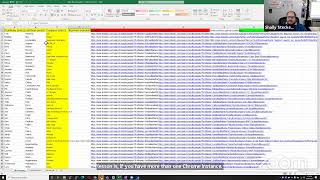
In this live tutorial Shally Steckerl and co‑host Glenn walk through building a web‑scraping automation in Microsoft Power Automate Desktop (PAD). They start with a real‑world use case – extracting speaker details from the ODSC virtual conference page – and demonstrate how to launch a browser, record element selections (name, title, company, bio, LinkedIn URL), set a pager for navigating multiple profiles, and export the collected data to an Excel spreadsheet. The session then shifts to troubleshooting recurring errors such as “Failed to extract data – web page error” and “Failed to assume control of Chrome/Edge”. They discover that multiple background Chrome instances cause PAD to lose control, and resolve it by closing all background apps and using a single fresh browser instance (or disabling “continue running background apps”). They repeat the process on a second site (AWS partners) to show pagination handling, regex for post‑processing, and limiting the number of pages. Finally they discuss enriching the scraped data with external tools like SeekOut, Swordfish, or Kendo, and recap best practices for reliable PAD web‑automation.
Chapters
Okay. Hey everybody, welcome to Shelly's Alley. Today we are going to take one step deeper into the mysteries of PAD, Power Automate Desktop. And with me is my buddy Glenn, who is going to help me co-host the meeting. You might see him waving there. Hello. He's going to be here to, um, you know, contribute his, uh, two cents and see if we can show you guys some fun stuff today. So on our last session, we went through a tour of all of the different actions that you can do within Power Automate Desktop. Oh, sorry, I forgot to take my rainbow-colored glasses off. I'm going to do that now. Here we go. And my glasses— you're keeping your 3D glasses? Awesome. So what I want to do today is show an example of just a basic scrape. Now, many of you have used or are familiar with Instant Data Scraper or Data Miner or some of the others. This is a, a function that is basically just built into Power Automate Desktop. And because it's built in, there's also a lot of power in using this in combination with other things that you can do. For example, Glenn has a converter that will take the data that you provide, such as a LinkedIn URL, and it manipulates that information and grabs those people's, uh, LinkedIn addresses and goes and gets their profile, etc. So this is something that you can do on your own with Excel. And in a future broadcast or a future Shelly's Alley, we'll actually take this and put it directly into Power Automate Desktop. So if you're wondering, well, why do this if I've got Instant Data Scraper? You Because Instant Data Scraper only really works with flat web pages where you can just grab the data from the web page. Once you have to click on things, then you need something like DataMiner. And with Power Automate Desktop, you have the advantage of being able to do all of that with, say, cognitive automation and converting information into lists in SharePoint, publishing it directly to your CRM. You know, you can basically right-click, extract, and export everything right into your CRM with one click. So really powerful. But what does it all mean? Well, let's take a scenario. First, I have to share my screen. Here we go, sharing. And then I'm going to show you this webpage here, which is the ODSC virtual conference. Is it showing up, Glenn, on the screen there?
Yes, we see the browser.
Good. Okay, so this is the ODSC virtual conference, and more importantly, at the conference here there's a list of speakers, and this list is actually growing. When Glenn and I tested this out the first time, there were like 80-something, and then we came back a few days later, um, and that's over 100. So it's, it's a list that's growing pretty quickly. It's a vital, you know, list. And there's a lot of information in here about people that are thought leaders in data science. Every single one of these has, when you click through, a bio behind the scenes with their name, their title, their company, and a bio description, as well as their LinkedIn profile or a link to their LinkedIn profile. Well, almost everybody. There may be some in here that don't have it. So here you have kind of like a two-dimensional page, right? Normally, if it's a page that just has names, um, and titles, you can just use Instant Data Scrapers. But because this has an extra click-through, it essentially poses a little bit more of a challenge, which is how do you go into each one of these, click in it, open it up, and grab that information? So that was the challenge that was presented. What we did is inside of Power Automate Desktop, we created a simple 2-step process. For best practices, you might want to launch a new browser instance, extract the data, and then close the browser instance. But that's a little bit more complicated than what we need, just the bare essentials. So I'm going to just show you how to basically just launch a tab or go to a tab in your browser and extract the data, assuming that you already have that open. So the first step is to extract— sorry, the first step is to launch the browser, go to the page, and then the second step is to extract all the information and put it into a spreadsheet. I'm going to run this right now so you can see it real time, and then we'll go ahead and build one. Together. And then I have another example that Glenn and I are going to troubleshoot right here, live on, live on stage. So I'm just going to run it. This has been pre-programmed and saved as a flow. This is my Power Automate desktop. And you can see here, it's a brand new flow called Lists Scrape Enrich with SeekOut. The idea is that we are going to scrape this, send the information to SeekOut, enrich it, and then get it back. But we only got this far. Because we then realized not everybody has SeekOut. So maybe we need to rethink that. I'm going to hit play now and you can see what it actually does. So from, from here on in, the rest of what you see the computer is doing, I am not doing anything. I'm hands-free. I know Glenn's not moving the mouse behind the scenes and, you know, making things happen. So what it's doing essentially is it's coming to this page and it is Building that— oh, looks like it failed to extract data. Web page error while extracting data. That happens— that happened twice to us already. I think it happens when there's a pop-up or something like that. So let me go ahead and refresh this and try that again. Let's see if this works. So here is the launch new Chrome attached to a running instance by URL. Go to the address. I'll show you this, um, when we do it together, but this should work. So let me try it one more time, and if it doesn't, we'll just build it again from scratch. Okay, the computer took over, it went to the page, and let's see if it actually Finish the extraction. Nope, it did not. Okay, not a problem. Let's go ahead and just delete this and start from scratch so you can see how I did this and, and how it works. So as I said, the first thing is to go to a web page. Actually, no, we didn't. Glenn, did we go to a web page or did we just I think you launched a new Chrome. I think I did too. You can do it either way. You can just go to a web page or you can actually, um, launch a new Chrome. So let's go ahead and launch a new Chrome. And here— oh, there's that, there's the choice. Okay, so launch a new one is where it's going to essentially execute a whole new Chrome instance, or This is the one that we chose, which is attached to a running instance. This is going to use the Chrome browser that is currently open. Then it asks if you want to attach to a Chrome tab by title or by URL. We have the address, so we're just going to use URL and paste it in here. And then there's one other thing. It asks if you want to produce a variable or name your variable. You do want to produce a variable. You can call it whatever you want, but default is just basically browser, and that's fine. So we're going to go to this page and call this new page. Oh, wait a minute. That is not the right one. It's this one. There we go. Whew. Okay. So we're going to go to this page and call that the browser page. Save. There it is. Now we extract data. This is under the web automation actions on the left-hand side. We're into going into the Web Data Extraction under Web Automation and just drag the Extract Data from Web Page directly onto your flow. It sees that there's a browser instance variable already, which is just browser. If you had more than one, you would choose it, but there's only one. And then it asks if you want to store the data as a variable, or it gives you the choice of an Excel spreadsheet. We're going to use an Excel spreadsheet for this. Since there's a lot of data and you're not just grabbing one piece of information. If you were going to do this to, for example, grab from a CRM and paste to an ATS, that's another use. You could be looking at your CRM and execute a flow that grabs the information from the fields in your CRM, stores each piece of the information as a variable, then goes to an ATS window and goes into the create a new candidate window and paste each piece of information from the variables. That could be where you have multiple variables and you don't have to necessarily use a spreadsheet. But in this case, our output we want is a spreadsheet, so we're just going to go ahead and create that. The next step is, while you still have this open, before you save— don't save it— while you have this extract data open, that's when you go to the page with the information. And as soon as you do that, the recorder comes up. This is the recorder that's going to learn from what you're doing on the screen. What we'll do is we'll click on the first bio, which opens up a pop-up window. I clicked on it, but doesn't seem to— well, it's opening. I guess it's taking its time. There we go. All right, so this is the pop-up that comes up. Now what we're going to do is we're going to select each of the pieces that we want to extract or scrape. The first one of those naturally would be the name. So you right-click and the recorder gives you the option of, oh, okay, I recognize that there's some tags there. So what would you like to do with that information? This is the Heading 2. I'm going to right-click on it and it says, okay, I can extract this element or set it as a pager or select its parent, which kind of goes up one in the directory. So I'm going to go ahead and extract this one. With the text of this person's name, and I'm just going to left-click. You'll notice that produces an extraction action on the recorder. After the person's name, I'll go with their job title. Again, right-click, extract, job title. Now we have a second value, value 1, name, value 2, title, and we have company. Right-click, extract IBM. We've now added a third value. There's also a bio, so let's go ahead and grab that. And finally, I'm not interested in the topic of their keynote, although you could capture that if you wanted. I am very interested though in the LinkedIn profile, so I'm going to extract that. And notice that instead of a text, it also gives me a new option now which is an href, essentially a hyperlink, and I'm going to grab that. It makes it much easier for the machine to recognize. Then you notice that there's these navigation tabs. If you right-click on it, instead of extracting that, it allows you to set the element as a pager, which tells the system that this is how you go to the next page. If you had a table with a bunch of pages and you had, you know, information on one page, go to the next one, information on the other one, it's the same idea. In this case, we're basically treating each individual bio as a single page and the pager is that arrow. So I click on it and it remembers. It's not creating a value, it's just remembering that, oh, that's the nature of the pager. So now we browse away from this person's bio by clicking on the desktop surface of the web page. And we're going to go to the next person, or you could have just simply clicked on this page here. Either way. And now we're on the next file. Now here's where the cool stuff happens. Because I already told the machine that this H2 is a value, when I come back here on the next person and I select their h2 tag. As soon as I do this, the computer starts thinking about it and you'll see it come up on the left-hand side here. I'm not doing anything at this moment. It's kind of processing it and when it comes back it says, oh look, I recognize that there's a bunch of different things that have different pages that have this value 1 and this value 2 and value 3. So if I expand this, you'll notice that it has essentially created a map of all of those value 1, 2, 3, 4, and 5s for all of the pages. Essentially, it has scraped all of that data. That's right. Thanks, Glen. If you wanted to, this is an extra nice to have. In the advanced settings, you can do a little bit of manipulation of the attributes with regular expressions or regex to, you know, change some of the things. This is where you might maybe trim some extraneous text. Maybe you don't want to capture anything after the commas, or you want to break things up. You can, you can manipulate that data, but we're not necessarily going to do that just yet. That's a little bit more advanced. So let's go ahead and finish the recording. Now we can go ahead and save. Now take a look at the little description here in the middle. This wasn't there before. Now it says, hey, this is a synopsis of data to be extracted. We're using the extraction of records from multiple web pages in the form of a 5-column table. I didn't, I didn't say that or establish that. The machine picked it up. And last thing, before you save it, make sure that you choose all of the available, not only the first, because then it's just going to do basically one profile. So we're going to choose all of the available to go to our spreadsheet, save it. Now let's run it, which is what I wanted to do from the beginning before. But so now if I click run, I'm hands-free. It's going to grab the page, it's going to pull it up, and hopefully begin the extraction. And this, this does take a minute because it is grabbing a lot of information. Ah, darn it, it errored out again. I wonder why it did that. Failed to extract data with page error while extracting data. I wonder if it's getting a pop-up. Let me see if it's getting a pop-up. And so here, if there is a pop-up, I could tell it to ignore, but it doesn't seem to be Doesn't seem to care about it. So there's— I'm selecting the right one. Okay, let's try that again. It's a little unnerving to, you know, not see anything moving, although It should be working, so we'll know if it produces an error or not. Ah, another error. Okay, Glen, any ideas? We're just getting the same error again.
Well, I'm wondering if it would be worthwhile just to start a new browser. Close this one.
Yeah, that sounds like a good idea. Close this one and Launch a new instance. Go to that URL. A normal window. Don't do anything with the popup if a popup appears. Or maybe we can— I don't think there is a popup. Was there a popup when we loaded this page?
I don't think so.
I saw a popup when I tried to browse away from the page. But not when I loaded it, right? No, there's not one when we load, there's just one when you try to browse away. Okay, good. So don't have to do anything about that. Save it. Okay, now let's try it. It should open a new window, which it did. Great. Now it should Start processing that information. And if it works, what we'll see is a spreadsheet get created. It looks like it did not work again. Huh. Failed to assume control. It's a new error. Failed to assume control of Chrome. Internal error or communication failure. Interesting. Alrighty then. Well, I'm going to close this out completely. And see if maybe I can—
I know it should do just as well with Chrome as other browsers, but it is a Microsoft product. Have you tried doing it with the Edge browser?
No, we haven't tried it with the Edge browser actually. Um, it can work with any browser that has the widget that we talked about last time. So let me see, running. I just ran the recorded one that we did before rather than trying to recreate it and see if it's Gonna produce the same error. If it does, we can switch over to the, um, just to do one other browser. It says it's running. Not running. Okay. I do have two browsers open, so I wonder if that's partly the reason why.
Yeah, I would close everything you— that might overlap.
Yeah, I just did that. Good idea. All right. Gonna save this one too. This is the other one that we found earlier, so I just bookmarked it. For later. Now I should not have any— oh wait, there's the one with the Restream in it. I'll close that one as well. Okey-dokey, everything is closed. So now let's try it again. Opening the flow. If the theory is correct, then that means that we really do need to basically open the browser and extract and then close the browser. Otherwise, we're creating kind of a problem. But let's go ahead and run it and see if this fresh launch of a brand new browser window actually works. It does not. Okay, it did not open a Chrome, um, window at all. So now let's change it to Launch a new one. Save. Run. Says it's running. This is going to work because it has not produced an error. Ah, okay, here there's this little pop-up. So there is a pop-up. We probably should then change it.
Yeah, right. You can tell it to ignore in the automation. That would be good.
If pop-up, close it. Okay, see if that does it. It's funny because there wasn't a pop-up before. Okay, it's running again. Same thing. And it's so strange.
So if you can keep the extraction step and just substitute launch a new Edge browser, that might be interesting to try.
Yeah, that's what I'm gonna do. Web Automation, launched a new— let's try Edge. Got to put it up before the extraction. Launch a new instance, initial URL, Windows state normal, and If a popup appears, close it. Let's see if that— dialog button, press OK. Let's see if that does it. And I'm going to close the Chrome one. Let's go ahead and open this one now. I mean, run this one. All right, here we go. Launch new Edge. Goes to web page, so far so good. Same error, failed to assume control of Microsoft Edge for some reason. Hmm, why would it fail to assume control? Not sure why.
I'm almost tempted to look up the help on that error message.
Yeah, probably a good idea, but let me see if I can just do it the original way, which is to create a new tab. See if that lets us do it, and maybe it's just, um, Looking at— oh, right, we have to first— no, let's just go ahead and launch a new Chrome. Launch a new instance with this URL. Save. See if it actually does it. Launched, went to URL. Hmm. Same error. Interesting. Yeah. See if you can find failed to assume control of Chrome or whatever, internal error or communication failure, because I'm not really sure. We didn't get that the first couple of times that we, um, that we did this. So, um, see if you can find that. In the meantime, I am going to start from a new flow and just see, uh, if we can, you know, scrape What was that called? ODSC. ODSC. Scrape ODSC. So while Glenn tries to find that error code and see what it means, I'm going to go ahead and create a brand new one just in the event that there's some sort of cache or memory or something like that. So brand new, go to Web Automation, Launch Chrome, Attach by URL, then Web Data Extraction. To Excel. Let's go over here, click on our bio page. Remember, it took us a minute to load this before. Right-click on the name. I think I need to go to this and Oh, interesting. It's not letting me do anything on here. No extraction has been selected. That's new.
So I did just paste in the chat a URL that points to some things that some Microsoft techies recommend on that error.
Oh, anything you can walk us through right now?
Well, I think it would be a little more time-consuming probably than we want for this recording.
Gotcha. Yeah, it's not even— see, before when it was letting us select that tag, it's not doing that anymore, which is interesting because it's like, it's almost like it doesn't recognize that there's a new, there's a new page. So let's do launch new and then extract. Yeah, it's not letting us, it's not even letting us select that page. Why don't we do the other example that we were going to do? How about that?
Sure, we can try. This one is a good illustration of going to the next page the more conventional way. Using the bottom footer navigation when you have results on page 2 and 3.
Yeah. So this will be a list of companies instead of a list of people, which is another common sourcing use case, right?
You want to get competitors that you want to target. And this example is on Amazon Web Services partners, which would be good for certain kinds of recruiting.
All right, so we're going to start with launching a new Chrome that goes to this page, which is the new page. Oh, invalid value. Oh, that's interesting. I wonder why.
Let's see. I don't think it needs a final slash because you're at that URL in your browser and that works.
Let's see if it needs a final slash. Well, I guess it did need a final slash. Oh no, it says parameter initial URL syntax error.
Yeah, I don't think there's a slash.
It's telling me it's still syntax error.
Well, why? Yeah, refresh the page. Let's see if the URL changes.
Did it change based on the day or something?
No, the only thing it should change is based on what filter parameters you use on the— you, you can use fewer filters. That would give you a simpler URL.
But it was working before, so now it's just saying invalid value. Partners and tools. Huh. Not sure why it's an invalid value. You mean the filters over here?
Yeah, I had selected government on the left. You could take that out.
Okay, let's try that. It's now super short. Much shorter, right? Okay, then extract data from web page. Doesn't seem like that should have really done anything, but here we go. Select Excel. And now the fun part is to basically select the different pieces that you want out of here. So we'll go to the top. We'll say this is the first one, which is—
Yeah, you'll actually want both that company name and the URL it's going to.
Oh, look at this. It's not even letting me select from here like before. Huh. It's not letting me select anything. Isn't that strange?
Anymore. I'm surprised it didn't work on the first example since it would obviously parse the data just fine.
Right. Well, I guess we need to start over from scratch. Maybe it's here. Maybe it's looking at the wrong browser. Launch a new Chrome. See what happens when it launches a new Chrome. Now I'll use that one. So the only thing that the robot is doing right now is trying to launch Chrome and it's not able to. Interesting. It is not able to launch a new Chrome. Hmm. It is actually not launching a new Chrome, so I don't know why it is doing that. Let's see if I can maybe do this with WebRecorder. Chrome.
So I will say in the error URL that I had sent where it tells you what to troubleshoot, it recommends closing background apps.
Oh, okay.
And I'm hoping that Zoom isn't one of the background apps that it doesn't—
background apps for the browser, you mean browser apps?
Yeah, it's Under—
see, there's a bunch of Chrome apps open.
Yeah, it's Settings and then System.
Oh, I think I know what it is. It's, it's using a separate Chrome instance from before. Like there were, you know, two Chrome windows, one that I had the Restream on and one that I had the speaker page on, and I think it's trying to go to the one that was not there before.
Okay, well, there is a thing you can do in the Chrome browser or the Edge browser to disable this. To disable this thing around continuing to run background apps. If you want, go to your browser and then go to Settings, and I'll show you where this is telling you to change things.
Yeah, I think that's what it did because it just opened two different browsers.
Yeah, so go to Settings and then—
oops, there we go.
Here near the bottom. Yep, Settings. And then on the left you want to click System under Advanced. And then where it says Continue Running Open apps while Google Chrome is closed. We want to disable that. Yeah. Good.
Do I have to save it? I don't think I have to save it. It just kicks in right away, right?
Yeah.
Okay.
And you can do that also in the Edge browser if you want to.
Let's try and see if that actually did it. If there's in the tax, tax, tax manager, tax season in the task manager, if there's any Chrome apps. Nope. It's completely closed the Chrome apps. So that may be it was pulling two different Chrome instances and it didn't know which one to load. So that may be the reason. That gives me hope that we can start over from this page now. Let's try it. This is the original one that we built that did work before we went live. And then as soon as we started going live, it didn't work anymore. So here's— oh, okay. This is the one we had saved before.
I've got my fingers crossed.
Me too. It should work because I know it worked when we tested it. The only thing that was different is that it got confused with two browsers or two, uh, instances of the same browser. Okay, it's running so far, no error. Oh, there's the error. Okey-dokey. Well, that wasn't it.
All right, that looked like a different error message though. I should look that up, I guess.
Failed to assume control of Chrome.
No, you had another error message before.
I did.
Yeah, the first time it Yeah, it said something about web page error.
Okay, I had the browser open, so let me have the browser open and see if I get the same error again. Running. Failed to extract data. Web page error while extracting data. That's different than the other one that you looked up.
Yeah, that's another error. Let me look that one up.
Extract data. Browser spreadsheet. No data specification. Click on the window. See, now it does let me click. This is definitely new. Before, it wasn't even doing that. Remember, it just like stopped. It was doing it at first and then it stopped doing it. Now I can see the tags, so that's more promising. Yeah, a lot more promising. Okay, I'm going to right-click on the name. It stopped for a second there. It showed the, the tags and now it stopped. That is strange. Very strange behavior. I mean, I was just on here and it worked and then it stopped working.
And is cloud versus desktop helpful here to try?
No, no, this is desktop. Can't do it with cloud because cloud doesn't do web recording. All right, set element as pager, open element. There, we got it back. I don't know what I did, but now we got it back. So there's the name, there's the title, there's the company, there's the bio, just like we did at the very beginning. So far everything is the same. Except we got the error. Now the HTML— oops, back up a little bit. There you go. Right-click HTML href. Got it. Okay, now go to the new pager, move to the next page, right-click on the second person's name. And if it brings up the table with everybody in it, then we know that it worked. So right now it should be thinking about all the different tags. And oh, look at that, Glenn, it came up and put the table in here. So this is where we were before when we saved it and then ran it and it didn't work.
Are there any advanced settings you should be clicking at the bottom there?
Not— we didn't do that the first time we ran it and it worked. So I don't know why I would need advanced settings the second time around. I think the only problem was that thing about the multiple Chrome instances, which I guess we need to make sure we talk about. Okay, so now I'm going to run it and see if it works. We solved the multiple Chrome instances. And it's able to capture the information, and it is now running, and it created it. It's done. It worked like magic this time. See?
And you still have the page open where you left it on the second guy.
Here is all the information, just like last time. See?
Well, that's great.
And it captured— let's see how many— 161. Wow, it was like 80 the first time we did it and about 100 the second time. Now there's 161. Look at that. So there's your— now one thing it did not do is it did not create the headings for the spreadsheet. So this would say name, title, company, bio, and LinkedIn, but you can easily do that. And one of the things you can do with regex is actually create that, that row. So we could have told Excel what to do with it. Bottom line is this now works and it works the first time. I mean, it works the same way the first time we did it. I'm curious now if we can get that other one.
I mean, that data is fabulous and for those of you who wanted to take it to the final step of importing it into a data enrichment tool, we had said SeekOut, but that's only one of several ways to do it. You could get their email and phone number after that.
Yeah. What would you really need? I mean, you've got name and, and LinkedIn, although most of the time you really only need LinkedIn, but if you grabbed this and imported it into one of those tools, it would then be able to append the other information. Now what we're going to do is we're going to show you how to do that inside of PAD now that we figured out the double browser problem. Um, but since we're here, let's go ahead and try this one as well real quick because we've got a little bit more, um, time. So let me try to create a new one. I saved this one so we can close it, and I'm going to create a new one. And this will be Amazon Partners, I think it was, right?
Yep.
Great. Very similar in a lot of ways. Basically, it's going to be browse to a web page and then tell it what to do when you get to that web page. So the first thing is web automation. Launch Chrome running instance by URL, and then our title. Oh, I remember this, this was the long one that it didn't like. Let's go down to the partner one. There we go. Produces the variable browser, extract data from web page, save it to a spreadsheet. And let's go browse to that web page. There it is. Okay, see, now it did bring up all the tags and everything. Okay, you were saying you wanted to capture what? The name of the company, you said?
Yeah, and the URL that I think that's linking to.
So we want that. And then we want the— this one, the, um, partners URL.
Yep, that'll be a specific page for them.
Yeah, perfect. Then we want the company kind of, um, description.
Yeah.
Okay. And anything else? Any of these?
Yeah, those, uh, competencies are— that's useful, helpful.
Yeah. So this might be an interesting way to— remember I showed you before where you can do the parent. So it's got these competencies, but you can also say go up to the parent. And if that's still not the parent that you want, then you can go up to the parent again and see if you can get to the point where it, you know, selects basically everybody in that. Like this.
I, I like it the way you had it where it was just getting the row because 'cause you might wanna filter on different competencies, but either way, just to illustrate it.
Is there a limit on how many, or do they all have 1, 2, 3, 4, 5, 6 competencies?
Some have fewer.
Ah, okay. Well, that's the thing with patterns is if you tell it to look for something and there's only 4, it won't. So let's just, we can always process this after the fact. And break it up. But right now it's giving us— there, 9 competencies, 7 partner programs. Anything else in here that we want to grab?
No, that's enough. Um, those links are just to share it on your own network. It doesn't go to their—
to their link. Uh, right. Okay, so then what we need to do is copy the exact same order by starting with the name of the company here. And now as soon as you do that, it It says, oh, I recognize this. And it grabs all the information. But what's missing is that it doesn't have paging information yet. So we do have to set a pager, which means we got to find the pager. And what you look for is basically is that there could be text that says next or an arrow or a button. That's what you want. So you're going to say that this is the element. That is the pager. And now we can finish it. And remember to change it to all available, not only the first, because it'll only do one page.
Well, just to warn you first, in this case there's a zillion pages. You might want to stop after some number.
Oh, okay, I can do that. So I can do all available, or I can do maximum web pages to process.
Yeah, why don't you just do 3 or so just to make sure it's working?
It's running. You can see it just did the next page and the next page after that. So it, it went 3 deep, or 3, um, I don't know if I'm saying that right, um, 3, 3, well, if you have paginations deep, if you have 30 different companies here, then it worked because that's 10 per page.
See? Yes, you do.
So 3 deep on that. Now, if we had said all and not set a max, it would have— I don't know how many pages there are— would have done, um, oh well, there's only 9. It would have gone all the way to 9. Hold on a second though, this is without the government, so let's Oh, 9,000. Strike that. 903. Yeah, that would have been a lot. But hey, if you need to do all the heavy lifting, might as well let a computer do it. So there you have it. Okay, so next time let's take the data that we got from the spreadsheet and do some processing using Glen's fabulous formula here. And, um, you know, we can even show you how to do some extract— some enrichment using a couple of different options. Like SeekOut or one that they, you know, we could do Swordfish, for example, or Kendo app, etc. So, well, thanks for sticking through with us today, guys. I know it was a little touch and go there for a moment, but we did learn one important lesson, and that lesson is if you have more than one Chrome instance, maybe a good idea to start fresh and not have any background apps running for your Chrome. And if you want to change that permanently as a setting, Glen showed us how to do that. So bottom line is best to do this with a single Chrome browser or really any browser. All browsers that have Chromium are going to have background apps, which means even with Edge, you might still run into the same problem. It's looking for a browser that it recognizes, and if there's two instances, apparently it just doesn't know what to do. So, um, all right, well, thanks everybody. We will see you here next week. Bye.
More from Shally


Scaling Talent at Hypergrowth: Leadership, AI, and Hiring Excellence with Cindy Nicola