Step-by-Step Guide to Launching Your First Mid-Term Rental | Shona’s MTR Essentials Overview
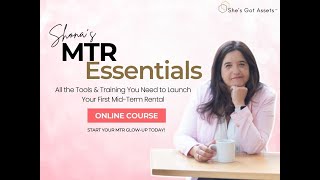
Shauna walks through MTR Essentials, a DIY course for launching mid-term rentals. It includes a custom calculator that pulls comps and startup costs, editable Google Sheets for everything from furnishing lists to tenant screening, and pre-listing marketing strategies that let you book before the property is ready. All tools are templates you can edit yourself.
Chapters
Hey everyone, this is Shauna with Cheese Cut Assets. I'm just going to do a little impromptu live stream here. So, um, I just want to share a couple little things about what's going on with the MTR Essentials course. I'm going to do a little overview of it, and so I will share my screen. I just was so excited, I just did a bunch of work on my, um, kind of overview, so I wanted to share that. So I'm going to share all the juicy details really soon. I, um, Just make sure everything's working here. Okay, one second. Okay, so hopefully, yeah, so if you jump on and you can see me and hear me, just let me know. That'd be awesome. But yeah, I had this new kind of DIY self-starter course. It's called the MTR Essentials course, and it's really a cost-effective way to get your midterm rental up and running. Doesn't include any coaching, but I just wanted to dive in and share some of the details with you guys on kind of like how it works and what's included and all of the, um, the resources and tips and tricks. Um, I see a few people joined. Let me know where you're calling in from, if you can hear me okay. Um, hey Misty, awesome! Hey Shannon, awesome! Thank you guys for tuning in. I know I'm doing this kind of last minute. Okay, so I'm gonna share my screen here and then hopefully this works. Okay, yeah, so this is the— I'm just going to do a little overview and again we can have some Q&A. I'm happy to answer any questions, but this is— I just want to share with you kind of an overview of what's included in the MTR Essentials course, kind of what you get, all the tools and tips and tricks and downloads and stuff. So I'm going to go over that and then I'll share a link if anyone wants to sign up because the special does end tonight. So Essentially, I just built out kind of a packaged version of my course. Again, it's DIY. There isn't any coaching. I do offer that and that promo is still going. But so it's called the MTR Essentials course. And I know when I've done a lot of courses, like you have access to the online like modules and logins, but sometimes it's really hard to find downloads or know exactly what it is. And this is like how my brain works. So I really wanted to organize all of the resources and SOPs and checklists and download in one place. You get access to an online course. I use Kajabi, right? But this is just kind of a really good overview of what you get with the course and how to find stuff. So like, say if we need to dive into marketing, you can go exactly there, get your Google Sheet, and you're off to the races, right? And there's a lot of video training as well. So, you know, if you're just starting out, you might, or you have a property and you wanna do market research analysis, you do the, there's an overview, there's like the MTR buy box for properties. I cover how to set your prices, which can be really nuanced depending on like what kind of avatar it is. You know, how to do research from free versions, right, from Airbnb to Furnished Finder. Then we get into paid options like Mashvisor, PriceLabs, AirDNA. You probably heard of some of these. HomeAds has a calculator. There's a lot of options. It's kind of an art and a science with pulling comps and getting numbers, and it's generally a range and it's a little bit seasonal. There's no like one go-to place like with short-term, like we all go to AirDNA or Mashvisor or PriceLabs, right? It's much easier. With mid-term, it's a little more nuanced. And so you kind of do your research and then I have this Biffy New Calculator. I don't know what happened with my camera. That just like super zoomed in on me. Let me change that. So basically, yeah, so you just, you get all your data, you put it in this snazzy spreadsheet and it'll like kick out, you know, a recommended starting point. And also you can kind of put in your vacancy and your startup cost and it'll do kind of a pro forma for you. So that's super handy. Then I also have some ChatGPT prompts. I'm still noodling on, noodling on this, right? But it's just another way to get some comms. Sometimes it works, sometimes it's a little spotty, but I do a demo in the course, the prompts, and then like the calculator, like I mentioned, it was super handy. And yes, these all, and again, I use Google Sheets and Google Pages. So all these files are yours to keep. You're not getting some like PDF that you can't edit. That just makes me nuts. Like I really wanna be in there and have templates and tools that I actually have forever and I can edit them. I'm not having to recreate it from like a, a PDF that I can't edit. So that's kind of the market research module. And then going into the setup and furnishing, which is my favorite part 'cause it involves design. So I do an overview of like how to furnish, what to furnish, all that kind of stuff, right? The nuance of MTR versus STR, right? There's a lot of nuance with that. I go over like guest avatars for midterms, design tips. I kind of go over all of our portfolio examples, like how I decided to furnish and why and what my, you know, budget was and all that good stuff. And then in the resources section, I have a comprehensive furnishing list. It's by bedroom, bathroom, kitchen. There's links to Amazon and also can be used as like a budget calculator. So you can, as you're ordering stuff, keep track of it because it gets a little unwieldy, right, when you're ordering stuff and not tracking it. Then I have kind of the top amenities based on avatar as well. Like if you're going after traveling nurses or displaced families, right, with your different avatars. And then I have kind of an overall must-have checklist, like here's the things you need to do before you get, you know, your first guest in there. So that's super handy. Again, these are all like Google Sheets, they're all editable. And then from there, after, you know, setting up your property, we go into marketing, which is where I feel like most people have a lot of questions. That's kind of the most nuanced, right? And I teach my pre-listing strategy, which is how to fully book your midterm without even having it furnished, because I think a lot of people get hung up on that and then they don't get bookings quickly. And so I teach that whole strategy in there. And then I have like individual models— modules on training and the nuance of each platform, right? Like how to put your Airbnb listing up, how to optimize it, your Zillow listing up, Furnished Finder, right? And then because there's some nuance to it, like you want your title, how you title, how your listing description is, just nuance things like that, right? So I cover all of that. And we go over some kind of branding stuff like how to optimize your profile and Google My Business profile. And then the marketing, this is a super juicy download. It's a, actually no, this is marketing. It's more like a checklist like get your photography done, how to prep for the photographer. I always recommend a video tour. I have tips on that and a professional virtual tour, right? I have tips on why you wanna do that. And that is all in the course. And then going down to resources again, I have a super duper like, advertising and marketing checklist for all the platforms you wanna be on. There's like the top 20 that are prioritized at the top. And then going down, I have all the databases for insurance claims, right, that you wanna be in. Again, I have some ChatGPT prompts, tongue twister, ChatGPT prompts for listing description. And I have, you know, keywords that you wanna optimize your listings with. And then I have some outreach templates, right, for hospitals and HR and medical recruiting companies. I have some Canva templates in here. You can use like an email or like a flyer for your properties, which are super helpful. Canva is super easy to use, drag and drop. It's, it's really awesome. It's like an online design tool. And then I do like a deep dive in marketing for insurance claims for displaced families, right? That's a very, very nuanced— it can be a great avatar really helping families, but there's a lot that goes into— there's a lot of steps. So I do a deep dive in that in the training. Then I have a proposal for insurance claims, right? Like how to propose. They ask you all these questions, so it's super helpful to know, like, have that in a document. You can just send it over, like, here's your proposal, you know, all your pet fees, admin fees. And I also have, if you have an inquiry on Airbnb that's an insur— you know, you want to take offline, I have a script for how to do that. And then I have how to optimize your listing to attract insurance leads, right? And so that's kind of the marketing piece, which— so if you just want marketing, you just dive right in there and get all the tools and all the assets, right? Just get started. And then I cover kind of modern rental management, right? There's an overview. I cover how to do your leases properly, how to protect yourself, how to build your team, what tech stack you need depending on if you're just doing MTR or maybe hybrid MTR/STR application screening tips. And then I go over into, you know, resources for rental operations. I have a really comprehensive rental property tracker, cleaning turnover checklist, guest move-in, guest move-out, move-out accounting, furnished addendum templates. And I also go over my kind of top recommended online software for leases and property management. There's a lot of them out there. They all do pretty similar things, but I kind of have my favorites. And then going down, I kind of COVID you know, guest hospitality. They are our guests, right? So we have a comprehensive template for house notes or manual. Guest welcome message, you know, welcome gift, just complete list of the starters that they would want, like soap and toilet paper and things like that. Then we have a sample move-out message and move-out checklist, and then we have like a template for online reviews. So that's the kind of overview of what you get with the MTR Essentials. Again, there's no coaching, but it is really thorough and you get all of these downloads that I've really built up over the years. So I hope that was helpful in just explaining, you know, what were, um, what you get with the course. So I'll drop the link in the chat if you guys have any questions, like, feel free to comment. So yeah, here is the link to sign up. Um, so if anyone's watching this after, you can just grab the link. All right. Yeah, and this does end tonight at midnight, PSD. So I definitely jump on this if you think you're— this is what you've been looking for. I don't think it'll be offered at this price again. It's really, you know, for the cost of this investment, hopefully you'll make it back in no time with your first booking, right? Hey, Janet, it's hard to see. Sorry about that. Yeah, maybe Yeah, I don't know. I don't know what— I think it's just the way the presentation went. So I apologize about that. I'll switch over the screen again. Maybe— I don't think I can do— yeah, I can't go full screen because then I can't see the other screen that I'm on. So it's just one of those things. Yeah, I can't make it full screen. So, but thanks for the feedback. Maybe I'll work on that. But if you guys have any other questions, like totally chime in, let me know. But yeah, again, I just really wanted to download my brain and give you guys all the resources, like a really cost-effective price. So, um, yeah, let me know. I'll hang out for a few more minutes if you guys have any questions about the course or how it's set up. Oh, and I am doing a, um, I am doing a workshop if you sign up. Um, buy tonight, right? And take advantage of the Cyber Monday deal. I will be doing like a really hands-on workshop. We'll be covering a lot of things. If you have questions, whatever, wherever. The link expired. It expired. Okay, let me— thank you for that. That's— let me just double-check it. Let's see. Um, I just checked it before the call. Oh, you know what? Maybe it's the sign-up link. Okay, that— I didn't get that far down the route, so that might be what it is. Um, I apologize. Let's see, let me just double-check that really fast. I have too many screens open. Yeah, the coupon might— it's supposed to be to the end of the day, but let me just click on it. Okay, yeah, I'm gonna drop a different link in. It's like a direct sign-up link. Maybe there might have been one that was not updated properly, so I apologize. Um, okay, let me get back to my other screen. Okay. Yeah, you missed— you're so welcome. Thanks for tuning in. Okay, this link should work. I don't know, there's a lot of backend stuff, so I might have missed a link or something. Sorry about that, Shannon. Check that link and let me know if it works. But again, yeah, if you guys want to sign up and get all this, um, and be part of the workshop, um, it is kind of the last chance at this price. So yeah, if any other questions, I'll hang on for a few minutes. I'm happy to answer questions. I'm just checking the chat. But yeah, this link should work. I just checked it. So hopefully it'll— I'll check the other ones. But yeah, any other questions? If not, I'll sign off. If anyone's watching this after, like, feel free to reach out, message me with questions. I'll be around. But yeah, you can just sign up. You don't have to book a call. Call with me or anything. You can just book a, you know, book. And wherever you are, if you're furnishing your midterm, if you're researching it, if you're trying to figure out leases, all of that stuff, it can be kind of daunting, right? So I really wanted to make this like super actionable and you could just jump in and get started, right? Um, because I think, you know, if you're a self-starter, you can, you can figure it out, right? I just give you all the tools. You're not wondering like what software to use, how do I furnish, like what do I need? Just get up and running and start cash flowing, which is what this is all about, right? So awesome. Um, I will wait like one more minute. I don't see any other questions, but yeah, that link should work to sign up. So, um, love to see everyone in the course. Sorry, I'm about to sneeze. I'm gonna sign off, but thanks, thanks you guys, uh, for tuning in. Thanks Misty, thanks Shannon. I really appreciate it. Um, just like a last minute little little live stream here. So, um, yeah, okay, well, um, feel free to leave any questions in the comments, and, uh, yeah, I'd love to see you guys in the course. Thanks so much.
More from Shona

Choose categories and add 15–20 services Google Business (She's Got Assets Podcast w/ Trevor Mauch)
Why long pages beat short ones for big decisions and SEO (She's Got Assets Podcast w/ Trevor Mauch))
The 1 website element that drives 80% of conversion (She's Got Assets Podcast Trevor Mauch)

3 things your business must do for you (She's Got Assets Podcast with Trevor Mauch)
MTRO PRO - The Midterm Rental Operations System MTR Operators Have Been Waiting For with Dre Galaviz




MTR AMR — average monthly rate for midterm rentals on MTRO PRO platform (She's Got Assets Podcast)