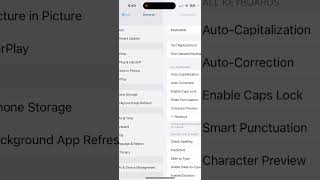
A short YouTube tutorial by LaTonya Johnson explaining how to create an automatic shortcut message using the device's Text Replacement feature. The speaker walks through Settings → Search → Keyboard → General Keyboard → Text Replacement, shows tapping the plus icon to add a new replacement, and pastes an example message to send (a thank-you/review request).
Questions this video answers
Settings → Search → Keyboard → General Keyboard → Text Replacement.
"Thank you, Dilly, for allowing me to help process your documents. Would you mind taking a moment to review my notary services? Thanks in advance."
More from LaTonya




why i chose notary work over every other side hustle (single mom's honest take and real story)


why i chose notary work over every other side hustle (single mom's honest take and real story)