In this video, Taranjeet Singh introduces EmbedChain, an open‑source context‑retrieval framework with over 7,400 GitHub stars, and invites 18‑year‑old self‑taught developer Dhanush to demonstrate how to build a custom AI assistant for Arizona State University (ASU). Dhanush explains his motivation: college websites are cluttered and it’s hard to find specific information such as tuition fees, faculty details, or current research initiatives. He then walks through a live coding session: 1. Installs EmbedChain via pip and imports the required modules (App, dotenv, os). 2. Loads the OpenAI API key from a .env file. 3. Initializes an EmbedChain app instance (asu_app). 4. Adds domain‑specific context to the app using sitemap URLs for tuition, faculty, and news sites, specifying the data type as "sitemap". 5. Creates a simple command‑line loop that prompts the user for a query, calls `asu_app.query(prompt)`, prints the response, and asks whether to continue. 6. Runs the script, showing successful queries such as “institution fees at ASU for residents” (returning $12,000 per year) and more complex queries about recent AI research at ASU and professor Robert Carter. 7. Briefly showcases a pre‑built front‑end that also uses EmbedChain for both backend and UI, demonstrating the same queries. The demo emphasizes how only a handful of lines of code are needed to turn any website’s sitemap into a searchable knowledge base, highlighting EmbedChain’s simplicity and rapid prototyping capability. The video ends with Taranjeet praising Dhanush’s work and hinting at future videos.
Chapters
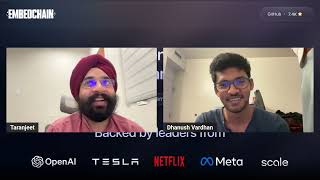
Hey everyone, I am Taranjeet Singh and I am building EmbedChain. EmbedChain is the simplest context retrieval framework. Uh, we are, uh, there on GitHub with 7,400 GitHub stars. We allow you to create AI apps very easily on top of any custom data. So today I have Dhanush with me. Dhanush is an 18-year-old self-taught developer, indie hacker, and a 5-time hackathon winner. He is currently studying computer science at Arizona State University, and today he'll be talking about a problem that he faced, uh, and like how he's using AI and EmbedChain to solve that. We'll invite Dhanush now. Hey, Dhanush!
Yeah, thank you, Taranjeet Singh, for having me here. So yeah, I'll share my screen and then we'll get going. Cool. So is my— yeah, cool. So, uh, we are gonna be building something, uh, called ASU AI, which is basically a chat assistant like GPT but customized for ASU that can help you with all your ASU-related questions. Uh, so when I came to ASU, I really had it— I mean, not, not just like ASU, like when I was just researching for colleges I had a really hard time finding, you know, information about the stuff that I needed, like, because, you know, college websites are really ugly and there's overwhelming amount of information. It's really hard for you to get what you want. So I thought I could just ask an AI to get the information that I want. And, you know, as a campus student, I was also very, you know, eager to learn about the professor whose class I'm going to join. I wish I had an AI that could help me with that. And also, as you know, ASU is number one innovation. I always wanted to know what they're doing right now. So I wish I had a chatbot that I could ask to. So we will be doing exactly this right now with EmbedChain. We are going to be building something like this called ASU AI that's powered by EmbedChain. EmbedChain is really interesting, and that's the reason I chose EmbedChain to build this. I was researching about, you know, how do I build a chatbot, something like this. It's going to be pretty complicated, and how do I do it? But when I came across EmbedChain, it was really cool, and it was really easy too to get started. So that's enough talking, now let's really code and build something like this. So this is just a simple project, there's nothing much. Uh, I'm just, uh, creating a whole new file, naming it main.py, and then I'm gonna be installing EmbedChain real quick. So it's pip3 install embedchain, and that's done. It was that quick. Cool. And, uh, so for from embedchain import App. That'll be my first line. And, uh, and then we have, uh, from dotenv import load_env and then load_env because I have my, I have my, uh, ChatGPT key over here and you gotta tell EmbedChain that, hey, use this ChatGPT key to work. And that's why I'm giving this piece of line. And then after that, I'm gonna import os. You know, I actually don't need that. Uh, cool. That is the setup that you need. That's all you need. That's all the imports you need. So now let's initialize the app. So now let's call it asu_app equals to EmbedChainApp. And this app comes from EmbedChain. So you are just assigning this app from EmbedChain to ASU app so that you can use all the methods of EmbedChain. And now, let's give it some context. So for this app to work, so for this AI to work, you need to give it some context, right? What, what information are you going to train it with? So for that, we have some, you know, we have some domains here. This is the tuition domain for ASU where you can find all the tuition fees. Structures and all that stuff. So let's add that as a context into EmbedChange app. So that is a very simple syntax. It's asuapp.add and add, uh, and this URL. And the data type of this is a sitemap because, yeah, it get— it just gets all the, all the endpoints of this domain. And this is a sitemap, right? So we're just giving the data type of this as a sitemap. And then that's the first, uh, context that I'm going to be giving it. And then it is, uh, what's the second one? Yeah, it's, it's full circle. This is the faculty sitemap, and I'll be doing that. I'll just be adding it real quick. Itemap and good to go. What else? Yeah, I'll just be doing it for all the other URLs here real quick. So it's asuapp.com and external news. Cool. So that's all, that is, uh, all the context that I need to give it. That is it. And now we'll be creating a backend for this. Or let's just not say a backend. Let's be creating a simple command line app for this because we can't create a full-stack UI right now. Let's just create a small command line app to see the AI up and running. Let's create a while true loop and let's just give a prompt, ask me anything. And once we give it and once we type in what we want, we are just going to be printing Okay, we'll just keep the response, response equal to ASU app, ASU app.query, query prompt, query prompt. Yeah, that is pretty much it. Like, that is literally it. Uh, this single piece of code, this line of code, that will give us the answer to your question. That is it. That is how easy EmbedChain makes it for us. And I'm just gonna be printing this one, and then I'm gonna be asking, do you want to continue? Because obviously we don't want infinite loop. Um, do you want to be continue? Yeah, do you want to continue, yes or no? And that's, uh, I'll be setting this to yes initially. Cool guys, that is pretty much it. That's all. And, uh, let's check if it's running. So what do I do? So let's, let's run main, uh, Python, Python3 main.py. And cool, well, it's just running. And yeah, there we have it. So it's saying ask anything. So let's, let's ask it ASU stuff. So what is the institution fees at ASU for residents. Cool. Now let's see, let's see if it gives us an output. Cool. Damn, yeah, it gave us output. The tuition fees at ASU for residents is, uh, $12,000 per year. That's great, guys. It's that easy to build an AI app with EmbedChain. It's— that's all it takes, like, like 10 lines of code and you're good to go. Um, so let's, let's, let's convert this to a full stack app right now with the, with the front end. Since we don't have a lot of time, I already have that for you ready. Uh, it is right here. So this is it. And let's, let's ask some questions. I built the whole thing with EmbedChain, even, even the front end, uh, with EmbedChain and the backend with EmbedChain. So let's ask this question. So let's say, um, give me some latest research and research and AI trends at ASU because they always have something going on. Yeah, damn. So as you guys all know, OpenAI and ASU partnered together, which means like, you know, OpenAI is a creator of ChatGPT. So them and ASU partnered together. That's something really new at ASU. And the AI tells that— tells us that. And let's ask it about a professor. So give me some information about Robert Carter at ASU. Let's see if it gives us, um, give me some information about Robert Carter at ASU. Cool. So, so it's telling— what the fuck? You know what, just two of them, two of them is enough.
No, let's try like, uh, we'll cut this part, right?
So Yeah, um, now let's, let's ask about a professor and let's see if it's responding. Uh, give me some information about— let's see if it's working. Oh, cool, that's great. So yeah, it tells me about the professor too, and that's pretty sick. So yeah, guys, that is about creating an AI with EmbedChain. It's that simple. And now I'll have Taranjeet Singh take over.
Yeah, thank you, Dhanush. I think totally you did a good job in explaining everything. I think people will love this video and you are on a great path. I think we'll see more of your demos on Twitter. You are a Twitter celebrity. So yeah, excited. Like, thank you everyone for— like, thank you everyone. We would have more videos coming out soon. Thank you. Bye-bye.