Mem0 is a Chrome extension that creates a shared memory layer across Claude, Perplexity, and ChatGPT. It captures preferences and facts from each conversation with a keyboard shortcut or button, then stores them in a central dashboard where you can search, edit, and manage everything in one place.
Chapters
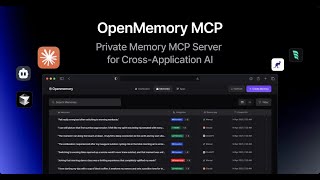
Hi, you've probably used the memory feature on ChatGPT. We've built a Chrome extension using MemZero that brings the same functionality to other tools like Claude and Perplexity. You can now share a common memory layer across your favorite LLM apps. Once you install the extension, you first have to log in via Google. Let's now look at MemZero for Claude. Initially, you have no memories, so your dashboard is empty. I now send a prompt which says that I live in San Francisco, like Japanese food, and that I'm looking for a dinner place for tonight. I click on the MemZero button and then send my prompt. While Claude answers my question, I can now go to the MemZero dashboard and see that my memories of living in San Francisco and liking Japanese food have been added. Let's start a new chat with Claude and ask what to cook for dinner tonight. This time I use the MemZero shortcut, which is Ctrl+M on Mac. My memory of liking Japanese food is added to the prompt and Claude gives me a customized answer based on this preference. Memzero also works with Perplexity. I asked for some weekend suggestions. I also mentioned that I like outdoor activities. For Perplexity, I don't need to click a button. I can simply press enter. Memzero adds that I live in SF to the prompt. Perplexity then suggests a list of outdoor activities to do in the city this weekend. If I open the dashboard, a new memory that I like outdoor activities is added. Next up, ChatGPT. I'm looking for things to do for my upcoming vacation to Hawaii. Again, I just need to press enter and my preference for outdoor activities is added to the prompt. If I open ChatGPT's inbuilt memory panel, there are already some memories stored about me. With a single click, I can sync these memories with Memzero. Now, if I go to the Memzero dashboard, my memories from ChatGPT are synced and added. The Memzero dashboard is a central location to manage all your memories. You can, for instance, search across all your memories, or if you want, even add new memories manually. You can even edit memories to reflect changes or delete them when they no longer remain relevant. That's the Memzero extension. We've been using it daily and found our AI experience to be more efficient and delightful. We hope you try it and feel the same way.