A/B Landing Page Testing with Brent Totty, Senior Product Manager | Kajabi Fireside Chats
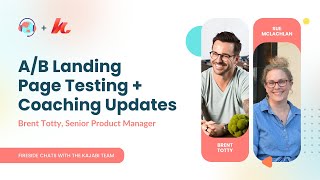
Brent Totty, Senior PM at Kajabi, walks through the new A/B landing page testing feature, which duplicates a page to test changes against four metrics: clicks, opt-ins, conversions, or GMV. Tests run 7-14 days with a 50/50 split and use your original URL so external links keep working. The chat also covers recent coaching updates including Apple Calendar integration, buffer times up to 60 minutes, and multi-calendar conflict management.
Questions this video answers
Clicks; Opt-ins; Conversions; GMV.
50/50 distribution (default).
Generally 7–14 days (longer if low traffic; shorter possible for high-traffic GMV tests).
GMV is aggregated after the page visit and reflects per-transaction amounts (e.g., a 3-part payment of $90 shows as $30 for that transaction).
Not supported in funnels at launch (may require taking the page out of the funnel or a future workaround).
Chapters
Hello. Hello. Welcome back to another Fireside Chat. I'm sue from the Unicorn Advisory. Very excited to have Brent Totty with me today. Brent, please tell us your role at Kajabi because I kind of feel like you are the manager of all the things.
So yeah, I'm, I'm Brent Totty. I'm one of the senior PMs here at Kajabi and I work on the creator tools team. I and I specifically manage the team that oversees the knowledge products and then the theme and builder system. So as that kind of translates into all the things that we touch. When you think about products, it's everything except for community and as it comes to any of the theme related system or the builder, it's email themes, it's website themes, it's landing page themes and it's also product themes.
That is a pretty broad roll.
There's a lot of things that you look after. So we're going to be talking today about a B landing page testing which is super exciting. It's new to Kajabi and it is being rolled out to heroes. So some heroes have got very, very early access to it. So there's a small chance that you might already have it in your system. If you don't, Brent has very kindly agreed to, to to share it and turn it on for anyone who is not yet using it that is inspired after this session is like give me a landing page test option. So in the Fireside Chat community there is a post. We will need the following information. It's very simple. Your Kajabi email login. So this isn't your general email, this isn't the email that you're sending emails from in Kajabi. This is the email address that you use to log into your Kajabi account. So if you go into the Fireside Chat community you'll see a post in there. Put your email address in there and I will forward that to Brent and you'll be able to turn that on pretty quickly, won't you? Within a few days?
Yeah, within a few days we'll definitely make sure that everyone has access here. I think what we want to make sure that we do today is to make sure that you guys understand the full capabilities of the feature, kind of understand the upsides and best practices around how to use it. And then from there we want to take all that excitement and channel it into you guys starting to use the feature.
Yeah, fantastic. And then also you're going to be talking to us about updates in the coaching program. I know a lot of people are using coaching. Vinny was talking to us the other day about how the most successful creators are using a combo of courses plus community, plus coaching and a 10xing their revenue. I personally have used coaching a lot. I love it. And you're going to be sharing with us some updates. So it's a packed session today. I'm excited.
It sure is.
Okay, before we get started though, as you may have heard me mention on other calls, I have my 80 page Google Doc of all the things that I wish Kajabi would do and I have shared many of those with Brent and we were just talking earlier about, you know, like all these things that we are sending through, the feedback that we are getting and the best place for you to send your feedback in directly to Brent. I mean, obviously we've got this session here. We're going to make the most of our time with you to ask questions. But if you have got things that you wish Kajabi would do, I guess features like what are some of the things that people are submitting into the. Into the ideas.kajabi.com portal.
Yeah, so in the Ideas Kajabi portal there are a handful of different subsections underneath products. So if you look for example at coaching like one of the things that have been asked for regularly is the ability to support multiple coaches inside of a coaching program. So that's an example of something in coaching in newsletters we've had requests around being able to send test emails, being able to configure your themes per newsletter so that you can further customize and brand and make that even more unique for each one of those newsletter that you may be launching. So those are just some high level examples and ultimately I want to make sure that everyone here knows that I'm looking at those submissions. That's one of the best places for you to be able to surface any of your recommendations or ideas. The other benefit of it too is that there's also this opportunity to be able to upvote and so we can see what types of ideas have traction which gives us a better understanding of what types of things we should be prioritizing as part of our process. Especially as a product manager, I'm talking to customers all the time. Sue knows this and so, you know, I'm always chatting with folks and trying to understand pain points and you know, the specific use cases that they have for the products that we launch inside of their businesses. But it's always good for me to be able to not only have those kind of One on one interactions, but also to be doing it at scale. And so that's why the ideas Kajabi gives us an opportunity to get a gut sense of what people are really excited about.
Yeah, awesome. And for others, I'm sure I can't be the only one with a, with a massive Google Doc of ideas and of things that we wish would happen. So can I just ask for you? With prioritization, when you are managing so many different things and you're getting feedback from so many different people who have so many different use cases and ideas, how do you manage prioritization? Like, how is, how is that, you know, handled within your team when there's 40,000 things that you could be working on?
And yeah, it's the magic and the pain of being a product manager. You really just have to get a sense. And that's why I prioritize. Talking to customers on such a regular basis is because it's important to be able to see the product through the lens that they look at it on a daily basis. So you have that one on one interaction and that feedback that you get, then any sort of surveys that go out, any sort of like interactions that we have with our research team informs a lot of our prioritization. And then from there it's just kind of getting a sense of like, what are we seeing in khc.
There'S all sorts of different data points that we consider as we're thinking about prioritization. The other portion of this too is that more times than not, features that you may think are disparate are actually highly connected. And so there are small Lego pieces that need to be built over time in order to enable some of these larger functionalities. So that when you see us releasing small things and you're like, oh, well, like, I thought that we were going to prioritize something a little bit bigger, more times than not, they're in service of being able to build those larger efforts. So that's like a little bit of a lens in terms of how we tend to look at all the different data points that inform our prioritization. But there's definitely a little bit of art and a little bit of science in terms of how we structure everything.
Yeah, for sure. So if you head to ideas, kajabi.com, vote for things that you like, that you want. And don't just vote for everything either. I mean, the temptation is there for sure, but even when you vote, there's a prioritization in that, isn't there?
Ideas portal. Yeah. So so vote. Make your voice heard with kajabi. Kajabi are listening. Kajabi do want our feedback. So that is, that is all that I will share because yeah, I can imagine it is a big challenge when there's so many different types of businesses being run on Punjabi with so many different needs. But I guess that's why you're bringing out all these new products. Like we've got coaching now. The digital downloads like giving us different ways to sell is. Is fantastic.
So yeah, absolutely.
All right, let's get into the fun stuff though. We are going to start with AV landing page testing. Oh I'm really, I've just been playing around with this a little bit myself so I'm excited to hear about it. And also the best practicing that is so crucial like it is. It is a tool that is good when used well. So Brent, I will hand over to you to. To share the AB testing magic.
Absolutely. Just at a high level. The way that A B testing is structured is based upon existing landing pages that you have already configured in your site. If you have an existing landing page you'll be able to go and here I'll just navigate over so that you can see some landing pages.
Let's just use one of these.
As an example in this triple dot menu on the right hand side. Once the feature is enabled in your account, you'll have this option to be able to create an AB test. Essentially what it's doing is that it's taking the current state of that landing page and it's creating a copy. You've got a variation A and a variation B that variation A is going. Both of them are going to be exact copies of each other. Best practices here are to identify a specific thing that you want to test for and I'll kind of get into some of the different metrics you can test against in landing page A B testing. But the goal here is to be able to test a very finite specific thing on a landing page. Maybe you're changing some copy, maybe you're changing the copy on a particular call to action. Maybe you're adjusting an image in one variation versus another. You're really looking for that fine grain detail that is going to move the needle on whatever your winning metric is. So let's go ahead and create an A B test.
You'll see right off the bat you're able to select a winning metric. There's four winning metrics that can be selected in a landing page. A B test. We have clicks, we have opt ins and as of Last week we have conversions and gmv. It looks like the screen share is not actually showing the dropdown, but when you do click the dropdown where it says clicks, you'll have options of being able to choose opt ins, conversions, GMV or clicks. From there, you can then start to set duration. Now, this is also where best practices come in, depending on a handful of different elements, one being how much traffic you're getting to a particular page, if there's any sort of seasonality, or if you're promoting something, maybe this link is external on your social platforms and you're promoting it via a post, you're going to start to see an up and down of the traffic that's hitting said page. So it really is just trying to understand how much traffic is enough indication for you to be able to have a solid foundation to make a choice of, yes, I want to choose variation A versus Variation B. Generally speaking, you want to set these A B tests to be you can do it over a single day, but the more time the better. Just so that the data can kind of flatten out a little bit and there isn't as much time or opportunity for variation with the traffic that's hitting those pages at any particular point. So I'd recommend starting at like seven to 14 days on one of these tests. Now, there are a few different scenarios where you might want to shorten the test. An example of that might be maybe you're testing GMV and you're swapping out an offer on a particular landing page that's selling a product. Maybe your original offer was, you know, $97 and you want to test, you know, a $67 offer to see if that converts at a higher rate. That might be one where you have a bunch of traffic hitting that landing page. You might want to run that test a little bit shorter. Just if you, if you have any sort of like reservations around, hey, this might actually be impacting the amount of revenue that my business is generating. So you can start simple. Once you start to get an indication that maybe they're relatively equal or maybe one is really skewed higher than the other, then you can set up a secondary test and run that for a longer duration. Once you have some more certainty on like, this is actually something that I really want to test into. So that's generally like some best practices around overall test duration as it applies to different types of winning metrics. And then additionally, you know, taking into consideration how much traffic is hitting those pages, if you have lower traffic, general rule of thumb, is let the test run for a little bit longer so you can gather more data. The other thing to call out here is that our AB test distribution is Split by default, 50 50, as people are hitting your landing page URL. What's actually happening in the back end is that Kajabi is deciding which variation a particular visitor should be seeing at any one point each time that the URL is hit. We're looking at the overall weight of how much traffic each variation has, and then we're deciding to get as close to 50% as we can or which variation, whether A or B, they're hitting. So right now it's defined as 50 50. In the future, we may allow you to be able to adjust that, but in this current state, everything is default to 50 50. The other thing to call out here too, that we specifically built into this product that we designed so that it works within the context of how your businesses are currently running, is that the URL that's on the original landing page is what's used for the AB test. So if you're using that URL in an existing email funnel, if you have this URL posted on your socials, or if it's anywhere external, you don't have to go back and change any of that. We're handling all of that on the back end for you so that you can test. And then once the test is complete, whichever variation wins, then takes over what is shown in that particular URL. The whole process is meant to be very seamless in the context of how you're using these URLs in any sort of external channels so that you don't have to go back and do any rework.
What I will do is I'm going to actually go into some of the AB tests. We stood up a handful of different examples for each one of the different four testing metrics, and we'll show you.
What each one of those essentially looks like. Once you've created a landing page, a B test, and you've published it, you'll then have a section over here on a B tests that are going to show all of your landing pages. There's a bunch that are going to be underneath here that I've just been testing with. But for what we're showing today, we'll talk about the top four. The first test that we have here is a GMV test. This is essentially tracking the conversions that are happening on a particular landing page. You can see unique views. It's very important to understand how the data itself is defined. So that you can understand how to read some of these metrics. So unique views. Think of this as the unique visitors that are hitting a particular landing page. Now one thing to consider here too is that if a visitor is using Chrome to visit the URL and then decides to use ARC or uses Safari, that's technically considered a different visitor. So you'll have to just take that into consideration if people are using different browsers to access your landing pages. That's just one thing to call out there when we're looking at gmv. This is all tracked based upon any GMV that occurs after a particular visitor hits this page. Sue, you had surfaced a question around what happens when there are multi pay. The way that we track GMV in that particular scenario is that we would show the GMV for the recurring payment if it's broken into three and it's a $90 total offer and it's broken into three payments of three, what you'll see here represented is the $30 for that particular transaction. So that'll allow you to be able to kind of see and because both are tracked the exact same way that you'll get an understanding of like comparatively which one is performing better. And again, all those transactions occur after someone has hit that landing page.
If there's multiple offers on the page, for example, you've got a payment plan option and a pay in full. Is that going to reflect both of those offers or is it going to pick one of the offers to base it off? How does that work?
It would be aggregate GMV transacted after the page visit.
Perfect. Awesome.
Yeah. It'll give you a sense of what actions people are taking if they're purchasing multiple things. It's a total view of GMV after someone has landed on one of these pages.
Nice, Nice.
What I'll do now is I'll go into the results page so we can take a look at that. This just gives you a more finite view of some of the other actions that have been happening. Even though you are testing for GMV in this scenario, we still surface. Are there any opt ins that are occurring? Are any clicks happening on the page? Are sales occurring? So this is just like the total number of transactions that happen after someone hits the landing page and then any of the net revenue associated with that particular visitor. Additionally, we have a bar chart here that just kind of shows all the different testing metrics that are being considered and then how they're essentially tracking over time. So it's just another visualization of like maybe something's happening Over a particular period, you have a big spike in transactions. Maybe it's because the traffic itself was higher, or maybe it's because you had higher quality traffic on a particular page. So this kind of gives you some more insights into how the traffic is actually engaging with the page in the context of the metrics that we're tracking here.
Awesome. Just a quick question. Is there a minimum number of views that you suggest that people get onto these tests that they're doing before making assumptions from the data? Like, I'm assuming that, you know, there's some. A certain point and it's going to be different for everyone. But where if you've had five views, you're probably not going to, you know, the, the data isn't going to be as meaningful as if you've had 500. So is there sort of some kind of minimum that you would recommend people aim for before kind of taking that information and using it?
Yeah, that's a great question. And I think a lot of it comes down to how much traffic you expect to hit that particular page. So it's how sensitive are you to allowing this test to run for a longer duration and in the context of how many page views you're expecting over that time frame? So it's very much an individual decision. Of course, the more data that you have, the more sound that the final conclusions are going to be. The wider testing population that you have, the more, you know, the averages of the data that's actually being shown there are going to be much more useful. So when you think about like minimum of total views, it really depends on how much traffic you're expecting to that page and how long you're willing to wait for that test to mature.
Yeah, cool.
But if I, like just kind of off the cuff, like if you see five views on a page and like five views and five views on each one and one metric is dramatically higher, that's probably not a reason to jump off and, you know, end the test early. You know, you want to make sure that you give these tests time to breathe so that there's enough time for the data to settle.
Awesome.
Let's go back into some of these other A B tests and I'll just show you. A lot of the UI itself is going to be similar, but I'll walk you through how the calculations work on each one. This we have as clicks, essentially what we've got here. We have unique views, which is defined in the exact same way as before. It's the total number of unique visitors to a particular Landing page again, broken down by if they're across multiple browsers, each one of those is going to be counted as a separate visitor. When we look at clicks, this is unique clicks. So what we didn't want to have happen is have someone come in and click the link a bunch of times and skew the results. So if you think about this in terms of how many visitors, you think about it in terms of a funnel, how many unique visitors hit a particular landing page, how many of those visitors took the ideal action that this test is kind of built around, and then you get a much better understanding of what that click rate is. So it's important to understand how these calculations work so that you can kind of understand how to really call the shots on whether or not you want to end a test early or to analyze the results.
Can I just ask a question about click rate before you go on? Sorry, I'm the person with the questions I missed. Okay, so if you were, for example, using the Qlik AB test on something like a link page, like a link in bio page, and maybe you want to test whether it works best just having plain links, or whether you have like, you know, like a feature block or it's got a bit more information in a picture, is it going to test something like that where it's on aggregate, like where the clicks are going to multiple places, or is that best for when you've got one specific action and one click? So you know a linked list is going to have multiple things that people can click on versus that single click?
Yeah. So in that particular scenario, depends on what you're trying to learn.
In the scenario that you explained, which is essentially different formatting styles for different links. I still think that this would work well in that scenario because you're understanding whether or not there's any click behavior at all on said landing page in that scenario? Absolutely. Lines up well. Now, future state of this feature. If you're looking to understand clicks on a particular link, like, we will eventually get to the point where we'll be able to show which links were actually clicked in a little bit more granular detail. But for now, in terms of how the test is set up in the scenario that you posed, that would still allow you to understand. Does the change in the format and the design of the page drive more click events for a particular visitor?
In total, more people clicking? Yeah. Cool. All right, I'm gonna. My wish list for the future. I'll put it on. I'll put it onto the ideas.
Put it on. Ideas.
Kajabi yeah, it's mobile versus, you know, click tracking. Mobile versus desktop.
Yeah, yeah. And there's the. The kind of. The beauty of this feature too is that all of the things that you're describing are incredibly valuable information as you dive deeper and deeper into the data. And because this is the first version of this feature that we're launching, this is like what's going to solve the problem for 80% of folks and then the other ones that want to go and dive in and really understand the differences between interactions. Like the other version of this is where did the traffic come from? Do you want to understand that, like if Traffic coming from LinkedIn versus traffic coming from your email newsletter is going to perform differently, all of that is incredibly valid and that would be future state of how we would start to break down the analysis of how these A B tests are performing. And because it would likely inform that you might want to shift a landing page that is primarily driven in terms of traffic by mobile views, that you might want to optimize the design to be more mobile specific. So like, there's all sorts of things that can be sussed out from how this feature can be iterated on in the future. But the goal of this first version is to get the thing that is going to solve the initial problem no matter what. Once you start engaging with it, you're always going to be like, I want to learn more, I want to understand more. And that's something that is important just for Kajabi across the board is providing better insights just in general.
Yeah, this is already awesome. I'm already excited.
Well, I'm excited that you're excited and I hope the folks are also excited.
So just kind of going and looking at the other two testing metrics, it's all going to be very similar in terms of ui. But again, when we're looking at form submissions, this is going to be the unique visitors that are hitting that page and then how many of them submitted a form. So again, just like looking at understanding what engagement rates look like with a form in the context of what you described with stylization of links, same thing could be applied for a form. If you want to change the format of the form, maybe some imagery, maybe some copy, you can adjust all of that and you'll be able to understand what the traffic behavior is in terms of the outcome that you're looking for, which is form submissions.
Then last but not least is conversion. So this is adjacent to gmv. So if you're looking at testing to see whether or Not a particular landing page is driving more volume in terms of the overall transactions you're making. Maybe you're not testing the actual dollar amount of the offer that's included. At that point, then you would be able to take a look and use this testing metric which will tee you up to be able to understand. Is a particular landing page driving more total transactions or not? Again, you can use this or you can use gmv, but when you click into the actual analytics page, you'll be able to see both values. You can use them interchangeably. It really just depends on the specific thing that you want to test. I tend to think about GMV as a testing metric. If you want to test variations of pricing. If you want to look at the overall form of a landing page, but the offer is generally going to be the same, then looking at conversions might be a more useful use case.
Yeah, nice. Can I ask your recommendations for people on how to choose what to test? Because it's a. I mean there's a. It's a whole science in itself, AB testing. But for someone who's new to this, what would you recommend? Because I mean there's lots of different things. You know, a common thing that I hear is just test one thing like one change so that you, you know. But what would be some recommendations for people that are just getting into this?
Yeah, I wanted to just like certify stamp that recommendation of just testing one thing. If you test too many things at once.
You'Ll understand that one landing page is converting or driving more gmv, but you won't know the specific aspect that is actually driving that change. So it's really important to make sure that you're putting parameters and bumpers on what you actually are testing. Minor changes around copy, minor changes around imagery are kind of like the top level ones that I would really start to think about. You can change colors of CTA buttons. There's a lot of science that really shows that people are attracted to certain colors, specifically when looking at call to action buttons. Those are some high level ones. You can also start to test into different types of structures on the page. Where does your call to action fall? Does it fall above or below the fold? Best practices are always have a call to action above the fold, but you can test all sorts of different variations there. Maybe adding additional call to action buttons as people scroll down the page, maybe you previously only had one up at the top, could drive higher conversions or higher GMV or higher clicks.
At a high level. That's probably where I would start. But as some core principles stay simple. Test one thing at a time. This feature is not going anywhere. So as you continue to learn, you'll learn. Maybe one thing drove a particular action. You'll be able to take that winning variation. Spin up another landing page. A B test. Test the same general testing metric. Maybe you want to adjust one other thing. This landing page, a B testing feature is about iteration. It's about being able to understand how your traffic is engaging with the surface areas that you have out that are representative of your business. And so not only are you testing the actual composition of the page, but also over time your business is going to grow and change and so changing and adjusting copy maybe copy was working really well previously and is now a little bit stale and is not converting the way that you want it to. This is a perfect opportunity for you to be able to test into some of that new copy so that you can frame the value props that you had in your business previously into the new light. Maybe you have some new traffic, maybe you're getting bigger on a different social platform and you have traffic coming from there. It's an opportunity for you to be able to understand how your traffic is going to engage with the content you have on the landing page.
Awesome. Can I ask about when you are doing an A B test and it's living in this kind of new AB test area in the pages? Is it like with funnels where it's actually like the page is being moved from landing pages into funnels so it's now going to live in a B testing or is it only live there while the test is active and then the page will go back to being.
Great question. When you have a landing page in here, I can just show you as well when you have a landing page that you've put into and consider it like a B test mode doesn't disappear from your landing page index page. It's there but it's in an AB test status. Let's go ahead and just create one.
That I haven't done. Let's do this one. So let's create an AB test. We'll do clicks duration three days actually let's use best practices and we'll go 14.
This is going to build my AB test this on the background. This is creating all the copies of that original theme file associated with the landing page. It's creating all the backend that is linking to that original landing page URL. Once this is here, we'll see this open up in the landing page AB test tab and then I'LL go back and show you kind of what it looks like.
Okay, great. And then after the test is finished, if you wanted to do another test, can you then use that same original page and then test a different thing? Like, can you.
Yeah, absolutely. So after an A B test has completed, whether you, whether you finished it early and you manually selected, hey, this is like clearly trending in a way that I want it to go. Or you let it run its course based upon the duration that you set at that point. The winning variation is then reapplied to the landing page so that when you're looking at your landing page, have the variation that won as the theme that's being applied to that particular landing page.
What happens to the other version?
The other version.
It'Ll be in this.
It'll be shown as a variation. And that's another best practice to consider as well, is when you're creating a landing page, a B test, ultimately, you really shouldn't be changing anything in variation A. You should be keeping the original version so that you're testing apples to apples.
We didn't build in that guardrail because ultimately heroes may have some reason why they might want to adjust variation A. But best practices are keep what was originally out there, have that be your variation A, and then make changes in the variation B.
And can we just run one AB test on a page at a time? We don't have multiple running at a time. Is that the. Yep. Great.
Yeah. And that, that essentially, you know, if you did want to get around that, you could create a duplicate of the landing page and run two different A B test at the same time. One caveat there is that all the things that we built in to make sure that the previous link for the URL will not apply to the duplicated landing page because it will have a new slug attached to it.
It's so much easier, so much easier having one URL to test.
You'll see now that this is in edit test state. If I were to go and publish this.
Publish test.
Okay. So before you actually click on publish, it's just in whatever state it was in before. And then once you click publish, that's like turning the test on.
Exactly. It gives you a little bit of time and space to be able to figure out what changes you want to make to those variations so that right out the gate, you might not have all the answers of exactly what you want to test. And maybe you're going to search for some best practices and you know, you. Maybe they're watching this video and they're like, oh, great. I'm going to change the call to Action copy and see how that converts across the different traffic that's hitting page. When the test is created, landing page stays in publish mode. And when you're in the AB test, it's in draft. The second that you turn the A B test on and you publish it, all the link routing is turned on. So that someone hitting the page is either going to be directed to variation A or variation B.
Nice.
We'll go ahead and publish that. We're going to go back to the landing page and publish that. This is another thing. You want to make sure that the landing page itself is published.
Nice.
Then once we do that.
Now we're off to the races.
Awesome. One thing that I have done on my test is one, when it creates the second page, I've actually changed the name of that second page where it says copy one into what I'm testing. Oh, great idea. Yeah. So that you actually know which version is which. And then you can, especially if you did, you know, over the course of a year, maybe you'll do 10 different tests. So you can go back and be like, oh, I want to have a look at the analytics on when I change the headline versus when I change something else. So just renaming. Because you can just do that with the three dots next to the copy here. So when I first did it, I was like, what am I renaming it? And then I was worried, I was like renaming the whole page. But it's renaming basically the test of the pages.
Yeah. And that's honestly, like, that's a great best practice for all the heroes that are watching this to apply is being able to build in those breadcrumbs so that you can understand.
Months in the past, like, what were you testing? What was working, what wasn't working? So you can kind of start to stitch together that data story. Yeah, that's great. I hadn't, I hadn't thought about using the title in that way. And that's super, super valuable.
There you go. Awesome. All right, so we don't have any other questions yet. I've got one question. So if there's anything else that you want to tell us about a B testing, please do. Otherwise, we'll move on to coaching. But question funnels. Can we do a B testing? Hey, Kate. Can we do a B testing on pages that are currently in a funnel, or do we need to take it out of the funnel in order to, to do the test?
So I believe that you would need to take it out of the funnel in order to be able to run the test.
Now, if the I think that we should like, I'll take a look and see. Like right now, you know, landing page A B testing is not supported inside of funnels. But what I'm thinking is that you may have the ability to take those URLs and adjust them as they're showing up in the landing page.
Let me come back to you on that one and make sure that it. Because I don't want to give any false information, but there may be a workaround that you might be able to do. You and I can think through that and figure out the best way to support that. But out the gate, landing page A B testing was not designed to work inside of funnels. For now.
The big thing is for now, because what we really want to make sure that we're doing here is that landing page AB testing is like, it's a precipice for us to be able to showcase and share more data with our heroes so that they can understand more about their business. So you saw that we started off with email ab testing, then we moved into landing page A B testing. There's a multitude of other things that we can apply AB testing to, but what I think that is really important for us to be able to understand is, is how our heroes are engaging with the feature. Is it solving the problems that they truly have? Like, are they adopting it, are they using it regularly? And if they are not adopting it or if they're not using it regularly, we don't want to understand why. And so as that occurs, we want to make sure that we take in that data and apply it to anything that we do in the future. So that's very much part of the process that I like to apply as we're building products is that, you know, we launched the version of this that's going to solve for 80% of the problems and then you learn into the more advanced features and functionalities that heroes are going to need.
Yeah, perfect. And it was mentioned a few times at KHL and at the Australian Sessions event that I attended that analytics is getting a lot of love from Kajabi. So I think all the nerds in the crowd were like.
We love analytics because, you know, that's what helps drive decisions. So and, and like I said, Even getting that 80%, like getting this is really, really helpful without you having to use a third party tool which for most people is too complicated and giant pain in the ass.
So yeah, yeah, well, that was the goal is to make a B testing accessible. We wanted to make it easy to use, simple, straightforward and flexible enough to be able to solve for the majority and then learn into what are some of the other more advanced features that are really going to be valuable for heroes.
Yeah. Nice. Awesome. Thank you so much Brent. If anyone does have other questions about a B learning page, you can put it into the community. Brent is happy to to answer other questions afterwards. I can send them to him and get the answers and share them with you. But should we look at coaching? Should we go and see these awesome coaching Erica said analytics for the blog. Oh my gosh, Erica, you're speaking my love language. Analytics for the blog, including post by post. We will add that to the wish list@ideas kajabi.com yeah, amazing.
Amazing. Well yeah, we can definitely jump into some of the coaching upgrades that we've made over the last few weeks. So this should be available in all hero accounts right now. You don't need to opt in or do anything special. We One caveat is that if you are currently if you had an authorized calendar with one of our older calendar integrations, please click the reauthorization modal that's in your coaching pages. It'll unlock all of these features for you. So if you integrated your Google Calendar or your Microsoft Calendar a long time ago and you haven't touched it on the coaching pages, right now there's a big modal that pops up that says reauthorize your calendar. It takes a minute and once you do that, then all these features and functionalities will be available. If you don't see them, that's why.
Or you're like me and you keep getting the emails nagging you to do it because I'm using calendly. I'm sorry, this might change my mind. This might take me off the calendly train.
I'm trying to win you over. Okay. Just like small, small little W's here and there.
Okay, let's see these awesome changes.
Yeah, so when you are in the coaching section, we now have in your availability we have the ability to set buffer times. So this is essentially designed to make sure that people are not booking back to back to back to back to back sessions. You need a little bit of time to breathe. More times than not, you may need to review some previous client notes to prep for your coaching session. So this is designed for you to be able to start to automatically build those buffers in. So the way that this translates into the booking experience is that if you or one of your members is booking a session, it's going to take a look at what sessions are previously booked and then for the slots that are available, it's going to apply those buffers to make sure that those sessions are not being booked end to end. So when you toggle this on, you can set time frame before and after. So you have the functionality. If you want to do longer period of time, you can do up to 60 minutes.
Along with that, we also have start time increments that we added here as well. And that also applies to the booking experience. Previously on our old calendar integration, it defaulted to an hour. It would be at the top of every hour. If you want to offer more available slots, you'll be able to set that. And so here you'd be able to say like, you know, I want to make sure that slots are available at 10am, 1015, 1030, 1045, 11. And that all takes into account what your availability looks like that you've set for this particular top level coaching settings.
So along with that, we also heard a lot of feedback from heroes that having just one availability setting was hindering their ability to prioritize some of their higher ticket clients. So previously, before we launched this feature, you had one set of availabilities. Maybe your onboarding calls and your 30 minute, kind of like trial conversations with folks and maybe someone that bought $1,000 coaching package from you. We're all competing for the same time slots. That's not good for business. We know that and so that's why we ultimately built in program level overrides. So this applies to both one on one coaching as well as group coaching. So I'm going to go ahead and go into one of my programs.
And.
When I go into settings, there is a separate section down here now for availability. So by default custom is turned off. You can see that manage default availability is linked here. If I turn this on, you can set an entirely new set of availability for a particular program. So this enables you to now prioritize time slots for your paid users on your paid programs. And then for folks that you know you're maybe using is like a 30 second onboarding call or a 30 minute onboarding call. You may end up, you know, hey, I only want to take these on Wednesdays from 11 to 2 so that you can really drill down into making sure that the individuals that are perfect purchase sessions from you get priority for your available slots. So that also. So that works in the context of one on one coaching. It also works in group Coaching.
And so for group coaching, I'm so happy about this.
That's what we like to hear. So for group coaching, the use case here is a little bit different because ultimately you're choosing when you want to book a particular session. So what this does is that because group coaching is one way scheduling, your members aren't scheduling any of the sessions, you're scheduling them yourself. If you want to widen the amount of time or the available slots. Maybe you normally run coaching sessions from 11 to 2, Monday through Friday, but for your group sessions you want the availability, you want to be able to select something maybe Fridays at 9am so those slots you don't want to have available for your average one on one users, but you do want to book that slot in group coaching, you now have the ability to go ahead and do that. So the way that that works is when you go into a group.
You click into settings and then the same flows there where. Let's turn this on.
Oh, I'd already, that's why I'd already had it toggled on for this one. So. Oh, you can toggle that on. And then the same rules apply here where you can set a specific default for a particular group or for a particular one on one program. So that level of flexibility is really just designed to make sure that you're able to prioritize your availability for the specific groups that are trying to book time with you. So the practical use case, we kind of talked a little bit about prioritizing your paid users versus any of your onboarding calls. So this is an opportunity for you to be able to take a look at your schedule and again, just make your time available as relevant for the members that have purchased these offers from you.
I'm also noticing the open date range like seven weeks ahead. Is that new as well?
Yeah. So that's another one of the features that was enabled by us switching calendar providers. So now we can book six months in advance. Previously it was if you had an integrated calendar, it was 90 days for Google and 62 days for Microsoft. So now for those that are selling coaching packages, you can book well into the future, up to half a year. So again, another shameless plug. If you have not reauthorized your calendar, please reauthorize it if the second that you do, you have access to this wider booking window.
Awesome.
Let me go into, give me one second here.
This is another one that we just recently released, which is the Apple Calendar integration. I believe it was Kate that was really excited about using the Apple Cal Integration. This was released last week as well. If you do manage all of your availability and your calendar through Apple and we now have the ability to integrate that the same way that we previously had for Google and for Microsoft.
Can we do multiple calendars? Like, can you have multiple calendars set up if you have Outlook and Google Calendar? Or Kate's excited. It's very excited, yeah. Like, or is it just one calendar?
So it's one calendar, but you can attach multiple calendars as long as it's under the same platform. So for example, let's go ahead and click settings here. So I have a handful of other calendars that are associated to my Google Calendar. So if I want to check availability for those other ones, and this has been a feature that's been around for forever. But being able to select the specific calendars that you want checked for availability is a functionality. Now the one call out is that with the primary calendar that you select, that's where all of your sessions are being written to. So, like, when you're looking at your calendar, that's where it's actually going to be displayed. But for any of the conflict calendars, you can do up to eight of them and that will essentially limit the time slots that are available for any of the booking sessions that you have.
Perfect. Love it. There's some, some very excited people. Okay, so she's moving all of my to Kajabi. No more acuity and zoom. So you're making people happy today. Brent and Maya is also like, fantastic. I use Apple Cal. So.
Yeah, that's, that's one of those things that, you know, previously we weren't able to offer from the partner that we had. It's one of the driving reasons. It's the flexibility for us to be able to continue to iterate and add new features to coaching. This new partner that we have is much more amiable to being able to support that kind of stuff. So the move was important and ultimately the decision was made with heroes in mind so that you guys are able to get these types of features and it doesn't take, you know, a huge amount of time. On our side, it's like, yeah, of course we can enable Apple Calendar. Like, I think that when people are like, well, there's Google and there's Microsoft, like, why can't I have X, Y and Z? Oftentimes we're limited based upon the partner that we're working with. This new partner gives us a lot more flexibility to be able to do that type of stuff.
Love it. Love it.
Okay. The one thing that's going to get me off calendar that you haven't talked about yet is the emails, the reminders for calls. Is there any updates or changes to those emails that are going to go out? So being able to customize like per type of call, for example, that would be pretty awesome.
Yeah. So that is work in progress. I can't promise any dates, but some of the I kind of think about these in terms of what are the out of the box automations now? They're not going to be shown in the automation tab, but they are like, think about them in terms of like best practices, the obvious notifications that you would expect from a coaching program, things like being able to configure emails that go out 15 minutes, 45 minutes, two days. That all is work in progress. Additionally, something that we talked about at KHL was making sure that both heroes and members are notified when any sort of edits to a particular session have been made. So if a resource is uploaded, if agenda item is updated, all of that stuff is work in progress. I can't promise when they will be out, but know that we are working on them and it's definitely on our radar is something that's important to be able to get out because I think it's important to make sure that you know when members are making adjustments to the sessions so that you're prepared for your calls and additionally making sure that you're top of mind before a session so that your members aren't missing them those sessions.
Yeah. Nice. Okay, so we've got a question from bj. Can we place a button on a sales page for someone that wants to book a discovery call? Like is coaching essentially supporting discovery calls yet or are we, is the, is the, the situation to make it that it's a free offer to go to a free session?
Like yeah.
What's your thoughts around that? Discovery calls is something a lot of people use.
Yeah. Current state is that yeah, you would create a free offer and attach it to a 30 minute single session coaching program. That's the best way to facilitate those kind of discovery booking calls and then you can transition them into, you know, a paid program after that. Yeah, we chatted a little bit about like what would the shape of, you know, something that is more discovery based? Like is it an actual coaching program? Is it a little bit more lightweight? I think that that'll be something that we'll want to continue to gather data on to understand how heroes would want to use something like that. Because I do think that it's valuable and maybe the current structure doesn't necessarily like you don't need all of the functionality that's in a coaching program to be able to run one of those discovery calls. So that's definitely something that we've chatted about internally as that type of concept and idea gets surfaced. More on ideas Kajabi, we'll be able to take a look at that and understand what type of volume are we seeing on this. How does that weigh up against some of the other features and functionalities we're talking about with notification automations?
Some other concepts around multi coach support. How do we want to support that? It really just depends on what type of volume we're seeing around those requests.
Maybe things like transcription on coaching call recordings. Yeah, I might have mentioned that.
You know, I'm excited about that. And that is, that's something that we're going to, we're definitely going to be figuring out not only transcriptions but also summarization. There's a lot of moving pieces required in order for us to be able to get that right. So again, like know that that is something that's on our radar that we're thinking about heavily. But no, no general time frame just yet.
All right. I think, I think my job after this is to go and put a heap of stuff into, into ideas.kajabi.com and then everyone who's watching this and make.
Sure that everyone upvotes them.
Yeah, exactly. Exactly. Okay, so Laura was asking if it works for group coaching sessions, but you've already shown us that we do have that same ability for, for group coaching. And she's also said she just got go brunch for meetings and this will work with this. Is that right? So go brunch is like a webinar slash zoom type software. So would that be the same way you just put the meeting location instead of using a Kajabi live, then you just put that URL link like you would with a zoom call into the, into the coaching program.
Yeah, if that's, if that's how you've been using it for previously, then yeah, that the URL link should work in that scenario for a kind of a. The manual location.
Yeah, perfect. All right, well I think I am going to, I'm going to go and have a play. I'm going to see how close we are to getting me off calendar. I certainly in calendar have those separate calendars set up for each of the different type of meetings because it is really important, like if you are doing, you know, discovery Calls and you know, actual high ticket coaching calls and you know, different types, like being able to customize that is absolutely key. And the, the buffer times, oh my gosh, the buffer times that is crucial, especially that it's customizable. I love that. And also that going out into the future is fantastic. So I'm gonna, I'm gonna dive in and see. We'll see if you get me off calendly.
Hey, that's that, that's the goal. As long as we can not only provide the core functionality that's useful, but also making it easier to integrate so all the data is flowing correctly and everything kind of works comprehensively. It's very much part of the promise that we make at Kajabi, which is all in one. And so we want to make sure that each one of the features that, as it applies to products that are being used for Heroes is something that continues to progress over time and continues to get better. So again, that's why I want to make sure that I've got my ear to the ground with any of the feature requests that are coming in. Coaching will be a priority, is a priority this year and will continue to be a priority next year. And so we're going to continue to make updates to it and continue to take the input that our heroes have to inform prioritization.
Love it. Love it. All right, if you want to make sure that you are on the list for AB testing, if you don't already have that for your landing pages, I will send a link out afterwards or just go into the Fireside Chat community. There is a link on this page to, to go in there so that you can go and leave your, your Kajabi login email and I will forward that to Brent so he can add that and turn it on in your account and you can play around with AV landing page testing and hopefully Brent will be able to get you back in the future to come and do another, another one of these cool sessions where you can talk us through some new features. Because there's a lot of people in the unicorn community who are very excited at getting so much access directly to the Kajabi team. So we really, really appreciate your time and coming in and sharing with us today.
Yeah, absolutely. And you know, you know, I have no problem hopping on and chatting with you guys. I think that this is a great opportunity for us to not only surface some of the things that we're working on, but also the way in which we think about them. And then, you know, for, for Heroes that are on the call to be able to surface some of the issues that they're having and kind of talk through some of that. So would continue or would love to continue to do these calls with you, always enjoy you and provide value.
Awesome. One quick question before we go. Is there a way to start a sequence of emails for a specific person when they sign up for a coaching call? So at the moment it's the automation is based on the offer when someone purchases, but I will be putting into the ideas portal that we could do it when they book. That would be amazing if we could start a sequence at the time someone books. But right now the way to do it is that you set up a sequence based on when they purchase. So yeah, yeah, yeah.
And any automation specific wish list items, definitely submit those because it's something that, that we're definitely interested in investing in. I think that especially at the product specific level, like right now, a lot of the functionality is offer driven but being able to understand how automation should be functioning in the context of each product, I'm all ears on that because I think that there's a lot of value that could be provided there and make the automations tool even more powerful than it already is.
Yay. Exciting, Exciting. All right, thank you Brent, appreciate your time. Tomorrow we are going to be talking to George from the branded app team about the very exciting updates to the branded app and the new widgets that are on the branded app. So if you are already using the branded app or you are curious and you want to check it out and you're like well I've seen all these things, I want to know more. Definitely join George tomorrow and myself same time, same back time, same back channel, 3pm Pacific and we shall let you have a beautiful day. Thank you so much. Thanks for joining us and cheers Brent, appreciate your time.
Time.
Bye bye.
Happy to be here.
More from Brent

Scaling Reach for Wellness Content Creators w/ Volv Founder Brent Totty | Conscious Profits Podcast