How to Do On Site SEO - Optimizing an Article for On Page SEO - Hernan Vazquez
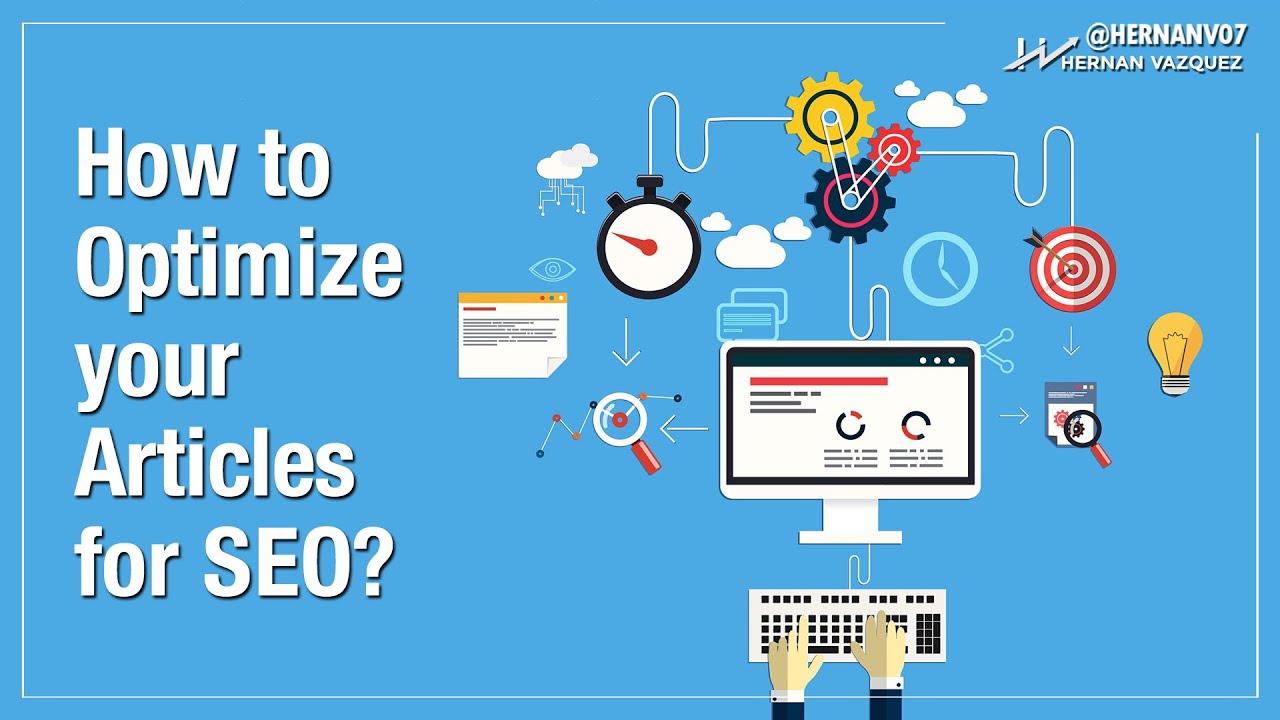
Hernan Vazquez walks through optimizing a blog post for SEO on WordPress, starting with a target keyword and clean URL, then adding hierarchical headings, internal links, and outbound links to sites like Forbes and HubSpot. He embeds tweets and video, configures the Yoast SEO snippet, and emphasizes writing for visitors, not search engines.
Chapters
Hello everybody, what is going on? Hernan Vazquez here again with you. Thank you for being here, thank you for watching these videos. Again, my goal with this YouTube channel is that you get a ton of information and a ton of actionable insights to earn more money online, get more customers, get more traction, and live pretty much an overall happier life. Okay, so if you're being happy, I'm happy. All right, so let's get going with today's video, which is How to SEO optimize an article from start to end. That's exactly what I want to show you, but I cannot show you this way. We need to go to the computer. Okay, so I'm gonna cut the video here, and then I'm gonna show you how to optimize an article for SEO from A to Z without leaving anything behind. All right guys, so let's hop into the computer and I'm gonna show you how to optimize an article for SEO. All right, so let me show you what I do when it comes to optimizing an article from top to bottom. Okay, this is my one, one of my test sites, and I just want you guys to know that this applies for pretty much any kind of, of platform that you're using. Okay, I'm using WordPress right here, but you can do this with HTML, you You can do this with Joomla, you can do this with pretty much anything. So the article that I'm trying to post here, that I'm trying to optimize, it's about Facebook marketing. Okay, so as you can see, I have it over here and the title is Lost When It Comes to Facebook Marketing? These Tips Will Show You the Way. So the keyword that I'm aiming to optimize this article for is Facebook marketing. So I'm going to do my best to put this keyword on kind of the highlights of the article. What are the highlights? Well, the highlights are those places that Google has in mind, like the first things the spider sees, okay? So to put it in simple terms, the most important places where you can put your keyword or keywords are the title of the article right here, then is the URL, and then it's going to be a couple of times on the article itself. Now you will hear, or you will read tutorials, or you will see YouTube videos that they will tell you, okay, you need to put the keyword on the, on the first paragraph and then on the titles, and then you need to bold it and underline it. That's not the way I like to do things because I like to write for the, um, for the visitor and not for Google. So I want to give the visitor a good experience while reading my article so that he will come back, you know, and share, etc. So the only places that I'm going to use the actual phrase Facebook marketing is going to be on the title of the article right here And then on the URL. That's it. I'm not gonna use it, uh, you know, I will naturally use it throughout the, um, the article, but I'm not gonna use it anymore like on the titles, etc. So let me, uh, let me show you what I mean. So here I have, uh, the title, which is Lost When It Comes to Facebook Marketing? These Tips Will Show You the Way, which is a good title. Now the URL or the permalink that WordPress assigned to this article is last comms Facebook marketing tips will show you the way. Okay, so I want to get rid of all of that and I just want to do something like Facebook marketing. All right, so that it's easier also for the visitor to remember it. So it's gonna be the, the website.com/facebook-marketing. That's all I need. And then what I want to do is that either you have written this article or you got written I want to make sure that I'm not repeating the keyword a ton of times. I want to use several other keywords, also known as synonyms. So that's exactly what I'm going to do right now. So, um, now that I have my article in here, what I want to do real quick is to add some headers or some titles. If, again, if you had this written, you will ask the writer to make these for you. But if you've written You may write the entire article and then add the headers. So what I want to do here is to add a header, something like, um, Learn to Master Facebook Advertising. Okay, remember guys that the keyword is Facebook marketing. This is another variation. So here I'm gonna put this as Heading 2. All right, because I I'm not gonna use Heading 1 and I'm gonna show you why in a minute. Now I'm gonna scroll down a little bit. I'm gonna put something like, over here I'm gonna put something like, sorry, bringing traffic using social media marketing. As you can see, I'm using marketing here but I'm not using Facebook. So this is another variation of the keyword. So I'm gonna use this as a Heading 3, and then I'm gonna add another heading below here, like, how to start implementing right now. It's gonna be another Heading 3. There we go. All right, so we have our headers. These are not only good for SEO, but these are also good for for reading the article, for actually reading the article. Alright guys, because again, the article is going to be, you know, divided into sections and whatnot. So now that we have our headers, what I want to do is to link to another articles of my own website. So what I want to do is to do something like grab this phrase right here. This is for example purposes, it might not It might not be the most relevant phrase, but anyways, I'm gonna insert a link. I'm gonna see if we have any other. There we go. Boom. We have another internal link here, and then I'm gonna add another down below here. Something like this phrase. I'm gonna add a link. Boom, there we go. Boom. Okay, so we have 2 internal links. This is super important, guys. This is super important, not, not only because Google spiders will come and check these links, but also because you want to give the visitor the opportunity to visit other sections of your website. So now that we have external links— and internal links, sorry— I want to add external links. And there's a process for these. And you know, many SEOs, they forfeit or forget the importance of adding authority outbound links. And we have a bunch of opportunities here, and many of my tests have said or have given the information that authority is a 2-way highway, if you would. Okay, it's a 2-way route. I mean that I'm benefiting the website that I'm linking to, but if the website is more authoritative than I am or it has more traffic or it has better metrics, it will also benefit me in return. So what I want to do is to actually go to Google, okay? And then what I want to do inside Google is to go and search for my phrase, which is going to be Facebook marketing, okay? Boom, there we go. So we have our Facebook marketing And then we have— we will look for authority outbound links, okay? Big newspapers, media outlets, etc. So here we have kissmetric.com, okay, which is a big website. Then we have socialmediaexaminer, which is another big website. Then we have forbes.com, which is, okay, it's a massive website. So I'm gonna be opening this. HubSpot.com, okay, this is another big website. So as you can see, I'm letting Google telling me exactly what are the most important results for this phrase. Okay, and then if you run out of ideas, you can always go to the news. So I'm gonna go to news, and here I have Marketing Land, and I have— yeah, mostly Marketing Land and Business to Community. These are big, big publications, so I'm gonna do this. And open on a new tab. So here what I want to do is to grab the links and put them on my website. So let's go to HubSpot. So I'm going to copy this and then I'm going to grab something like this phrase, insert it, boom. And here what I want to do is this. I want this to open on a new tab. Because this is, you know, an exit backlink from my website. There we have it. Let's see if we can continue Forbes. Come on, I'm trying to record a video here. Okay, so I'm gonna copy this Forbes.com website. I'm gonna scroll a little bit. And then what I wanna do is to maybe— you want to make sure that these are relevant keywords or phrases. I'm just pasting links for the sake of pasting links, but this is not how you wanna do things, okay? You want to make sure that these are relevant phrases. And last but not least, Marketing Land. And I'm gonna— boom, I'm gonna put it here. There we have it. It's gonna be target blank as well. Boom, there we have it. So we have 3 outbound authority links and we have 2 internal links. I would say 1 to 2, um, outbound links and then maybe 2 to 3 inbound links, etc. Okay guys, So as you can see, I'm adding resources and this is gonna benefit my SEO in a big way. Okay, so we have headers, we have our links. Now what I wanna do is to add some rich media. And we are in the world of rich media and social media, so you want to use rich media to SEO optimize your articles. So what you wanna do now is to add 2 kinds of rich media. So for example, I will go to Google, I will go to youtube.com, sorry. And then what I want to do is to go to the good old Google, and here I'm gonna put something like Twitter marketing, marketing accounts. Okay, see what we can come up with. Okay, so we have Marketing Insider. Let's see what we can find here. I just need a couple of Twitter marketing accounts that are tweeting about marketing so that I can embed their tweets. And you can also embed tweets, you can embed YouTube videos, you can embed pins, you can embed Google+ posts, okay, you can embed Storify, etc. So let's see Anne Huntley, boom, and then let's see if we have— okay, I mean, Portfolio or Contagious Magazine. So we have these 2 guys that are big on Twitter, and Twitter is sharing, just so you know guys, Twitter is sharing a ton of, um, data with Google. All right, so just so you know, keep that in mind. So this, this account has 72,000 followers and a ton of interaction. So I'm just gonna, I'm just gonna try to embed a Twitter that's related to marketing, a tweet that's related to marketing. So let's just keep this one for the sake of keeping one. So I'll click on the 3 dots right here at the time of recording this YouTube tutorial, okay? So it might be different when you're watching this video, but anyways, I'm gonna copy this, okay? And here on my, on my WordPress site, I'm gonna go to the text tab, the HTML tag— tab, sorry. I'm gonna paste it. Boom! We have our Twitter right there. Let's see if we can pick another one from Ann Hindley. Okay, so we do the same. We're going to embed tweet, copy, and then we're going to paste it down here somewhere. Boom, there we go. And then what I want to do is to find a related YouTube video. So let's search for Facebook marketing, and I want a video that has a ton of views. And a ton of interaction. So these guys right here, Chris Smith has almost 90,000 views and a lot of interaction. So I'm gonna share this, okay, I'm gonna click on share, embed, this is in Spanish, sorry about that, but you get the drill. Share, embed, I'm gonna copy this, I'm gonna paste it down here. Boom. All right, so then we have an embedded video and then we have 2 embedded tweets. So let's see how it looks right now. Right now we have our link, our header, a link, and this is interesting because, um, this, uh, tweet right here is gonna send me to a tweet at t.co, which is a Twitter shortener, and we have a pic.twitter, which is, you know, it's there's a lot going on in here. There we have a couple of outbound links, another pic.twitter, you know, another outbound authority link, another header, and then we have our embedded video. All right, so now what we want to do is to choose a category, a relevant category. I'm going to choose business, and here I'm going to choose broad tags like Facebook marketing, etc. Okay, so I'm gonna add this, and then this is gonna be the title. Okay, this is gonna be the title of the article, and this is gonna be the URL. So as you can see, we have the title and we have the URL, and this is gonna be the snippet. This is Yoast SEO, by the way. The plugin Yoast SEO is free. You can download it, it's free. And this is gonna be the snippet that Google will show. Okay, so we want these to be enticing. So this is gonna be something like, if you're wondering how you can start marketing your company in Facebook, this article is going to help you a lot. Come in and see. Okay, something like that that's enticing for the visitor to come in and click on your link. Okay, because also CTR— I mean, um, click-through rate from the search engines to your page— is also a good ranking metric. So there we have it, guys. Let's publish and see how it looks. So we're gonna publish this and see how it looks real quick, and I'm gonna show you how it looks so that you have a fully SEO optimized article. You can go even crazier. You can, you can add You can add images, you know, you can add some other stuff like maps. You can go pretty much crazy, but here we have it, you know, the basics of the YouTube— sorry, the Facebook marketing post and how to optimize it. So here we have the title, Lost When It Comes to Facebook Marketing? These Tips Will Show You the Way. This is number 1. Number 2 is the URL. I'm only using the keyword once, and this is important. And then let's inspect this, and I'm pretty sure this is an H1. So yeah, it's an H1. As you can see here, it's an H1, meaning that I cannot use another H1 in the article. That's why I didn't use it again. Okay, I started with an H2 because most of the themes in WordPress will actually use an H1 here. And there we have it, guys. We have our article with our Twitter tweet here. There we have another tweet down here, and we have our video right here, and we have a couple of outbound authority links and internal link juice. And this is pretty, pretty, pretty damn cool. Okay guys, thank you for watching once again, and any questions whatsoever, let me know. I'll be happy to help you. Making more money online. Okay guys, thank you for watching and I'll see you in the next video. Bye-bye.