🔴LIVE: Mindvalley AI Summit 2024: Highlights
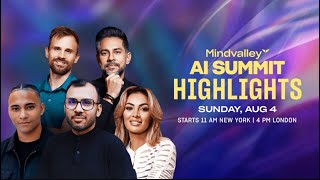
Dominic Ashburn walks through a content-automation pipeline using custom GPTs, voice cloning via 11Labs, and video generation with HeyGen and Runway ML to produce Instagram reels, fitness clips, and guided meditations automatically. Vishen then pitches the Mindvalley AI Mastery program starting August 20, with two levels, payment plans, and a money-back guarantee.
Questions this video answers
At least 60 minutes of recorded voice content for professional voice cloning.
A set of ~72 lists of phonetically representative English sentences; reading them yields about an hour of coverage for voice cloning.
TITO = Trigger, Instruction, Template, Output.
First call kicks off Monday, August 20; the program runs four months (weekly lessons; total hours depend on level).
Level 1 (Essentials): 17 lessons ≈ 25 hours. Level 2 (Advanced): 34 lessons ≈ 50–58 hours (includes Level 1).
Chapters
Be here with you. So first off, I want you to put in the chat how many of you here attended the full AI Summit, which was a three day event. Go ahead and type it out in the chat. If you attended that. Okay? Now if you, if you did attend, if you did attend, you would probably remember some, some of the, the talks that most resonated with you. What talk had the biggest impact on you? Type out the speaker name or the topic, go ahead and share it on the chat. Right, so someone said music, so that was pretty cool. Another person said Iman and Mr. Grateful man and Dave. Mr. Grateful Dominic. Dominic, the David guy. I don't know who the David guy is. We didn't have a David guy. We had a man and Dave. That's who you're talking about. Well, the good news is all of these talks are going to be back. Man. And Dave is back. Imano Buu is back, Dominic is back, Vikintas is back. And some of you said music. We're going to be covering that. AI clones, we're going to be covering that. So I'm going to give you a quick taste of what we're going to be covering and I'm going to actually share with you just why AI is so important right now. So first let me just quickly bring up my slides because I want to share my screen with you and take you on just an interesting journey of just what is possible when we start getting really, really, really good with AI.
So.
First thing is is this. A lot of you have mentioned that, that and, and I saw this recently in my Instagram. If you happen to be have my Instagram open right now, I want you to open up Instagram, go to App Vision and look at the last post. What you will see there is actually my AI clone. You're going to see a version of me that is actually not me. It is a clone I learned to do from the last AI summit, basically cloning myself so that if there was a situation where I needed to create a tutorial video for say YouTube to explain an element of my business, I no longer even have to physically be in front of the camera. With ChatGPT 11 Labs and Heygen, these are three different unique AI tools. And getting these tools to work together, I could clone myself to speak about just about anything. So if you go to Instagram right now and pull up my Instagram, open it up on your phone and just look at the first post and observe that clone and you will see it is scary. It is eerily like me. I'm going to bring it up on my screen as well. Give me one second. Okay. Now, if you're looking at that, I am curious. Is this something that you think is exciting? Is it something that you think is scary? Give me one sec and let me bring that up. And what you're also seeing over here is another example of AI and Manon's going to talk about this. What you're seeing over here is a bottle design. This is for a new supplement brand that we're launching at mindvalley. And what may shock you is that these bottles were also conceptualized and designed with the aid of AI man. And Dave will be covering that. So let's actually take a look at this and teach you how you can start bringing some of these tools together. One of the things you're going to learn in this summit is that it's not just about Chat GPT. It's about the intersection of many different AI tools. ChatGPT is one. Chat GPT is exciting. Chat GPT is basic. You're going to learn how to intersect these tools to create some pretty amazing stuff. Now, let's start with the AI clone. So I want to show that to you first. Give me a sec to just share my a Instagram with you and we will begin. Okay, it's coming right up. And I want you to tell me, is this something that you would use if you could use. If you could do such a thing, would you Instagram clone yourself? Coming up shortly. I apologize for the slight lag.
Okay, this is Vision's AI clone.
So here we have that. And this is the worst possible time for room service to ring my bell, but I'm there shortly. You know why I'm having this difficulty and maybe some of you are experiencing this as well. Apple changed the way Apple launched a new iOS. No, thank you.
I'm good.
Apple launched a new iOS and it works a little bit differently in terms of how Windows interact. And so having a tiny tad bit of difficulty just sharing my screen. I apologize that on that I'm going to fix it immediately. Okay, here we go. This is Visions AI clone updated with a sexier voice. This Sunday, August 4th, join Mindvalley's AI Summit Highlights webinar. We are bringing back the best speakers, like man on Dave, who will cover music generation and art, and Iman oh Bu who will teach you how to clone yourself. Also, I'm now the first thing you notice is that the clone doesn't sound like me, right? You can tell that that's not my voice. Can you guys detect that now even that what you're going to learn and this is because I'm still learning this stuff. Iman, who is our main speaker is going to show you how to even make the voice accurate. This is where you're going to bring in a new tool called labs. But let's continue cuz check this out. To a Kundalini retreat in Hawaii to discover myself and will be appointing my clone nicknamed Vichy as interim CEO of Mind Valley.
Okay, let move over Vishy, let me share a little more. This four hour event will teach you some of the best practices from our AI summit that had 110,000 registered attendees. It's direct, fun and practical training and we hope to see you there. Back to you Vishy.
Okay, now notice something. Iman looks like she's walking. Do you think this is the real Iman or do you think this is a clone? It's. It is actually a clone. The clone. It actually appears to be walking in our office space. But we'll continue.
Thanks Iman.
So while I.
This is Vishen's AI at 110,000 registered attendees. It's direct, fun and practical.
And that's why Iman's hair looks so good all the time. You never know if she's real or not.
I work on my tan and go on a coconut water diet.
Check out the summit replay. Keep it real and virtual. Peace out. Now you may be, you may be wondering what can you do with a technology like that, right? So I was. I'm in Istanbul because I'm running a mastermind. I mentor lots of high level entrepreneurs and there was someone here who runs a skin care company and she has maybe 100 different brands of skincare products and she wanted to get more attention to a company on Google search but she's too shy to get in front of a camera. So what I was telling her was look, you have 100 products and what she's doing is she's selling other people's products. So she might sell let's say La Roche Posay, right? A certain. A really high end sunscreen. So she can basically clone herself as the founder. It takes two minutes. You upload a video of yourself for two minutes and then she can go on ChatGPT and say write a script to explain the why men need to use sunscreen even if they live, even if it's autumn. And in particular I want you to recommend La Roche per se. Check out their website and mention why the product is good. Now you get a script, you upload the Script to hey gen, which is another service, and boom, you have a clone. Now if you do this 100 times, it takes one day and you could have 100 videos on YouTube for search engine optimization with a clone of yourself educating the user. Now you got to mark that this is an AI generated video. But, but it is you. And of course you can do it the lazy way, just trust ChatGPT to write the script. But if you do it correctly, you are actually producing value for the user. Now some people may say, no, I don't like that it's a clone, it's not real. That's up to you. But the fact is, for cold traffic, people who are just googling your product, just looking for you, this can be a very, very, very useful tool. Now I want to show you something else. So we were speaking about supplements earlier and this is another example of utility for AI. So I had my team develop a little database of supplements. I'm going to show you what that database looks like. Right now I'm actually showing you my quick internal database. Mindvalley just launched a supplement company and I had my team develop this list of the key ingredients for supplements. Let's see it populate. Right now this is a tool called Airtable. So you can see all of these different things. Tianine, Gaba, Creatine, recommended daily dose, dosage, when to take it, and then here these supplements are tagged with what they do. This is useful for fitness mind power, particularly gaining muscle and strength, getting fitter, increasing energy. Best time to take is anytime. Notes on the supplement and scientific references on their efficacy. Okay, now what I do then is I create these and then I get, you see, AI assist description. So here I'm getting AI to then basically generate a description. So let's say there is supplement here called Magnolia Extract. Okay, Oops, my admin has disabled that. But you can click generate and the AI will write the copy for you. Here's a copy for a supplement called Cyanobalamin. Okay, so what is this? This just looks like an advanced Excel spreadsheet, but here's where the magic happens. So we have 156 different supplements here. Now what we are doing is I've uploaded this to Chat GPT and I had a scientist validate all of this. So now I have my own Chat GPT supplement bot that can tell me how, what supplements to take on a daily basis based on whatever I need. So let's check this out. Okay, I'm, I'm traveling right now and feeling the onset of a cold. So this is actually real. This is exactly what's happening to me right now. Travel, you know, with, with jet lag. I also need to overco jet lag and get my energy level up. I also want to improve my skin and I'm feeling dehydrated. Dehydrated. I also need better focus for a webinar I need to do so now. This is what supplement Bot does. It goes through that 150 supplements which I've uploaded to chat GPT in a PDF and it's given me exactly what supplements I should take today or for the week, assuming that these feelings are for. For the week. So you know how in the past I would take other type of person who would take. I have 100 supplements at home and I would take 20 supplements a day because I don't know what's what to take. Right. But that can actually cause over supplementation. It can be harmful to you. So here I'm using AI, I uploaded that entire spreadsheet and I'm using AI and the AI is telling me exactly what to take today. Okay, so it gives me a breakdown. Supplements, book, onset of coal, supplements for overcoming jet lag, skin, skin care, better focus, wellness. And then it breaks it down for my daily schedule. So now rather than take 20, I'm taking 10 half the amount. But it's all on point. Take B complex with breakfast, vitamin c, Lion's Mane, Omega 3 with breakfast, Quercetin with lunch, L theanine for if I need to focus in the afternoon, Vitamin C, magnesium, this glycinate, hyaluronic acid and vitamin D3 with dinner if not taken in the morning. Do you see how beautiful this is? Now any of you can do this, but again notice you are intersecting. You're combining two tools in a smart way. In this case, you're using Chat GPT with Airtable. Airtable is a very, very powerful tool. It is an advanced form of really. It's an advanced form of databases combined with Excel. And for the clones that I showed you earlier, what you're doing over there is you're combining again three tools. You're combining 11 labs and you're combining that with hey Gen. So let me show you. Hey gen, you're combining 11 labs, you're combining Heygen. This is Heygen, the tool that lets you create clones. Now 11 labs, hey Gen is good at the clones, but hey Gen sucks when it comes to voice. So for voice you're using this tool called 11 Labs. And I'm going to actually give you show You a demonstration of how. How important the voice is. Okay. So I'm going to take you to one of my voice projects. Okay. So this is a voice clone of Marissa Pierre.
Life isn't about finding yourself. Life is about creating yourself.
Now, why is that important? Right? So I was brainstorming with Marissa Pierre, who's one of the hypnotherapists on mindvalley. What if we can use AI to create custom voices rather than listen to a meditation Hypnotherapy for heartbreak. You can talk to the app and you can explain exactly why are you facing heartbreak? Where is that pain? Is it because you know your boyfriend left you? Is it because you went through a divorce? Is it because you are just. You've been single and you're just not meeting Mr. Right? And the meditation or the hypnotherapy with Marissa Pierce voice using her techniques can be generated on the fly. Can you imagine that? You get. It's almost as if you have your own therapist there. But it's not just a therapist. It is the Marissa peer speaking to you. Now, of course, you've got to do this with. With permission. In this case, I, I have Marissa's permission. We're just exploring future things. But why was that important? That is important because. And, and this is when I really realized where if we're not embracing AI, our companies can be screwed. Because mindvalley makes a significant amount of its revenue through the meditations on our app. 45 of the percent of sessions on our app are our meditations. But if we're not careful, somebody could take 20 years of work curating the world's best meditations and basically side swipers by building a better app using AI powered customized meditations to you even, even using your name in the meditation. Think about like how incredible that would be. If your name is Tom, it's Marissa up here saying, tom, I want you to know that you are not alone. This is a guided meditation and hypnotherapy to help you ease away your loneliness because of your divorce that happened nine years ago. You see how powerful that can be and that's where these things can be a game changer. If you are not using AI, the danger is that your company can be replaced by a company that is using AI. Your job can be replaced by someone who is better adapted AI. But if you are using AI, you can immediately compress the amount of time it takes for you to do anything and make it more effective. This is the beauty of AI when used. Right? Okay, so I want you to put in your biggest question on AI. Just type it in the chat. Now we're not, I'm not gonna, we're not gonna be able to answer the questions, but this at least will give me an idea of where your mind is and what's going on. Okay, so how to prevent malicious intent and fraud Security tool for product management. Actually airtable is that too. Can I use AI to create bespoke training programs? Absolutely, yes. When Iman is teaching about hey Jen, you're going to learn that AI tools in medicine. I don't know if we're going to be covering that, but remember I showed you my supplement bot. Well that is medicine a doctor can create or a pharmacist could create something similar. Because how often do you go to a pharmacist and you say hey, I'm feeling this and this and this and they go in from memory. But memory is never perfect. Right. AI tools for coaching one on one. Yes. So here's a really interesting implementation of AI. If you're a coach, you can record a transcript of your coaching with whatever client you have and upload that to ChatGPT and ask Chat GPT to pretend it is a world class coach and give you recommended recommended protocols for your client recommended books. So let me show you something like this. So we are actually building this within mindvalley for our mindvalley coaches. So I want to show you what this looks like. Okay, so I'm going to show you an example of EVE AI. Okay, so you, so I don't know if you'll all have access to this. This is basically just, just being beta tested right now. So this is EVE AI and this is something that coaches will soon be able to use. So let's say you have a client and the client is suffering from. Okay, let, or let's say you're a teacher and you want to help a kid and the kid is suffering from low self esteem and has acne. You can type in what can I study on mindvalley if I'm suffering from low self esteem and acne? Okay, so I'm gonna show you this and then I'm gonna explain a very important principle here. So eve. Eve by the way, stands for Everyone elevates E V E elevates. Okay, so WildFit. Now Eve is suggesting WildFit because WildFit helps you actually get off milk. And here's the funny thing about milk. 24% of people who take milk get acne. Milk has no nutritional benefit. It is, it's considered neutral food, but it causes acne. So it's actually pretty, pretty accurate. And it, it, it explains that. Now we'll ask, how about meditations for the same thing? And let's see how smart Eve is. Here are two meditations on mindvalley that could be useful. Okay. Boost immunity, anxiety, stress, trauma. Okay, it's a little bit off. It's a little bit off, but it's off maybe because the description or something in the meditation could be improved. So when it comes to AI, the AI, it's hard to understand how AI works. That's not what we're going to be covering. But one of the things you got to understand about AI and the Economist wrote about this in its AI issue maybe about two or three years ago. 85% of the, the, the AI problems that we are trying to solve have to do with labeling data with data. So for example, in mind value, what we do is everything that we do. So let's look at this. Areas of growth. Okay, so you want to build a company where your data is very well labeled. What I'm showing you here is, is what we do with the mindvalley brain. So what you're seeing over here, for example, is all of the outcomes that we seek to, to help improve in mindvalley. And let's look at this one. Okay, so parenting. So when you click on this one, you can see how everything is connected. This is called a relational database. You can see parenting is an area. Under it, we have better parenting, helping kids learn, being a better influence on kids, supporting childbirth. And then we have programs, the programs that help you become a better parent. We, we can go further. You can see all of the, the, the situations, okay, Surviving lockdown educators. You can see meditations that help you becoming a parent, reconciliation with dad, reconciliation with mom, meditation for kids. So our AI is able to give you the right information because we are tagging data. During COVID for example, we literally had 35 people. Their jobs had disappeared because of COVID And we made them go through all our content and tag. And so we developed a tagging system. Meditations were tagged in 1 out of 300 different categories for human growth. And we knew that because we knew AI was going to come up. And so when AI started coming up, we can feed this to the AI and the AI now knows. So let me show you one more thing which I think is going to be really interesting for you. This is my brain. What you're seeing over here is literally my entire brain when it comes to all information on 20 years of authors I've worked with, programs I've created, speeches I've delivered, events I've produced, and my brain is now in the clouds. What you're seeing here is called a relational database. We can zoom in. It's a relational database of my brain. And this database is accessible to our AI. So let me tell you why this is important. Let's say one of my employees comes to me. So we're about to do an event in Ibita, A fest, okay? It's happening in October, and the event is on relationships and. And sexuality. And so my employee says, vision. What's a really good teacher who is living in Europe? That maybe we can fly into Ibiza to give a talk on enhancing relationships. Now, I would have to. In the old way, I would have to wreck my mind and try to figure out, okay, I remember this person, I had lunch with that person. I remember this talk. I. I think it was like seven years ago. Let's look up the ratings of that talk. But now my team doesn't even need me. Everything is in this database. What I've done is we've uploaded information on every author, every meditation produced by every author, the ratings that you guys have given this meditation, every event we have ever had in mind. Valley. Every talk from the event, the ratings for every talk, the title for every talk, the category the talk falls in. And so instantly, absolutely instantly, we can pull up the best talks. Let me actually show you an example. Let's look at potential Jordan speakers. So here, what we can see is every single talk in Mindvalley and the rating from the talk going back 10 years, it's all organized. All organized. This is the power. So what you're seeing over here is just the data structure, but you apply an AI on it, and me as a founder, I no longer even have to be there. My team can basically talk to the AI and extract this information. So as I started doing this, as I started putting down on airtable and data structures, everything in my brain, and then putting an AI layer on this, what happens is that my company gets to run without me. I get to free up time. I get to free up approximately a day to a day and a half a week. And as a result, I have less meetings than I ever had before. But that, again, is interacting with my team. Literally, my brain as a CEO exists in a cloud. You can go further, and if that's too complex for you, so I showed you a really complex system. Let me show you a simpler system. This is a simpler system. This is what all of you are going to be able to learn probably within a couple of hours. This is social media caption expert. So everything I look at in my company, whether it's recommending content and speakers that is now automated by AI. But another thing I do is I write the captions for Mindvalley for my forbiddition social media. I don't need to do that anymore. I can get, if my team produces a video, I can upload the transcript of the video over here and it'll write the caption for me. So let me give you an example. Okay, I need a caption for a picture of me and I want to actually pull up a picture that so you guys, we can actually see this. Okay, So I have a picture here of me and Ajit Navalka. Ajit Navalka is the co founder of Mindvalley Coach. I'm going to show you that picture. Okay, so here's the picture. Okay. So this is me and Ajit. Ajit's a very dear friend. He's my business partner. He's the co founder of Mindvalley Coach. I need a caption picture of me and Ajit Nawalka, the the co founder of Mindvalley Coach. We dressed in Great Gatsby team and attending a party together. I want to talk about how amazing our friendship is and how brilliant this man is. Okay, that's it. That's all I gotta do. Stepping back in time with the incredible Ajit Nawalkana Great Gatsby theme soiree. Beyond the glitz and glamour, it's the friendship and wisdom of this brilliant mind that truly shines. Here's to celebrating not just roaring twenties, but the inspiring connections and unforgettable moments. Pretty good. But I can also say now add something about mindvalley certifications in there in that Ajit is the co founder notice I'm not even worried about getting my spelling right. And now it's going to add that as the co founder of Mindvalley Coach, I've just played been pivotal in shaping the transformative certifications that empower us all. Okay, now this is a really simple demo because I only have like one minute left, but I can. If this was a video, I could upload the transcript of the video from Dropbox and what would happen is it would, it would read the transcript, it would know what the video is about and it would write a caption for that. So this itself saves me tons of time because I no longer have to spend time as a copywriter for my company. Now by the way, you know how I trained this, I actually uploaded pages from my book and I got it to learn, analyze my book, learn how I write and then I got it to replicate my writing style. So you, it literally writes like the language in code of the extraordinary mind. That's how powerful this is. You're going to learn this. So we're going to take you now to on a tour of all our AI lecturers. You're going to learn from Imano Buu. Her talk got a perfect five out of five. And you're going to learn from man. And Dave Maninous is freaking unbelievable. If you follow him on Instagram, you'll see pictures of him with Snoop Dogg, with Eminem. And that's because he's a genius musician and he uses AI man in currently at the Olympics. He may have returned, but his song with Che Lingo was selected for the Olympic refugee team. And even the music video of that, he's going to play that for you was generated with AI So you're in for some amazing, amazing, amazing treats. And let's get started with our next speaker. Welcome, Iman.
Hi, how's it going?
So my first question is, is this Iman or is this Iman's clone?
The amount of times I'm getting these questions these days, I mean, I'm like, I cannot confirm or deny I am a clone, Iman.
It's not. It's. I can tell it's really you because your hair isn't absolutely perfect. Oh yeah, it's absolutely perfect. When it's absolutely perfect, like flawless, flawless female hair, then it is your clone. But you have some strands out of place.
Yes. No, I mean, we are going to go towards the time where we're going to have our AI clones now attending meetings for us. That's kind of what recently the Zoom CEO is talking about. So I'm actually excited for that.
Yeah. All right, so I'm going to leave it to you to dazzle our audience. Please give a big round of applause to Iman Obu, founder of Vocable AI. Iman speaks on AI AI at Mercedes at Porsche. She's one of the foremost speakers on AI for social media and this talk was one of the highest rated talks at AI Summit. All yours, Iman.
Awesome. Hi everyone. Hope you guys had a great first session. I am so excited to pick up where we left off a little bit in the last AI Summit. It seems like the session we had around Cloning yourself was a big hit. So I'm excited to share that again with you and Also walk you through how to do that by creating your own AI avatar and creating videos using your own AI avatar on. Hey Gen. So let's get started. Is everybody able to see my screen right? Am I good? Because I know I always have these technical. Okay, great. Awesome. All right. So when it comes to video content, we always say that quality over quantity is the best. But I think the rise of AI and also the pressure to produce more content is actually changing that a lot. So in the times we live in, and also with the growing competition of video content across different channels, I think that quality times quantity may actually be the new trick just requiring the few digital clones. So that being said, I actually started experimenting myself and diving into basically the next frontier of generative AI. And it so happens to be these AI clones of 2024 is basically the the year of AI avatars and AI clones. And it's also definitely shaping up the launchpad of just using AI avatars to actually replace us and be able to scale your video content with much less effort. Believe it or not, I actually do not enjoy talking to the camera. So naturally I was really curious about what these AI clones and avatars are actually capable of and how they are continuously progressing and evolving over time. And the big question is, can these clones actually replace us in the future? Are they getting good enough in a way that can actually not be disruptive to the audience experience, but also be able to help us achieve our goals as far as content creation and scaling? So as you could see, I started creating a little bit of an army of mini Imans or Iman clones. And this is what basically I'm going to be showing you today on how to start doing that for yourself using hey Gen and then how to also use these AI avatars and clones in video content that you want to create, whether it's presentations, TikTok videos, products, promotions, any kind of basically video content around, product tutorials, anything that you really want to push out there for your audience. But then you also don't want to invest too much time and resources in creating that content at scale. So let's take a look at a couple videos that I was able to generate using. Hey gentlemen. And then that also gives you a little bit of an idea of just a few use cases and also how far these AI avatars have come. I know I did a little bit of a game during AI Summit where I asked people to guess, so let me just actually stop sharing. And then I have to go into my browser to show you the actual video. But I basically was doing a little game during the AI Summit, asking people whether or not this is a clone of me or it was me. Most people actually weren't able to tell the difference. I think people who know me really well and have seen me in person, of course, can tell a major difference, and you'll see why as far as the features go. But then in general, if you're not paying attention, this has actually gotten a lot closer to what humans look like. So let me just give you a quick sneak peek here. Alrighty. Everybody's able to see that screen? Yes. Great. Okay, so this is one simple video I created at the actual AI Summit. As you can see, the background is still the same, and it's basically a talking head video where I'm presenting. I gave it a script. This is a clone I made of myself within a few minutes, and I just uploaded a script to it and then it basically, you know, recorded itself. So, hi, I'm the AI version of Iman, a digital spokesperson in her own image, if you will. And at the risk of. Of making the real Iman sound like a lazy human, I am here to help her do more without her needing to step into the spotlight. You see, human Iman is creative, but she's also quite shy and not particularly fond of being on camera. And that's where I come in. Now, this experiment is still a work in progress, and we are still so early in the game. Imagine how these avatars will progr over the next year. Right? But remember, your clones should only be considered as tools, not replacements for your human essence. Okay. All right, thanks for watching. Okay, so that's use case number one. As you could see, it's quite realistic, I would say. And I would point out that the only issue with it was basically my mouth, because I know when I was filming myself with the video that I was uploading, I moved a little bit to the left and to the right. So they actually tell you to just kind of stare straight to the camera for that reason. But it's pretty, pretty realistic. And yes, the background is also real. That's actually the real background where I filmed the video that I uploaded. My jewelry is real. Everything's real. So basically, however you look, if I were to upload a video of myself right now talking, it would have the same background, the same jewelry, the same hairstyle, all of it. So it's very, very on point. Now let's take a look at another use case that I created. All right, so this is another one that I created basically using my Laptop video. So just to go back quickly here, the other one, this one was professional video camera, so obviously you could see the quality is much, much better. And then I decided to try one with just me recording it in my office in one of those phone booths. As you could see, see, the background is pretty basic, but this looks more realistic when it comes to zoom calls or any kind of presentations or product tutorials. It looks like I'm actually at the office presenting and I'm using this specific clone for actual product tutorials and presentations where you don't have to necessarily focus too much on the background. It's more about the content and you'll see how that kind of plays out here. So this is a video of my clone basically comparing Claude to ChatGPT. Today I will compare Claude 3.5 to GPT4O and see which is better. Let's dive in. First, let's see the technical comparison. Claude 3.5 is better at almost everything like coding, graduate level reasoning and even multilingual math. Who here has ever solved a mathematics problem in Spanish? Claude can do that for you. Claude 3.5 has this crazy feature called Artifacts. Users can ask Claude to make text, code and other artifacts. Claude will share the output in a dedicated window alongside the chat, like a preview window of what it's composing. You can see and interact with the generated content in real time, providing immediate feedback and adjustments where needed. Here, see how the user gives an input to Claude to create a game. And Claude 3.5 generates a clickable game alongside the chat using Artifacts feature. Wait for it. Isn't that cool? Personally, I think Claude 3.5 is much better for writing and stuff. GPT4O has its own charm with the live voice interaction, so there's give and take for both. Depending on what task you are using it for. Have you used both of them for the same task, which was better? So, as you could see, this was pretty realistic. If I were not to zoom in too much on my avatar and just have it in that little circle, you almost can't tell the difference. And so this is a great use case for it because I also have to create a lot of product tutorials for vocable and we have to basically create screen shares and all that for every single features. And of course, if I'm able to just upload a script and the screen recording of the product, and I'm able to just use my avatar to walk through it, I'd be able to churn out a lot more video content and much less time and with much less resources just doing so and actually just have my team do it instead of actually me having to dedicate a whole day of filming. So this is a really great use case. Also you can, you can have different formats. So I don't know if you guys have seen Visions video yesterday on Instagram using his clone. So you can actually do the different format which I think you could see see here, this one had a big, a big head. I think it was 170,000. But you can't really hear it here. So. But it's on my Instagram if you want to take a look. So you know how you could see how I basically changed the format there so that it's more TikTok and real format, not like much of a YouTube stretched out video. So you can play around with all of these. And then the last use case is also really interesting and this is one of their latest features on hey Gen. And by the way, I see a lot of people are joining now a little bit late and so don't worry, we haven't actually gone through the step by step tutorial. So people are asking what app this is again. This is for hey Gen. That's what I used for all these avatars. And then we're going to go through it in just a minute here. But this is another use case that I think is interesting. It's more of a walking and in motion type of avatar. It's one of their latest features. So up until I think a couple of months ago, the only way to use your AI avatar was just to film and sitting still. Now you're able to actually film a video walking or in motion and then that translates into an actual avatar that is also walking and in motion. So let's take a look at this final. And I just created three versions of my AI clone in under 20 minutes. I think that was towards the end. I am here at the Mindvalley AI summit and I just created three versions of my AI clone in under 20 minutes. So here obviously I was filming myself walking and then my now AI clone is also walking and doing the same hand gestures. So the way I tried this one especially at the AI Summit is I wanted to be a little bit more human and use actually a little bit of my hands and motions in order to not look too stiff. The first avatar that I have created was basically a little too stiff because I was told not to have any hand gestures, not to move too much and it just looked a little too unrealistic. And maybe I can give you A sneak peek of what that looks like here. Before we jump into the step by step tutorial, I just wanted to give you a bit of a, you know, a rounded perspective on what these avatars are capable of and what the use cases will look like. But let's take a look at the AI avatar that I created that was a little too stiff.
There we go.
Hello everyone. Welcome to this session. Hope everyone is doing great. First, let me say one thing. This summit is not about using AI to replace your job, but using AI to reduce time spent on repetitive tasks. You see that girl standing on stage? Yes. I'm her clone twin. Don't you think it's weird how Iman just created me by recording herself for just two minutes? This AI tech is fascinating and I'm the child of this technology. Now I will let my human version Iman Ubu. So as you could see, this one brought out the resting bitch face in me. Part of my French, but it was a little too serious and I was a little too stiff. But this was my first attempt at filming this video for my first ever AI avatar. So I feel like I was a little bit nervous and I wasn't sure how to move and how. And so I got a little bit more and more comfortable with it as I started creating more and more avatars. So that's probably going to be the case with you as well. So when you first start creating your avatars, you're going to really get a hang of how to move better and where to look, how to use your hand gestures. How much of hands gesture do you want to use? How much of head tilting do you want to use? So you will find kind of your groove. But that's why I take a little bit of a few takes as well as just understanding how you come across on video. But if you already good on video, that probably won't be a problem. Like vision got it down right right away. He's a, he's a pro. I am not really good at video content and so I was a little bit kind of, you know, not really immediately taken by it. So now let's. I want to go back quickly and share just some slides because I want you to screenshot a few of these as a way to of course have reference points when you want to start working on your avatar. Since we're not going to have a lot of time to go through the 11 labs and I'll explain a little bit here in a second, I want you to just take a moment to screenshot some of these Step by step instructions so you have them again for later. Okay, so these are some of the features that hey Gen really has kind of perfected over the past few months that I thought were really interesting that are going to be something we're going to be exploring a lot in an in depth during AI Mastery. So we're not going to go through all of these features today because there's a lot of but at least you have a perspective on what hey Jen's capabilities are and how you can actually use your avatars. And if you don't want to clone yourself, there are other avatars that you can use for your own content marketing purposes and video marketing purposes. Also it has a lot of interesting features where you can put in your URL or your product that you're marketing and it generates an actual TikTok or video content for it immediately by just putting your URL. So that's another feature that we're going to be exploring in depth during AI Mastery. But today is really about understanding the basics and knowing how to create your AI avatar and how to use the HeyGen's video studio to actually create content and video with your AI avatar. But quickly as I mentioned. So hey Gen has instant avatar, so that's what we're going to be doing today. You can upload it as a still like I showed you, or in motion mode. Still mode is really great for presentations and product tutorials. Motion mode is really great when you're kind of talking to your audience and you want to be more personal and feels more real. The platform also has now the AI Voices feature, but as I mentioned before on stage as well, the AI Voice feature on heygen is not the best yet. That's probably their biggest weakness and shortcoming is they're not really able to get the voice right. So when you are uploading your video it won't sound like you in your avatar. And we'll go through this in a minute. But eleven Labs actually integrates with hey Gen. So in the next screens I'm also going to show you how to create your voice on 11 labs first and then use that to integrate it as part of your hey Gen content and so you can take screenshots of that step by step since we're not going to be covering that on today's session, but at least you have that in your background. Other features that are interesting is what I mentioned URL to add. So basically you put in your URL and it turns your product listing to social media videos on Instagram, Facebook or TikTok. So all you have to do is put in your URL and then it basically creates a full promotional video for you in a format for reels. Instagram and TikTok. Another great feature that I think is interesting for people who do a long form video content like webinars or podcasts is their instant highlight feature which basically takes clips from longer videos based on specific criteria you give it. That's also another feature we're going to be covering in the AI Mastery, but not today. And then we already Talked about the 11 Labs API which is coming next for you to take a screenshot of. And then there is also a translation proofreading studio so you can upload your video, existing video, and let's say you, you do want to target a different market, but you want to sound the same. So you're able to actually translate all of your video content on hey Gen using the same voice. So without actually losing your own voice. So these are the main features that I think heygen really excels at and why to me is the best current AI tool when it comes to AI cloning. I know there is Synthesia as well. I haven't been a big fan of it, but I think hey Gen is definitely a leader in the market and if they do perfect their AI voice part, they're definitely a winner in my book. So this is a quick step by step at least. So you have it to clone yourself on heygen so you have the instructions. But we're going to do this here together. So I'm going to give you a moment to take a screenshot and also I'm going to share this presentation with the Mindvalley team so they can also share that with everybody as well. Okay, so now this is how you integrate your 11 labs voice and this is very important because I've experienced experimented a lot with the voice on on hey Gen and it's not good at all. So any I'll show you the big difference between my 11 labs voice versus my voice on hey Jen that they take from your actual video that you upload. Okay, all good. All right, so now this is how you actually create your voice on 11 lab. So let's take a screenshot of this as well because we're not going to be covering this today, but it's a big component of the success of your video content on heygen. And these are pretty simple. Once you're in these tools, you know, it's pretty intuitive. You just got to kind of get right in there and experiment with It. But now this is the next step. Okay, I'm assuming you guys are quick screenshotters. So. All right, this is the next step of here, scroll down on the left, click on profile picture, Profile API. Okay, now you copy this API key and this is where you integrate it into HeyGen, which is the tool we're going to be covering today. And again, I will share this with the mayanvalley team. So if in case you're. You've missed out on a few, you will have access to them. And then. Okay, this is how. Now you enter your API key and 11 labs clone voice that will be available on your HeyGen account. Okay. So, all right, now let's move on to hey Jen. So let's actually go into my browser and go through a quick step by step. Okay.
Share.
All right, Everybody's on my browser screen. Awesome. All right. And the voice cloning is not just in English. It's any language on 11 labs. Basically you upload your voice as is and then you clone it. So whatever language you speak should be cloned as is. All right, so this is what my heygen dashboard looks like. Obviously you sign up, that's a pretty quick, intuitive process. You sign up there, have they have a free trial that allows you to create one avatar. So you could definitely try this out for free. You don't have to pay for subscription right away. And then you basically dropped on this dashboard here that for me looks a little bit different because obviously it's very packed with content and videos that I've been experimenting with. But let's do a quick product tour here so you understand where to go right away for your AI avatar. Specifically for your AI clone, you would want to go to avatars. So this is where you're going to be creating your first AI avatar. And it's technically called instant avatar. So you click here on instant avatar.
Hey guys, I'm Joshua.
And then you're going to get that video of the. So we only need explaining a little bit more about how you know what AI avatars are and whatnot. And then you have two options as I mentioned. So you have your still one, which is the first example I showed you guys. That's me sitting on a couch just. Just speaking directly to a camera. Or you can be standing as well. And then there is a motion one where you're actually walking or doing any kind of motion. And that's basically your AI avatar is going to be in motion. It's not going to be standing still. So excited that you're Going to create.
Your first motion avatar on hey Gen.
We only need a 2 minute video.
In 2 minutes of talking videos of.
You, you can talk.
So of you, you're talking to anything.
Still, that's probably a good way to start because you can also record this on your laptop if you'd like. So I know they recommend, and I do recommend as well to use a high but high resolution professional video camera. But if you also feel comfortable just using your laptop, especially at the beginning to just experiment with your avatar, definitely use your, you know, your laptop camera because it worked pretty fine for me. So these are the instructions. As I mentioned, you will be submitting a two to five minutes of footage that you have. Whether you have it already or you want to record it in real time. You can do that through the heygen platform as well. As you could see, you need to be in a well lit, quiet environment. You need to look directly to the camera, pause between sentences and hopefully also have your mouth closed in between sentences. And then you don't want to overuse your gestures, right. So you want to be a little bit more generic so it doesn't come across too chaotic as I kind of, I think experimented with. But just try to stay also more natural, not too stiff either. And things to avoid stitched or cut out footage. You want it to be a straight up like full two to five minutes, no pausing, no, no different footages, talking without pauses, changing positions while recording. As you could see, sometimes when I turned left or right, you could see that my mouth was pulled a little bit. It looked like I was paralyzed, but so that's because I was moving too much. You definitely don't want to move your head too much because they kind of just want it to be completely straight to the camera. No shadows or overexposures. So you want to be in a well lit environment. Again, hand gestures above the chest, nothing in front of your face. So now your next step is uploading your footage, right? Or you can also record with your own webcam as I mentioned. So for the purpose of this, we're just going to skip it. I, you know, I actually videotaped myself separately and then I uploaded the footage and then in another situations I just used record it with webcam and then I just used my laptop. So. And then once you actually upload your footage, then you have to actually film a consent that asks you to consent to the use of your AI, of course, so. And then it gives you exactly what to say and then you can also record it in real time. So you don't have to record it and upload it. So that's the quick step by step on how to create your AI avatar. Once you go through all the way to the consent, then it's going to land you back into your dashboard and then your AI avatar is going to live here. So once it's ready, it takes about, you know, a few minutes, maybe a couple minutes, I think. And then once it's ready, it shows up like this. Hey Imanu Buu, your instant avatar is ready. Try creating videos with it. Also click the feedback button to share what you think, hope you enjoy. So they all have the same script, right? But hey Iman Ubu, your instant avatar is ready. Try creating videos with it. Also click the feedback button to share what you think, hope you enjoy. So it basically just tells you your AI avatar is ready. And then you know if you want to regenerate it, you have the option to redo. So it tells you how many you have left so you can redo it. I didn't find it that different when you actually click redo. I don't think that there is much of a difference, at least not on my end, but at least you have that option. You can also send feedback and as you could see. So this is what I was talking about as far as the voice goes, right? So take a listen to my voice using 11 labs. This is what I sound like. Hey Iman Ubu, your instant avatar is ready. Try creating videos with it. Also click the feedback button to share what you think, hope you enjoy. Okay, so as you could see, this is not what my voice sounds like. And it, it's different in every, almost every avatar. So they really haven't gotten it down. Hey Iman Ubu, your instant avatar is ready. Try creating videos with it. Also click the feedback button to share what you think, hope you enjoy. So this one isn't too bad. But again, I think in comparison to what you get as far as 11 Labs goes, it's not as comparable. So I think that for the time being, if you really want to sound realistic, Definitely integrate your 11 Labs voice API to hey Gen. Because a lot of these AI voices through hey Gen are kind of hit or miss. It never really sounds too natural and it's actually way worse if you have an accent. So if you don't sound completely western, American or even British, it's really hard to get that authentic voice and that authentic accent that comes across when you speak naturally. So that's my advice here. And so now you have your AI Avatar, it's ready, it's going to show up in your avatar section. The next thing you would want to do. And by the way, if you don't feel comfortable cloning yourself, I know the session is about AI cloning, so it has to be more like your digital twin. But. But if you're more comfortable with just playing around with other AI avatars, they have a library of AI avatars that you can use without having to actually clone yourself. So if you're not comfortable completely giving away your identity or whatnot, totally fine. There's a lot to explore on hey Gen, that doesn't require you to actually clone yourself. So now this is where you technically will have your 11 lab, so AI voice, right? So you can actually integrate all of your. Your 11 labs voices here. And then this is also where all of your voices from your uploaded content and uploaded videos when you clone yourself live. So as you could see, I have four avatars, so that means four voices. And this is what my voice from 11 Labs sounds like. Hello. This is what I sound like. Hope you like it. So it's much more like me in comparison to hello, this is how I sound. Hope you like it. Right. Hello. This is like it. Yeah. Okay, so that's now where all of your. You can also up, you know, do all of your editing here. This is where all of your AI voices will live. You can also have other types of. Again, if you're using another AI avatar that is not you, this is where you play around with the voices you want to use for that AI avatar avatar. Okay, so now that we have our AI avatar and maybe we have a couple of them that we want to experiment with, they also have templates that you can use for different types of videos. So if you use Canva, for example, you're pretty familiar with how, you know, hey, gen would work. So there's templates and you basically drag and drop. It's a very easy tool to use. So you don't need any video skills, any editing skills, any video production skills. And that's what I really love about this platform is that I am not at all proficient in the video world, but it's easy for me to use a tool that just drags and drops and you just basically fill in the blank. And so one, you can use templates if you'd like. If you're doing any presentations or any screen recordings, they have multiple templates that you can use or you can just create a video from scratch. And this is what we're going to go Over. Now that we have our AI avatar, we can get to work. So you can start by again, create a new video. It's going to take you to the screen. You choose the layout of your video. If you want to use portrait or landscape, let's use landscape, like in a format of YouTube. And then it drops you into this AI video studio. So this is basically your workspace. So any AI avatars you have created are going to appear on your left side. If you've created avatars with your team, they're also going to appear on your left side. So I have mine shared with my team because they're actually creating a lot of product tutorials using my AI avatar. And then you have other avatars that you can also add if again, you don't want to use your own face. So, and you could see here it's pretty intuitive as far as how to create. Create a video. So first you add the AI avatar that you want to use. Let's say for this one, we want to use this one, right? So it's like me standing, talking straight to the camera. And then next you have your script. So there are three different layers as you could see here. First you have your voice, you have your avatar, which is, you know, your video, and then you have your script, right? So you can click on it from here to edit, or you can also click on it from the left side. So this is when. Now we have to either come up with our own script or generate one here using the AI feature, which is linked to ChatGPT. Or if you would like to actually record it directly into your video, you can actually record it as well. So you don't have to just always write it out if you'd like. And that's also another option, by the way, if you don't want to go through the 11 Labs route and you don't feel like your AI voice on Heygen is accurate, you can just use the AI avatar video itself. But then you actually record and add your own audio directly to the script. So. So before we go through all of this, I want to pause here because I know it's a lot of to take in and see if we have any major questions before we start creating an actual video. As far as just setting up your AI avatar, I want to make sure you guys actually understand the process of just AI avatars. All right, let me open up the Q and A or the chat, and if you have them, let's drop in on the Q and A because the chat gets a little bit overwhelming. Okay, how do you pick or change the background? So as I mentioned, the background will not be changed after you record yourself. So whatever background you recorded yourself with is going to be the final background. It's always going to be behind your AI avatar. Same with clothes, same with hair. You can't make any changes. The way you show up on your video is the way your clone is going to look like. So I don't think we are yet at the level of being able to change the clones clothes and background. But I'm sure that's coming up soon here. Okay. Would he. Would Heygen allow us to record movements such as yoga or fitness classes? No. So the only motion, it should be very minimal. It's more like subtle walking, you know, just walking, mostly walking for now. If you're doing any kind of physical activity or whatnot. I don't think we're at the level yet to be able to clone a whole movement. So I wouldn't recommend that you create a AI avatar doing yoga poses or anything of that sort. It's not really their, you know, their strength right Now. I noticed in a few videos had a couple of ums which made it sound natural. Was that scripted or did you record the audio? No, I did not record the audio. Actually. It was not scripted either. But sometimes it did actually mimic my way of speaking because of the video that I recorded. So when I recorded my first video, I said I had some pauses and sometimes it brings that almost naturally to the mix. You can't really plan for it too much, but you can play around with the punctuation, the pauses. Again, we'll see this on the script here. There are ways of really subtly tweaking that. And there are also settings for the 11 labs, specifically boys, to make it sound more natural. And we'll go over this in a bit. An avatar is one video scene, correct? Yes. So an avatar is one type of video that you've recorded. You basically just copy and paste yourself in that specific video. How do you create videos and portrait to use on social media? Right here. So you can actually choose the landscape, either portraits or landscape. So that's how you switch back and forth between different types of video content. Who has access to the video you make? Does Heygen use it or keep it somewhere where they can see it? No. So that's also why you have to agree to a consent. But it's not because they want to use it. They don't have the right to use any of your video or content. That's part of their terms. And conditions. And if you do have any concerns, which you should most definitely about any AI privacy, you have to always read their terms and conditions and privacy policy. I always recommend to do that. Most people don't. But if that's a big concern, I think you should definitely take your time before cloning yourself and giving them any kind of data to really understand how they're using this or whether or not they're even using it. From my understanding, they don't have access to. They don't use your data in any way, shape or form. And that's also. But you have, you have to consent to given that data. Either way though, where did you get the voice from that you added before the avatar video? That's from 11 Labs. Okay, so a lot of great questions. Facial expression, and this is actually a really good question. So let's talk a little bit about the downfall or the downsides of the clone is that it can't really match in motion. So I know even when we're trying to do this content video yesterday with Vishen, I really wanted to be more kind of playful and funny and I tried working that out into the script, but it's not necessarily translating into your emotions. We're not at a point yet to really match emotion to the script. So a lot of what your emotions are going to be like is how you recorded yourself too. That's why when I recorded my video, I was trying to be a little bit more smiley and not super serious. So again, we don't have control over background, over clothes, hair, facial expressions. We can't laugh, we can't make our avatar laugh or cry. So there are no emotions yet. This is a very beginning stage for AI clones. So we are at the basic line now where it's all about creating kind of a quick 30 second script using a video kind of like this without really thinking too much of it as a replacement of emotional spectrum for humans. Right. So that's a big, you know, a big thing to remember. So now let's go through. This is the AI studio. As I mentioned. First step is to pick your AI clone, right? Second step is figure out what your script is and whether or not, excuse me, whether or not you want to record yourself reading that script or you want to just upload it and use your 11 labs or maybe your hey Gen voice that you like. So in this case, let's come up with a script here. So I show you. Let's say we want to use GPT for the sake of it, just to be quick here but if you have a script already, you can just copy and paste it. You can also download the script if you write it here, you can upload a script directly from your computer. There are also tips for script writing that you should definitely take a look at before you start using it. And then you can also translate all of your scripts once you upload them or write them. Right? So these are your options here. So let's pick the GPT script writer. And as you can see, this is already integrated with GPT4O. So instead of you having to go to GPT and come up with a script, you can just do it directly on here. Let's come up with a script. Let's say generate future AI. And this is pretty basic script. Again, sorry, prompt. You can be of course as detailed and put a little bit more effort to it and have a specific angle if you'd like. But for the sake of this presentation, we'll keep it pretty straightforward. Oh, that's a first. Okay, what specific aspect? I actually appreciate this question. How well AI clones.
It.
Taken a little longer. Okay, so here's a script. It's a little too long. So you can also shorten it, make it longer. You can make it more professional, more engaging, or you can just continue prompting based on what you'd like. So again, I'm not going to read too much into it for the sake of time here, but let's make it a little shorter so that we can at least start using it for our AI video. And now this works. We might need to just do some editing in real time. But let's say this works for us. We can apply and close. So now after you pick your script and you happy with it, you then have it on the left side. As you can see here, this is where you will be doing your editing. This is also where you will be doing. You're picking your AI voice that you're going to use. And also just. Just tweak in the settings. So let's take out the narrator stuff. So this is also where you delete things. You can delete a script and as you can see here, it gives you an option to pick the AI voice you'd like. So for me, I always prefer my elevenlabs voice. So I will go ahead and pick that. And also you can hear it in real time. So just for context, when you are creating these videos on their AI studio, you're not able to actually see it in real time until you hit submit, but you're able to hear it right? So at Least you were able to tweak the script and the tone in real time. But you won't see how that actually looks with the AI avatar and how it lip syncs until you submit the video. So if I want to hear how I sound, I just click on the play button. The future of AI clones and scaling video content. And this is again where you play a little bit with punctuation. Sometimes you can even add extra letters to make it sound different. I had to just play around a lot with this to there is no future of AI clones and scaling video content. See, the more you add punctuation, the more different it sounds. You can also add dot, dot, dot. You can add more space between the future of AI clones and scaling video content. The other way also of playing around with voice is this, right? So as you could see, this only applies when we have an 11 Labs voice. So as you could tell, it has a lot more settings to play around with. Let's say I picked a voice from my agent. You could see there's not as many settings here to play with, so it's a little bit more stiff. But then the 11 labs one really gives me more, you know, of a spectrum to play around with to make it sound more natural. So stability. I usually like to have it all 100% speed, pitch, volume, you know, you can kind of play around with that and then again test it out and then until you feel the future of AI clones and scaling video content. So if I were to bring the stability all the way down. The future of AI clones and scaling video content. So again, you have to kind of use your best judgment and see which one works for every part of the script. So the future of AI clones and scaling video content. So stylish exaggeration too. This is where it sounds more, I think, more or less natural. The future of AI clones and scaling video content. So the tone is a little bit, you know, give and take. You don't you have to again, do this for every part of your script. And so what I recommend is that I go through all of my script first, right? And then I make sure that I pick the right voice for all the different parts of the script. Let's see. I like that. You can also, by the way, if you want a longer pause, right? You can add a pause section here with different, you know, three second pause. 2.5. However, if you really want a longer pause, I like to use those pauses when I'm doing a lot of screen record codings and product tutorials because sometimes I Just need to pause while the screen is, you know, showing the step by step tutorial. But typically when I'm doing these video content around, you know, talking straight to the camera, the pauses feel a little bit unnatural from what I've at least seen. So play around with the pauses too. At least it makes it more natural in certain use cases, but not always. So now I go through all the script, pick the right voice on all of them and let's say we can just end it here. Since this is more of an interview just for. To show you kind of the differences. I want to do a short video here so that when we do create it, it doesn't take too many, too long for it to be created. So now I can go through each again. Script segment in this episode, we explore how AI clones revolutionize scaling video content and their relation to human work. So I like that part. I think it sounds natural. AI clones analyze data and generate video content quickly, automating tasks like editing and transcription. AI clones analyze data and generate video content quickly, automating tasks like editing and transcription. See, I feel like now adding a little bit of like dot, dot, dot at the end changed the tone completely. Now let's see how I can add more style to it. AI clones analyze data and generate video content quickly, automating tasks like editing and transcription. So as you could see, the more style, like that's just too rhythmic and too like I'm singing. So you don't want to overdo it with that. But stability usually is better when it's the highest and same with clarity and similarity. AI clones analyze data and generate video content quickly, automating tasks like editing and transcription. Okay, I think that's close enough. So you get kind of the gist here, right? So you play around with the script, you play around with the punctuation, with the stability and you know, exaggeration settings. And then hopefully you get to a point where you, you really like what you, you hear. And then now you can actually start matching, you know, which avatar to which script you like. So in this case, we want all the same avatar, but you do have the option as well to add a different avatar for a different script segment. So if you do have, let's say here I want to create, I have, I want to create different angles, right? So first it's me talking straight to the camera like this and on the second paragraph or the second segment, and I want my avatar that actually is sitting down. So now and then on the third one, I want my avatar that is walking.
Not the right one.
Okay, so sitting down is the second segment, and then for the third one, I want the walking one right here. So now, basically, I have my segments laid out, right? So this is, again, a very simple way of getting started. This is not the most complex or the most sophisticated type of video that you could create, but at least it gives you a bit of an idea of how to use this AI studio in a very easy AI drag and drop without having a lot of editing skills. Right? So I want to now double check and make sure that all the voices are the right ones that I like, the tone for each one, and then you click submit. Because when you click Submit, if you do have a paid version, obviously it takes away one credit. So you're using up your credits when you're creating your video content. So make sure that you're kind of double checking and making sure that everything is done the right way first before you waste credit on a video that is maybe not finished completely. So in this case, you can also. Now, the best way to just test out what the video sounds like is just the future of AI clones and scaling video content. In this episode, we explore how AI clones revolutionize scaling video content and their relation to human workers. AI clones analyze data and generate video content quickly, automating tasks like editing and transcription. So I didn't like too much of the introduction here. So here, for example, we generate an introduction, two sentence.
Or a video about the future of AI clones.
Okay, so while generating. Are there any questions around this part of script writing, picking your AI avatar and editing it in your AI studio. Okay, Q and A is where we will look at these. Okay, can we edit out a snip of video that we don't like or did? I'm assuming you're. So can we edit out a snip of video that we don't like? Or the dog barked or an outdoor siren is crazy heard? I'm assuming you're talking about the video content that you are uploading. You don't want to edit out anything. It has to be a straight video that is not interrupted for at least two minutes that you want to upload for the best results. Okay, so let's finish this process here because I want to make sure that you guys are able to see the final result, and it's not really giving. Your chatbot is not giving. Okay, so I'm gonna edit it out myself.
Today we are speaking about or we are learning.
We can just make it look bad and then we can submit it. So at least Today we are learning about the future of AI clones in scaling video content. And we can adjust the style exaggeration so that we don't sound like we're asking a question at the end. Today we are learning about the future of AI clones in scaling video content. Much better. Okay, so, and now how does it think about the future of AI clones in scaling video content? In this episode, we explore how AI clones revolutionize scaling video content and their relation to human workers. AI clones analyze data and generate video content quickly automating tasks like editing and transcription. Okay, so let's say we're obviously we can use a little bit more editing, but let's say we love this and we can see submit it. So now once you're submitting your. Your draft, it's going to show up at your top of your dashboard and it's going to show the percentage when it's ready. It takes about a few minutes, you know, to. Depending on how long the video is. Obviously the shorter, the quicker. And also on the format. Right. So the portrait ones are a lot easier to create versus the landscape one. So while it's being ready and hopefully, I don't know if it's my Internet or just hey gen in general, but hopefully it doesn't take forever to create. Let's refresh. Okay, so it's moving a lot faster. All right, so I will take a couple more questions about this process while this is kind of getting ready, because I want to make sure you guys also see the final result and also understand how to use the AI studio for basic video content creation. All right, so I see. Do you do this yourself or does someone do it for you? Well, I think this is really helpful if you do it for yourself, because the idea again, is to be able to do this on your own so you don't have to rely too much about outside resources and having to have a budget for a video content team. But again, if you have a team of people that are able to take this on, by all means, it's a great way to assign it too. So either way, you could do it yourself. It's pretty easy for anyone to do it themselves. And that's again, the whole point. Right. Or you can assign it. Okay, can you explain a little bit more about adding your own Voice without using 11 labs? Yes, that's a good question. So let's go back to, oh, I think it's ready. So let's actually quickly take a look at that and answer it when we're editing it. Today we are learning about the future of AI clones in scaling video content. In this episode, we explore how AI clones revolutionize scaling video content and their relation to human workers. AI clones analyze data and generate video content quickly, automating tasks like editing and transcription. Okay, so this is again, basic video that we just created here in just a couple minutes. There is always room to improve and that's, you know, easy to do again using the AI Studio 2, but you can always have someone else to help you with the editing part. But I think this is pretty good as far as creating quick video content, especially for, I would say social media. Short and sweet is the best use of this technology right now. I wouldn't recommend it for really long, long, long format, especially for a YouTube full talking head video. I think it's great for actual product tutorials where your face is not always very much zoomed in because it's not completely natural just yet, as you could see. Okay, so let's go back to the question that was asked. I think it's really important. So you can always go back and edit your video after you've seen it, right? And again, remember that you want to edit as much as possible before you submit it because it takes away your credit. So going back to the script part, there is a way of adding your voice, your natural voice, the way you talk, which is probably a lot more natural than actually tweaking all of this script in real time. Here you are able to add your voice directly on here. Where is it? There is. Oh, okay. So you're actually able to record yours if I can find it, because I have not personally done that yet. Oh, there it is. So you can add a recording. So instead of adding a script here, you click on add recording and then you just start recording directly to here. So let's say, let's try it. Today we're learning about the future of AI clones and scaling video content. You can listen. Today we're learning about the future of AI clones and scaling video content. And now you confirm it. You can also re record if you don't like it. Make sure that it's, you know, you have no background noise. And now you're able to use that here instead of this, for example. So let's delete this part. And now it just uses your actual recording instead. And this is another way of having a more realistic voice if you don't want to use 11 labs and just feed it a script and you actually just want to, you know, speak directly to the camera. Today we're learning about the future of AI clones and scaling video content. Okay, so now let's submit it and see how it looks with that voice. Okay, so while it's generating again, I will take some more questions. I know we are at the end of it and I'm hoping at least this was really helpful to get everybody at least started on the platform playing around with it. Again, you don't have to have a subscription. You can do all this with just one avatar at the beginning and you can do that using your free version. But I will take maybe two more questions while this final result is uploaded. So let's take a look at the Q and A. Can you upload? So there's a lot of questions around background. I don't think that there is a way, and I'm going to say this once and for all, that the background right now is not an option to change it too much. I wouldn't worry too much about it. You know, again, you can upload with the green screen, but I don't think you'll be able to change it during your video content creation. How did you add the 11 labs voice recording? So we went over that before, but basically on your integrations or your AI voice, you have integrated party voice here. And this is where you add your 11 Labs API. It's pretty straightforward, but this requires you to have an 11 labs account and voices already in there to integrate directly into your Heyden. So all the. The. The pricing is in their page. It's a little bit more complex to go over it now, depending again on how many avatars you need or you want to have. So the more avatars you want, the more expensive the subscription. But you can have a starting point at $50 a month, I think, which allows you for at least two avatars that you can get started with and creating unlimited video content with it from, from what I remember. Okay, so let's see if our final video is ready to go. Almost. Can we use hey Gen for trading purposes? Yes, I think actually hey Gen is a great, great use case for trading purposes. And as you can see here, there are a lot of templates for that. You know, whether it's onboarding new customers, onboarding new employees, training people on a new product, which is what I'm using it for currently, product tutorials. It's actually, I will say my best use case for now because you're able to use your avatar in a much kind of. It's not the center of attention. Right. It's kind of like down here as a little avatar icon and Then you're focusing on the actual presentation product tutorial. It is probably now the best use case for AI avatars. I will say these AI talking head videos have obviously a long way to go, but imagine what this going to look like by the end of the year. It's pretty impressive so far as far as the voice and the face too. But in terms of gestures and motions, we have quite a bit to go. But this is the final result. Today we're learning about the future of AI clones and scaling video content. In this episode we explore how AI clones revolutionize scaling video content and their relation to human workers. AI clones analyze data and generate video content quickly, automating tasks like editing and transcription. So as you can see, if you start off your video using your recorded, make sure that everything else is recorded. Otherwise you see the difference as far as voice goes, you know, recording it in real time versus using 11 labs. Voice are completely different. So make sure that you match that. But at least you have the option to again either use 11 labs or use your own recorded, which I think is actually much more natural if you ask me. Okay, I think that that takes us to the end of our presentation today. I wanted to at least give you guys a sneak peek on how to get started with this tool and the use cases for it. But we will be going into deeper details and different use cases as well as features at the AI Mastery. So until then, I'm happy you guys join in. Thank you for tuning in. And Vikintas, I'm excited for your next presentation. I'll leave it to you.
Thank you so much Iman, great job. I also learned a lot from you, so thank you. And for those of you who don't know me yet, my name is Vikintas. I am Mindali's chief AI Transformation officer and a no code developer. Which means that I don't know how to code with programming languages, but I'm able to build applications that are used by hundreds of thousands of users across the globe. And I'm able to build automations that fully automate processes and systems that used to take multiple people to do. And this is the good news for you guys that I hope it will inspire you that you can also do it because it's not very technical, you don't need to be able to code. Hopefully you will be able to just get inspiration from me and be able to achieve this as well. Okay, so let's get to screen sharing to my presentation and I will expand a bit on. Oh actually no, let me stop and Share my full screen.
Okay.
Desktop share.
Let me know if you can see it. Let me know in the chat. I will open so that I can see you guys. I love the participation.
Perfect.
Okay, so today I will be talking about prompt engineering for automations because as I mentioned, I'm an expert in specifically automating and no code development. And in the last two years or so since AI appeared, there was no single week, I believe, where I would not build some kind of an automation using artificial intelligence or upgrade some kind of an existing automation. So I'm very excited to share my learnings from the last two years with you. Why only two years? Because of the recent AI explosion. Right. Previously I was automating already before the AI and I'm mostly teaching just a few expectation settings points in the beginning of the session. I'm mostly teaching at the advanced track of MindValley CI program. So this session is also a little bit advanced. I will do it as simple as possible to make sure that all of you can understand. However, for some of you, it may be a little bit too fast to really learn the concept that I'm teaching. So please, if this is the case specifically for you, don't get discouraged, okay? Because this is a bit more advanced training and better approach with an open heart and an open mind to get inspired to see that it's actually not that difficult to automate your processes using artificial intelligence. And with a bit of effort and learning, you can do it too. Okay, let me know in the chat if. If you are ready to dig deeper into the world of AI and automations. Yes, perfect. So there is already a lot of content about prompt engineering, right? Probably there is no single one of you who hasn't experienced any or consumed any prompt engineering content. Let me click on play.
Okay.
But there is not so much content on how to prompt AI effectively to fully automate your processes. You see, when it comes to ChatGPT, Claude, Gemini and other similar AI tools is it's all about enhancing. And the keyword here is enhancing, not automating. Right? Because you still need to type in your prompt. Then you need to manually copy or download the response of your AI, be it text, image or some file, right? Then you need to manually save it or send it somewhere or upload somewhere in order for your workflow to carry on. That means that every time you want to get value from AI, when you are using ChatGPT or similar tools, it's still a manual process. And don't get me wrong, it still may be enough for some of you. And if you master ChatGPT, it may already be extremely powerful. But I call this just the stage number one stage uno of your AI journey. And I believe that some of you, I feel it, some of you will want to dig a little bit deeper and to enter the next stage of your AI journey. Anyone wants to get AI to work for you while you sleep, let me know in the. In the chat. Yes, no, or I. If you're a pirate, maybe for some reason I cannot see my chat. Okay. Probably because I'm sharing.
Okay.
I cannot see your messages, but. But I hope you are interacting. So what we will do now, because this is, as I mentioned, a bit more advanced training, it's very important to involve not our just our mind to learn, but also emotion and movement. This is how we learn best. So we'll do a bit of a silly short exercise. I will invite you guys to stand up and I will stand up myself. No matter where you are, in front of your laptop or somewhere commuting, you need to stand up. Okay, let's agree on that. And I will invite you to close your eyes and take a deep breath in. Visualize yourself automating processes with AI. And then we will take one symbolic step forward to enter the next stage of your AI journey. Are we ready to do that? And once we do this step, let's congratulate. Hug yourself and type in the chat. Congratulations to everyone else. Are you ready? Please do it. Okay. No matter how silly it is, let's do it. Let me check if I have my pants on. I do. Okay, so I will stand up as well. Okay, let me fix my camera. Perfect, let's do it. So close your eyes, breathe in and imagine yourself. Visualize yourself automating processes with artificial intelligence and getting AI to work for you while you sleep. Literally, you're spending time with your family, with your spouse, friends, doing what you love most, and the eye is working for you on autopilot at that moment. Imagine this. Now breathe in again and step in. I hope you did it. And now congratulate yourself and congratulate everyone on the chat. And welcome to stage two of your AI journey, where it's all about automating that artificial intelligence. And my personal story is that my, my real aha moment when it comes to AI was actually not when I first saw ChatGPT in action, no matter how mind blowing it was, but when I noticed that AI is available on so called APIs, meaning that I can plug AI into whatever workflow automation I may already have and whatever application I may already use, because this opens 101001000 times more ways to use artificial intelligence. That's the power of AI as opposed to just using direct user interfaces of tools. If you work in sales, for instance, you can plug AI to automatically draft fully personalized outreach emails for new leads on your CRM. If you work for instance in hr, you can plug Vision AI to automatically scan all the incoming resumes and evaluate based on sub criteria you set for it. If you work in social media and content production, you can automate easily by getting AI to transcribe all your audio and video content and then create automatic descriptions, summaries, titles, create automatic social media posts based on that content and already optimized for each separate platform. So the sky is the limit, possibilities are endless. And that's why I'm so excited to welcome you into this stage two, which has three different requirements. Requirement number one is you need to learn how to tap into APIs. And I understand that some of you may get a bit confused and think oh, why is weakintosh using this difficult technical term API? Note that you don't need to understand every single detail about that. Just know that in a simple way, API is a way for various programs to communicate with each other. So a way for you to plug various services, various tools as I mentioned, into your workflows and automations or applications. So for instance, if you want to plug email into your automation, then you would use Gmail API or Outlook API depending on which one you're using. And in the same way if you want to plug AI into your automations, you would just use different AI APIs by OpenAI, Google or other services. So I hope this is clear. Right? And I'm mentioning specifically APIs as a keyword because have in mind this will be the keyword for you to search for solutions online, right? So you don't need to understand the technicalities of this concept, but just remember API. Okay, now the design. The requirement number two is to be able to design flows of your automations, but we will not focus on this today. And actually you can build very simple flows of just three steps and already get a lot of value. So no need for very fancy logic. And requirement number three is you need to learn how to prompt AI APIs, which is the focus of today's training with me. So I have two good news for you. Good news number one is that when it comes to tapping into APIs, thanks to the amazing no code universe that I'm such a fan and expert in, there are a lot of great integration platforms such as Zapier, make, iftt, pipedream, and New Kids on the Block like vectorshift that you can use to connect various tools and automate your processes without being exposed to any single line of code. So that means you don't need to know how to program, you don't need to be very technical to be able to automate. I hope you will believe in yourself that you can do it too. And for today's training, we will use make, my favorite integration platform. And when it comes to requirement number three, the focus of today's training, prompting AI APIs, I will teach you guys one single moderately simple technique that for you, it will take a bit of practice to learn it. So you will not learn it right away just by watching this training. You need to add to such things. You need to practice a little bit, just get used to it, right? But it's moderately simple and if you learn this one single technique, in majority of cases, you will be able to prompt AI effectively in your automations. You won't need any fancy prompt engineering. So I created this technique based on my experience creating hundreds of hundreds of automations and nearly all the. Nearly all the time I use this technique with just some combination with other aspects. Okay, are you excited? I hope you are as I am excited. So let's ditch the slides and let the demo begin. Okay. Because I'm always having live demos during my trainings. And finally I can see your chat. Perfect because slides were hiding. So for today's training, we are not focusing on some kind of a fancy, let's see social media workflow because it's short and I want to keep our focus purely on the technique. Okay? So therefore the workflow will be very simple. Here you can see airtable, which is like sheets on steroid with various messages from imaginary people. And what we will be doing, we will be providing these messages as input for AI. And we want AI to return extracted variables from these messages. And what I mean by that is you can see that let's say this is an example of a message, right? Hey, it's, we can tell painting and cycling, I'm 30, looking forward, blah, blah, blah, right? So you see in each message, imaginary people are mentioning their name, their age, what they like, what they don't like, contact details and so on. And we want to use AI to extract variables. So from this message, AI should return something like this name. We can test age, 30, email and so on. Right? Because AI is actually great not just at generating text but also interpreting text and extracting information. And have in mind that this may not be a very fancy inspiring use case directly when you just see it like this. But whatever you learn here, you can use for, for a lot of automations as a building block, as a foundational building block that you learn. Am I clear so far? Everything makes sense. Let me know in the chat. Now I can see you guys. Yes, so good. Mary Hades, perfect. Thanks so much guys. And now so how the automation will work. Have in mind that automation consists of three different major parts. Point part number one is always the trigger with an input for your action, right? So the trigger in our case will be whenever I click start here, this record, wherever I click start will trigger the automation on make, as I mentioned, my favorite integration platform. Right? And we will pull information from this record, whichever triggers the information you see, get a record from Airtable to show us values from the message and other variables or other fields columns on the sheet. Okay, so this is the first part, trigger and input. Now the second part of any automation you are building is action for which you are providing the input. You're asking to do something with that input and then you receive an output, right? And then the third step will be to do something with an output. In our case it will be saving that output back to airtable here to this variables field. Is it clear so far? Also let me know in the chat. Three steps. Trigger an input, then action in your automation and then you get the output and you do something with that. So these are the three major fundamental blocks of any automation you are building. So I already built the first part of the automation and the last part so that we could focus just on AI because we have limited time during this training. So let's go right away into it. And, and the way I do it is by just clicking. You see the plus button in this sequence of steps. You can see this is the first step, step two. And then if I add, click here plus button, it adds a step three or a module as it is called on make. Okay, and now we can choose from a lot of different providers of these modules or services. And for AI, probably the best one and at least the one that you need to worry just in the very beginning, just focus on this one is OpenAI. You see if I'm typing in the search OpenAI, it shows me that on the top, if I click show more, it shows. Let me just move this that you could see, it shows that there are already a lot of building blocks that you could choose any of Them in terms of tapping into various services by OpenAI, meaning that you don't need to code yourself. You can just use any of these building blocks for our training. And in most cases you will choose this one. Create a completion. Okay, so I'm clicking on it. You can see it adds a module as the step number three, and then it opens the settings panel. Again, no code, you're just playing with settings and typing. And similarly, as when you're just using ChatGPT or other tools. So you can see that it's more technical, but not something very technical.
Right?
So first you need to establish connection, which I already have. When it comes to selecting method, we are keeping the default one for the model. Let's select, out of curiosity, the newest model by OpenAI, which is so called GPT4O Mini. What Mini means is that it's a much smaller model of the major OpenAI GPT4O, but it's already powerful enough in most cases and it's much cheaper, if I'm not wrong, 10 times cheaper and much faster. So that means that you don't need to worry too much about how much it costs. It costs literally cents for you to automate stuff. Okay, so we are selecting GPT4O and for max tokens, let's just enter zero, meaning that we will not restrict the length on the response because this is not the key for today's presentation. And now let's focus on the major part, the messages section. By the way, can you see it? Let me maybe make it a bit bigger for you guys. Okay, so we are focusing on the messages section. Now, what I mean by messages is if we are, let's say opening ChatGPT, this is my ChatGPT window, right? So if I'm typing something here in, right, this is the message that I'm sending and I can click a button and it's being sent to AI. So in a similar way, when you are approaching AI through this automation module, you can add messages that you want to send to pass on to AI to work on. So let's click Add Message. Perfect. And you can see it adds message number one with two options to select from. One is role and another message content. So for the role, let's always start with system. Okay? System is just passing on the overall instructions for AI to take into account, which is AI first always checks this, takes this into account, and then looks into any other messages.
Okay?
And for these overall instructions, let's just use a simple prompt, okay? Which I already have typed in just to save Your time. So I will copy paste from another automation here. So the prompt I wrote for this, let's start from something very simple. Extract name, age, email, phone, likes, dislikes, goals, poetry from a user's message, right? Because we are sending a message from a user, right? And we want AI to extract the variables. Well, but is this enough? Let me know in the chat. Can we already then release this automation? No. Mary says no. Okay, anyone else thinks, is it enough? Not yet, no. Yes, you guys are right, this is not enough. Why? Because what we did here we just added as I call, a static part of the prompt. So you see just text we typed in. But we are not yet dynamically providing the value for AI to work on depending on which record from our sheet triggers the automation. And by record I mean this row, right? So what I mean is if I click start here, then it should pass on the message variable value from this cell from this record, right? If I click in the second row start, it should pass on this cell. So we need to build a dynamic way for your automation to receive these values depending on which record on your sheet or which row triggered this automation. So the way you do it is by using a so called variable mapping. Now for that let's, let's add one more message. So we already had system where we are just providing this static prompt where we are explaining what we expect AI to do. Now let's add another message to provide this dynamic value for AI to work on. Okay, So I click add message. You see, it adds message number two. And in the role in this case I'm selecting user User meaning that it's a message that comes from you. So let's say if I type in something in chatgpt here, right? And if I click this is the user message as an equivalent. So let's add user message and here we will map to a variable not to an actual value, but to a variable carrying a value that we want to pass on to AI. And you see that here in the message content, if I click it once, it allows me to type as in previous case, but it also opens additional list of various variables that I can refer to and pass on, right? So you see, if I clicked here, it shows airtable get a record. So from the previous step in my automation, I can refer to any variable from this airtable record, whichever triggers the automation. And in this case I want to pass on which variable let me know in the chat. Anyone noticed message? Yes, because I want to pass on this value. So from a message column on field Right. So therefore I'm just clicking once on message and bum, that's done. You can see that in this case you are just seeing the variable you will pass on, not the exact value because the value will be dynamic. Is this clear? Let me know in the chat. This is not a technique, but the major principle that you need to understand when you are automating or even using AI in applications when you are building. This is the difference that when you are using ChatGPT, you are always just typing in stuff and sending in. When you're automating or you or adding AI to your applications, you are combining whatever you type in, which is static, with links to various variables. I hope this is clear. So now I think we are ready to just save this AI step of our automation and do we need to do anything else before we test entire automation? And here a bit of a hint for you. Think of the third step or fundamental building block of any automation. What we need to do. Yes, someone says yes, Output. Output, Exactly. So we will receive an output from this AI step, but we need to do something with it. And what we want to do is we want to save it on airtable variables column, right? So let's then connect this AI module which is step number three to the step number four module which you can see here is update a record on your table, right? And here I just need to map in this case not to an input being passed on to AI, but I need to map to output that I received from AI to be saved on your table. Once again, I understand that for some of you it may not be clear right away. This is overall not difficult theoretically, but for you to really learn, you just need to practice, practice this, to try to build a little bit. You, you will make some mistakes, but over time it will become like a second nature for you. So what I need to do here is I have this airtable module open where I want to save values on the variables column. You can see it here. Variables, right. So once again I'm just clicking and then I can map to a variable, in this case output from AI, right? And when it comes to OpenAI, you can find the output always in the same structure. So you see now it shows me results from the previous step of AI. And every time you find the response by opening this choices field, then opening message and clicking on content. So you are saving the content of the message from AI. And I know this may seem a bit confusing, why do we go to these choices then message them content. Don't worry, this is the same structure all the time when you use any kind of OpenAI module, no matter what you are doing with it. Right? So you just need to remember go choices, message and then click on content and you see this way I'm mapping to the output of this AI module and that's it. Now I can just click ok, which saves the settings of this module. Let me save this automation as well, just in case. Okay, it got saved. And every time when you are trying to automate something, it's always about clicking buttons and running your automation, seeing if it works fine. If not, you're updating it and improving. So how we can do it is by clicking this run once button. So I'm clicking it now and you see what happens now is this symbol indicates that this automation that we just built is waiting to be triggered, to be tested. And how we do it in this specific example is by going back to my air table and let's choose a record. Let's see this one. Okay, about Jack as we can see and let's click Start because as I mentioned, I already built the beginning of automation so that whenever I click start it triggers this automation. Okay, So I click start and now it's waiting there. Sometimes it's a little oh, boom. You see the automation got triggered. AI works and boom. All these numbers won't show that it went past successfully. AI did the job and now if you come back, let me refresh some reason it's okay. Yeah, So I refreshed boom. And you can see we got the result back. Name Jack. Age 56. Email not provided, phone likes and so on. So it worked as you can see pretty well even with such a simple prompt. But, but if we look closely, I said that we want something like this exactly in this format, right? So this short prompt that we tried initially did quite a good job. But let's imagine we want exactly that formatting, right? We want to control AI output and we didn't get exactly what we wanted, not formatted in such way. Let's say email is shows as not provided, but we want as in this example, the phone is not provided, we want it to be just empty and so on. So now the question is how do we bring this control over how AI behaves? Because I have in mind is that when you are just using ChatGPT, even if you get a response that is not fully what you are looking for, you are still it's a manual process, so you are checking that response, you can still update yourself, use your human judgment and so on. When you're building automations, you need to build it in such a way that you would have full control and confidence that AI will respond in this way that you expect it to respond. Because very often based on this response, you will have other steps in the automation that will depend on it.
Right?
So that's why now this is my such focus on controlling for how AI responds. I understand that it may not necessarily make sense on this workflow. As I mentioned, it's a simplified one. But overall understand that you need to have it exactly how Yavita mentions here. Foolproof result, right? And you can see that with the simple prompt that we used, it's not yet foolproof. Let me just check the time. Oh, I didn't start the timer.
Okay.
Okay, so what can we do then? Let's open our AI module. Okay. And the first step that majority of you probably would take and all inexperienced prompters on automations would take is to try to explain every single detail for AI. So an example how it would look like I already have it also written to save time on typing, I'll just copy paste it here. So how it would look like something like this. Split variable names from the values by a column. List each variable in a new line and make sure all variables are split by a semicolon. Semicolon being placed right after a variable value. So you see, it gets comical, terrible. And I won't even read everything for you because you will fall asleep. But despite this being a bit comical, this is actually what you would face while trying to prompt AI, while automating. Because you would try to control for every single aspect and would start explaining and adding details. And over time this may work okay over like some runs, but you would see that oh I need to optimize something. And then you would add something else. You would add something else and add additional explanation. Right? And you would find out that it expands so much your prompt that AI loses track of what matters most and it just becomes too chaotic. So this is not the right way to do it in most cases. In this case maybe it would still be okay, but you would need to test. Right, But I have a better approach now. In prompt engineering guides you will always see such terms as zero shot versus few shot prompting. What we did just now is zero shot when we are just trying to explain what you want AI to do, but you don't provide examples. Now few shot is about providing AI with examples or following the principle show don't tell, repeat this after me and allow okay, no matter where you are, repeat Aloud show don't tell. Show don't tell. Show don't tell. I want you to repeat this motto because this is the main mantra when you are working with AI. Just showing an example is better than a lot of explanations. Okay. And in a traditional way, if you just went through prompt engineering guides, you would try to do something like this. Let me update this prompt. So you would keep the major part of the prompt in the beginning and then you would tell see an example below. And then user message example, you see, And I'm providing this user message example and then AI assistant response example. And I'm providing an exemplary response of AI to this message. So this may work better, but as you can see, it's also expanding the prompt a lot and it may get a bit confusing explaining where is the example, where is the response. Right? What if it's more difficult case and you had to provide two or three of such user, exemplary user input and exemplary AI output examples, it would get confusing as well. So simply show don't tell principle doesn't work if we do it this way. Right? Let me know in the chat if this would feel a bit confusing for you if you had to do it like this and type in a prompt, especially if you had to use a few examples. Okay. Tishana says yes, it's a bit confusing. Aris is very confusing. Teodoro says it's okay. Yeah, if it's just one example of user input and output, probably it's not too much, but multiple would be. So now we are coming to the major technique of today's training that I learned along the way that works really fine and makes it easy for you to prompt without having to face this. So what we do is instead of trying to explain where it is an example of user input, where it is an example of if it's a response. What I do is I'm just adding additional messages by creating a fake thread of user input and user output examples and then just in the end providing my final input for AI to work on. So how it looks like let's I'm a bit running out of time, so let me do it a bit faster. What I would do is copy the exemplary user input. So you just need to think in terms of pairs and I'm just adding it here. Okay. And I'm copy pasting exemplary AI output into one more message that I'm adding. I'm creating a fake list of messages that I will be sending to AI to take into account.
Okay.
And in this case I'm selecting Assistant as the role.
Cool.
And just copy pasting this exemplary response and let me delete everything then from, from here. So you see what I did now instead of prompting everything into one message, I split into separate messages a list of conversation messages that I'll be sending to AI to take into account. So AI will first receive this system instructions, right? This overall prompt. Then it will receive that. It will see that ah, okay. This is the first user message in this conversation that I received. Hey, it's weak. And. And then it will see that oh, this is how I responded already. So even though it was not actually AI, we are kind of tricking AI to believe that this was how AI responded. Do you follow me? Let me know. So you see, this is why I'm calling it a fake fret technique, because we are creating a fake thread to trick AI. Because I notice that when AI thinks that this is how AI responded and this is this ideal example that we created. This works best in terms of guiding the final response, the output for us, right? So then we always again finish with one more message where we are providing this dynamic input. And here we always finish with a user message, right? So a message from you as a user. And what I just do one last trick for you guys. I'm not just providing this dynamic now mapping to a variable, but I'm also even flatter our AI and provide some feedback to it. I tell great, let me type in great job. Exactly what I'm looking for. Right? And now do the same for the following. Okay, and now just in between single quotation marks, I'm adding reference to this dynamic value that we are providing. So once again, when AI now receives a call from this automation step, it will first see that. Okay, this is the prompt what I'm expected. This was the first message in this chat. Okay, this is how I responded. Okay, good. And the user said that oh, great job. Exactly what the user is looking for. And now ask me to do the same. The same, right? Use the same formatting on this dynamic message that AI is receiving. So this is the fake threat technique. Guys, let me save it. Okay, okay, we saved it. Let me save the automation as well. Let's click run once and I will click now here again on the same record start. It should now trigger this automation and you see all steps running through AI is working. Boom, it's done. And if you come back to our airtable sheet, we see that it responds responded in exactly the same format. Same variables, same sequence of variables, Even punctuation, capitalization. You see Email was missing. In this case, it just left it empty. It worked exactly as you wanted it to work. So next time when you try to automate with AI, just think of an exemplary user input and exemplary output, how you would ideally AI would respond and craft a fake thread. Thank you, guys. That's it from my side. I'm going a bit over time, but I hope it was worth your time.
Love you.
And next up, who's going next? Manon, is it you?
I think it's me, man.
I think it's me.
Great job.
We can test. Thank you for teaching all the guys how to get started with. With automation and their own and their own applications. I think this is going to be put to work by a lot of people. Seems like reams and reams of appreciation. So, yeah, thanks again, Vick and Tess. Hey guys. As we thank Vicintas and say goodbye to him after another awesome session, I just. I also wanted to thank you all for sticking around. I did notice I've been on the chat for a while and I did notice that, you know, it's getting pretty late for some of you in various parts of the world. So thank you for bearing with us, for taking everything in with so much enthusiasm, and hopefully we will continue to share things that you guys can use in everything that you're endeavoring to do. So for those of you who don't know me, my name is Manon. Man on Dave. I, in addition to being the chief Product officer at mindvalley, I also build a lot of things with AI and a lot of things in the technology, music, and entertainment spaces. And that's kind of what I want to share with you today. I want to kind of talk to you guys about how I'm leveraging this technology, how not just me, but many of the biggest brands in the world are starting to leverage it, leverage this technology to do really creative things and creative endeavors in businesses, in personal life, even just have a bit of fun and create some art. So what I'd love to do is I'll share my screen and I'm going to try and share my screen with sound so that you guys can also listen and see a couple of cool things. And then if you guys, for those of you who are able to stick around, we might even work together to create something fresh in just a second. So let's see if you can see my screen and let's see if I can see your comments so I can try and do both of these things at the same time. Give me one second.
All right?
Cool. All right, I've got a little bit of a blind view right now because I'm just in my presentation, but I will pop up my chat over here. Yeah, cool. I can see that. Everyone has now said that they can see it. Brilliant. So you hear big white screen. What I want to do just to set it off, is just give you guys the chance to do the important work here, which is to support the cause. Scan the barcode. I'm about to drop the link into the chat as well. Of course you can find me on Instagram and a bunch of other things. My name is man on Dave. It's very easy to find me, but the reason I'm sharing this link is actually not just for shameless self promotion, although, like, that is always a part of the plan. It's also to share with you guys all of the things that I'm about to show you on a link that I try to maintain as much as I can. And I will just paste that for you right now. If anyone who's familiar with Linktree, it's just linktree.com or link tree slash Man Dave, here it is. I don't know if you guys can click on that and if it works, give me a thumbs up or a yes. And on that link, what you will find, apart from my own work and social stuff further down is AI tools I like and I'm going to be updating those. And, you know, I'll consistently make sure that I share any of the cool stuff I'm using and you can find all of the links there and you can find some of my work there as well to show how I'm using it. The link, if somebody's able to reshare Richard, I've just pasted the link into the chat. Hopefully you guys can find it. So I want to start by talking a little bit about how brands have started to leverage this stuff. And, you know, I'm a bit of a romantic, so I enjoy kind of fun quotes. And this one from Picasso is always an inspiring one. Everything you can imagine is real. And I think that we're kind of reaching a point in the kind of convergence of technology and creativity, art, music and other things where this is really starting to become true. And one of the points at which, you know, I really sort of was reminded that this quote was earlier this year in January, where for the past year or so I've been working with the music musician Will. I am from the Black Eyed Peace, who also, for those of you who know, has a lot of Technology endeavors. He has a good relationship with Mercedes and together we created a new AI powered technology called Sound Drive. And Sound Drive was announced at CES in 2024. It's essentially a mode of music in the car. And what Sound Drive does is it takes the music you're listening to and it will remix that music in real time based on the driving, driver interactions in the car. So it might be just acceleration, it might be that you're going over a bump in the suspension kicks in, it might be swinging left or right. Any interaction that you have in the vehicle in, in the process of driving the vehicle kind of informs the mood and the taste and the style that the, that the song takes. So essentially you're DJing if you like your own journey that you take every single day with the playlist that you love and the music that you like. But it's, the music is morphing to the style of your driving. This is going to be released in circa 6 million Mercedes vehicles as of the Q4 this year. So the EQs, the, you know, EQE ranges, G classes, etc, etc. So we're super excited about that and I'll show you a little video to explain what that does in just a second. But off the back of ces, we won six of the CES Best of Innovation awards, which was a real honor, obviously a highlight in my career. And, and again, it just shows, goes to show that although we're thinking about ChatGPT and generative AI in different ways, big businesses and leaders in those businesses, such as Marcus Schaefer, who's pictured here with myself, and Will, the CTO of Mercedes amg, are taking this very seriously and they're really implementing and finding ways to integrate it into their, their own products. That product reached, you know, a billion different impressions in the press and won a bunch of awards and, and so on and so forth. And I don't say this just a brag, I just again kind of share it to really showcase to you the impact and the power of combining one's ingenuity with, with AI and trying to use it in a powerful way. Here's a little video.
Imagine a car that's creatively bold. Now imagine a song conducted by the road.
Your hand on the steering wheel means music's at hand.
And your foot on the pedal means.
It'S time to jam.
Sensors reimagined to compose symphonic brilliance. Now car and driver is musician and instrument acceleration is the baseline.
Running, running and running and recuperation is.
A beautiful sound like an angel humming.
Turn left, turn right and a melody.
Is sung and the car suspension moves.
Like a rhythmical drum.
Gear and wheel.
Spins a musical reel the driver conducting.
The feel goods A masterpiece is reveals.
The car's alive Making beats while you.
Drive down back streets and boulevards Conducting a vibe we transform transportation New technoskoia.
Navigation this is a melodical journey so.
Complete when you reach the destination. Welcome to the new age auto band New craze Autobahn New stage Stage sound.
Drive New wave so hopefully a couple of people caught the lyrics there, so you might have been able to understand a little bit better how it works. A cool thing to just share with you guys is that apart from the vocal, of course, which Will recorded, wrote and recorded that music that you heard throughout that. Normally, you know, we'd score an ad or create music specifically for an ad, but that entire music is essentially one drive that Will took. So you actually heard his drive, if that makes sense. And then we applied lyrics on top. But that just again, goes to show the power of AI the ability to kind of take different signals and transform those into some kind of artistic or musical expression. But a quick kind of overview how that works. So essentially we take the song that you're listening to, we break that song, the AI breaks that song into its component parts. We call those stems in music making. So that's the drums, the vocals, the guitar, the synthesizer, whatever. And those stems get automatically assigned or those audio files get automatically assigned to various components of the car. So the pedal, the accelerator, for example, is the bass normally here a room vroom. Now you hear roomvroom with a bit of melody. Right, because it's the bass line playing. And that is how essentially sound drive stitches together restitches if you like the song to match your driving style. So it's not just Mercedes, though. Anybody who's catching the Olympics right now may have seen the refugee Olympic team. It's a team that has been around for the last three Olympics.
It's.
It's basically a team comprised of athletes who, for whatever reason, whether it's war or, you know, other circumstances, are representing this Olympic flag, if you like, instead of their own nation because they are unable to, you know, to represent that nation. So this is a team that essentially has had no identity since they were introduced. They would wear just white kits. They have no real sponsor. They meet for the first time at the Olympic Games. And so there's no camaraderie. And so what we were tasked with doing this year is creating a sense of identity for them. Through, you know, an ad campaign and. And a supporting partner with Nike, creating the kits and so on. But the campaign itself, which I was involved in sort of creatively directing with, with some folks at Framestore, was entirely AI Generated. And that's pretty exciting. And I'll tell you why. Because it was AI Generated with the illustrations of a refugee artist, you know who. Her name is Engie. And she kind of gave us access to her work to create these illustrations and. And then animate them using an AI that we trained not to replace her, but to bring her visuals to life and to tell the stories of these athletes. I had the privilege of composing the music for this as well. So I'll share this with you now and then share a couple of tidbits about how we made it. So this is the. The art direction of the actual project, and I'll try and play the video for you.
How many rows been dusted Told myself.
That I wouldn't shed fears and they.
Sprayed my bones in public I swear that bled I felt from grace and it left me broken busted Left my.
Soul disgusted that's when the focus rusting and now we're here.
For all of.
Us so that was the official ad campaign for the Olympic refugee team that was played at the opening ceremony, which was honestly one of the greatest achievements, certainly, of my career. But that has been surpassed today, which is insane.
Right?
So, anyway, this is a bunch of press about it. You can see how much attention we were able to bring to the refugee team with the campaign. But the reason why I'm even more proud of what happened today is that Cindy Ngamba, the boxer that you see in the middle here and who you saw feature in the film, she literally just won her quarterfinal round against a French athlete, number six seed, earlier today, a couple of hours ago, and that means that she's in the semi final. What that really means is that she is now officially the first. First athlete to win a medal at the Olympics from this Olympic refugee team in. In the history of the Olympics.
Right.
Why is that special for me when she did all the hard work? Well, what it means is that the. The music that you just heard, an orchestral version of it, of course, will be the. You know, I guess there's no other word for it other than the national anthem for people of no nation, you know, as represented by the. By the refugee team. So if she, by, you know, the grace of God manages to make it onto the podium as a gold medalist, then you'll see the flag fly the Olympic flag, and and that music be played. But. But it's a. It's pretty fantastic. Again, as you can see, just leveraging AI to bring those stories to life, to kind of take the kind of juxtaposition of this kind of digital world and the illustrations and have them break through the struggle of what they've been through to get to the Olympic Games. So I show you that not just for the sake of, you know, again, bragging and inspiring or whatever. The idea really is to say that everyone from Mercedes to the Olympic Games are taking this thing so seriously that they're investing time, money, energy into leveraging this into their creative process. They're still using human beings. We're still, you know, hiring the illustrator, we're still hiring the musicians. But what we're doing with that technology is to kind of, I guess, level up and enhance our own ideas and take some of the imagination that Picasso was talking about and turning it into something that is probably more than we could have achieved on our. On our own. So as I've worked on those projects, what I've started to do is kind of comprise a bit of a framework as to how I see brands and companies leveraging this and thinking about it.
Right.
So this is more in the sense of a marketing campaign. I think the model that I've started to settle on a little bit is the arrow model, which is something that piece together to. To. To, I guess, describe audience representation, resonance and objectives. And the questions underneath are sort of what those mean?
If we just dive a little bit.
Deeper, I'll explain how I tried to apply that approach to something during the mindvalley University Summit. So this is a guy named Rui who I met randomly in the hallways of Mind Value University a few weeks ago. And he was lovely, spoke to me for a long time, and he shook my hand and talked to me about AI for a bit. And I just couldn't stop looking at this guy's glasses. So I was like, those are some really cool glasses. Then I saw another lady later on who was also wearing these yellow glasses. And I was like, what's the deal with all these yellow glasses? So I thought about, you know, that's what I do in my spare time, think about cool brands and whatever. And I was like, imagine a cool sunglasses company that only made yellow glasses called Sunnies. And I just doodled this little logo that you guys see here. And I started to leverage this framework that I pieced together and said, right, well, what would the Sunny's brand really represent and what would it be About. Right. So I started to answer those questions that I laid out to you. You know, the audience, for example, is 18 to 30 or 30 year olds who like luxury, maybe can't afford it. The representation of the brand is quality craftsmanship and a little bit playful, a little bit cheeky. I want it to resonate, you know, have, have a.
In. In.
In a way that kind of like gets across sophistication with a touch of humor. Be bright, be bold, stylish. And, and I wanted to kind of the objective of the whole thing was to kind of, kind of go viral with a little bit of a cool catchphrase, some striking imagery and, you know, a little bit of fun injected in at the same time. So I started to make AI images and I'm going to explain how I did this in just a second. This was one of the first ones that I liked that popped out. This is not Rui, as you can see, but it's basically, you know, another handsome Portuguese guy going about his everyday life at the laundromat, trying to just get his clothes washed, but looking slick while doing it.
Right.
So that was the, that was the brief. So what I ended up doing was then going into Chat GPT after making that image. I'll show you how in a second. And I was like, let's give ourselves a cool slogan, a catchphrase. And these are some, some of the ones that Chat GPT threw up. I don't know if anybody likes any of these. There was a couple that jumped out to me. If you've got a number that you like, throw it in into the chat. But, you know, I thought a couple of them were cool, but I just thought they were generally a little bit generic and a little bit lame, Right? So I thought, like, GBT has not done me any favors here.
What, what?
Where have I seen glasses that felt like they carried a punch, you know, with it, with a cool catchphrase? And then I thought about those Thug Life memes. Give me a thumbs up or a yes, if you know what I'm talking about. But if you're on social media like me, you'll see these Thug Life memes all the time. And it's pretty funny. They just superimpose these glasses over someone's. Someone's face. So I was just like, all right, I'm a bit of an idiot for thinking about that, but fine, let's run with that. So then I ended up deciding to create the, you know, the Sunny's campaign with the catchphrase Tint Life, right? So it's like you're going through everyday life. You've got, you know, you've got everyday things to face and do and whatever, but you do it with that, you know, those rose tinted glasses, or in this case, sunny road. Sunny tinted glasses. And I started to just make a bunch of images that sort of fit the bill for that campaign. This dude in London in the rain, still rocking the tint life with his sonies, this guy on the toilet, a bit nervous before his talk. His webinar for the Mind Valley University, also with the, the other sunglasses. And so, yeah, so I started to piece that together into. Into what turned into like a fun little campaign. And why stop there? With AI, I could dream up the entire ad. So that's kind of what we did. And I did this, you know, maybe 10 minutes before going on stage at Mindvalley University again, just to show you the power of what's possible. Everything you're about to see and hear was done with AI in circa 15 minutes. When it's raining, you keep my days bright. When I'm lonely, you're right there by my side.
You give me roast introduce.
Even when I'm blue.
Life is always.
Sunny sunny when I'm around you.
So that was the whole ad done in less than 15 minutes. Images, a little video, which, okay, was a bit repetitive, but we strung it together and a song that I wrote, I actually wrote that song, but it was generated with AI. So I didn't ask ChatGPT to write it. I just strung together a cool little riff and then. And then we made it. The whole thing I did, like I said, 15 minutes before I went on stage, inspired by Rui, who was nice enough to let me take his picture and try and run that through AI as well. So that just shows you how quickly you can take your concept, apply the framework, the arrow framework, and turn in. Turn it into something that is so visual that you can convey your idea in real time. And so now let's talk about how I actually did it and maybe get into some prompts and things as well. You guys can try and follow along. So the great thing for me was the discovery. I actually went all the way back in my account and saw that I actually discovered Mid Journey in almost two years ago, maybe maybe a little bit more than that. And I've been using it ever since. And for me, the thing that struck a chord, literally plucked on my heartstrings was the fact that the prompt to start a Mid Journey request at the time in Discord was Slash imagine. You actually type slash, imagine. And I. I don't know why, but that just like got me, you know, I mean, just because as somebody who would constantly be stuck in my own imagination as a kid now, to be able to literally partner and collaborate with even a computer to, to. To bring those ideas to life, I think is pretty cool. So this in its. In and of itself, this image here is a prompt. And this is all I literally put into Mid Journey. It was a close up of a joyful young African American kid at summer school looking away from the camera, laughing with his friends. And then I just stuck a, you know, some camera type in there to try and get something close to the esthetic that I was looking for. But as I started to sharpen up my skills of becoming a Mid Journey prompt engineer, if you like, I came across, I created another acronym as you. Sorry, another abbreviation, which I guess you guys by now have probably figured out is the only way I can remember anything. And that is ozbec, O S, B E C. And in case I ever forget, I just think of Uzbek, who are from Uzbekistan. But anyway, OSB stands for in my world, output, subject, background, emphasizes, and camera. So these are specific parameters that Mid Journey does really well with creating AI images if you leverage these specific things or if you define them up front. Right? And this is Mid Journey, if you're using it within the context of Discord. But even on the web platform, which I'll show you in a second, even if you don't type it in the same way, I still tend to try and use these parameters to describe what I want. So this image in the background, for example, is Leonardo DiCaprio at a, you know, at a casino. It's basically like Ocean's 19 or whatever, whichever version we're on now. So this was completely AI generated and something I just, I just dreamt up this one here, which is a pretty kind of cinematic image. Will started out like this. It was. Output is a movie scene, an epic shot, cinematic. And I want it to be a close up. The subject is a close up of Jennifer Lawrence as an astronaut. Now it's not Jennifer Lawrence, and it's probably gotten better at making Jennifer Lawrence since I did this. But I think the idea was, you know, to get a character like that. I was very specific about certain things. Like I want condensation from her breath on the helmet. And as you can see up here, sort of towards the top of the helmet, it looks something that sort of resembles at least condensation. And I think it's, you know, picked up a reflection on her helmet of, I said, of an explosion. Now I don't see the explosion, but again, you can sort of see it's somewhat orange tinted, if you. If you know what I mean. And a bit of light is kind of showing there. And so I think at that point, you know, I started to highlight the emphasizes. Now there is a piece here that you'll see called Influences. Influences is not something that I don't have in the abbreviation or like I just, I kind of left it out on purpose because of the current ongoing, I think, culling of certain features on a lot of the Gen AI platforms. So for example, for now you can still say influenced by the film gravity or a drama movie or whatever, but more and more. So some platforms are now are not allowing you to reference a real work, such as in the style of Steven Spielberg because of the ongoing legal issues in the world. So I think, I think you can still use it. Please go ahead. But it's not necessarily something that I think they're going to support for much longer if they haven't already cut it out. Right. For obvious reasons. But nonetheless, emphasizes allows you to kind of still do the same thing. What happens in the background when you're using these, these platforms is it starts to create what we call a corpus or a dictionary of things that are somehow related and connected. Right. And so cinema core, the word core is essentially referring to the dictionary or the mind map, if you like, of everything that looks like cinema. So that's what I understand. So I use the word cinema core there to specifically highlight that. I want it to be cinematic and it will then pick up all of the references and things that is learned about cinema imagery. To, to do that thriller core is just. I want it to be intense more of like a thriller film. Blue core refers to the general tone, if you like, the grading of the image and so on and so forth. Then I put the specific camera in there because I wanted it to really have, you know, I guess the texture of a real image. And I'm not a big camera guy, I don't even know what half of this stuff means, but I literally googled what the best lenses and cameras were and I stuck this whole piece together. And some of my friends told me, dude, this doesn't even actually make sense. Like you can't have this camera and.
That lens or whatever.
But guess what? With AI you can. So. So it's worth just, you know, remixing, mixing and matching and trying your own, your own versions of this. This is another image I did really similar here. This was actually for a pitch that I put together for a superhero film in Korea. And. And again, you can sort of see here I followed that same process in Influences. I did say things like the Watchman and so on and so forth. So that's. Those are some examples of how, you know, you can create images. And we can do one right now, actually, whilst we. Whilst we do that, we can also check out some music. So let me stop sharing for one second and let me quickly share with you guys now, my browser window.
And.
We'Ll just run a quick experiment here. Let's try, in fact, what we're going to do. I'm going to do two things at once. I'm going to have you guys join me on this thing called, if I Can Find It Slido. Hopefully you guys have used this before, but if you haven't, it's pretty fun. I'm actually just going to paste in our chat that I have with you right now this link. And if you click on the link or if you scan the barcode that's on the screen, you should be able to come to a page where you can type in a bunch of words. Now, I'd reserve this for when I write the song with you guys, which is what I want to do next. But if you. We're going to write the song and we're going to create image, like a cover art for the song at the same time. That's what we're going to do. So what I want you to do is I want you to throw me a bunch of scenarios, words, ideas, countries, people, descriptions, whatever, into this link, and we should start seeing them pop up in just a second. And as you do that, I'm going to start creating our artwork. I'm going to flick between the Slido and this. If you just give me one second. All right, so is everybody in the slider? Did that work for anyone?
I don't see anything popping up just yet.
Oh, yeah, I do. Here we go. Oh, yes, here we go. All right, so I'm seeing some words emerge there and I'm seeing people drop words into here as well. All right, cool. So there's fun ones popping up already. Flamenco Green Hair Beach. Okay, cool. I'm gonna. I'm gonna keep an eye on this and I'll be back here in just a second. But let's go with actually the things that I just read out. So this is Mid Journey. So Mid Journey, for somebody who asked a question, is Also now available as a web page. It's not just on Discord. You go to midjourney.com you can sign up and then you'll. Once you're in, you'll see a portal that looks like this here. As you can see, we were designing cakes for my son's birthday which is coming up. We started to look at. He loves Pokemon. So we're designing Pokemon cakes and that's kind of what we were doing here. You can see some of the prompts here on the side. Now I'm going to go to this little box up here and I'm going to keep it super simple for this. So our objective or our output rather is going to be a cinematic shot of a green head. I'm gonna just find some things here in the chat. A green head flamenco dancer on a beach in. Somebody has put a destination in here in Ghana. Let's go for Ghana. And then we're going to say oopsie daisy. Don't know what happened there. Hang on, sorry, my computer bugged out cinematic image. Take a picture of a green haired flamenco dancer on a beach in Ghana. I'm gonna say it. We want it to be epic photography, dance photography and we want it to.
Be.
Let'S go with kind of bright tones. Yeah. Now if you click on this little image, this little menu, sorry, item here, you'll see that you get a few options. So a lot of the stuff, a lot of the hyphenated stuff at the end of my thing earlier were, have now just turned into these cool sliders. So let's just pretend for a second that we're going to make an album cover, single cover. So it's going to, we're going to keep it a square. You can play around with all of these things. You can decide which model you want to use. I would always suggest using the latest model and you can even play with weirdness and stylization, whatever. I'm going to just keep it as I've, as I've got it at the moment, which is my favorite setting. And each of these things, they, they can kind of slightly change the output and you can have fun and experiment and find almost like your AI image identity if you like. So I'm going to hit go on that. Whilst we're doing that, I'm going to flick over to Suno. So suno, which is suno.com is a tool that I use to take old ideas, turn them into new musical ideas, write new songs, generate music from my podcasts and things like that. And this is, this is super fun. So I'm gonna show you now how we can take that same concept that we, we just started with with the. The lady on the beach. In fact, I didn't specify it was a lady, but here we go. And we're going to say. In fact you want to do. I'm going to take the same prompt. By the way, check out this green haired dancing lady on the beach. We'll come back to her in a second. But I'm going to take that same prompt, dump it into here. I'm going to get rid of the epic photography stuff which is no longer relevant. And I'm going to say a. Actually let's keep cinematic. A cinematic theme song about a green haired flamenco dancer on a beach in Ghana.
That's.
That's basically the song theme. And then we're gonna say in the style of Brazilian samba infused with Afrobeats just to have a bit of fun. Let's see what that chucks up. So that's actually going to literally now generate two songs with full lyrics and music well produced hopefully that. Yeah. That we can kind of jam to and see if we can connect the dots on the two things that we just created. So it's even given it a name. Does anybody speak Portuguese? Maybe you can tell me what this means. I actually don't know what this means. I'm assuming it means the green dance something or other green dancer. There you go. So the first one's actually ready. I'm gonna hit play, see what you guys think.
Don't stop oh so wild on the same Like a child Feel the big.
Heart unite Can I.
Pure delight. Wild, right? That was, that was. Without us even really putting anything in. We just put the same prompt in. Let's try and listen to the second one, see how that sounds.
Sunshine feel it everywhere on the beach Rhythm is life Dance away day and night.
Crazy that's. That's actually a vibe. That was a. If that was on in a club, I danced to it. That's for sure. Probably pretty badly. But here we go.
So that's.
So that was just us taking that prompt. Now you might say I saw a couple people ask the question, what about copyright or whatever? Well, you know, you can keep this music private in Suno. You don't have to make it publicly available. There are people who are literally writing songs here and publishing them onto Spotify as their own song. They are their own songs if they write the lyrics at least. But yeah, there is no outside claim to Copyright. I will say that Suno and Udio are currently in court with Universal Music, who I'm signed to, by the way, as a, as a songwriter and a producer. So there are these things going on in the background. But honestly, as long as you don't use these things in any kind of. With any malpractice, you know, you're using them to create and you're using them to share, you're abiding by the terms and services of the platform, you're not going to get sued. You know, they're after Udio and Suno because they believe that the training material used to create these AIs was copyrighted training material. And they may be proven right, they may be proven wrong. The truth is, as end users of this, I, I like to look at it from the optimist perspective. Even though I am a musician, I think that we should be leveraging these tools to expand people's creativity and, and allow. And bring other creatives to the table who maybe didn't study an instrument, don't know how to read or write music like myself, you know, can't communicate in a particular language. And I think that that's okay. So from my perspective, I'm, you know, I'm, I'm a fan of it and I feel you guys should experiment. What I've done here, guys, is I've just flicked this custom button because now what I would like to do is I'd like to actually create something for ourselves, right? I actually want to write the song. I don't want to just have AI write it for me. And the AI one might even be better. But hey, you know, I'm a purist and I'd like to write my own. So I'm just going to take the same concept again, which I've never ever written a song about a woman with green hair. So this is going to be a first for me. But let's try. So a couple of things. First and foremost, you want to use these square brackets to describe the, the structure of the song, right? So if you know anything about songs, you'll know that typically there's a verse and a chorus or whatever. So if you use the square brackets to define that this is the first verse, what it does is it just helps the AI make better choices about the progression of the song. So for the first verse, I'm just going to write this now, honestly, off the top of my head. Please help me out, guys. Throw some stuff into the, into the chat that I can use, but I'm going to say ever since I saw the bounce of your braids the one day the one day Sunday on the beach on that beach I haven't been able to get you out of my brain. It's dance I want you to teach so bad. The pre chorus. So the pre chorus a bit before the. Before the hit, if you know what I mean. I was never a fan of spinach, but I really loved the Hulk. If there's one thing that I need It's a lot of you in bulk. Oh, it's so embarrassing. Chorus. I'm just trying to be quick so we can show you how fast we do this, right? I'm gonna keep this simple. So now I'm teach you a trick. Actually, if you use regular brackets, what you can do is you can put like chanty or background vocals. So I'm gonna say it's just gonna go. It's gonna be a very simple chorus. Oh, nah, nah, nah I don't wanna keep this clean oh, nah nah, nah A A All I need is some of that green right? And we're just gonna repeat that a couple times. Then we're gonna say, oh, baby, keep it green. Literally the worst lyrics of all time. Now let's say that we want. We want to go. It's the style of music. We want to be Afro beats, salsa, no samba, with little bit of R B, some soul and elements of funk, right? Just comma separated, nice and easy. And then this is going to be called Mean Green Machine Lady. Please do not be offended by these lyrics. Guys, I'm very sorry, okay? It's late here. My kids are screaming in the other room, and this is pretty hard. But as you can see, I've just chucked that together. It's not AI it wasn't some predetermined loops. I've written it from scratch with you. And now we're going to hear our song, Mean Green Machine Lady. Ready? See if this works.
Ever since I saw the DS of.
Your braids the one Sunday on that.
Beach I haven't been able to get.
You out of my brain St I.
Want you to teach. I was never a fan of spinach, but I really love the Hulk. If there's one thing that I need.
It's a lot of you in bulk.
Oh, no, no, no I don't want to keep this clean oh, no, no, no hey, hey All I need is.
Some of that green oh, no, no, no I don't want to keep this cle dope.
That was actually fire. I'm actually gonna probably take that song, rewrite it as something that's not ridiculous, and keep the. Oh, Nana announced that was fire. Okay, let's try the next one.
Ever since I saw the bounce of.
Your braves the one Sunday on that beach I haven't been able to get.
You out of my brain it's dance.
I want you to teach I was.
Never a fan of spinach, but I.
Really love the Hulk.
If there's one thing that I need It's a lot of you in bulk oh, no, no, no I don't want to keep this clean oh, now I.
Nah, nah, nah All I need is somewhere that green.
I don't want to.
Keep this clean oh, no, no, no All I need is somewhere that clean.
Oh, baby, keep it green.
Vibes, vibes, vibes. I actually, yeah, I'm going to go with, I think everyone who's saying the first one. I'm a fan of that one too. I'm. I'm loving that what we're going to do is I'll make sure you guys. Or get the download of this. I'm sure the team will be circulating notes from this video clips, etc, but. But I'll make sure everybody gets that song because it was definitely a banger. So, guys, I just want to thank you for participating and giving me some of those ideas. Quickly coming back to this to wrap up. You can see that we've got some pretty cool images here. We can continue to edit these. You can vary them. You can ask for. For different versions. Let's just take this first one for example, and say that we wanted to really give it, you know, an upscale and get it high quality. We can, we can do that. We can just ask for it to give us an upscaled version. You might feel that she's a bit too close to the camera. You can zoom out and get, you know, get it to kind of have more of a beach in there rather than just her squarely in the shot. And you can even ask for some variations of this and change the prompt as well. If I go back here, what you'll see is this stuff has already started to generate. I've got a high resolution version here coming along. It's about 30 done. The Zoom outs are already coming together. So I can pick, you know, which one I like, which kind of beach view I prefer. You can see some of the footprints are different in each one. And then the variations, you can just see that it's. They're similar, but they're slight, ever so slightly different. The woman is slightly different. Her dress is slightly different. Her hair is kind of floating, but in a slightly different way. So you can kind of play around with this and you can find, you know, the exact thing that you like and you can really go in and edit it. You can even edit individual portions of this as well. This is all the stuff that kind of we teach on the, you know, the AI Mastery program. But I just wanted to share a glimpse of what is possible if you can just have some fun with it. Take your creativity, you know, and use this, use these tools to really superpower what you can imagine and what you, what you have always wanted to create. But, you know, like me, if I've never been able to play a musical instrument very well, but I've always had ideas to write music and compose and I've been, I've learned the hard way the 10,000 hours way to do that. But I invite all of you guys to participate and, and, and yeah, get involved in all of this. It's a lot of fun. You can follow me at man on Dave on socials, and I'll obviously be a part of the, the team delivering the MindValley AI mastery and showing you a lot more stuff like this and how I use these tools in my, my everyday work. So with that, I want to say thank you very much again for your patience and time. Thanks for the ideas and I'm super excited to stick around and also leave you in the, in the hands of my brother, Dominic, Mr. Grateful. If you're blown up, if you're blown away by anything I showed you, wait till you see what he's about to show you. Thank you all so much. And please, please drop me a note. I'll definitely respond. Peace. Dominic, looking, looking so vibey. Please tell me that you're in a real place and that's not AI.
I am in a real place right now. I am in a real place.
That's amazing.
This is live.
Wow. You see? All right, for those of you with aspirations, pursue your AI careers, this is.
What it gets you.
Dominic Ashburn, this is the result of AI Mastery. That's what I'm talking about.
We're trying to get there, but dude, please enjoy. And everybody definitely give Dominic all the time and attention that you can. It's. It's super exciting and privileged to have.
Him on the team.
Peace out.
Yo, I appreciate it, man. Yo, everybody throw some, some clappy hand emojis in there for Manning. That was amazing. It's beautiful. He's somebody high up in the world that is using these Tools in a way that is. That is ethical, that is safe, that is creative. It's fostering human creativity for human beings. He's doing an amazing job, so just want to get them his flowers, his kudos. Amazing job, man. And thank you all for being here with me this morning. It might be actually quite late for you, so I'm just going to do a few checks and then run over with you exactly what we're going to learn today. So first, everybody can hear me. Give me a thumbs up if you can hear me well and give me a thumbs up if you can see me without any lag. We all good? Oh, dope. Manny, you got the energy rolling in here. Everybody is having a great time. Okay, where is everybody coming in from right now? I am in Hawaii visiting my sister for her birthday. So I am. I would love to say that I'm just on vacation, chilling. I am actually here, still working, but working in a beautiful place. So very grateful.
Dominic, can you hear me?
This is.
Hello.
Yeah, yeah, I'm. I'm so excited to see you. However, I just got an alert from my team that we are running way, way, way over time. We are ask people to budget four hours. So I'm going to take off a little bit from my presentation and I'm super. I hate to tell you this, but we need to cut your presentation to 30 minutes rather than 45. Is that good for you?
Oh, yeah, that. Yeah. Is it good for you? That's okay.
That would be great for us. Okay.
Thank you, Dominic. Okay, thank you, everyone.
Of course. Okay, everybody, so I'm still going to give you all of the value that you got here for the. In 30 minutes. We're just going to pack it today, what we are going to do. And hello to everybody all over the world. It is amazing to have you here with me. Look. So today it is going to be intermediate content, but packaged into a beginner's level for you. Okay? So you're going to get intermediate knowledge, but on a very beginning level. Okay. We're going to simplify this down and I am going to teach you how I like to automate the process of ponte creation. So we were going to have some hands on time. It looks like we won't have enough time for that. Really, like, hands on, you do it yourself. But you'll still see all of the processes that I'm using. And then we will absolutely dive super deep into these and actually do it together in the AI mastery class. Okay? So, but here you're going to see the demonstration of everything. And then also I'm going to give you the value and all the prompts that you need up front. Okay? So no worries, guys. Even though it's shorter time, you're still going to get all the value. So is everybody ready? Give me a thumbs up. All right. Beautiful. Beautiful. I love it. Okay, so I'm going to share my screen with you and we're going to get started. All right, everybody can see this screen. I'm going to open up the chat here. Everybody can see. Just a moment. Make sure that I'm okay. Just. Just a second. So. Okay, everybody can see the screen now. Yes. We're good? Yeah. Yes. Okay. All right, beautiful. Thank you everybody for being here. This is my favorite time of the week, the day, the month, whatever. Being able to sit down and teach you and connect with you is fills my heart over the brim. So thank you so much for being here, wherever you are, joining us from the world. So I was in New York a few weeks ago. Well, I live there. But, you know, a couple months ago I did a podcast episode and after the podcast, I went on YouTube and I was looking at my. I was looking at the comments and somebody was flaming me because I wasn't giving value up front. I was talking about myself, telling stories, because that's what they were asking me. But the hook of it was how to use content to go viral. The hook of today is how to automate the process of content creation with AI. Okay, so today you're going to learn the beginning steps of how to automate content with artificial intelligence. That's the hook for today. So I am not going to waste any of your time telling a bunch of stories about me. What I am going to do is just give you this value up front. So what you can do is, is you come here, screenshot this, this, and these are literally all the steps of what I'm going to teach you today. Okay? So worst comes to worst, you can always come here back to the screenshot that you took and walk through these steps yourself. Okay? So once you screenshot this, give me a thumbs up that you have it. These are the steps that we are going to be going over today. And also if you are on Mac, if you screenshot this and turn it into a picture, what you're able to do is open up that picture and then in the bottom right hand corner, you'll see a. You'll see an icon that looks like three lines going across. You can click that and actually just copy and paste all of this text and place it into ChatGPT or into another document if you'd like. Okay. That's also another use of AI. All right, so you're going to have a few of these. You're going to have a few of these screenshots to take. Okay, so. Okay, so this right here are all of the tools that you are going to be using for this. All right, so we're going to be using chat gbt, 11 labs, hey, gen Runway, and Suno. So it looks like Suno was covered with you today. You got a little bit of hey, Jen. Today. Yeah, the guys. The first one that I just. It's for later, so I just. That was my fault. I need to. I need to rearrange it. But you didn't miss anything. Okay. 11 Labs was connected to the. Hey, Gen, so you learned that as well. And, and then ChatGpt, you're obviously familiar with that, but we will dive into it together. If you screenshot this, you'll also be able to click on these links of the screenshots after. All right? Okay. And here you go. Here are some custom instructions for automating for automating content within Chat GPT. So feel free to screenshot this and I will show you how to drag this into Chat GPT later. And everybody, if you're screenshotting, give me a thumbs up after you screenshot so I know that I can move on. Okay. I don't have much time. I'm. I'm on a. Yeah, I'm racing today. All right, beautiful. There's another one. You didn't miss anything. That was just a copy. All right, so here's. Here's a hook for news content. It's a script for Instagram news reels. All right, Give me a thumbs up when you got that one. Beautiful. And also, if you want to screenshot fast, you can just hold down Shift command and then hit three, and then that'll automatically screenshot the whole page. So shift command and then three all at one time, it'll screenshot. All right, the next one, Twitter thread template. So we're going to be using all these templates that I'm giving you to automate the process of scripting content in your voice. All right. And you have a LinkedIn article template here as well, so you can screenshot this. Give me a thumbs up. Nice. Amazing.
Amazing.
I'm gonna go back to the last slide for two seconds. Be ready. Okay. Be ready. One, two. All right. Okay, so today what we're going to do is we're going to go over today, what we're going to do is we're going to go over concept creation, the content scripts, video clone, voice cloning, generating stock footage with AI publishing to publishing it to Instagram and then engaging. Okay, so this is the flow. This is my step by step sequence of my content creation process. Tracy, I'm very sorry that I did not introduce myself. My name is Dominic. My name is Dominic ashburn. I am Mr. Grateful on Instagram. I teach people how to use AI and technology in a mindful way to improve their life and their business. And today what I'm doing is teaching you how to automate the flow of content creation. Okay, Yara. Mr. Grateful. And I'm thankful that you're here. All right. I like Mr. D too. That's cool. That's cool. And Sabine, if you would like to screenshot, feel free to hold down shift command and then hit three and it'll automatically screenshot. Okay. All right, so we can move on. So this is an example of what you are going to get today. Okay, so this is an example of something that you can build if you follow the steps that I am walking you through. Okay, so this is an example of the custom GPT. We just click go. And without actually having to prompt anything, what's happening is it is automatically doing research for us with citations. And then when we select one of these headlines that we would like to create content on, all we have to do is click 2. No prompt engineering, and it's automatically going to move on to the next step which is generating hooks for us. So these are four different paths that we can take to delivering the content and then we can select one of the hooks that we like. So the hook is the very first part of content that gets a viewer's attention. So that's why it's important to figure out which direction you would like to take the video. We just select a hook by saying number four. Again, no prompt engineering. And it's automatically taking the content from that article and the hook direction that we wanted and then giving us a an overview of the content that it will make and then it'll ask us for approval. And after this approval, once we say yes, it'll search the knowledge to see the Instagram real script that I provided to you and then it will write the Instagram script. So this is now the script that is fact based from the research that it did online from browsing the web, spoken in the direction of the hook that we chose and in my brand voice as well. So then It'll ask if I want to approve the script now before I move on. I would then copy that script that it gave me, and I would paste it into my. Hey, Gen. And this right here is my agent clone speaking. One of the reels, one of the real concepts that I had generated. Now, a little bit of context, that may take up too much of my time, but I got this tattoo here. Instead of these three lines, these are my three best, or these are my two best friends. And then me and we live parallel lives. And literally every time I call one of them, we are going through the same lesson in life or the same problem in life, whatever. And it's every single time since we were kids. So we basically realized that we were living parallel lives. And we were wondering, like, how is that possible? So I looked up in Chat GPT, I said, how is this possible? And it said, it's possible through quantum entanglement. And I had no idea what quantum entanglement was. So this right here is a video of me speaking about quantum entanglement, which I have no idea about. Oh, I'm sorry, I'm. I'm hearing that you have no audio, so let me fix that for you. Yes, okay. Okay. I. I fixed that just now for you. So let me go back. Okay. Can you. Just a moment. What is. Can you hear that? Entanglement. When two particles become entangled, their properties become linked in such a way that the state of one particle instantly influences the state of the other, no matter how far apart they are. Are. This means that if you measure the state of one particle, you will immediately know the state of the other, even if they are light years apart. This strange connection, which Albert Einstein famously referred to as spooky action at a distance, challenges our classical understanding of space and time and suggest that information can be transferred instantaneously, defying the speed of light limitations set by Einstein's theory of relativity. Okay, so what's beautiful about this. What's beautiful about this is that this was actually a clone of my voice. It was a clone of my face. And the content that was being delivered was generated by ChatGPT. And the reason why I'm using this example is because it proved to me that I could make content about any topic that I wanted to, which means you can make content about any topic that you wanted to. So last year, I was in Amsterdam giving a presentation for social media, and I'm talking with Vishen and some of the other speakers, and they asked me, how much of my content do you think is going to be AI generated. And when I realized that I could do this, I thought, well, all of it. I mean, why not? I could actually generate content in every single industry. I can have a page about quantum mechanics, about food, about fitness, about yoga, about mindfulness, about technology, about animals. I can do anything with this technology now, right? So I want to give you my playbook for how I was actually going to go about doing that. And that's what you're going to learn here in the next 14 minutes of me running by this. Okay? So I am going to give you the playbook that I. That I schemed up in my mind about how to take over the Internet with AI generated content. So, oops, sorry, y'.
All.
Okay, it is. It is quite difficult trying to keep all of these windows together. Okay? So in order to do that, in order to create content and automate the process for any industry, and anything that you want, even if you really don't know about the subject, you need to create three different things. We need a custom GPT, we need a hey Gen clone, and we need an 11 Labs video clone. Okay? So I know that you guys learned about hey Gen before. You can also connect 11 labs to it. So today a lot of our time is going to be spent in custom GPT. But I do want to go over with you the 11 labs and the agent very quickly, just to give you a refresh if you're just hopping in or you missed some of the other content. So this is 11 labs right here. I gave you the QR code at the very beginning. So what you can do is Once you're in 11 labs, you can go to voice design. And what you'd want to do is go down to professional voice cloning. But for the sake of this scenario here, you can just go to instant clone, record yourself for 30 seconds or five minutes. Okay? Just making sure everybody is good. Okay. I was checking the chat. So what you're able to do in 11 labs is you can simply go here to create a new voice and then you can either click instant voice cloning or professional voice cloning. Now, the one that you heard from me is the professional voice cloning, okay? The professional Voice Cloning requires 60 minutes at least of voice recorded content. So how do you actually, what are you supposed to give it? Are you supposed to just ramble for an hour, or are you supposed to speak something very specific? In my case scenario, I use something very specific called the Harvard sentences. Now, the Harvard sentences are a list of phrases that cover all of the phonetic Sounds of the English language. I know some of you have a first language in English, other languages other than English, or you live in different countries, you have a different audience that expects a different language. So in that case, you might have a different set of sentences that cover the phonetics in your language, and maybe you can look that up. I couldn't do it for every possible language that you speak, but I wanted to let you know that there are phrases called the Harvard Sentences that are lists that cover all of the phonetic sounds of the English language. There's about 72 lists, and when you read through all of them, it equals up to about an hour of content. You can reach that by going to this link right here where I have all 72 of those sentences there. So you can simply read this through a microphone and. And then upload that recording into your agent account. I'm going to give you guys just 10 seconds to screenshot this. All right? 5, 4, 3, 2, 1. All right, everybody give a thumbs up. Beautiful. Thank you guys for being engaged and for taking action on this. Okay, so the next step would then be to create a hey Jin clone. So you guys learned about this, so I'll go through it pretty quickly. So the first step was creating your voice clone. Next step will be generating the hey gen clone. So you can just go to heygin.com, click, get started. You'll choose your avatar style. Somebody asked earlier if you can move in your videos, and actually you can. So if you click motion, you could do a video where you were actually like walking through a scene and generate a video of you doing that so it actually looks more natural because you're moving. You can just upload the footage, maybe two minutes of yourself just talking to the camera just like that. Mine was about 2 minutes and 41 seconds. Check all the boxes. Looks good. Upload. What this is is a security feature where it's going to ask you to actually speak your name, read this phrase, and then read a password that it gives you with your face and in your voice, just so that it verifies that you. And once it uploads, then it'll be available to you to then go in there and use. And what I'd like to do is be able to show you the next tool that you will need to build in order to generate content and automate the content, and that is with a custom GPT. So we just covered 11 labs voice cloning. We just covered page and video generation. So now you have a voice clone, and now you have a video clone. Now what you need is your custom GPT that's going to generate the content for you that you're going to place into your voice clone and your hinge, okay? And we're going to use a custom GPT formula called tito. Now, TITO stands for trigger, instruction, template and output. Okay? And you're going to kind of think of this backwards, but let's just go through them together first. So, have any of you ever read the book Atomic Habits before? In Atomic Habits, they talk about essentially, before you do anything, before you build a habit, you're going to need a cue or a trigger. This is essentially what. What pushes you into action, right? So for instance, if you want to build a habit of waking up early in the morning, your trigger to that could be the sunlight coming in through the window and hitting your face, right? So you're triggered to then get up and do whatever you want to do. Well, we're going to do the same thing for Chat to the T, we're going to give it a trigger. And this trigger could be. Could be a word, it could be uploading a document, or it could be uploading an image, okay? And once you give it this trigger, it's going to automatically go through a set of instructions that you give it. Okay? So for instance, in our case scenario, the trigger would be sunlight coming through the window. The instruction would be get up, step two, go brush your teeth, step three, make breakfast list. Right? And then the template. So the template here is the template that the chat GPT is going to then use in order to follow its instructions.
Okay?
So let's say for, in our sense, we want it to generate Instagram content. Well, instead of just saying generate Instagram content, we can say generate Instagram content using the Instagram template that we uploaded. And I'll show you how to do that. Then the output here is the final thing that we want from it. So in that case scenario, the output would be an Instagram script, right? So I'll show you this in action. So whenever you're giving the custom GPT instructions, it'll look like this. The trigger will be when a user says script. So the trigger there is script, and then the instruction is to generate, and then the output there is a script, and then the template is the Instagram reel template.
Okay?
So if you're. If I am zooming out and I'm giving you something a bit more complex and I'm stacking these, it would look something like this, right? So when a user says go, it'll browse the web, it'll ask the user to have it to select a headline and then when I select the headline, that's the next trigger. It will then generate a script using the template and then I'll give approval and then generate a caption and so on. Right, so you have this trigger, you have the instruction of what it's supposed to do, and then the template that it's supposed to use to do that thing. Okay. All right, so somebody just asked where you enter this custom content. Bethany, I got you. I'm here for you. I already knew you were going to ask that. This right here is exactly how you take those instructions and put it into a custom GPT. So if you're in chat GPT and this, this is the home page, you're going to come to the left hand side and hit Explore GPTs. Whoops. So sorry. You're going to hit Explore GPTs and then in the top right you're going to hit Create and then it'll open up this panel right here. So you can name it whatever you want. If it doesn't open up like this, you just need to change from create to configure the description doesn't change how it actually behaves. It's simply it reminds you of how to use it. Okay, then the instructions here is where you actually put those instructions that I just talked to you structured with Tito. Okay, so you have your tip, your trigger, the instructions of what it's supposed to do. And then under knowledge base here is then where we upload the templates or its knowledge base you will also need. So in this instance we'll take the book examples, the Twitter thread, the LinkedIn, the Instagram templates, and upload all of those there. That way, whenever it's, it's generating an article or a script, it's then going to be using, it's then going to be using the templates that we gave it so that it sticks to our brand guidelines. Right. Those templates are what I shared at the very beginning of the, the templates that I just used are what I shared with you at the very beginning. Okay, so you'll actually be able to just copy the, the text from that, put it into like a PDF or a document and then you can upload them there. So one more time I'm going to just play this for you again so that you can understand how this works. So you'll name it. I like to just put the instructions of actually how to use this in the description. So press go to start and in these instructions here that trigger is go. And what we can do is we can actually put the word go in the conversation starters down here and it turns it into a button. This is a conversation starter. It's basically a pre written prompt. And then I'll hit upload files and then select all of the templates that I want the, that I want the custom GPT to follow when generating this content. And at the very end, I'll go back so that you can screenshot some of these templates. Okay. All right, so does everybody understand that basic process that I just showed you? Can you give me a thumbs up? Awesome. So after we do these steps, when you run through, it'll look something like this. You hit go, and it'll automatically start to run through these steps. All right, so we did the research. We just click number two, we select one, it'll search the knob, it'll search the knowledge base of the hooks that we gave it. Create a hook based on the research that it did. And the point here is that the research, the hooks, the content scripting is all, it's, it's, it's all automated. We didn't have to, we didn't have to create a new prompt every single time. I can just go in here every single day, hit go and let it run through the process, right? And then what I do is I copy and paste the Instagram hook. And then I go back to hey Gen. Now I have my hey Jin clone. I go into the Haejin clone, I hit script, and then I paste the script right there into the script box. And now all I have to do is hit submit. And now my face in my voice is now speaking the content that I had generated. So this entire process of making content was generated by artificial intelligence. So what I could do, technically, we were going to build 1A together today. I'm very sorry. This is something that we're going to dive deeper into. I like to have all of my classes very like, hands on, where we're working through it together, but we just don't have time for that today. I'm very sorry. It seems that we went over time today. However, I'm still going to go through the rest of this process with you. So the next thing that we need to do, the next thing that I would do is I would also generate some stock video that's going to facilitate the content that I'm creating. Right? I don't want to, I don't want the whole video to just me. I would love for there to be some supplemental video on Top to keep the viewers engaged. So what I could do, instead of having to go out and shoot this content or scrolling for hours looking for the perfect stock image in a. In like a stock video website, I can just generate it myself from my imagination. So I can go into. Hey Jen, this is also one of the QR codes that was given to you at the very beginning. And I'm sorry, not hey Jen, this is Runway ML. Very sorry. I was saying the word gen right here and it just like, give me a brain fart. This is Runway ML.com and you just hit get started. And with the here it is, it's get started under the Gen 3 alpha. This is a text to video generation platform. So I can just. We hit get started here and we just type in whatever comes to our imagination. What we could do is we could add in a. We could add in a line of instruction into the custom GPT that says give us some prompts for generating video, you know, along with the script. Right. So I'll type In here, it's runwayml.com.
But.
What we could do is we could add another line of instruction in the custom GPT that says generate a. A prompt for generating video that will go along with this reel. Right. Otherwise we could also just come in here and type it in ourselves from our own imagination. However, much of the process you want to automate is up to you. And after this process, I could essentially generate content for any industry that I want using 100% original AI generated video content. And it would look something like this. Now, another way that I started using AI as well, I was at the gym one time and I was working out. I was watching this Juice and Toya video, and I was watching this video doing the workout, and I realized I think I can also generate the process of making workout content. So I came into chat GPT. I had it generate 100 workout movements as a CSV file. And then after it did this, I just went into the gym and around, I was show you actually what it looks like here. So generate 100 workout movements as a CSV file in table format. And then it's going to give me 100 different workouts. So then what I did is I just recorded myself doing about 60 seconds of each one of these workouts. That way I could automate the process of going back into ChatGPT and hitting randomize. So now this is another custom GPT I can just hit randomized. And now it is randomizing a workout from those hundred workouts that I have. So now I could just send this to a. To an editor, or I can give it to myself, and I can just clip together each one of these frames of one of these workouts and have infinite, constant based on. And now I have. That looked like yoga, Dominic. It was. It was a little bit of Pilates in there. A little bit of yoga. Yeah, you need a stretch, too. Anyway, yes. So now we're able to automate the process of that creation of the fitness videos while only doing one round of workouts. Right. And it would look something like this. Okay. I also love to meditate. So another use case for this is I created a mind GPT. So what this does is I'm able to. I was able to generate meditations in my voice. So this is another example of a custom GPT I made that is able to generate meditations based on. Based on how I'm feeling in any given moment, right? So I can just tell it how I feel. It'll generate a meditation right in this moment. And then I can just take this meditation and paste it into the 11 labs here. So then I can. I am now able to generate meditations in my voice to hear myself, affirm myself and give myself the guided meditation. So this is another beautiful use case that I found for using AI. However, if I wanted to share this thing with the world and I also wanted to be a mindfulness creator, I could come back here to Runway ML. I could generate a video that would go along with my meditation, and then it could look something like this. If you've been so blessed with a quiet moment in your own home where you can sit undisturbed, just find yourself there. You can sit on a cushion or a chair and ensure your back is straight, not strained, but just, you know, straight. So then I can take this video with my voice over top and post it on YouTube. Now we have automated mindfulness, content and fitness, content and content, and any of the industries that we want generated fully by ourselves.
So.
If you want to automate this process further, what you can do is share the link to the custom GPT, maybe with one of your editors or your social media manager, and what they can do is then they can generate this content on your behalf. So if you give them a link to the custom GPT, to the video clone, to the voice clone, you actually fully automate this by just having somebody else do it, right? So essentially, in theory, we could be generating dozens, infinite number of videos every single day in any industry that you want without you actually having to sit in front of the camera. For more than two minutes or record your voice for more than an hour. But we can think about this and realize that we are now on this new timeline time. We're on this new scale. Right. May I have a link to your meditation? There are actually meditations on my website. If you go there, they're completely free. You can just go there and just listen to some meditations in my voice, if you'd like to. None of them are AI generated, though they are my actual voice, if you like to. Anyway, so there is a. There is a new. There's a. There's a new gradient of creation that we're on now with generative content. And it's scratch from human beings, where essentially I'm sitting in front of the camera, I am writing everything myself, I am going out and taking videos. I am actively coming in here and then stitching all of it together and making a content. Right? Yes. I did record a calmer version of my voice for that that I. I generated my place and my voice in the style that I wanted it to be generated out. Right. So whatever you give in is what you're going to get out. But I digress back to the. The gradient here. You can make everything yourself, or we could do what I just told you and actually generate everything. Right? You can have the music generated, the. Your face generated, your voice generated, the content generated. You could have everything generated, generated. Right. So we're on this. The scale here. Vision. I got two more slides. I'm wrapping up. Are you okay? Yep. All right, Sorry.
Go.
Go ahead, Dominic. Okay. Okay. My apologies. So what I realized is that, yeah, I'm nine minutes over right now. Sorry. So I have this pen at home, and this pen is very sacred to me. It's very important to me because of the way that it was designed. Now, I know that this pen right here was not handcrafted. Each single one was not handcrafted by the designer of it. Right. But the pen itself had intentionality behind how it was supposed to be used by the human beings who are going to purchase it. Right? So I love this pen for the intentionality and the imagination behind the design. Even though a machine machine was the one that actually made the pen. Does that make sense? So I had to think about this myself. What is important to me to hold sacred in the. In my content creation process? What part of my content creation process do I want to keep sacred to me? And what part of the process am I okay with handing over to a machine or the artificial intelligence in this case? Right. So I created kind of this, this quadrant. Now, it isn't perfect. Obviously, there are exceptions to every rule that you can create for yourself. But in my case scenario, I can typically look at this quadrant right here and think, what should I hire a person to do? What should I do myself and what should I give to an artificial intelligence? And this right here kind of gives me some more. It gives. It gives me at least a framework for how I can think about this. Right? Something is very creative and I love to do it. I do it myself. Something's creative, but I'm not good at it at all. I shouldn't really waste my time doing something I'm not great at.
Okay?
I can just hire a person to do it because it's a creative task. Now, if it's something that's repetitive, that has to be done over and over and over again, I'm good at it. So I can prompt an AI to do it because I know what happens to do. But I'm. But it's just repetitive and it trains my energy. I give that to the artificial intelligence. So I really hope that you guys have found this helpful. Thank you, Vishen, for giving me another 9, 10 minutes to share the rest of this with the people here. I really appreciate you all so much. I cannot wait to see you in the AI Mastery class. Have a great day. Be safe, everybody. Peace.
So thank you everyone for joining us today. And what we are going to do next is many of you want to know about AI Mastery and how the program works. And this is what we'll be talking about next. We will be giving you a quick preview of our AI Mastery course curriculum where you're learning from all of the teachers that you met today, but. And then some, and then a couple of other really incredible teachers. So firstly, please share in the chat something you learned that you think you can never go back to your old way of work. Go ahead and type it out in the chat. You know, for me it was. It was voice cloning because I realized as someone who, who wrote books on meditation, voice cloning allows me to take a lot of my meditations and produce this in different languages, with different styles, with different emotions in a much, much better way. So many people write to me and say, can I have your meditation in Albanian? Well, I can't do that, but voice cloning has done it for me. So what is it for you? Wow. Check out what people are typing. Music creation, Content creation. I love the heart and caring. Thank you. That's the mindvalley vibe. Perfect. So What I want to do right now is I am going to take you through AI course curriculum. So first, bad news. The bad news is that the program is already over 90, almost 90% sold. So we just have a few seats and we have around 2,100 people over here. And we already have about 200 people on the wait list. But if you think this is right for you, you might want to consider joining. You might want to consider at least joining the waitlist if seats are sold out. AI Mastery is the most popular program on mindvalley. Now here's what the program does. So what you experienced was highlights from the AI Summit. In our AI Summit, we simply scratched the surface. So if you thought what you learned here was good, wait till you go really deep. What you learned here will put you in the top 5% of people using AI. AI mastery puts you in the top 0.1%. That's one out of a thousand. You get to do, you get to learn the skills that, that, that I'm bringing into Mindvalley. And you go even beyond that to really cutting edge, advanced stuff like what you saw, man.
Dude, I know. I talked to one of the staff members here. They.
Sorry, Dominic, I'm gonna mute you. I think you forgot to mute yourself. My bad. Okay. Okay. So this is what happened to me. When I started going deep into AI and this was around January last year, I very rapidly found that it was going to change my life completely. Let me give you an example. Jan, 2023, Mindvalley, my company had 35 open jobs for marketing. ChatGPT came out around. Well, I, I dove into Chat GPT. I remember around January 31st of last year, by the end of Feb, because I went so deep down that rabbit hole, I went to my team and we basically shut down most of those jobs. 29 jobs went off. I think only five or six jobs were left left. Why? Because I found that so much of what we were going to hire people for in marketing, a lot of it is communication, a lot of it is, is writing. All of that. I realized Chat GPT was going to do and it was going to get better and better and better at doing it. And so I put that assumption to a test. We applied this to copywriting. This is what we found. 70% of copywriting work disappeared. We applied it to our blogging team, which is not the division of our marketing team. The blogging team took the process of writing an article down from eight hours to five hours. Now, again, all of this was last year. Things have gotten only Faster, only better. Now, when I applied it to myself, I was able to shave off one and a half days of work. I showed you some examples at the beginning of this class. So AI Mastery is designed to teach you these skills to make you a massive applied, applied AI and to cut your current work week from five days to four or even three days. We've proven this with multiple roles in our company. Now what happens when. When you cut down your working hours? Well, for me, it gives me more time for innovation, more time to create new companies. Recently, I launched a new supplement line. But I would never have had the ability to do that if I hadn't, starting last year, cut down my working hours because of AI. Peter Diamandis said there will be two kinds of companies at the end of this decade. Those that are fully using AI and those that are out of business. And this is certainly true. If you're not on the AI bandwagon, your company is going to be going through some major challenges. Let me tell you a story. When I started this company, Mindvalley, it was maybe around 2004, 2006, 2007, sometime around then. No, actually it was 2008 when we did our first million in revenue. It took me a while, right? And back then, there was another company that was doing a hundred million in revenue. They were in the same industry as we were. Selling personal growth through PAC, then CDs. Now we innovated. That other company did not. First YouTube came along and it changed the way people consumed information. Then Facebook came along and social media caused another massive change. Then the iPhone came along and podcasting came along. That company was doing 100 million in 2014 or 2015. They called me to see them and they offered me to sell the entire company to me, Mindvalley for 2 million. Their sales had gone from 100 million to 1 million. Why? They never changed. They ignored YouTube, they ignored the iPhone, they ignored apps, they ignored Facebook, they ignored podcasting. All of these things disrupted them. AI is going to do the same thing, but it's disrupting every industry, not just content. So this is not just about saving a day or two a week. It's about literally allowing your company to survive.
And then everything is in the right.
Now. I shared with you that. That example of Marissa Pierre. Marissa Pierce Audio. Right. I want to. I want to show you something. Let me see if you guys can. Can listen to this.
Everything is in place at the right time.
Making your throat.
Is the sound going perfectly?
Okay.
And as a result, that's Marissa is becoming Perfect. And, Elisa, I am now. Come up.
So let me. Let me tell you what's going on over there. So this is when I started getting scared. I told you that I realized we could customize audios with authors. What you're seeing over there is such a customized audio. So I wanted to demonstrate how AI was gonna. It was gonna pose a challenge even to our company, mindvalley, with. With. With all our resources. So I said to my team, look, sooner or later, if we don't innovate, if we don't jump on AI, someone is going to disrupt our meditation app. A meditation app is a massive business, over 100 million in revenue. Someone's going to disrupt that, and they're going to disrupt it with customized meditations. So I wanted to teach them an example. And I used 11 labs. I took Marissa Pierce voice with her example. I cloned it, and then I took a hypnotherapy script that Marissa Pierre had created for me to help me heal astigmatism in my eyes. And I put that in CHAT GPT and I had CHAT GPT analyze the script, okay? And CHAT GPT broke it down and tried to. To decipher the protocol of. Of Marissa Pierce hypnotherapy. And then I. I asked one of my. One of my friends, would you like a customized Marissa Pierre hypnotherapy for you? What would you like to heal? So she says, well, my throat is kind of, like, rough. Can I. Can she heal my sore throat? And then she didn't stop. She says, and I feel my bum is kind of big. Can I shrink my bum? So I said, no problem. So I put this in ChatGPT, and I said, can you help this person heal her sore throat and shrink her bum? Now listen to this. Chat GPT and 11 labs combined. Okay? Remember, the trick of AI is combining different systems produce this.
Everything is in the right place at the right time, making your throat correct itself perfectly. And as a result, your voice is becoming perfect. And, Elisa, I am now commanding you to lose fat from your bum. Your body is now correcting itself, burning fat from your bum.
Your body is perfect, and your bum.
Will now be the perfect shape and size.
Okay, now that's insane. Right now, that literally took a minute. It's Chat GPT rewriting Marissa Pierce hypnotherapy script, uploading it, and then that script being sent to 11 labs and getting a virtual Marissa peer. So imagine that. I mean, you save one to two hours a week. You make your business thrive. You lose Fat from parts where you don't want fat in your body. It's amazing. Okay, so let me tell you how the program works. So, so basically just to finish that story, when I realized that, I knew that if I didn't go into AI, even my company could be in deep danger. Everyone needs to be paying attention to this. Even if you're a coach, even if you're a coach and you're a business of one, if you know AI, you're going to leapfrog over your competition. But if you don't, your competition, AI enabled coaches, they're coming for you. Okay, how does the program work? So it's divided into two distinct learning tracks, depending on how deep you want to go into applied AI. So level one is essentials. It's 17 lessons. Now, each lesson is 19 minutes. So 17 lessons is about 25 hours. The lessons are 60 minutes of training and roughly 20 to 30 minutes of Q and A. Sometimes, mostly usually with the teacher there. So Dominic or Manon or Iman, and sometimes with a facilitator. The facilitator typically will stay for at least the last 10 minutes of the Q and A to get the students talking to each other. All the lessons are live, so it's so level one Essentials. A lot of the stuff that you just heard will be covered in level one. Level two, we go a little bit deeper. You will learn how to apply AI to radically transform your business. You'll learn how to create AI powered agents, which are AI employees. And there are so many powerful things you can do once you get to level two. Now, level two is 34 lessons, about 50 hours. Level two includes level one. Okay, so level one, the lessons happen on Tuesday. Level two, the lessons happen on Tuesday and Thursday. So if you take advance, you're joining level one and then you're also showing up for an advanced class on Tuesday and they start on the same week. Okay, so level one, you will, you will, you will put you in the top 1%. Level two to put you in the top point 1%. Is that clear? Everyone? Now, the reason we do it is because some people said, listen, I really want to get good at AI, but I don't feel I need to learn how to create my own app like bigintas. Begin Toss creates apps in like a day. But some people want to learn that. So it just depends on how deep you want to go. Okay, so Essentials is only if you want high impact AI tools that are fast and easy to implement. Advanced is if you want to truly leverage the full potential of AI put you in and put you in the top 0.1% of professionals using AI. All right, so it's a four month curriculum to put you in the top point 1% of CEO, founders, executives using AI. 51 hours. This again is if you take level two. These are all the trainers. So in addition to everyone you learn from today, you learn from Andre Pizzo. This guy's been amazing. He's used AI to just scale up content production for Mindvalley. And Andre is a genius. He builds his own apps just so he can save money from using paid software services. He does this in one day. Juan Matategi, brilliant chap, couldn't join us today because he's in Argentina. Difficult time zone to manage. But Juan is the former CEO of Mindvalley. Brilliant guy. He now is a high paid chief AI executive for a large corporation. And some of the things he's been able to get them to do is to improve email, email sales, emails, responses, revenue. So revenue from emails by 70% using AI and also to improve leads. So he was able to take the company's leads that are passed on the salespeople and increase the closing rate, almost double the closing rate by using AI to predict which lead a salesperson should get on a call with. Can you imagine that? So you learn that and you'll be able to apply this directly to your business. So Juan is all about marketing and sales and AI now in total, because it's two lessons, 90 minutes each, it's three hours a week, a week for 17 weeks. Each class is 60 minutes, training, 30 minutes Q A. And it's very community driven. So you're part of a community why Mindvalley where the world's leading transformation platform with over 20,000 case studies. And although we started as as a meditation company, as Meditation has gone mainstream we have expanded to entrepreneurship to career growth. And last year AI was our biggest selling course topic. So. And why? Because so many entrepreneurs use mindvalley, the number three job type. The top three job titles in Mindvalley are CEO, CEO, startup, founder, entrepreneur. And of course, if you're any of these people, you need AI now you can. Mindvalley is so transformative because of the way we teach. And you got a glimpse of that from our teachers. Weren't they so different from like boring university professors? Right. And so this is. You can check this out on, on the page I'm about to send you to. But you will see we were recently featured on cnn Zayn Asher of One World with Zayn Ash on CNN featured us because mindvalley changed her life. And those same transformational practices we bring to this program. MindValley.
Mind Valley, MindValley. I absolutely love, love, love this app. I mean, it represents the intersection of technology and also spirituality. Two things that people think are somewhat.
Incongruous, but of course they're not.
And this app really did change my life.
A platform that brings leading educators in the fields of meditation, fitness and health all together to share their knowledge with.
A growing community of 20 million on a mission to help people step into their greatness.
One of the most successful edutech companies on the planet. One of the world's most powerful life transformation platforms. What is arguably the most diverse and well respected group of instructors anywhere.
The side effect is absolute that it does make you a better person and creates a safe environment for you to come back to your authentic self. It resonates with so many people.
It's like you want to crush it at work.
You want to crush it on the.
Core, you want to stretch it in the feel.
You just want to be the best version of yourself.
And this will definitely help is what I'm getting from you. So I hope so, I hope you got that.
And I'm sorry to the university professor who said, brother, I'm a university professor, I hear you. I meant typical university professors. I'm sure you are brilliant, Dr. Doherty. So as Naveen Jain said, Mindvalley is building the next Harvard or Stanford or what time. So I want to explain something to you. The reason we teach the way we teach is because there's a vast difference between knowledge and transformation. Knowledge you take on it goes in your head and you forget it. Do you know, for example, that studies show that after you read a book, within 24 hours, you forget 80% of what you read in the book. It's because knowledge is leaks true forgottenness to true forgetfulness. True, true. A memory not being perfect. Transformation is different. Transformation teaches you new ways of thinking. Sometimes this is called wisdom. A mind once transformed, grows and can never again shrink back to its original size. Once you see the world through the lens of transformation, you can never go back to your old self. And so what we're doing over here is not just giving you knowledge. We're actually teaching you transformational tools that change the way you think. Now, in AI mastery, these tools include some a concept called computational thinking. And this is basically how you define computational thinking, right? But we teach you how to break down big problems into small tasks. We teach you pattern recognition so you can identify patterns and then by identifying patterns, solve problems at scale. We teach abstraction, which is how to focus on the details that need fixing, ignoring irrelevant details. This speeds up your productivity. And we teach you how to think mathematically or algorithmic thinking. So this is how we transform you, your the thinking, the way you solve problems change. And as you see some of the case studies from AI Mastery, you'll start to understand why this is so valuable. Earlier, I shared with you a picture of my brain. This is, this is me applying computational thinking. So what I'm doing over here. So someone said, how do you save time to increase productivity? Well, I took every bit of knowledge I have about my core, my core expertise in Mindvalley, which is, is, is human transformation. Every author, every talk, every book I've read, every course in mindvalley, every meditation, and all of this goes into a data architecture. This is a data architecture map. And this basically shows you the different fields. And this is built over about a year. Right. But once this happens, there's literally a vision that exists in the clouds that my team can tap into. Now imagine doing this 100 times. We did this 100 times, but 100 teams. And this is one example of how computational thinking can speed up a company. This is why Mindvalley was able to get to over close to 150 million in revenue with no VC funding. Right. Because of this way of running a business, you learn this stuff. And this transformational model is also why we have now 22,000 case studies. Now let me tell you, let me show you some of the results. So Sonia Margar, six months ago, this is, she was a graduate from a previous AI Mastery. She was a digital consultant. Today she's transformed into visual AI designer, which means higher salary, higher hourly rate. This lady, Olena back saw her efficiency increase. She's a laboratory supervisor. She increased her efficiency by 35. That is saving over a day, a week. And that's overall efficiency. This person increased daily client capacity and boosted her income by 25% using some of the tools she learned. Imagine if you could take on 25% more clients in the same amount of time. This person took a process that was taking a 45 to 50 hours and shorten it to three hours using AI tools she learned in AI mastery. Kalyn Flannery was a social media planner, put her entire planning process on automation, on, sorry, on autopilot. Because of AI Mastery, this lady, Hector Garcia, so he ran a marketing agency. He turned this entire marketing agency around using what he learned in AI Mastery. And he won an award, AI Creative Agency of the year. Amazing right? Now this guy, I love this Ernie Pinas. And you'll notice many of these people are over 40, so don't think that you're too old. I'm almost 50. So. Ernie Panas completed patent documentation and drawings for his latest invention, an AI backed app driven indoor appliance capable of reducing home energy consumption by over 60%. He learned how to build his own app using AI mastery. And you can see, he says, I want to express gratitude to Vision Vacantas. Dominic Pizzo. These are all of our instructors. So that's where you can go if you're a good student. Now that part is up to you. We, you need to show up for the classes, right? You need to take notes, you need to apply. And all this is going to take three hours a week of just learning. Maybe you skip the Q A, then it's two hours a week. But. But plan an extra one to two hours a week of implementation. But here's what you'll find. By week two, you will start buying your time back because you will start becoming that much more effective. So week one and two, you're putting in more time. Week three, you get that time back and then you actually start opening up time. Okay, the class starts August 20th, three hours a week for four months. The calls. First call kicks off Monday, August 20th. It's a welcome call. And then the class ends in December. Trainings are Tuesday and Thursday. Tuesday if you take essentials, Thursday if you take advanced. 8:00AMLA, 11:00am NYC, 4:00pm London, 8:00pm Dubai, 11:00pm Singapore. That's when the classes happen. Now, rough idea of the curriculum. You're going to go through this fast, but let me actually tell you what you get. Okay? So the first thing is save hours of your week. If this matters to you, you definitely want to join. Typically, people save one day a week. That's eight hours a week. That means your five day work week gets reduced to four days. You master advanced AI technique which gives you a competitive edge. Third, you elevate content creation to world class level even if you don't have a world class copywriter. Number four, you make data processing and analysis as easy as pushing a button. Number five, you leverage cutting edge speech and chatbot AI. Number six, stay ahead of the curve. Don't get left behind. Now let's break it down. Okay, so month one is master the foundations of AI for immediate impact. What happens over here is almost immediately after month one, you, you are gaining skills where you can go to your boss and start asking for a raise because you will be able to optimize so many different areas of your company. Now I want to show you how serious I am here. In month one, you go deep into prompt engineering. And prompt engineering jobs are now paying up to 375,000 a year and don't require a background in tech. Check out that article from Business Insider. Now, month two, you go to advanced AI for productivity and performance. This is where Peter Diamandis quote really matter. You get to be a leader in your company and to help your company strategize for an AI future. Month three, you use AI for business growth. Month for AI for long term success. At this point, when you finish month four, if you do the advanced program, you can step into any company, any team, transform their productivity and profits, and we give you a certificate, okay? Certificate of completion. AI mastery. You are, you can officially be a chief AI evangelist for companies. You'll be able to go to any company and be able to transform the way that company works. So this is designed to not just help you accelerate at your job, save you time, but actually give you a certificate where you can go to companies and act as an AI evangelist. And that's what many of our graduates have done. Okay, so again, it's divided into two distinct learning paths. And choose the path that's right for you. Level one, essential, 17 lessons. Level two, advanced, 34 lessons. Level one is 25 hours. Level two is 58 hours. Okay, essentials is for you if you want only the high impact AI tools. It's easier, much easier to go through advances if you want to be in the top point 1%. Now, this is what the, the tuition is. It's 5,000 for level one and 7,000 for level two. But you guys know last year, by the way, last year the program started at 8,000. And at this point, 8,000 was just our introductory. At this point it was 10,000. So we've actually brought the price from 10,000 to 7,000. We've taken it down from six months to four months because last year people said it was a little bit too advanced. Like we went into building your own AI chatbots, into building advanced apps. And many people felt that if they wanted that, they would have just bought that separately. Okay, so this year we shortened it from six months to four months, brought down the price from 10,000 to 7,000, but we'll bring the price even lower. We're bringing the price from 10,000 to 6,000 for level two. And level one didn't exist last year. But if you can take level one for 4,000. Okay, so that is your pricing option. 3,999 if you want level one, that's about a thousand a month. 5,999 if you want level two. And the cost per lesson has significantly gone down from last year. Every year we try to make our programs better and better. There are also some bonuses. You get recordings of all calls. So if you miss them, you get the recordings and you get action guides. So what this means is if they're teaching something really complex, we give you a PDF to help you navigate it. Okay, so all of this is what is available for you. So someone said are there any classes for changes that happen in the industry? Yes, all our AI specialists, right. They are so on point. They are so on the ball. You follow Emano Bu, you'll see every day she's like talking about the latest trends in AI. And so we update you as these trends happen. Okay, so we launched AI Mastery in the middle of Mindvalley University about a month ago, actually maybe about two and a half weeks ago. And we opened up a thousand seats, 400 seats with the early batch that sold out in the first 24 hours. Batch 2, 300 seats sold out in two days. And now we're opening up batch 3, 300 seats. And even before this webinar is over, we have sold about 126. So they have a hundred and sorry, 174 sold. Which means we have 126 seats left. So that's where we are right now. So there are 126 seats left for AI mastery whether you take the, the advanced program or the beginner program. Okay. We currently have 276 people on our waiting list. And some of these people are people last year. So last year we had 200 people plus plus on the waiting list. And the reason that happens is because we cap our classes to a thousand people. Remember we are answering your question. We have the students together. So we cap our classes to a thousand people. So there is a waiting list. Okay, now there's a payment plan. This is, we're just going to give you, show you the payment plan option for advanced because most of you are going to take that. So if you take advance, the payment plan is 1699amonth. I don't think there's a payment plan for, for essentials. Okay. And there's a 15 day risk free guarantee so you can start this program. And from August 20, let's say September 5, that's two weeks, that's four lessons. If at any point you feel it's not for you, maybe it's too advanced, maybe you can't follow, maybe you, you just change your mind, whatever it is, don't have, you don't even have to explain, you can get your money back. So we love doing that because we know the quality of our programs and we know they speak for themselves. Okay? So last year we sold out 200 people on the waiting list. This will sell out again. We'll probably fill all 126 spots in a matter of days. So if you want to join, you definitely want to join right now. And that's how you do it. Mindvalley.com forward/masterry forward/AI simply go to that URL. Let me put it up here for you. Okay? Mindvalley.com forward/asterry forward/AI and take a picture of that QR code. We'll also send you an email and go and enroll immediately. I'm serious on this one, guys. Enroll immediately because this will sell out really, really, really fast. Okay, now let's look at some Q and A. So let me bring up the Q and A to see if you guys have any questions at all. Okay? So someone said, I understand the class will not have a replay. It actually does. The replays are available for one year. So if you. Oh, sorry, I think you mean this one. This highlights webinar. No, there isn't a replay. But AI Mastery, if you miss a class, the recordings are available. Okay, someone said, how much do they cost? We have shared that. Someone said, I'm a management person in tech product operations. Is this still for me? Absolutely. So our tech team has used AI for so many different ways. For example, and you're going to learn some of these case studies. We used AI to analyze thousands of user feedback on our app, create a daily summary that gets sent to Slack to all our engineers on what users are experiencing so they can deep dive into the most critical bugs. We also created an AI where all our engineers, all our employees can speak to mindvalley AI and pull up any information about the company. You know, because we are a 400 person company, so our tech team and our tech production operations has totally like jumped into this. Someone said, do I need to get paid applications? The cool thing about many AI tools is that many of them you can get the basic version free. Even the music tools that Manon spoke about, you can use them for free. But if you need to Pay, I mean, ChatGPT is one of the Best. It's just a couple of bucks a month. It's one of the best tools you can have because you will end up saving money in other ways. You ever end up saving money from having a bloated organization, from. From lack of productivity, so. Absolutely. I mean, that's what makes these tools so powerful. Someone said that the AI generated audio cure the fat bump. No, that was just a demonstration. It was not for. Not for use. But I wanted to show the impact of how AI can be disrupted even for an industry like.
Like.
Even for a company like ours. How big are the groups? 1,000. We have a thousand students. Some of the students are essential. Some of the students are. Are going to be in the advance. We don't divide between essential and advance. It's just 1,000 students. Is the course in English only? Yes, right now it is only in English. And yes, we do have a monthly plan. Okay, now I want to address one thing. Very cool. After AI Mastery in December, we don't stop. We're actually launching a new concept called Mindvalley Guilds. Because AI is changing so fast. After you graduate from AI Mastery, you'll be able to join an AI guild where you're part of a group of people, and you come together every two, every two weeks to get a refresh and an update on everything happening in the world of AI. So you stay up to date. You see the future is not. You learn something, and then you just go to your job and your knowledge becomes obsolete as the world changes. The world is changing way too fast. So we're building a tool where you can stay updated as a group, as a community. But true. Almost like being able to be plugged into a network where you get the latest new developments in AI just fed to your brain. And I want to show you what that looks like. So this is coming in December. For those of you who join AI Mastery and are wondering, well, what do I do in 2025? Check this out. This is our new AI guild community. So Six is going to be an AI powered app that's going to power our guilds. And, you know, the main thing is that soon, whether you're in social media mastery or AI Mastery, this is where all the students can connect with each other. Because you may become a great AI for music person, but maybe you need an AI for video person to collaborate with. And this is where being able to connect with other students is powerful. So you'll be able to discover other students. Let's say you're traveling to Berlin and you want to just have a, you know, meet someone local for coffee and you want to see if they are in. You want to meet someone from AI Mastery. So wherever you're traveling, our students and our graduates will be able to connect. The whole world becomes our campus. And finally, you can create meetups around the world. So, guys, that's it. I hope you guys enjoyed that. And with that, we can wrap up, wrap up the webinar. So thank you all. Have an incredible day and I'll see you in the program. Bye, guys.
More from Vishen

Brown Noise for Deep Focus and Concentration (Best with Headphones) | Gabriel Loynaz



Your Appointment With the Eternal | Guided Meditation with Michael Bernard Beckwith