cTrader Advanced Order Types Explained | Take Full Control of Your Trades
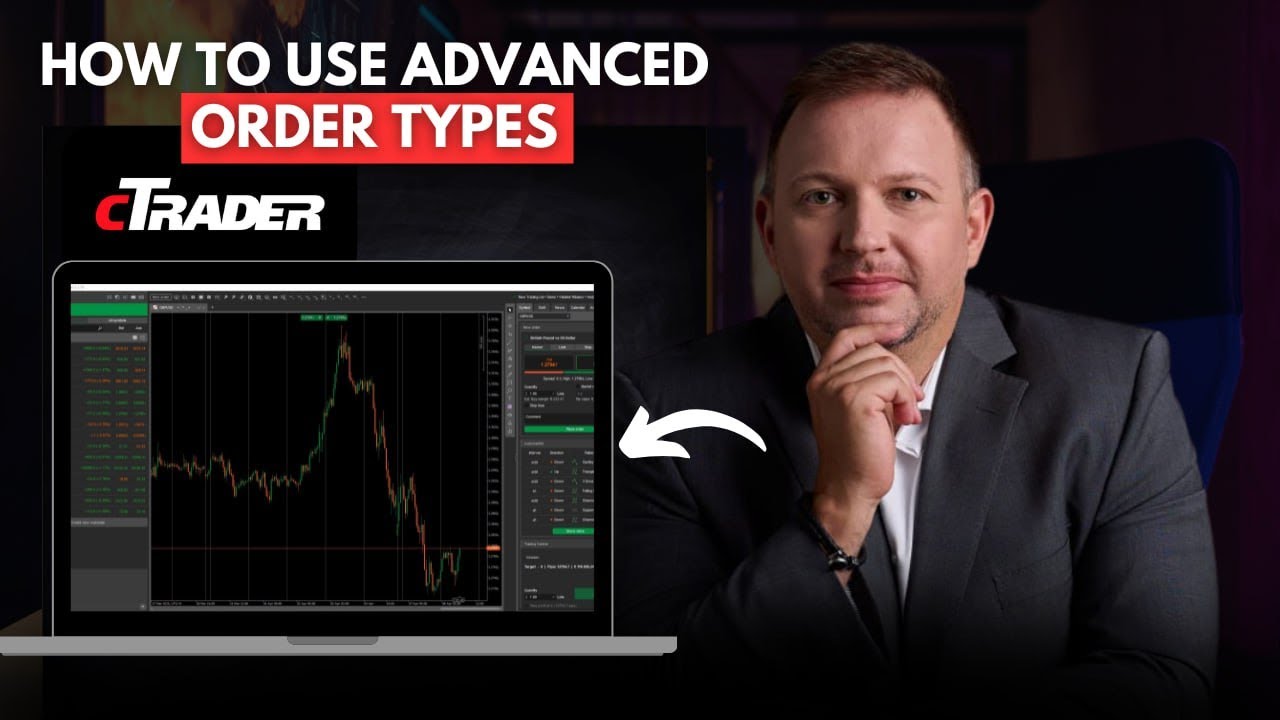
Vladimir Ribakov shows how to use cTrader's order tools: the quick QuickTrade button versus the full F9 window, pending orders with expiry dates, and advanced features like trailing stops and split take-profit levels. He demonstrates on gold and EUR/USD with real bid/ask spreads and risk-reward calculations.
Chapters
cTrader is one of the most advanced trading platforms available for traders. That's not a secret, that's a fact. And in this video, I want to break down some of its very professional, very specific, very advanced features that could help you in trading. And I will be presenting here advanced features such as QuickTrade, advanced protections, and advanced trading executions, either if it's market orders or future orders, pending orders like limit and stop orders. Besides that, there is also another amazing feature of trailing stop according to different features will allow you to have full control of your trades. Hello traders, Vladimir here from Home Trader Club. Some time ago, I started a special dedicated playlist to the platform that I recently, several months ago, was exposed to. I'm talking about the C-Trader. The more I work with C-Trader, the more I love it. There are tons of reasons behind it, tons of reasons, and in here you can find the list of my preferred reasons why I love this platform and why from my point of view. If not the most, definitely on the top platforms available for traders. And also, if you follow me, know that I'm a MetaTrader trader for over a decade. Regardless, cTrader deserves its respect, and the way it looks right now, it's on the way to become number one available, uh, trading system for traders. If you did not watch other videos I recorded about the cTrader platform, how to use the platform, and also trading strategies that you will want to execute on this platform, make sure you watch this very playlist available on this channel. So let's break down the orders. Okay, how— first of all, execution. How do we execute trades in a very advanced way on cTrader platform? So there are several ways to get in a trade. The quickest one available is right here. As you can see, if you stand on these on the quotes on the top, you would be able to execute buy or sell right away, as much as you will want, any lot size you want to get involved with. That would be a very fast execution. However, it would not allow you to implement, uh, smart advanced features for protections and for targets and so on. The other ways around, that's a classical F9 button. If you click F9, a new window would pop up And here you would be able first of all to set price alert, phenomenal feature for those who want to know when specific price is reached on the market and then make the trading decisions. Okay, so this is the place where you would be able to set up alerts. But if you want to get involved in a trade in the market price, here on the left you would be able to choose market order. Okay, then you choose the instruments you want to be involved with. Okay, it's by default is the one I am working on, but you can go here and choose any of the symbols you want to get involved. You go to the popular market, it will give you the most popular instruments. Buy or sell buttons are there for you, and market range is one of the advanced features you would want to know. Market range basically protects you Uh, for a maximum allowed deviation, you choose how much points you want to allow this trade, uh, to get executed from the price, uh, there is in the market and the price you would actually get filled. As you know, when you click buy or sell or set future orders, doesn't guarantee you to be executed on that very given moment, on that very given price, for the reason is that the, the execution would be on the first available price around the zone you asked after there was a tick on your price. So the market range allows you— as you can stand here on the exclamation mark and you would see that, of course, the explanation— the maximum allowed deviation to get your order, uh, placed and filled in the market. Uh, you can choose the volume here by the by the lot. And of course, then you have the full control of take profit by pips. And now below, you would be able to take profit and stop loss in its advanced variations. Please pay attention that when you click take profit, there will be immediately warning sign that take profit without stop loss basically is risky. Okay, so you would want also to set up the stop loss. For protection and limiting your exposure per trade and your risk management. That's very important, uh, feature that you would want to know. So you can control both by pips, estimated price, estimated by balance, and of course by profit. So for example, by pips, if I go and make 800 points to the upside from the current place where we are, this would be my take profit. Then I can of course change that and all the numbers would be updated accordingly, as you see here. Yeah, if, uh, you want to control the, uh, the way that your chart looks like, you have on the top here all the, uh, features, the fast features you would want. You want to see a candlestick chart, no problem, get there, uh, choose the candlestick, and the execution would be there. By line chart, it's basically simpler way, uh, to handle that. So by take profit and the stop loss, you handle that with the, uh, the price you want to set it, the profit, and or just set the points and then move the take profit to your desired level. Same exactly you can do with the stop loss. As you can see, let's say I want to protect the most recent low and I want to aim to the most recent peak. Make sure, uh, the, the protection here would be in your favor, risk-reward ratio in your favor. You have the full control and you can place your order. So just for the case of the example, I'll go with the minimum available lot just to show you how the trade executed. Okay, you get in the trade and you got the confirmation that your position is filled at a given price of 3640.71, the, the first available price by the moment you click the order. Now let's talk about the other options exist on the, um, on the platform to make and execute a trade. So, uh, of course you have the on the right side of the platform new order, and you can easily control— and this is probably the best way to do it, uh, directly here without interfering the chart like we saw before— market order, limit, stop, or stop limit order. So if market we just saw before And of course, here you can set up limit orders. Let's talk about what does that mean, executing a limit order. So limit order is a future pending order, great feature for those who love to get involved if specific condition happens. For example, buy the retraces. You can mark and say, okay, there is a support level here. There is a support level here and I want the execution on one of the levels. For example, to get that done, you are checking the price. Let's say this is $36.30. I go there, $36.30. That's my limit. Let's say I want the minimum lot just for the case of the example. And another feature you would want to know is the expiry. You can choose until when this order is good. For example, I say, you know what? If it happens to be on the next, let's say, 4 hours, I want to get involved because I believe the price will make the bounce. But okay, of course the market doesn't guarantee that will happen. But if that's what I desire to do, if that's what my analysis tells me to do, I can basically set the expiry date easily by clicking here, by checking mark the expiry, and then based on your requested time zone, which you can control on the bottom right side of the platform. You can basically choose up to where exactly, and then you see the duration of the trade, which is phenomenal opportunity. And then of course you can do the same trick with the stop loss. So let's say I want the order, uh, executed here, protection below there. So for example Uh, 3610. Pardon, 3610. And then I want to take profit, for example, on the last peak, which is 3653. Okay, and, uh, then I also have the option to work with trailing stop loss. Trailing stop loss would allow me to trail the protection if the price goes in my direction and only in my direction, which means reducing the risk as you go. I'll talk about this feature later on, and I also would make a dedicated video for this very subject, as this is a fantastic feature. It will help you controlling your risk exposures, especially if you are multi-instrument trader, and will help you to control your risk better. So once I'm ready, I basically want to execute the trade. Order executed. And now let's talk about where do we see all the orders. On the bottom here, you would be able to see all the trades, um, running. So if you have open positions, you would see him here, all of them lined up for you, and all the future orders, either the limit or the stop orders or the stop limit orders, you would get them all right in that place. And of course, you can click on the position and you would be able to adjust that as you would like. You also have a great control if you want to cancel them for whatever the reason is all at once, cancel all the Orders button allows you full control. Another great feature which I want you to know is the information about your order or about your pending order or about any of the given trades. On, on the open trade, you want to go on the left side of the exclamation mark, and when you have that, you click on that, and here you would be able to see all the needed and more information about the given order that you have, including the lot involved, including the status of the order, including the direction, type of the order, and all the required information if you have any. Okay, these are very important features for a professional execution of the trades. Now let's talk about the stop loss and take profit from the perspective of controlling by the risk. So for that example, let's go to the euro dollar. Before we saw the gold. Now I want to show you how it works with the Forex pairs. It's no different from any of the instruments. I just wanted to show how you can fully control all the required, um, risk control and the features you have for any of the instruments you would like to trade. So for example, we go for the execution again. Once again, you can do it from here on the right side, new order, clicking F9 on the chart Uh, right button and place new order. You have full control, or you would like it. And if you want fast execution, of course you have the quick trading option right on the top. So, uh, here is the euro dollar. For example, I want to stop loss, and of course take a look how it looks like in terms of percentage. So 160, let's make it just for example 117, okay, which is here. Let's say this is a protection. Now I can protect by the amount of points, by price, but also by the balance. And I don't— if I, let's say I want to risk 1% per trade and I don't want to start calculating everything differently. So if I see that with this lot size I have, uh, 0.2%, but I want to risk 1%, I simply get that to the 0.05%, and here you are, 1% execution. You don't need to waste time calculating the value of the points for every given Volume size and lot size. Of course, you don't need to calculate. Okay, how many pips do I have here? And how many pips do I need to risk per this trade and this low and this high by working with the balance, by working with the lot? If you you can control by dollars, not by percentage. You have the full control in that platform. Okay, similar with the take profit. When I want to go in the take profit, for example, let's make it. 118. I mean, this is the take profit. I can control it, of course. And let's say I place it here. Now you will be able to see the risk-reward ratio at any given time. Here you can see how much the percentage expected percentage, uh, by the profit and how much it is by the stop loss, of course. And you know the ratio at any given moment, and you know to know, you, you, you can see and to know if you are— if that this trade makes sense. For example, what do I mean by that? If there is a trade that you are risking 100 pips but you are aiming to take 5 pips, of course the risk-reward ratio is not in your favor. Therefore, better to give a second thought of this trade. And now I want to introduce you to one of the best advanced options there is Uh, that the platform has for traders, uh, one of the best features in trading platforms, uh, I personally know for a professional execution, risk management, and profits management. So, um, we are now on the EUR/USD just for the example, of course. Let's execute a trade just for the, um, example. 0.05, right? You can of course set your stop loss, take profit, and anything accordingly. Let's say 40 pips. I want to buy. I'll get it down to 40 pips. Okay, of course you can set up the trailing stop loss now or later, but that, that's not the what matters now. So the order executed. You can go to the terminal on the bottom and you would see under the positions all the orders. Now here is the great feature. As I showed before, you can click on that to get all the information, but if you go to the advanced protection. This is where the fun begins. You have the advanced take profit and advanced stop loss, uh, full control. What does all that mean? You can set stop loss to break even automatically, one of the most important features for those who want to risk-free their trades when a specific price is reached. So you can set it up by check mark this zone, the set stop loss to break even, and you can add or trigger when gaining the amount of stop— of the pips you want in that given direction. This is absolutely, uh, amazing feature. And you also have full control of the advanced take profit, which you can split your positions and you can decide how much to cash out at any given target. You can set your take profit 1, 2, or 3 at any different price. This is one of the best features this platform has for full advanced control of your positions. A couple more important things when it comes to protection. A lot of traders make this mistake. So I want to give some time and give these, uh, tips when it comes to trading. If you go and you make— execute a buy trade, okay, let's say here you are in a buy position and you put the stop loss at that zone. When you are buying, your stop loss would be filled when it hits the bid price Okay, uh, which means if you are in a buy, first of all, when it really— and you buy an ask price, the stop loss would be on a bid price. So as soon as the bid price reaches, reaches the required stop loss zone, your trade would be, um, kicked out. Okay, if you are going in a sell and you put the stop loss here, this would be in an ask price. In an ask price. Why? Because you sell in a bid price The stop loss to get an opposite position would be in an ask price. So keep in mind that if you want to protect above this high, you would want to add the spread or a few points to the upside above the level as we are basically looking at the ask price when we are executing a sell. And another great feature which I will mention now, of course, and explain what it does. But as I said before, I would have full video dedicated to that very subject. That's the trailing stop loss, another amazing, very professional feature available for traders to get involved there. Once you are looking to execute your trade, either buy or sell, let's just for the example say I want to go for a buy, okay, stop loss, and here on the bottom I can choose the trailing stop loss. That simply means, as you can see here, it will mark it as trailing stop loss, TSL. That simply meant— means that if after I execute a trade, the pair start to climb and go in the desired direction, this stop loss would start to follow up by the points. One point up on the price, one point up on the trailing stop loss. This allows you to ride that trade and allows you to have a worry-free risk control. If there is a big fast momentum, uh, this is great for those who love to ride a given momentum. Then you simply execute that and that will allow the market to take you out once the market is, uh, reversing. Okay, so if you say that you want For example, in that case, that's about 25 pips. You can also see that here, of course, 25 pips stop loss distance, right? So it will keep this distance every single time it climbs. It goes up, there will be 25 pips between the new price and the stop loss. It keeps going up, 25 pips between the new price and the stop loss. That's a fantastic feature for those who are looking to go with the momentum, with the trend, or with the developing wave, and not worrying about trailing the protection and looking at the charts too long until you see some new level to place the trade. You give the market the, uh, the maximum risk, the max in terms of pips, in terms of percentage, in terms of money, uh, or distance between the price and the protection, and you let the market trail your protections. Fantastic features for those who are looking to trade with the momentum. So I hope you find value in this video and in this trading platform. Of course, once again, I want to invite you to watch this playlist on our channel and get familiar with more features, uh, cTrader offers for traders, uh, learn different trading strategies as they can be executed on this platform, and so much more. So thank you for watching. If you enjoyed this video and you find value in the content, please don't forget to hit the like button and please consider to subscribe to our channel if you are new to this channel. And thanks for watching. I'll see you soon with more videos, with more educational content and more trading ideas. Best to you and yours. Good trading. Bye for now.
More from Vladimir



Stop Buying USDJPY: The Critical Resistance You Need To See #forex #tradingstrategy #shorts