Vladimir Ribakov shows how to set up trailing stops in cTrader, an automated order that moves with the market to lock in profit. As price moves in your favor, the stop loss trails at a fixed distance, protecting gains and reducing risk from sudden reversals.
Chapters
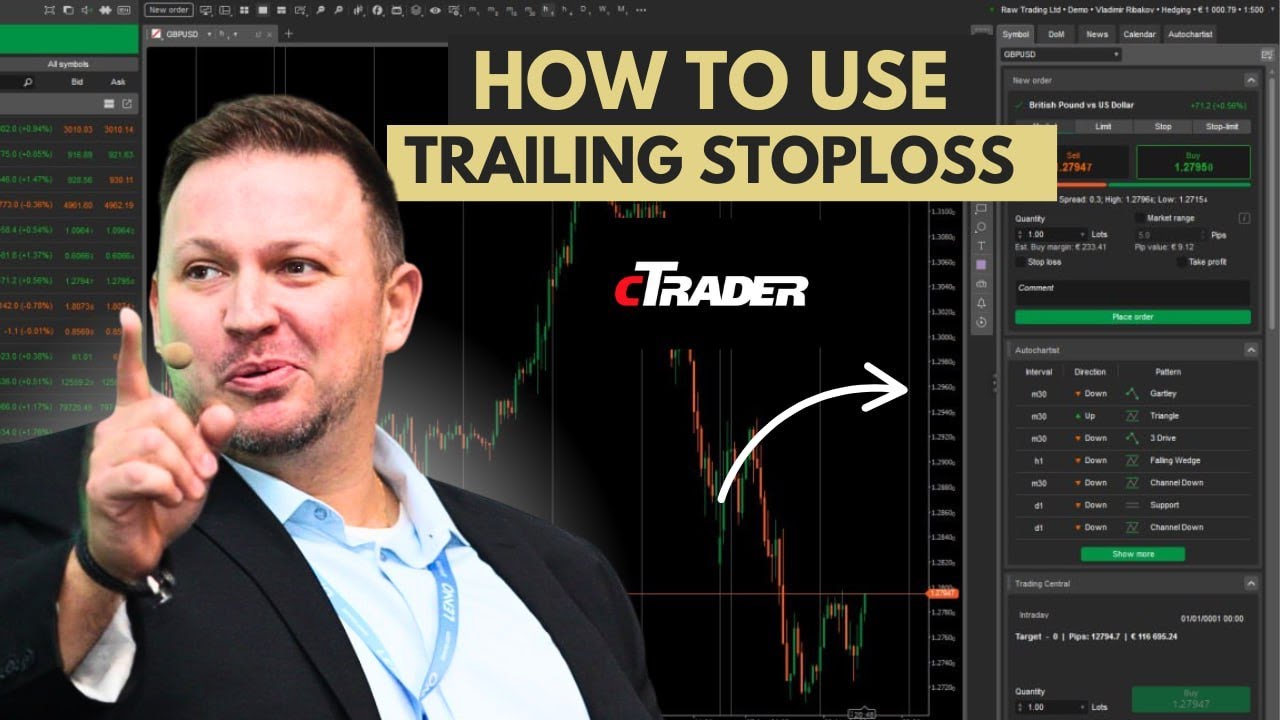
What's up guys, Vladimir here from Home Trader Club. In this video, let's talk about trailing stop loss, more specifically how to work with trailing stop loss and how to use that wisely on the cTrader platform. Before the charts, a quick reminder. If you are new to this channel, or even if you did watch the previous videos, still a reminder that I created a dedicated playlist to share with you all the, from my point of view, needed features plus trading strategies to use on this fantastic trading platform called the cTrader. If you have no idea what I'm talking about or you didn't watch the previous videos, make sure you do watch them on this very playlist that will allow you to understand how to work with cTrader. Why cTrader? I can talk about it for hours. Here is the list of my preferred reasons or features why cTrader is on a league by its own. So let's begin. What is a trading stop loss? By definition, this is an automated order that should secure a percentage of profit as the market moves in the direction of your trade. As simple as that. This feature is fantastic as it guarantees that as the trade will go in your direction, the stop-loss order will go with you and will prevent you to fall in a risk when the market suddenly retraces and go against you. So how does it work? You set up the stop-loss The distance, the amount of points, pips, points that you want to secure. You place your position, buy or sell. If it's a buy, as the market will rally, the stop loss would be adjusted. If it's a sell, the stop loss would be above the market price that you enter the trade, and as the price goes down, the stop loss would go with it and follow. The price and will keep always the distance. To explain the logic behind it, let's say I place a buy order here and my stop loss would be at that place. As the market starts to move up, the stop loss would be adjusted and move up accordingly. With every pip the market moves, the stop loss would be adjusted as well, and that will always keep the required a distance, the requested distance between your entry or the market price and your protection level. This is fantastic. If the market makes the move, your stop loss would be trailed with it, and in case the market makes a sharp move, your profits or percentage of profit would be guaranteed for you. So trailing stop loss basically has several benefits. One of them is securing a proportional or percentage of the profits as the market goes in your direction. Another great benefit is that it helps you to limit potential losses, or I would say sudden losses, unexpected losses, when the market did move in your direction but then suddenly whatever happened, oh, reversal took place and you would end up with a loss. Now you would end up with a proportional profits. This also helps, helps to sleep better or control the emotions as you are not exposed to, uh, should I close, should I not close, all these kind of emotions you go through, um, during your trades. This would help you to control the emotions. So once again, before I show how to actually physically place it on the platform, once again, if you are in a buy, you put stop loss which is below— this is the buy— below the market order, right? And then when the price starts to rally, the stop loss starts to be adjusted by every pip to the upside in the direction of your trade. The distance would be, uh, fixed. The, the distance would remain as per your request, but stop loss would be adjusted with every point it goes up. If you go sell and let's say you put a stop loss above the market price and the price goes down, the stop loss would be adjusted accordingly. And every pip the market moves down, the stop loss would be adjusted as well to maintain the requested distance or the requested protection level. So how to actually use this feature on cTrader platform? So there are several ways to enter trades. And once again, if you have no idea how to operate with the cTrader platform, uh, in this playlist that I mentioned before, dedicated playlist to cTrader platform, there are many videos how to work with cTrader, including how to open orders in many different ways, use all the advanced features for protections, for targeting, for, uh, and so on. And of course um, how to work with all the available ways for you inside the platform to place a trade. So if you work with the fast one, the quick trade here, that will basically open sell and buy for you without stop loss and take profit, and then you would be able to adjust it inside the terminal. But if you go with the new order here and locate all of the information at once before you click. This is great for like scalping now, here and now, buy or sell. This is great for placing a trade, okay, well-calculated, analyzed trade, uh, where you did your homework analyzing the charts, when you did your homework analyzing the, um, the risk and so on, prepare everything, right? So once you choose if you want the market order, limit, stop, or any other order Let's assume we go here with a sell just for the example, and I want to set a stop loss. So I choose how much lots I want, uh, let's just for example, okay, you can of course 1 lot, 10 lot, 2 lot, 0.1, whatever you want. Of course you put the stop loss, you choose by the pips how much pips you want, you choose the price. So let's say I'm sitting here and the stop loss would be here, let's say 117. 95. Okay, just for example, it gives you the estimated risk per trade, and that helps you if you want to go with 1% risk. Then of course you can adjust the stop loss and then— sorry, just the volume, the lot— and then it will adjust the risk. It helps you classically control the risk from the— directly from the new order window. And here is the magical thing. By the point, the trailing stop loss here, as you can see, would keep or maintain that requested stop loss. So in that case, it's about 59 pips, which means every pip to the downside, the stop loss would be adjusted. So let's, for example, I place the order, I got my okay to go, and here is the order. This is the original stop loss. You can see how it is adjusted Every single point we are going down. The stop loss is adjusted here, okay? Automatically and securing. Of course, now we are talking about points, not even pipses, right? You see, it goes in my direction, and that means that the stop loss slowly, slowly, slowly, slowly, slowly going in one direction until at some point it— if the market goes down and my stop loss is adjusted. Then of course, uh, at some point it will reach the breakeven level, right? And then it will start to secure the profits. So if the market simply goes and goes and goes, my stop loss would be adjusted to maintain the requested distance, the original request distance, and will secure the profits in case at some point the market will decide to suddenly Uh, retrace upside. So it will reduce my risk because if my original risk was half percent and now the stop loss is trailed to my direction, uh, basically what will happen is that it will simply reduce the risk of the trade, the ending risk, right? What do I mean by that? What happens if suddenly the market retraces? Then it will simply be— loss would be less than originally set. Why? Because the stop loss is going in your direction and is reduced with every point the market goes in your direction. Now, next important thing: can you make adjustments, modifications after you are in the trade? Or let's say you enter the trade, you forgot to put stop loss or trailing stop loss, and you want to adjust that, right, per trade. So of course you go in the terminal, you go on a stop loss, double-click on that Or right button on the stop loss and modify position. And here you are able to once again select stop loss, uh, and trailing stop loss. You can adjust the amount of points you want to secure and so on. You have the full control of your trade, including adding take profit and so on and so on, right in the modify position. Once you did, make the protect button And that's it. Your trade would be secured as per your request. So this is how you use this fantastic feature of trailing the stop loss. As always, I hope you find value in watching this video, and if you do, don't forget to hit the like button. And if you are new to our channel, please consider to subscribe to our channel, and don't forget to watch this Lily dedicated to C-Trader. If you have any questions, I'm there for you in the comments, or feel free to reach out to our support team. We'll be more than happy to assist. Thanks for watching. Best to you and yours. See you soon with great important content in this very channel. Good trading. Bye for now.