In this product demo, Warwick Brown introduces Cam Ascend, an AI‑driven career‑acceleration platform built for key account managers. He outlines the core problem: professionals have valuable achievements and revenue contributions that remain invisible because they are not systematically captured, making CV updates, performance reviews, and promotion discussions labor‑intensive. Cam Ascend addresses this by providing a suite of interconnected modules: an AI‑enriched achievements tracker (with a Chrome extension) that grades and categorises accomplishments; a revenue‑impact tracker covering nine dimensions of growth; an OKR/KPI tracker linked to a career‑equity score mapped against 21 key account‑manager skills; a research assistant that queries a curated library of ~130 academic papers to generate evidence‑based ideas; a CV optimizer that analyses job descriptions, recommends achievements, performs keyword checks, and rewrites the CV; an AI career coach offering promotion, pay‑rise, performance‑review, internal‑influence, and role‑expansion pathways with action plans; an interview simulator that creates hiring‑manager briefs and practice questions; an action planner with reminders and weekly check‑ins; and business‑case and performance‑review generators that output ready‑to‑use documents. Warwick emphasizes that the platform is portable—data stays with the user across companies—and that all modules share a contextual knowledge layer, so the AI remembers prior interactions. He announces an upcoming alpha release in two weeks (by end of August) for CAMM Club members, invites testers, and acknowledges the prototype nature of the product. The overall narrative positions Cam Ascend as a unique, comprehensive career‑management tool that automates evidence capture, skill mapping, and document creation, filling a market gap for key account managers.
Chapters
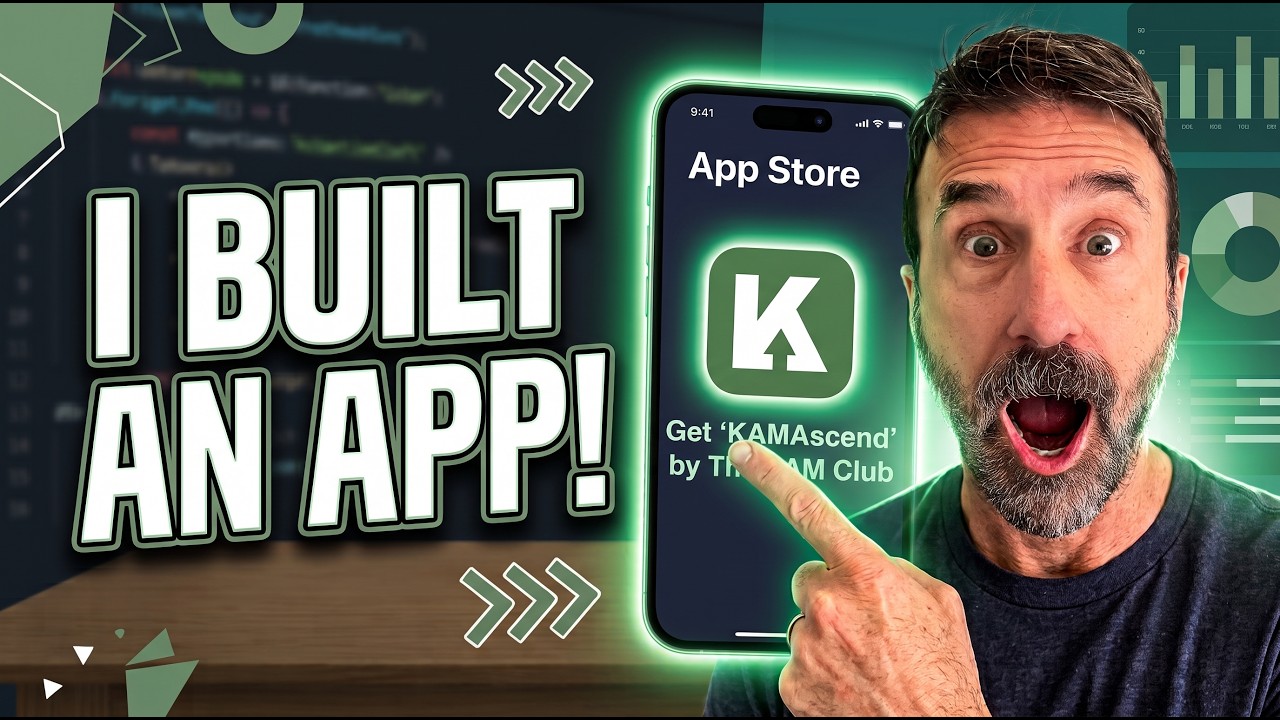
Hello, Cam Fam. It's Warwick here from the Cam Club, and I am so excited to give you a sneak peek at an app I've built. I can't believe I've built an app. Now, I've been working on this since the end of last year, and literally the last month or two, it has been around the clock developing this app. And I'm this, I'm this close. So I thought, let me give you a sneak peek about what it is all about. And yeah, more details to come. But let's take a look at the app called Cam Ascend. Now, the app I built to solve a problem around key account managers where they have all of this wonderful evidence about their achievements, about their accomplishments, about their contribution to the business in terms of revenue generation and retention, but it's all invisible because you don't keep track of it. You know you don't. At the end of the day, when you're trying to update your CV or when you're trying to do your performance reviews, it's all gone. You know, it's— you're relying on memory and it's a lot of work. Think about how many times you've tried to go and update your CV and you just think, I, I, I can't, you know, you're trapped in a job just because you don't wanna update your CV. You don't have the energy. So the goal of this app is to make it easy for you to track every single thing that you have accomplished every year, year after year, month after month, week after week, day after day, and then have that as a context layer for everything else that you do. So, uh, here, here's how it kind of looks, right? You have an achievements section. Which is where you can add all your achievements on the fly. I've also got a Chrome extension to help you add that, but here's where you can just put, you know, what you did, the category that it falls under. So we start to see where your strengths are and where your gaps are. A little bit of detail. It's AI enriched, so it will help you to build this out. You know, what do you call this? Skills and evidence. So we'll start to qualify what's a well-documented and highly regarded and highly documented achievement versus, you know, lesser achievements. So you can also start to grade those, the impact that it's had, and whether it was one of those achievements that was so significant that it really is one of those things that you wheel out when it comes to interviews, when it comes to promotion discussions and things like that. So that is what that will do. And then over time, you'll get a full kind of dashboard around what your achievements are, what the skills are that you've covered, you know, what your contribution has been. I also have this little LinkedIn ready. So from any of your achievements, you can do a quick LinkedIn post that the AI will write for you. It will mask all of the identifying information, but just help you kind of promote your visibility on LinkedIn around the real achievements that you're accomplishing. Same thing is with revenue. I've tracked this as sort of a separate section because we have the soft achievements, which are around improving quality, around improving experience, around improving you know, processes and systems and other things that you contribute which are always invisible. Nobody talks about those. And with revenue impact, all businesses tend to manage is retention and upsells, cross-sells. You don't see in the CRM when you've increased a fee or where you've reduced the cost to serve, so you've withdrawn things to make a client more profitable. This tracks something like 9 different areas of revenue contribution that will help you measure your impact on a business in terms of growth. I then have this, so, you know, same thing around this versus the, um, the achievements tracker. It's the same thing but just separated out because it's a different approach. Then I have this OKR tracker. Now we both know that tracking your KPIs is a nightmare. Not every, every business has a formal way of tracking it. Often it's just spreadsheets or bullet points in a document and things like that. There's no real system for you to track it, and then you've got to fill in forms at the end of the year. This is an OKR tracker, so it's basically your KPIs, right? And all you will need to do is add your key results, add your goals, and that's it. Very simple way to track what you're doing, add information, you know, descriptions, context, all that sort of stuff. So a very easy way to be able to simply track all of the things that you do over the year that contributes to your bonus and towards your salary reviews in the new year and your overall score in terms of KPIs. Now what's the benefit of this is that you'll have very specific, well-documented evidence at the end of the year. Your boss can't argue with that. You've got all the receipts. All of this stuff then contributes to this sort of career equity score. So I've mapped this against something like 21 skills. That key account managers need. And then it will give you an overview, a contextual overview of like what your competency coverage is around account development and retention and around revenue and growth. This is going to help you understand your progress from sort of a foundational key account manager to a strategic key account manager and help you identify where you either don't have the skills or where you don't have documented skills. So you might be well capable, but you don't have evidence to show. So this will help you understand where you need to start to focus in terms of your career goals and your career development plans and activities that are going to help you secure promotions and, you know, your next role when you're ready to take that. So that's what this looks like. I then have this research assistant. So I've built this on a very narrow— well, not narrow, but a corpus of academic journals. So this is not hallucinations. This is not, um, you know, generic information. This is based on academic journals, research done through, through, uh, you know, very rigorous discipline, through structured, um, uh, sort of quarantined approaches that have been all like statistically validated, validated by peers and with control groups and all that kind of stuff. And I've got a few different ways of approaching it. So you can either do You know, tell me how to, let's do this real quick. Tell me some, some upsell cross-sell best practices. And we can do just a standard or a detailed or a brief response. So let me just do this real quick and it will then search the library of something like 130 academic papers, which I'm constantly upgrading, which I'm constantly you know, recalibrating. And you can see here it's going to— it searched the academic journals, not generic advice. It's given you the sources and then it's given you practical next steps and some follow-up conversations. But what you can also do is— let me just copy this real quick— is try and generate new ideas. So what I've also trained the AI to do is to use this generate ideas. So it will compare different papers and then draw conclusions, which is what we often do when we're trying to synthesize ideas and think about things. We're evaluating different approaches and maybe combining them or looking at something a bit out of the box. So this will go through the entire library, match a few ideas, and ask you which ones you would like to pursue. So let's try this same question and let's see what it gives you, right? It should give you a little sort of list of different approaches. So now it's sort of said, okay, from the 2 papers I've got here, we could look at one voice and value discovery, or we could look at digital engagement, or we could look at CAM skills and organizational structure. So when you do that, it will then combine those different research papers and then come up with some different ways of doing key account management. So this gives you like a really interesting way to just brainstorm, come up with different ways of going about the same things that you, you know, the things that you've been doing as a routine help you— it'll help you think outside the box in a very simple way. You can see here, look, looking at 16 different sources, so it's going to come up with a really interesting take on that idea of upsell and cross-sell that you wouldn't probably get in a, in a normal conversation with ChatGPT or Claude or, you know, or Copilot, one of those different things. So, um, that is— and, you know, you've got different models here, different opportunities, thinking modes, all that kind of stuff. And you can also just talk to the agent, so if you don't want to type, you can just use this microphone. And then you can see here you've got lots of different ways to approach that. Okay, then I have this CV Optimizer. So this is essentially a step-by-step approach to analyze your— analyze a job description and understand what the hiring manager is looking for. Then it will assess how well your CV matches the job description. Then it will automatically recommend achievements. So if you've been logging all of your achievements, all you will need to do is pick the ones that make the most sense, either manually or AI will recommend, hey, these are the achievements that you should probably include for this job. And it'll take other achievements out so you can very quickly really customize your CV based on a job description. So it takes all of the effort out of actually doing a CV update because all you have to do is log your achievements and your revenue contributions. The app takes care of the rest. Then it will give you a gap analysis. It'll do a keyword check to just make sure it's sort of optimized for applicant tracking systems. And then it will actually rewrite the CV for you in a lovely, very nice Word document format. So you'll get a very easy to use CV, which you can just upload, or you can, you know, continue to edit offline and make it a little bit more custom for you. Then I have this AI career coach, which I'm working on at the moment where it's essentially built around different goals. So you have like promotion strategy coach, a pay rise coach, a performance review prep coach, a coach for internal influence strategy, or for job crafting and role expansion. This is going to look a bit different when it comes to, um, the launch. And you can see here you've got prompt libraries, you've got action plans. So it will give you, you know, you can— the AI coach will recommend certain actions for you to be able to, you know, implement what you've discussed with the AI coach. Uh, you've got different steps here, your thinking profile. All of this stuff is like built around a context layer, which is everything that you talk to with the app. Um, every module like knows what conversations you've had, whether it's the OKR, the, the, um, the research assistant, the AI coach, the revenue contributions. So you don't have to repeat yourself, right? It understands you. It gets to know you as you interact with the app. Then I have this interview simulator. So you can see here I've got this job that I've applied for before. Then you can continue and it's going to give you the hiring manager briefing. It's going to give you questions to answer, different kind of things that will help you prepare for that interview in the event that you get one. Again, still working on this. Then you have like just an action planner. So This might just be things you want to do, and it will set up reminders. It'll tell you whether you're overdue. It'll give you like weekly check-ins. And again, this is going to help you stay on track with your career goals, right? The OKR tracker is for like the KPIs, the SLAs, the things the company wants you to do. The action plan is for things that you want to do to help improve your career, to get better at your job, to become more expert, to close any career gaps. This is what the action planner is for. And then I have some career tools. So you have a one-click business case generator. So again, if you've been sort of putting in all your, your, um, achievements and your revenue contributions, all you'll need to do is say, here's what I do, here's what I want, here's when I want it, and it will generate the business case for you. So provide all the evidence to go to your boss and say, here's why I'm worth more money, or here's why I should get this promotion. And then when it comes to a performance review, again, if you have been, you know, using the OKR tracker, importing, you know, putting in your achievements and your revenue contribution, you just have to put in the start date and the end date. So if you're doing a quarterly performance review, if you're doing a half-yearly or an annual, you can output it into a formal document or just talking points or just an email format depending on the context. And then it will just automatically write your performance review for you. I'm working on actually making this more custom. So depending on your organization, you might have specific like questions you have to fill in and, you know, and formats. So you'll be able to upload the format, you know, it'll read that or just from, from an image, a screenshot, and then it will output the performance review in the same format that you have to enter it. You know, if it's in Workday or if it's in like a template, so it'll make it a lot easier for you to just simply Write your performance review, grade yourself, give your— give all the evidence. Boom. Nothing your boss can argue with. And this is just the beginning. I've got lots more planned for this, but where I'm headed with this is that, you know, I'm starting with the Career Accelerator, which I think is a big gap. There's nothing like this in the market. This is your information. This goes with you with no matter which company you work for, right? Every other piece of information you normally have to enter is your company's data. Nope. It's in Salesforce. It's in Workday. It ends when you move jobs, when you move companies, right? That's all gone. It's all invisible. And you're just busy doing what you need to do, filling in forms, filling in templates, and then all of that wonderful stuff you've accomplished is gone. This app solves that, right? You can use the Chrome extension, do quick adds when you do achievements and revenue contributions, and then the AI coach, the performance review generator, the business case generator, the CV optimizer. the research assistant, the OKR tracker, and the interview coach simulator will take care of the rest. You know, it knows all of those things and it will do the rest for you. From here, I plan on doing some other things around more, you know, account growth, account retention, some other more traditional, you know, account management activities. But for now, it's a career accelerator. It's in alpha shortly. I'm hoping in the next 2 weeks, so by the end of August, and it will be available to members of the CAMM Club. So watch this space. It's coming in maybe a couple of weeks, Max. I'm working night and day to get this out to you cuz I'm so excited about seeing this come to life. What alpha means is that, you know, this is basically a prototype. You know, I, I'm building it. There's, there's bound to be bugs and issues and flaws. I want you to, you know, join the alpha cohort if you're somebody that wants to be, you know, part of the process of developing the app and give me feedback and be ready to go on calls and talk about your experience with the app and tell me what you like, don't like, issues you've had. to help me make it a better product. So that's what alpha means. Anyway, let's, let's see how we go. Super excited. Hit me up if you have any questions. I would love to hear from you. And yeah, watch this space. A couple more weeks and it's all yours for the taking. All right, bye.