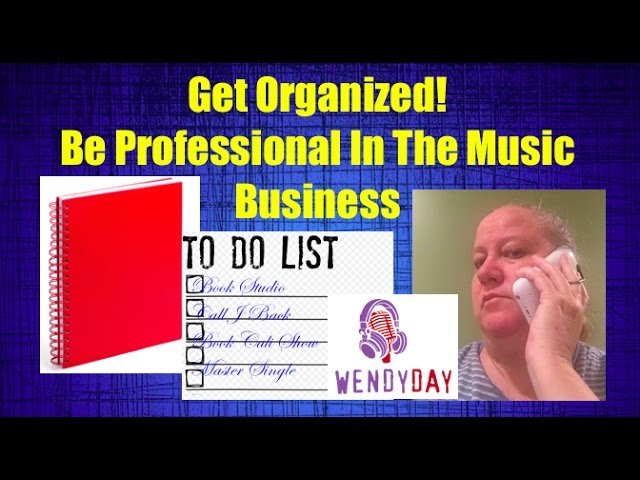
In this solo vlog, Wendy Day explains how she stays organized and efficient in both her professional music‑business work and personal life. She emphasizes that treating creative work as a serious business requires professionalism—returning calls, answering emails, and following up on tasks. Day outlines two main systems: a digital to‑do list using the Wunderlist app (or similar) for task capture, delegation, calendar integration, and project breakdown; and a low‑tech paper notebook method where each day’s tasks are written, crossed off, and rolled over to the next day. She describes her weekly cadence—Sunday planning for client work, Saturday email catch‑up, daily social‑media monitoring, and moving overdue items forward with increasing priority. The core message is that writing everything down, whether on a phone, tablet, or paper, enables consistent follow‑through and prevents missed communications.
Chapters
Hey everybody, thanks for tuning in. This is Wendy Day. Make sure you subscribe down below. Um, today we're going to talk about being organized and being efficient, and this is one of those things that I shouldn't have to talk about, but apparently I do. You know, if you're gonna take this business seriously and you want to make it your job and you want to make a living doing this, you're gonna have to have some level of professionalism. And that means you need to return calls, you need to communicate with people, you need to answer emails, you need to follow up on things that you've started. The way that I keep track of the stuff that I do is on an app on my phone. It's called Wunderlist, W-U-N-D-E-R-L-I-S-T. It's an app and it's on Android and, um, and on Apple. And it's a to-do list, basically. You can share it with other people. So if you've got other people on your team where you need to make a list of what to do and delegate tasks, You can do that in Wunderlist, or you can just make a list for yourself. You can make a list for the stuff you need to do for, um, your career, your home life, your family. You can keep separate lists if you're an aspiring manager or somebody working in the music business. You can keep different lists for different artists so that Artist A can be on one list, Artist B can be a different to-do lists. It just keeps things really, really clear. So if somebody calls you and you're too busy to take their call, you need to log into Wunderlist and put on that list, call back, you know, so-and-so, whoever just called you. Then once you get to your to-do list, you have it right there and you're not going to forget to return an important phone call or even an unimportant phone call. If you tell somebody this week, hey, I'll call you on Tuesday to follow up, you go into your Wunderlist and you put on your list of things to do, call so-and-so back on Tuesday. If you've got to put a project together, you want to break down the steps of everything you need to do in order to complete that project, you can put that into Wunderlist as well. You can link stuff to your calendar so that you get alerts. You can schedule your days in there. You can do pretty much everything you need to do inside of Wunderlist. For those of you that are old school, you should get a notebook. This is one that I used to use. It's just a regular notebook. Inside of the notebook is pages. At the top of each page, I would put Sunday, January 1st. The next page Monday, January 2nd, the next page, Tuesday, January 3rd, and so on. And you write down all of the things that you need to do on January 1st. You write down all the things you need to do on January 2nd. As you complete the task, you cross it out. If you don't complete a task and it's— and you're ready to go to bed on January 1st, everything that's not crossed out goes on to January 2nd. As you start that day, you prioritize— on January 2nd, you prioritize all the stuff that needs to be done that day. You do the most important stuff first. If there's anything at the end of that day that's not crossed out, you move everything there to January 3rd. This is how you become efficient at anything that you're doing, whether it's in your personal life or in your work life. But it's what I've been doing for years, and it's allowed me to be effective at what I do. That way I don't forget to call people back. I don't forget to follow up by email. Also, I spend one day a week, um, usually on Sunday. I plan out my upcoming week for the clients that have stuff that needs to get done. I put together to-do lists for them. I send that out to them, to their team, on Sunday night so that they know what they have to do on the following week. Anything that doesn't get done on that list gets moved to the following week. Um, if something gets moved too many weeks in a row I bump it up on priority and I make sure that it gets done. For, um, for my emails, I usually go through my email list on Saturdays. Anybody that I haven't responded to over the week, I make sure that I get back to them. It might be over the weekend, but at least I know when they come in on Monday it will be in their inbox. Once a day I go through my Twitter, my Instagram, and my Facebook notes and and if there's anything that needs to be handled out of there, I make sure that it goes on my to-do list and that I make sure it gets done. But I think the most important thing in all of this is remaining organized and making sure that you get to do everything that needs to get done. And by having it written down on a to-do list, whether it's on paper or whether it's in your phone or on your iPad or on your laptop, wherever you need to keep it, at least you can remain organized, and at least you know you can get to stuff and get it done. So I hope that was helpful. I will see you guys in a couple of days, and keep on keeping on.