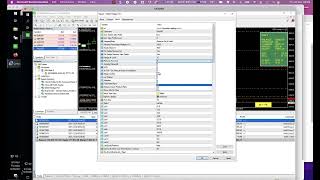
Alan Solarsh walks through Gold Hedge EA v14's new "Remove EA at level" option, which automatically stops the EA at a chosen drawdown level. He recommends using it with the website's drawdown calculator and warns it's for expert traders only.
Chapters
Right, so there's a new function that's been added to the gold hedge EA. It's in version 14. So if you drop this menu down, it says here no hedging or Remove EA at level. So no hedging is quite obvious. It just means that the EA will not hedge. Remove EA at level means that you want the EA to be removed at a specific level. So if you click on this.
Setting Removing at level, then you need to set this function Remove EA at level and then you can choose what level you want the EA removed at. And I recommend that you use this function in with the drawdown calculator, which is on the website. So this function Remove EA at level is only for novice. Sorry, for only expert users and people that understand trading. So if you don't want your EA to hedge, then you can remove this. You can use this function over here. If you're a novice trader, just use the normal settings that the EA comes with. So this feature was added for a client that specifically asked for this feature and it's now been added. So enjoy the feature and enjoy the ea.