Google Meet Pause On MA Reversal
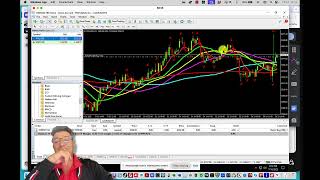
Alan Solarsh and traders discuss a robot that pauses dollar cost averaging when moving averages reverse, designed to cut losses during downturns. They test the strategy and explain how it reduces drawdown in live trading.
Chapters
Hello. Hello, everybody.
Welcome, Jason, good to see you. Put. I said put. Whose birthday is coming up?
What is that?
Whose birthday is coming up?
I don't know. I don't know. I have no idea.
That's funny. I don't know how to get rid of this fireflies ar. It's flipping annoying. Jason. What?
Fireflies AI.
Where do I just.
Just kick it out of the meeting.
Yeah, should be able to do that.
How do I do that?
Go to.
Where did I do it?
Okay, I've got it. Cool. Block from this call. Remove.
My TLDV isn't recording.
Mine's trying to. But I'm recording on Camtasia as well, just to be safe.
Okay. I think I'm also recording on Camtasia. All right, sweet.
I think I'll. Maybe we should just ask everyone if they're not muted to mute themselves.
Let's do that. Let's mute everybody. Can I mute everybody or can.
Is there a way to do that? Mute all.
Martin, unmute yourself.
Okay, cool.
Okay. Okay, cool.
Mute yourself.
All right, firstly, I'm not a financial advisor. Whatever you hear on this call is not financial advice. And I want you. I want to see you guys, please share your cameras so I can see who's focusing on me and who's messing around. So.
Again, this is not financial advice. And if you do anything with the robot, then you need to, number one, watch the videos. Number two, ask questions on Discord. And if you do do anything and use the settings, please make sure that you know what you're doing. And if you don't, just ask questions. That's what we're here for. We have to answer your questions so.
That you trade.
Profitably, consistently profitably and responsibly. Responsibly is the main thing. Protect your capital at all times. So if I change any settings, what I would do is I always.
I'll show you exactly what I do when I load my robot so that you know how I handle myself.
Right?
So let's say I've got four charts trading, okay? Normally what I do is I pause the robot before I refresh the settings, and then I refresh. I right click and I refresh. And then I'm watching this number here.
And we can't see your screen.
Why not?
You haven't.
You haven't shared your screen.
Well, I mean, you wake up now, only.
I've got to go through this whole spiel again, right? Can you see my screen?
He only joined now, so you're gonna have to go through it again.
In any case, who he only joined now.
Why are you late, bro? Hey.
Welcome guy. Our institutional trainer. So good to have you got so many things to tell you and catch up with you. Wait to hear to get chatting with you. Cool. So can you see my screen?
Yeah. All right.
All right. So what I was saying is that when I refresh my robot, when there is new settings, this is what I do. Firstly I disable auto trading. That is the first thing. Then I right click here and I click on refresh. Then I know that the robot is refreshed. Okay, just going to organize my charts.
Okay. So I can't why that is. Let's just move this over here and then arrange it.
Do it that way. Arrange. No, so I can't do it.
Okay, cool. So you can see in the top right hand corner that the EA has got a, a, an unhappy face which means that the robot is not trading. So I refresh my robot and then to make sure that I've got the right robot, I go to the commons to the about section and I make sure that I've got the current robot, the new updated robot. When I've got that, just click on cancel and then I'm I'm looking at a couple of numbers. Okay. I'm looking at my margin percentage and I'm looking at my total drawdown when I click on auto refresh. And if I uncheck it about a second later, I check it again just to make sure that nothing's gone wrong and trades on closing out. This is very important and it's a very good lesson. Okay to.
For everybody. So that's the first thing. Okay. So the lesson tonight is I'm going to show you the new setting or the setting that I was trying to get working. I'm going to show you that working and then we can go through some questions and answers. Okay, so what, how I'm going to do that is I'm going to do that in a strategy test. Okay. So I've created a new little indicator, show it to you. It's a very clever indicator. So what it does is.
It'S a multi time frame indicator. It's already on the chart. So what it does is let's just load the my preset for it because.
I've created a preset this time frame indicator.
Cool. So what it does is it basically shows me the 8 exponential moving average on a different time frame. Okay? So I want to know what the 8 exponential moving average is doing on the four hour chart because that is the setting Please mute yourselves. That is the settings that we're going to be testing tonight. It's the MA reversal. Okay. Setting. Okay, so you'll see here that there is the. So I've got two indicators on here.
So let's just right click in not that indicator list.
So you can actually add multiple indicators to this chart. So you can look at the different moving averages from different time frames on the same chart. So that you can test different settings, which is really, really clever.
Oh yeah.
Do you want to check quickly? A few people are trying to join.
But it looks like you need to let them in.
Would have gotten pinged.
Waiting to be admitted. Okay, cool.
Just remind me. On the odd occasion, please post the, the link in discord for people to join.
Thanks bud.
Okay.
Cool. So let's, let's add that indicator again.
And then let's load the, the preset so that you can see what I'm doing. Okay.
So I want to be looking at the 8 exponential moving average on a four hour chart.
I'm actually going to save this. Okay.
And I'll do.
I do hear the person.
I'll let them in now.
4H. Okay cool. And I'm going to click on. OK.
No, there's no one admit. Okay, cool.
All right.
This indicator isn't working. Just give me a minute because there's two indicators. I need to go and find it.
Give me one second.
So we built this indicator and then it stopped working and I asked the engineer to fix it and he fixed.
It so much that it's not working, which is fantastic. Isn't that amazing?
Give me a second.
Okay, cool.
Okay, cool.
Come back with you now.
Right, so basically this is, this is the 8 exponential moving average on the.
4 hour time frame. Okay.
So if I open up a new chart.
Just going to close this down.
And open up a new chart.
New chart window and we'll see there. Let's just add a template.
Okay, so you can see there that it is at 3339.
And if we go back here you'll see a 33, 33, 36.
So it's not 100% correct.
So we're still working on it. Just give me one second. Let me let everybody in.
Is there a way to make you an admin?
There's a way to make anybody an.
Admin so that you can do this instead of me.
I have no idea.
Okay, so we'll work on that. Okay, cool.
All right, cool. So we're going to go back to the ea. We're going to switch it on and then we're going to change the settings. Okay, so we're gonna. As you can see, I'm working on the same robot that you guys are working on. There's no difference between the, the robot that I'm working on, the robot that you work in. Okay. So the setting that I want to go to is in, is in section number five.
Okay.
I'm going to do it differently. I want to do it in a strategy test.
And before I do that, let's do a time frame of when I want to actually do this. So what I'm trying to do is I'm trying to do a backtest where the robot places trades on the MA flip. So when the second candle opens below the atma, what I want the robot to do is stop placing trades. So here is a good place to do it. Okay, here is a good place to do it. So it'll stop placing trades when the second candle opens below the, the moving average on a one minute chart. And then when the second candle opens above the moving average on a four hour chart, that is when the robot will start placing trades again if it can, if there, if the, if the spacing between trades warrants it. So if there's no trades here, then the robot will start placing, will place a trade. Okay, so I'm going to just check the date out here.
So when should we do it? We'll do it from.
We'Ll do it from the 14th of July until.
The 15th of July.
Okay, cool.
So we'll do a strategy test.
From the 14th of July to the 15th of July. And we're going to use Rule 2 EA. And now what we're going to do is we're going to on a one minute chart. And now we're going to load the presets.
So I'm going to load.
Is the same presets that you guys have got.
I'll just load the 15 minute time.
The 15 minute chart. Okay. And I'm gonna look, go down and look for section five because that's the section that we want to do. Okay, so what is it saying here? It's saying that we want to pause, we want to pause the EA when the second candle opens below the 8 exponential moving average. 8 exponential moving average on a 1 minute chart.
Then what we want to do is we want to deactivate this. We want to deactivate this.
On when the second candle opens above the 8 exponential moving average on a four hour chart. Now is the time to ask questions before I click Before I click ok. So that we're all on the same page. So do you guys understand what I'm trying to do? Do you have questions? Please unmute yourselves.
Yeah, I'd want you to maybe just start again. Not start again, but just so you're dealing with a one minute and a four hour time frame. So you're pausing the.
EA on an eight EMS strategy on the one minute.
Correct.
Okay, why are you doing.
Let's talk about why I'm doing that. Okay, cool. So one of my charts is on a one minute time frame. So the first 15 minute chart is on a one minute time frame. So when the second candle opens below the ATM on a one minute time frame, I'm saying there could be a reversal. We don't know if there's a reversal. But why would I want to be placing DCA trades if we're in a, an A downtrend? Let me give you my idea of what I think is a clever strategy. So let's open this.
Okay.
Right. So here's, here's the, here's the chart. Okay, so I'm going to take a screenshot.
Let's open up my screen, my screenshotting.
Program.
Cool.
Let's skip the update for now. Cool.
All right, so here is where let's say this is a on a one minute chart and the price starts to come down. So we can see that there would be a few trades here. If we go to the one minute chart. This, these are, this will be like lots of candles over a period of time. This is a four hour chart that we're looking at.
Okay.
But we don't know what's coming after, after this candle. I'm saying that when the second candle opens below the ATML or 1 minute chart, let's pause and let's wait and see what happens. What is the point of placing DCA trades.
All the way down here? To create drawdown. Right. It's just not necessary. All right, what I'm saying is let's rather place the trade strategically and say okay, so.
Not a great example this and I'll show you why.
Okay, I'll do it again.
So note. So it pauses over here.
Pauses about. About there.
Let's say. Okay, oh come on man.
Pause is about there. And then when the second candle opens above the atmo, this is candle one, this is candle two. It places a trade over there. Now this is where you can change your settings on the robot and you can increase your risk be. So as instead of having all these trades over here you can increase your risk and you could place a nice trade over there. Now, let's say the price continued to go south. Okay? Let's hypothetically say that we got red candles.
We got red candles and red candles. Red candles, Red candles, red candles. Okay? The atmo is going to follow.
So the atmo is going to follow like that.
Okay?
And then we get a flip.
And then we get some green candles. This is candle one, this is candle two. And when candle two opens, the robot is going to place next DCA trade. Nice big volume. So I'm trying to get my trades as low down in the charts as possible. That's what I'm trying to achieve here.
So if we go back to my phone and we go to the trades, you can see I've got a trade at 3046, that's way down. Another trade here at 3023, way down in the chart. Okay? And that's what I'm trying to achieve. I'm trying to get dollar cost averaging trades very low at a very low price. And then if the price comes back to those trades, I will put in a take profit. So all those trades have got take profits. Not that one. A stop losses. Sorry, it's got a little sl. Okay, so I'll make a dollar or two, so I won't go into drawdown. Are you starting to understand my methodology here?
The one minute seems so extreme.
It is extreme. Especially when you're trading with a, with a, with a risk of 0.1 or 0.3. Can you tolerate 0.3?
No, it's too high.
Exactly. Okay, so instead of, instead of having these smaller trades on a 0.03 or a 0.04.05. Okay. Mine is set to 0.1.
So I'm able to, I'm able to tolerate more trades than you, especially on this strategy.
But.
The dca, when the robot is still opening up trades, okay? And it's this, it's dollar cost averaging on the way down. Is that, is that being done on the one minute?
Yeah, whatever your, whatever your chart time frame is.
No, no, but I'm talking your, your example here.
No, because. No, because it would pause. So at the moment it's.
Before it pauses.
Yes.
Is it opening up GCA trades on a one or 15 minutes?
I've got one, one. I've got an EA on a one minute chart, a 30 and 15 and a 30.
So you could have a crapload of GCAs on the one minute?
No, because when the second candle opens. But no, you won't because it, the EA is not placing trades according to the candles only. It's got that pip step, remember? So it doesn't.
Okay, so this isn't just a candlestick.
100% okay.
If it's going according to the pip stick.
Let's just talk about that for new people firstly. Welcome to the new people. I'm really excited to work with you guys. Okay. Really excited. So when the second candle opens, let's say this is a one minute chart. Okay. Now on the robot.
On the robot you've got a setting here.
Try find it. I think got too far down.
You guys know where it is?
What are you looking for?
The pip step.
It's not too far down.
Okay, here it is.
Okay, so what this robot does, it's a dollar cost averaging robot, which means that it places trades at various intervals. Now this, the, the robot has a variable of placing trades. Now normally with dollar cost averaging robots, it'll place a new trade when a candle opens. Okay. Or every 14 pips. So every 14 pips the robot will open a new trade. Okay? Our robot doesn't do that. It opens a trade on when a new candle opens. Provided that there is a gap equivalent. It's. It's bigger than. I can't tell you what the math is because that's part of my, my ip, so I can't share that with you. But over here you can change it to manual if you wanted. So this is automated where it's got an automate and it's an automated formula built into the robot. But you can change that if you want to by setting it to manual. And then you can change the PIP distances here. So this is 1.2 for the first one to two trades. So the, the trade distance be distances between trades one and two is $1.23. Between between trades two and five is $2.64. Between between trades five and $10 is $3.70. And then 10 on the 10th trade and above the distance between each trade is $5. But you can change this as you want to when you want to. Okay. I just prefer to automate it as much as possible. Okay. So that.
Yes, before you carry on, go back to that screen.
Right.
Go back up to a.
Deck. 2.2 takes over if it's set to true. If it's set to true, your formula takes over.
The formula takes over. And then you can manipulate the formula by increasing this number over here or decreasing this number.
The higher that value, the further apart.
The trades will be.
I just wanted to tell the new people.
Okay, cool, thank you for that.
And the reason being is because my understanding and my mathematics, okay, is that 10% from one to 10 is a high number. 10% of, let's say zero to a hundred is a totally different mathematical outcome.
Do you, do you understand what I'm pointing out to you guys? So as the price of gold increases, so the distance between the trades needs to increase. Because a 10% difference on a price of 3,000 is very different to a 5 or 10% increase when the price is at $1,000. So as the price increases these, the, the distance between trades has to increase incrementally. Okay.
Right. So do you have any questions? Okay, so have we, have we over? I'll take your question now. I just want to get back to gear and just make sure that I, I've answered his question with regards to why the robot won't open masses of amounts of trades on a one minute chart.
So you, you, you, it's an aggressive strategy. That's basically what you. On the one chart when you stop that DCA on a one minute chart. That's a very aggressive strategy.
But I'm not so aggressive. I'm not so aggressive.
It's, it's actually quite a conservative.
I'm not, it can be, it can be ag. If you've increased your lot size dramatically, if you've kept your lot size low enough for you to, in case the price goes further south. So the second candle opens above, then a news event comes and then we get a south move again. Second candle opens below again on a one minute chart. Okay. We want the robot to pause when the second candle opens above on a four hour chart. We want another DCA trade strategically placed much lower down in the chart. Okay. And you need to, you need to have enough margin percentage available for you to be able to place that trade. If you've been irresponsible or rambunctious or gung ho or poor wallet management, then you won't be able to place that DCA trade.
Yeah, it's actually, it's actually not aggressive. It's very conservative.
For me.
It's a, it, it's, it's a better strategy. For those of you that want daily immediate gratification of seeing profits daily because you have a robot to pay for and you're concerned that you're not going to pay for the robot at the end of the month, this possibly could not be the strategy for you. Okay. This strategy is for more experienced traders that understand how to read a Chart are proficient at reading a chart. They've been trading with me for more than a year at least. Then I would say if I were you, it's not trading advice. Please don't misconstrue this for trading advice. But if I was hearing this, I would change one of my charts to the strategy and try it on 0.01. You can open a fifth chart or a sixth chart. Okay. And try it on 0.01 so that you can understand what the robot is doing and what your drawdown is going to be. Now just remember that you need to use the risk.
My risk calculator so that you can understand what your drawdown will be on specific trades.
So that you understand what the risk is 100%. So on the training website there is a video.
I can't remember where it is. It's not for this forum because I know that there are people on here that haven't bought my robot.
Okay.
So I can't give them access to the training website and can't go and find it for you. If you want me to find that video, just post on Discord EA strategies for that risk calculator or look for it on Discord by using the search functionality.
And it'll be.
That'll be.
I think it's trade risk. I can't remember. Okay. If you want to know, you can ask. Right. So gear you answered. Austin answered.
I like it.
That's good strategy. Okay, cool. Next question. Who had a question?
Your help.
Yeah, I'm a little confused.
So just.
I just want to make sure I understand this. The whole purpose of this is so that when the price starts dropping on a low time frame, we're not getting dollar cost average trades opening all the way down and inflating our drawdown.
Instead, when the price turns, we can open a slightly larger lot trade which will then going to profit like the dollar cost average trades would have, but without the drawdown.
Is that.
That's basically what I'm trying to get to. Okay. I'm trying to eliminate drawdown.
That's clever.
Okay, that's. That's what I'm trying to do. Okay.
I've got one other question.
Okay.
Does this work in conjunction with.
Other settings like reduce lots of at.
No, because you paused the dis. You paused the robot. Okay.
So this isn't. This is introducing. Okay, so what we did was. Okay, we said. We said, okay, let's not pause the robot. Let's leave the robot to dollar cost average. Okay. With smaller lot sizes. But what happens Is Okay. What I found is.
I love it.
Okay, so this is my account. It's exactly the same as what you're looking at over here.
So that there's transparency.
Okay.
You can see at 10,000.
Let's go back.
It's exactly the same account. Okay.
There'S rule two.
There it is.
Okay, so that there's transparency here.
Okay, cool.
Okay, so if we look. I need to change.
I need to change something here. Just give me a second. It's my trade lines.
I've asked. I've added so much stuff in the. The last few weeks or few months that I actually don't know where stuff is anymore. I'm looking for my trade lines.
So my trade lines are hidden now.
You've turned this account around big time, boy.
Yeah. Do you know that I lost $39,000 on that mistake?
Yeah. Yeah. Okay, so I will tell you how.
That will never happen again.
I'm still very bitter about it. Let's just tell you I'm sorry about this, what happens, but it shouldn't happen to me.
Maybe at the bottom of the ei.
Okay, Display.
Trade levels. Display custom trade levels.
False.
Hoping that that works.
No. Okay, so let's try to achieve options trade.
Trade.
Objects. Charts show trade levels there.
I don't know where my. Why my trade levels aren't there. But I can see my take profit is here. And that's what I'm looking for. So with it, with a. When you've reduced your lot sizes, okay, your take profit does not trail that much. So now you've got, you've got all these DCA trades.
I'll draw it, I'll draw it for you nicely, okay?
So the, the price has dropped here, okay? And now you've got these DCA trades. So we haven't paused the robot, but we've got these DCA trades all the way down here, okay? And it can go on forever, okay? And your take profit line hasn't moved. So these trades will close when there's an MA reversal. So you know, we've got that setting on, on close positive trades on MA reversal, okay? So although your whole sequence won't close because the take profit isn't coming down as your trades are opening because your lot sizes, okay, are so small, what happens is that the price comes up. Price will come up. And when the second candle opens below the atmo, these trades over here, all these trades that open below the 8 exponential moving average will.
Will close in if they're in profit. So all these trades will close in Profit. And then new DCA trades will open, but only at 0.03. So you're making, like, no money. This is what I've picked up. So this is just a different strategy. Are you following me, guys? For the new people, you're going to have to re. Watch this. It is being recorded. Okay? So you're going to have to rewatch this and then go through those videos that I'm talking about, which is.
Let's go to. Not this one.
Let's not around on my live account.
Let's mess around here.
Okay, which is close positive trades on MA reversal.
Close trades based on lot size.
Automatically. Okay? Advanced sculpting. Reduce lots.
Close positive trades on trade level or close positive trades on MA reversal. So when the second candle opens below the atma, okay, on whatever chart you're trading, the trades that are all positive will grab profit instead of going into drawdown. Okay? Which is very clever. Okay, so do you have questions so that I can go on to the next part of this, this exam.
The strategy test? Anybody got questions you can unmute yourself? Don't be shy.
I just want to. I don't know if you can explain that now where you said that you. You put in a stop loss.
Okay, I put that in manually. So why did I put it in manually? I don't want drawdown. I don't want red ever again.
But the. The. The robot is what's pausing. Dca.
And.
And then putting in the trades right. Right at the bottom when. When the reversal happens.
Yes.
So you.
So, so, so if I've got trades. If I've got trades right at the bottom. Okay, at a nice point, I will switch off the robot on those trades.
And I will open up a new chart with a new magic number. You don't have to open a new chart. You can just remove the EA from that chart, open up a new robot char, change the magic numbers, and start a new sequence. Especially if you add it like an. Or like a. A new low.
So let's say the price gets to. So let's. Let's say the price gets to 3200.
The normal strategy is the PR. The price gets to 3200, we switch on our robot, and the robot starts trading. And then there's no trades at 3200 anymore because they're hitting profit.
I want to store gold.
I want to hold gold. Okay, so let me. Let me put it to you differently. Okay, now hold on, hold on.
Let me. Let me explain to you where I'm confused. Just Maybe help. Your explanation is the robot.
We don't.
We've got our four charts and it's. They're busy trading. We do we activate section 5. This what you're just discussing with us. We put it there so that when this does happen on.
On.
Or do we open up another one minute chart and do this? I mean how does, how does this affect the four charts that we've got running at the moment?
It doesn't affect your four charts unless you, unless you activate it on your four charts. It is a different strategy. This is a different strategy that I'm discussing with you.
I'm with you. So it's activated on my four charts. Now the, the. The. The gold dips below the 8mA on the 1 minute.
Yeah.
It sinks and sinks. It. It swings. Now it places a trade or starts placing trades at the bottom of the swing. Which is great. Okay, so I've got those trades. The robot's done that automatically for me. But now I've got to know that it's done that. And now I've got to go and put in a stop loss manually on those trades.
Yes.
Okay, so just talk me through that. Like how would I know that it's happened?
Let's.
Let's say I've been. I've had a crazy day and it happens in a day and I haven't seen anything or I just want to know what my responsibility is in the strategy so that if I do decide to use it.
What sort of monitoring would I need to put in? Or how would I know that this is happening so that I can actively go okay. She's like it's happened. It's. There's a swing I need to put in my stop loss so that I don't.
For busy people. I would put this on your two charts that do not have take profits.
So three and four.
Yeah.
And then if you want an alert.
You do have alerts.
You do have.
But okay, so let's say I'm not busy. Let's say I'm not busy. But what. Tell me what sort of attention I would need to put in using the strategy to use it effectively. And I'm not a busy person. So what is the. What is my. My day look like Just to understand so I can get it right in.
My head whether this strategy waiting for is. We're waiting for a big low.
I'm waiting for.
Because I know that I'm waiting for the second candle to open. But I'm waiting for the second candle to open above the ATM below 3200. Then I will, then I will implement a. Then I will place some buy trades here, robot trades, and wait for it to go up and then remove the robot from that chart so that that trade doesn't close and then manually add a. A stop loss.
Okay.
So hopefully I can get a trade. Hopefully I can get a trade. I want to just place random trades in the chart. This got to be done cleverly. Okay. So I want to maybe place a trade. Okay. When. Let's say the price comes down. Let's get the atml. Let's say the price comes down here.
Okay, let's just do that and we get a swing.
This is the atma. Right?
Okay.
Yeah, there's the atmo. So this is candle.
It's strong.
Sorry.
It'S like that. Okay.
And then we've got candle.
Oh, gosh.
Then we've got a green candle one.
And green candle two.
This is where I want to be placing that trade, that robot trade or.
Manual, whatever you want.
Up to you.
There.
And then I will take the robot off that chart and I will leave it. And I'll leave that trade and then I will put a stop loss $1 above.
The strategy of this. Okay. Is so as to increase your risk.
And reduce your drawdown. And you can't do that if the robot is still placing trades when the second candle opens below the atmo. Do you agree with that point?
Absolutely. I mean, it's driving me nuts, all these, all the trades when we're having these massive swings. And I need to actually, if I could just stop that. I just want to stop it because every time I think gold is sort of settled into a bit of a rhythm.
Donald, Donald, can you come and talk to Jason, please?
But if I'm understanding correctly, then, Jason, what you're looking for now, what you're talking about is exactly what this new feature is going to do.
Correct.
It's going to be a massive help to those of us who want to push our risk up, but also to guys like me who I prefer more hands off approach.
I want to minimum minimize my involvement with the robot.
Correct.
And this is going to allow me to be even less involved.
So, so.
And my drawdown is going to be less.
You asked, you asked a lot of questions in your question, Jason. Yeah, okay. Yeah. Your question involved a manual strategy as well as an automated strategy. So you, you basically you, you, you. It's sort of like confused the, the outcome. You've got EA and then you've got EA combined with manual.
Okay.
This strategy is to.
Help you.
To reduce the amount of trades that are opening, therefore.
Preserving your margin percentage and your capital.
So when the second candle opens below the atma, these charts are done. Okay. I want the robot to pause on a one minute chart. Then.
When the second candle opens above the atma on a four hour chart, we want the robot to carry on trading.
If it can.
Can we do the test? If you want a notification.
Then do a notification. You can do.
I can't remember how to do it.
Look, the notifications, they do work. They do pop up but.
They. I've got to figure out how I can change its notifications. That it actually makes enough noise on my phone to actually alert me because.
My phone is programmed not to.
Not to make a noise.
Yeah.
Okay, so just check your notification.
Yeah.
You want to use an Android.
I can't help you, bro.
I think you actually do that in MT4 on your phone, Jason.
Okay, that's the the EA and let's go down to the Section 5. Okay, so we've basically got it right. Okay. Now we want to do the test. So we understand that when the second candle opens below the ATM or 1 minute chart, we want this to pause and then I want this to unpause, deactivate the pause when the second candle candle opens above the 8 exponential moving average on a four hour chart. So we've got that right. And now what we can do is.
Let'S just remove the terminal.
And now we can do the test. So we can start the test. Where's my indicator? Custom moving average.
No.
It's multi time frame.
Okay, so we're going to start the test. It's going to open up a chart.
Okay.
I'm going to add the template.
Just hold on. Let's stop this test and I'll tell you why. I just want to.
Fix something. I want to remove my blue box.
I just want to set my blue.
Box to false so that it's not there anymore.
There.
We don't need it. It's distracting.
Okay, cool. So let's start the test.
So the blue box is gone. I'm going to pause the test so I can just get my.
My template on and I want the multi time frame. I want to load it.
Multi time frame four hour. So it's at ema open on xau on a four hour time frame.
Great.
Gonna shrink this.
So that you can see where the atma is. All right.
So.
Right, so we're going to unpause this.
Not opening trades for some reason.
We've done something wrong.
I think it's because of the.
The all time high.
I'll just disable it.
And that should start opening trades.
There.
It's got. Trades are opening. I can see them.
You can see them by these, by these lines here.
Okay, if we go here, we can see that there are trades that are being open. Cool. Okay, so it was the pool was.
The all time high functionality that was.
Preventing the robot from opening trades.
I'll just load my indicators now so.
That you can see what and how this feature works. Great.
So the second candle is open above the atmo. So it's got one or two DCA trades. So let's unpause the robot. And now we're going to wait for.
I want this thing to auto scroll.
Okay, so there. The second candle is open below the atma. So now no trades can open anymore. Are you in agreement with that?
Come guys.
Yeah.
Okay, so if the price drops, no more trades. Why is this flipping thing not scrolling?
We have seen trades open up in that swing now.
There we go. So now it's going down. Okay, theoretically.
Trades should open here, but because we've paused it, no trades can open.
And it goes by itself.
Right?
Yeah, it's automated.
There we go.
I don't know why my pause is not working.
Can somebody help me with that?
Okay, so you can see now the distance between.
Let's just.
Are there other trades?
There's only like one trade, but no trades have opened now. Okay, the distance between trades one and two for a trade to open is about $2. Can we agree with that?
No.
Okay. And you can see how the distance between trade 1 and 2 is $10. So we know that it's working.
Let me let this person in.
Okay.
Right, so let's unpause.
Okay, so I'm going to speed up the test a little bit faster.
So there's a question in the chat box from Nicholas. He wants to know if there's going to be presets for the strategy.
No, you must do your own presets.
Okay, so here. Unfortunately, it's only the one trade that is open above the 8 exponential moving average on an 8 hour time frame.
It hasn't even. Let's see, where's the eight hour? Oh, there.
You mean four hour on four hour.
I don't know why the four hour is up there.
It's not up there there.
I'm not letting that person in the light.
Do. Do you understand the concept though?
Love it.
Yeah, yeah. It's going to help a lot. Absolutely.
Okay. Right. So have you guys got any questions?
Nobody is this is ready to immediately.
Use it or your robot's working? It hasn't been updated. There's no reason to update it. It was.
There was a.
A setting that I didn't understand on the robot that the engineer had put into the robot, which is this setting over here.
I'm going to.
You're not. I'm not going to.
Okay.
I'm not going to do it in here. I'm going to do it on the robot itself and show it to you.
And explain it to you.
Continue trading on only at MA on consecutive ma. Okay. If this is set to true.
Then the robot will open a trade as the second candle opens above the atma.
So let's explain to you.
The. The caveat that may happen.
Okay.
All right.
Cool. Let's do it here. Do it up to.
There. Okay, cool. Put in a black screen.
Right.
So it's not to confuse you.
This is candle one.
This. This green candle is candle one that is opened above the atma.
This is candle two. That is opened above the atma. Now, when candle two opens.
The second candle may be below the atma on a one minute chart. So there is a conflict in the rule. How can the robot open a trade on the four hour chart when the. When the activation rule is saying Pause? When the second candle opens below the ATMA on a 1 minute chart. Are you with me?
Yeah.
Okay, so we put in a rule to counter that. In case of that.
What we did was we put in this rule over here. This allows the robot to ignore the pause rule and allows the robot to place that DCA trade. So we're forcing the robot to place the DCA trade. That's what that rule does. If you set it to false, then obviously it won't. It will. It'll continue with the rule that paused initially.
So if the second candle opens above the atmo on a four hour chart, but the second candle is below the atma on a one minute chart, it will not open a trade. Also.
I need to ask my engineer if.
What if the trade distances. What if the trade distances are too close for a trade to open?
Martin, take a note.
Just to ask Tayo if what the rule is for continue trading only at consecutive mi. True. If the trades are too close together, will it still open a trade? So I'll check on that. I'm not sure it will open a trade if the trades are too close together. Has to be. The rule is with the pip distance. Is that a trade can only open if the distance between the last trade and the new candle warrants a new trade.
Okay.
Very complicated. This. It took me a long time to brainwave this and to come up with this so that it's, it's effective and it worked. So even me like thinking about, I look confused. Not because I am confused, because it's quite difficult to wrap my head around it. And I'm the guy that invented it. So I can only imagine, okay, what you guys might be going through. Like this is like higher grade and I get.
So Alan, we're looking at section five then. So the default settings would. Would change. Then from pause DCA and activate scalping would go to true.
Dude, let's discuss this again. Okay? Note that if you do that, you will not be taking profits on a daily basis. This is a swing trading strategy. Okay. You will not earn money on a daily basis. This is a swing trading strategy. And I recommend you only do it on one or two of your charts.
Karen.
She'S run out already.
That's it. Hello. Hello. Doy.
So what?
So just to get the settings right. So on that I would activate scalping, I would change it, apply to the moving average to one minute.
And obviously the bottom stays the same.
I just feel comfortable trade like on a one minute chart. Okay. I'm feeling comfortable on a one minute. I feel that 15 minutes is too long. Too many DCA trades have opened for me because my risk is high. I'm trading a 0.1 risk profile, okay. On all four charts because I'm experienced. So experienced that I lost $39,000.
Hold it against you. I'll burn all the.
Jesus.
Well, joke about it behind your back that we won't hold it against.
So just to. Just to put it out there, this will be the last time that I ever partially close out trades manually because this is not the first time I've made this mistake. And all of the mistakes have been made after 3 o'. Clock. The last one.
I was on a golf course. The one before that I was shopping with someone in Woolworths.
So all self inflicted. Not robots. Not nothing but self inflicted.
Okay, that's cool. I understand. I understand where I can use it and.
Okay, cool.
And what I need to do.
Thank you.
Okay.
Just by the way, Jason, what is your drawdown?
My drawdown.
Is.
Move two decimal points one.
Just give me $11,600 and your account equity.
My account equity is $11,300.
So you've got a 50 drawdown. Yeah, yeah, but you've Been trading with me for over a year. You're comfortable?
Yeah, And I'm fixing prior mistakes. So I'm whittling it, whittling away at it. And that's why I'm trying to get a grip on these swings that we've been having, you know, where suddenly it just crashes overnight. That's what, that's what's been frustrating me is that these crashes happen early, early, early in the morning or, or very late at night or when I'm just not watching the system. And.
$3,000 in the red, you know.
So there is a setting specifically.
Have you seen the setting?
All the time. Reduce lots at time.
Right?
I'm aware of it. I'm aware of it.
Okay.
I'll implement it straight away.
So what this does, my friends, all of you, is that at nighttime, so as to sleep easy, you can set this to true. And the robot will automatically reduce your lot sizes at night and then in the morning. So whatever time you want. So it's like 9 o' clock at night, it'll reduce your lot sizes so that when new trades open. So if there's an atomic bomb that goes off, okay. And China decides to annihilate New York, your robot will reduce the trades down to 0.03. And then at 6 o' clock in the morning or whenever you want to get up and look at your thing, nine o', clock, whatever it is, the rule will deactivate and the robot will go back to normal trading conditions.
According to your risk appetite.
Cool. So I've tried to think of everything to, for everybody. Yeah.
But everybody's been thinking a lot lately. And so there's a lot of new stuff in the, in the robot. Yes. You've got to try, got to decide, like what's going to work for you and what's not going to work for you. And that takes time to actually ingest. So I'm glad that.
So listen, for my new people, you need to understand that this is a, this is a. This is Forex University. This is, this is not a get rich quick scheme. If you're looking for that, I'm not your guy. Okay? I'm really not. This is get rich for sure. With a strategy, a system, mentors, tools, indicators, and.
Institutional traders that are there to help you to collapse time frames to your retirement so that this becomes a genuine vehicle that you add to your wealth portfolio.
You want to say anything, Jason, to new people, advice.
Or to people that even haven't joined that are on this call?
I would.
Watch the Videos, be conservative. Try, try. I know it's difficult to actually try things to understand them, but use low lot sizes and use the default settings and just watch what happens. And then watch the videos that explain what dollar cost averaging is and explain the ATMA and why the various moving averages are important. Because if you can just start with that and then start with why we follow the ATMA strategy and we know that we get a sense of when things are going to turn by looking at what type of candle is there. Just focus on that. Just do those. There's what? That's four things for like eight months. And regularly just take the time to watch the videos because there's things that actually only sink in later. You might have watched the video and you think you get you've got it, but you don't really get it. And then two months later you watch that video again and you realize you thought you understood it, but you don't. You didn't really understand it. You understand it better now because you've been watching how things evolve and it makes more sense. And even the earliest videos, the simplest ones, I find that I pick up things again that I missed or that I forgot about and that relearning is important. And I've now, only now I'm two years down the line. I actually feel comfortable with placing manual trades and watching a trend and going, right, I'm gonna follow this trend. And I know that I'm comfortable to follow the trend. And I'll put in like a five lot buy or a five lot sell. We're gonna 20 lot buy or a 20 lot sell because I'm comfortable and understand what's happening for that short period of time. I don't do it all the time. I only do it when I'm like really focused and I. And I've been looking at the charts for a period of time in the day and I go. And I can see the trend because I've seen the markers and I know it's going to. I have a sense of what's going to happen. I don't know what's going to happen. I have a sense what's going to happen. And I know how to hedge. I understand how to hedge. I understand how to protect my account. I've never blown my account with. And I've made really stupid, silly mistakes. And I've gone from a 78% drawdown down to 50%.
Wow.
And I've only achieved. And I've. And I've only achieved that because.
I'll explain The concept that I thought I understood, I explained the most basic concept of how to use the hedge better and how, and how to close out old trades that I never, that I didn't quite grasp 100%. So the only way that I learned and understood that was to maybe swallow my ego and just ask the question to everybody and say, look, I've done this. I don't know how to get out of it. I really need to get out of it. Because I didn't trade for. I think it was eight, almost eight months. I didn't trade because I was stuck at 78 drawdown and in one night I'll just showed me how to manually strip properly. Not because I always got confused with the robot doing it automatically. And he showed me how to do it manually. And now that I know how to strip manually, I only strip manually because. And it just dropped my, my drawdown dramatically. So it's, it's the little things that matter. But you only understand the little things if you keep on, if you regularly just keep on asking the questions.
I've got a question.
Yes?
When you strip, are you stripping on the VPS on your phone?
I only strip on the VPs.
You see, that's where I it up.
I only strip on the VPs.
So I stripped on my phone. When you strip on. When you strip on the phone. I'll take it now.
Miguel.
Miguel. So when you strip on your.
Is this.
I'll take it now. Just give me a second.
All right, so when you strip, you can on your. On, on the vps.
Okay.
Modify, delete order.
We can't see your screen now.
Okay, I don't know if we're supposed to.
Okay, so I click on the trade, right click and it says modify or delete order. And then here.
You can say.
Why can't I modify this order?
How do you do it?
Must defer.
How do you do it?
Dude.
If I press close, is it going to close that order?
It should pop up a thing to confirm close order.
What do I do?
I'll tell you right now.
Modify the order. I don't know why I can't change my quantities here.
Now if I double click on my orders, I, I can. Okay, I can change it.
No, I can't for some reason. I don't know why I can't.
I think it's maybe. No, but on modify order I can't change anything either. It's on market execution, isn't it?
Oh, there it is.
So if you double click on the order, modify the order.
Oh, I see you, right?
You can't modify it because you actually market exposing a certain bit of volume. So you just change that number or you want to do the whole thing or just a part of it or.
Right. So I want to close. I want to close 0.01 of this order. This is the difference, okay, between doing it on the VPS and manually. Is. It's a hell of a lot slowed down. Okay. So when I close it, it's going to change this order to 0.01.
Let's do that.
There.
So now the order has been changed. I partially closed out that order.
Now if I do it on my phones.
This is where I keep messing it up.
I'll do it on a very small order at 0.03.
Okay. So it says here, close order. So you click on the tick.
And I had thought that I had changed this value to 0.15 and it closed out a.
About an 80 lot or 100 lot or whatever it was. And I lost $39,000.
So the process of doing it on the. On the vps.
Allows you to slow things down quite dramatically.
So that is where I'll be doing it in future.
Guys. Much safer.
I hope that you learned something from my mistake. More tools.
You got more tools to use.
Yes.
And it forces you, you know, because you have to do three, four, five steps to get it done. Your brain is constantly saying like, am I. Is this right?
Is this right?
And you've got four checks before you actually eventually say close.
Anyway, it was 230 days of lost profit. I hadn't eaten into capital. I only charred out my profit. Not a train smash. I'll make it back.
Miguel had a question you were going to get back to.
Yeah.
Thank you.
I'm sorry, Alan. Guys, basically the question might be in the. In the videos because I must still watch videos from Model 5. But I just wanted to understand what is it stripping?
What.
What does that mean? It's just to reduce a lot size and close. Losing tracks.
Yeah. So you. You partially closing out, losing trades that are creating drawdown for you that you don't want. So I only do that using new profits. I don't do that using past profits once I've made profit. It's locked. That's like. It's like bitcoin. I don't touch it. I hold. I only use new profits to strip away drawdown.
Okay. Okay, cool.
And it's also for hit. But to get rid of old hedges, you need to strip away all edges.
100.
I only normally use it when I'm hedged. If I get hedged and then the hedges run away with, with me and that price has turned and I've got us. I've got luck. A stuck trade. So I've got one, I've got a cell, one cell for three lots. It's like a thousand dollars. It's not a lot, as you can see. It is a hedge created by the robot, for God's sakes.
Okay, there's my cell hedge created by the robot. And I'll strip it away.
I'm just not ready to strip it.
Away at the moment.
Today's profits, $270. This.
So I could like strip this away in three days, but I don't want to strip it right at the top. I'll strip it when the price comes down. Also use all my profits for. Okay.
Okay. Has anybody else got any questions?
And then just one question. This new strategy you're talking about is are you still fine tuning it or is it ready to be implemented?
It's ready to be implemented. You can implement it. But Miguel, I would not use this. You've been trading with me for three days.
Yeah, yeah.
So I'm still learning, still learning the robot and I've got business to finish watching.
The strategy is definitely not for you, buddy. This is a strategy that you can implement in a year from now when you are more experienced. This is for my experienced traders that have been trading with me for a year that understand every setting of the robot, that now understand what to do and how to do. Roy Brown got a story I want to hear from Roy.
I'm uncomfortable.
Strange.
What's.
Roy?
Yeah.
How are you? Are you.
Yeah.
Weren't you pissed with me? Weren't you pissed off with me? I think you put the phone down. Yeah. Not calling you out in public, just, just.
If you're the person. LLOYD.
Well, Martin, Martin and I have been doing some bits and pieces and I managed to have.
Well, still held on to my account.
But listen, in my defense, I must just tell you, in my defense, not many people like me. I have a very specific personality that is not palatable by most people. And, and that's why I have Martin. He's like my, my backstop. Yeah. Try working for Al.
There you go. Martin does a good job.
Yeah, I know he does. So have you got a story to.
Tell us that, I mean, I had my, my, my backstop doors down. It's, it was at 7 minus 70, minus 78,000 and I've got it to. Well, I think it's at 30,000 now.
Your draw down. Yeah. Yes. Can I have that in percentages? So let's start at the beginning. You started with how much capital?
I. I started with $300, and then I put three grand. Three thousand. So that's basically three and a half thousand.
Let's go slowly, though. You put in how much initially?
300.
Okay. And then what happened?
No, I just decided that I try and up it and see, and then I changed along.
Wait, wait, wait, wait. I'm not calling you out. I'm not calling you out. I want everybody to learn from your experience that you had. So I'm not trying to. I'm not trying to make you feel bad or call you out to embarrass you. This is, this is a process of explaining to others on how.
Absolutely.
On how they can learn from the mistake that you made.
If that's the charts, and then you, you sends out the note to redo the charts. So I canceled all the charts and I redid the thing. And then all of a sudden I had. I, I obviously typed it in somehow into this zone where it was supposed to be one and it was 100. So I lost overnight.
Oh, right. Okay. So you change. I remember you changed the head setting, the hedge setting from a factor of one to a factor of 100, and then it overhead. And then you almost blew your account. Yeah.
So now. Yeah, so it was doing well, and I don't know where it actually got to, but then it was down to like 300, $400. And now it's. Now it's about $650, but it's. We managed to save it. Can I jump in quickly? Yeah, yeah, of course.
So what happened was because of that hedge multiplier.
I think the equity protector kicked in at one point. So Roy would have blown his account had it not been for the equity protector.
Got it.
Once we fixed, we found that issue with a hedge multiplier and we fixed that Roy was sitting on a drawdown of.
I think over 60%. It was on 60 or just over 60. And Roy has been patiently stripping bit by bit, and his drawdown is now down from 60 to 32% in a matter of. How long have you been stripping, Roy? A week and a half?
Two weeks?
About. Yeah.
What?
Two weeks?
Okay.
And then Roy, well done. Perfect. To make this more impressive is, Roy, tell everyone what your forex history is from before you started with us and how long you've been trading with us, because this is mind blowing.
Oh, you mean on The. My previous experience at trying to do this.
Yeah.
Yeah. How much experience did you have before you joined us? Like proper trading experience?
None.
I. I did. I did play with it some years ago, about eight, 10 years ago, and I lost a couple hundred thousand.
Okay.
And how long have you been trading with us?
Month and a half. Two months.
Two months.
So in under two, a client has been with us for less than two months, has managed to save his account. Save his account, number one. But strip from a 60 hedge down to a 32 hedge.
Oh, that's mad.
It's mind blowing.
Jason, were you a trader before me?
No.
Never traded in your life? No. Anybody else on the group here? That's it. That started with me. Never traded before.
Okay.
I've trained before, but. Long time ago.
Okay.
But I know in currency pace.
But I basically didn't blow my says. Never traded before. He's been with me for. Nick, how long you been with me, buddy?
Two years.
Never traded before. So there you go, Martin. People that have never traded, they can trade.
If they're disciplined and take it seriously and treat it as a business, not a hobby.
You make money. Yeah.
Your system works.
And it works phenomenally well. Stick to the rules.
Yeah.
And be patient.
100.
Absolutely. Just treat this as a year education. Yeah.
Patience is the. Is the key.
Yeah.
But the. The stretch, also the strategy.
I find this. This one that you've just. You started earlier this. This evening, where a trade opens and then you immediately put in a stop and then you switch it off and you let it go. You let it run. That's. That's gold. Absolute gold.
Yeah. So it's got to be done at a certain time. I don't know if you're ready for that strategy because haven't really. That's very clever. Yeah. Thank you. So I. I must apologize. Didn't mean to be rude to you on the phone. I don't like to sugarcoat things. I prefer to be honest. And really I'm.
I'm the same. And I'm.
And I'm.
Yeah, I don't. But in my job, I don't have a fuse anymore, so.
Yeah.
So I know exactly where you're coming from.
Cool.
Cool.
Cool.
All right.
Anybody else got anything that they want to ask?
Comments? Good, bad, ugly, prefer. Hank, you're in the ugly. I like ugly.
Suits my personality.
Okay, guys, that's it. Yes.
Sorry, just one question.
I don't know.
Can I ask just a general question on the group.
Yeah.
The guy basically trained using the robot on my tablet. So I watched your video how to disconnect from the vps properly. But it shows like if you've got a PC laptop or something. But I'm not sure if I'm doing it correctly on my tablet because basically I'm just, just connecting from the server. So I don't know if I'm doing it correctly or must I just like keep the robot running and just swipe up so it's in the background?
Yeah, thanks.
I think that's all that you need to do, isn't it?
Yeah, because so if I disconnect from the. Let's hope I disconnect.
Is that.
Does it mean I'm switching off? I'm not connected to the VPs.
You're just turning off the VP. You're just turning off your connection to the VPs. You're not turning off the robot.
Oh, so then it's so far I can still do it like that.
So I just, just want to introduce Jason properly. Jason is our IT administrator and if you've got any IT challenges, Jason is your go to guy. So he's a full time network administrator. Microsoft. Microsoft Cert.
What? What?
We try to steer clear of Microsoft if we can support. But we can do lots of almost everything else on the planet.
Yes. Okay, cool. So if you need computer equipment or IT stuff, Jason's your guy.
He's on the group. Okay, cool. Thank you.
Alrighty. Anybody else got anything to say?
Cool. Thanks for coming. Thanks Anne, really appreciate it. Thanks for your time. We'll see you on the groups. Take care everybody.
More from Alan





Double bottom forming - Gold ready for $4000 #trading #technicalanalysis #xauusd





