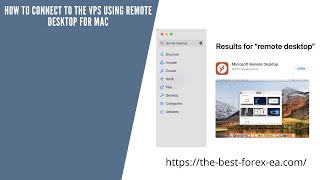
Alan Solarsh walks through connecting to a VPS from Mac using Remote Desktop. Download the app from the Mac App Store, add your VPS IP and login credentials from your email, adjust the display settings, and connect.
Questions this video answers
March 31, 2021.
Mac App Store (search for "remote desktop").
They are supplied in an email from the video author (viewer must copy them from that email).
Display → Fit session to window; uncheck "Start session in full window".
0.005 Bitcoin given to a random subscriber every four Fridays (presenter phrase: "every single four Friday").
Chapters
Alan Solosh here, the Passive Income guru and this video tutorial explains to you how to connect to the VPs using the remote desktop on Mac.
Right?
So what you need to do is you need to open up your the App store on your Mac.
So please pause the video, please go.
And open up the app store.
Now once done, you can come back.
To this video and resume the video.
Now in the search bar on the left hand side you can just type in there remote desktop and it should come up there and you can just click it. And then the first one with this icon, the red square with the two bigger than and smaller than signs is the correct application. And then it'll say get and then you'll install it. And then that should go into your, it'll download and then it should be in your launch pad, of which you can go and find it over there, right?
So please pause the video, please go.
And do those steps.
Now once done you can come back.
To this video and then and resume the video.
Now once you have installed it, you can just click on the remote desktop and it'll open your remote desktop.
So please pause the video, please go.
And do that step.
Now once done you can come back.
To this video and resume the video.
Now your screen will be empty over here and what you need to do is, is that there is a plus sign or a down the down arrow and you can click on Add PC.
So please pause the video, please go.
And do that step.
Now once done, you can come back.
To this video and resume the video.
Now this is where you're going to put the IP address that I've sent you in your email. So you need to go and find the email that's got the VPS details. Go and copy the IP address that's that is in the email and you'll copy in here. Okay, now the next step that you're.
Going to do is so please pause.
The video, go and do that step.
Now once done you can come back.
To this video and resume the video.
The next step is it's going to ask when required you need to click this down and then over here you will click on Add new user.
So please pause the video, Please go.
And do that step.
Now once done you can come back.
To this video and resume the video.
Now over here is the username and the password which are the. The you can get the username and the password in the email that I sent you. The same email with the IP address. So please go and insert that over there. And then the friendly name you this can be the same as your username.
So please pause the video, Please go.
And do those steps.
Now once done, you can come back.
To this video and resume the video.
Now once that's done, you can obviously click on the add button.
And then over here where it says friendly name, you can just put in the same name as the username. So also found the the username, you just entered it now so you should.
Know it by now.
So please enter those details. So please do that those steps.
Now, once done, you can come back.
To this video and resume the video, right?
So the next step that you need to do is you can click on display and then you can click on Fit session to window and uncheck Start session in full window.
So please pause the video, go and click on that.
Now once done, you can come back.
To this video and resume the video.
Then the next step that you can do is you can go all your settings will be saved and then you can click on the add button.
So please pause the video. Please go and do those steps.
Now once done, you can come back.
To this video and resume the video.
Now once you've added added it, it should appear over here. So let me connect to mine. So it would look like that. Basically you'll have your PC name, your user account, and what to connect to the vpn, you need to then double click on this icon on the, on the wording and then it will start connecting to the VPN located in Germany, right? So please go and do that step.
Now once done, you can come back.
To this video and resume the video, right?
So now you've set up your VPs, which is fantastic. So well done and I think follow.
The steps in the rest of this.
Video and then I'll see you on the next video.
Before you go, if you'd like to earn a little bit of bitcoin, I give away 0.005 of a Bitcoin every single four Friday to a random subscriber. If you'd like to earn that, there's a couple of things that you need to do. You need to subscribe to my YouTube channel. And how you do that is you just mouse over the video that you're watching and in the bottom right hand corner of the video is a YouTube icon. Click that icon now. So please pause the video, go and do that step.
Now once done, you can come back.
To this video and resume the video.
Now, if you're not already logged into your Gmail account, then you'd need to log into your Gmail account. Now, below the video that you're watching, YouTube, there is a subscribe button. So what you do is you click on that subscribe button and then next to the subscribe button is a bell icon. You can click on the bell icon. So please pause the video, go and do those steps.
Now, once done, you can come back.
To this video and resume the video.
The next thing that you do is you need to give a thumbs up. And then in the comments section, which is over here, you can leave a positive comment with together with your bitcoin wallet address. Now you have to follow the steps exactly to be able to get that prize. So you need to subscribe, you need to hit the bell icon, you need to give a thumbs up, and you need to leave a positive comment with your bitcoin wallet address. Only then are you entered into the competition and are legible to win a prize if chosen. So if you want to win 0.005 of a bitcoin, I highly recommend that you follow those steps and then you'll be eligible to win that prize. So good luck and I hope you win that prize. And if you do, remember to invest it in a passive income stream and I'll see you on the next.