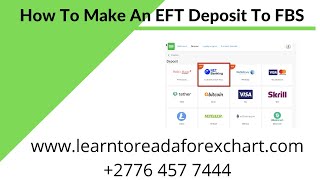
Alan Solarsh walks through depositing money into FBS via EFT for South African clients. Log into your account, go to Finances > Deposits > Net Banking, enter your details and minimum 100 ZAR, pick your bank, authenticate through mobile banking, and confirm. Payments process through Dusu Pay.
Questions this video answers
100 rand (ZAR) — the platform message: "make a transaction from 100 rand."
R200 (200 rand).
$13.89 (converted from the rand deposit).
Dusu Pay ("Payments powered by Dusu Pay").
0.005 of a Bitcoin every Friday.
Chapters
Alan Solosh here, the passive income guru, in this video tutorial explains to you how to make a deposit using the EFT function. This is for South African clients only.
So what you need to do is you need to log into your personal back office.
So please pause the video.
Please go and log into your personal back office. Now, once done, you can come back.
To this video and resume the video.
So on your dashboard you can click on the Finances tab over here.
So please pause the video.
Please go and click on the Finances tab. Now once done, you can come back.
To this video and resume the video.
Now click on the Deposits function and then click on Net Banking.
So please pause the video.
Please go and do those two steps. Now once done, you can come back.
To this video and resume the video.
So over here you would put in your your name. So let me do that. Now you can fill in your details as well.
So once once you filled in all the details, you can put in the deposit amount, it will automatically convert it to the dollar amount and then you can click on deposit. So please go and fill in these details. Now, once done and pause the video. Go and fill in these details. Now, once done, you can come back.
To this video and resume the video.
So please note that the minimum deposit here is.
100 grand. It actually says here, make a transaction from 100 rand. So take note of that. I'm going to just do a deposit of 100 rand. I'm actually going to make it R200 rand so I can withdraw the amount in the same video.
So please pause the video, go and.
Fill in the details. Now once done, you can come back.
To this video and resume the video.
Don't forget to click on the deposit button. Then on the next screen it'll probably ask us for the the your banking details. So here it says load bank. So here we're going to load the bank and we're going to put in here, my bank is First National Bank. You, you can put in your details, whatever bank you're working with. Now this is secure, so you don't have to worry. FBS has an API directly into the banks. Okay? They're not scraping your information. This is Payments powered by Dusu Pay, which is a secure site that is worked by API. So your details are 100% secure. So fill in your username and your password and then click on Sign in.
So please pause the video.
Please go and do those steps. Now once done, you can come back.
To this video and resume the video.
Right. So I've clicked on the filled in my details. And I've clicked on the sign in button. So I'm now being signed in. Just wait a few moments while it registers you.
Right.
So if you've got multiple accounts connected to your profile then it'll have the drop down menu. So here are my different accounts that I'm going to use. And I'm going to use my business account. So that's the business account. I'm going to select the account and I'm submitting it.
So please pause the video go and.
Do that step now. Once done, you can come back to.
This video and resume the video.
So it's asking me to open my banking application on my phone. So I've got Internet banking on my phone which is the two factor authenticator. It's going to ask me to log in and it says here warning you're about to make a once off payment of 200 rand. So I'm going to do that. I'm going to say yes, continue over.
There on my phone.
And then I'm going to say is this correct? I'm going to click on is this correct button and then I'm going to click on the approve button. So I've clicked on the approve button now and now it'll probably. So there it says payment successful. So as you can see the payment was successful and I'll be redirected back to the.
Back to my, to the FPS website. Now I deposited into my partner account. So I'm just going to close that and I'm going to open up my history. So let's go to finances and let's go to the transaction history and you'll actually see that There is the $13.89 which, which was deposited. If I click it down now, you'll see that there it is over there. It is the.
Today's date at 6:15. Sorry at 4:15 20 past 4. And it was deposited into that account. So when you do your deposit, you make sure that you deposit directly into your, into your center count or into your micro account and not into any other account you can do. If you do make a mistake you can do an internal transfer. So you just click on the internal transfer button over there and then you can. So let's just go back to here to if you make a mistake in deposit into the incorrect account you can click on your finances button and then click on internal transfer. And it will come up here with there are no accounts available to transfer because my accounts on this platform are actually dormant. I don't use this Profile for trading.
Before you go, if you'd like to earn a little bit of bitcoin, I give away 0.005 of a Bitcoin every single Friday to to a random subscriber. If you'd like to earn that, there's a couple of things that you need to do. You need to subscribe to my YouTube channel. And how you do that is you just mouse over the video that you're watching. And in the bottom right hand corner of the video is a YouTube icon. Click that icon now. So please pause the video, go and do that step. Now, once done, you can come back to this video and resume the video. Now, if you're not already logged into your Gmail account, then you need to log into your Gmail account.
Now.
Below the video that you're watching on youtub there is a subscribe button. So what you do is you click on that subscribe button and then next to the subscribe button is a bell icon. You can click on the bell icon. So please pause the video, go and do those steps. Now once done, you can come back to this video and resume the video. The next thing that you do is you need to give a thumbs up. And then in the comments section, which is over here, you can leave a positive comment with two together with your bitcoin wallet address. Now you have to follow the steps exactly to be able to get that prize. So you need to subscribe, you need to hit the bell icon, you need to give a thumbs up and you need to leave a positive comment with your bitcoin wallet address. Only then are you entered into the competition and are legible to win a prize if chosen. So if you want to win 0.005 of a bitcoin, I I highly recommend that you follow those steps and then you'll be eligible to win that prize. So good luck and I hope you win that prize. And if you do, remember to invest it in a passive income stream and I'll see you on the next video.