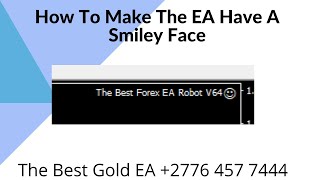
This is a short YouTube screencast by Alan Solarsh demonstrating how to get a MetaTrader Expert Advisor (EA) to show a happy (smiley) face, i.e., to be allowed to trade. The video walks viewers through: opening the EA properties (double-click the EA icon or right-click → Expert Advisors → Properties), enabling specific options (Allow live trading, Allow DLL imports, Allow import of external experts, Allow modification of signal settings), ensuring the EA is set to trade both long and short, and turning AutoTrading from red to green so the EA becomes active and opens trades. The speaker repeatedly asks viewers to pause the video to perform each step.
Questions this video answers
Allow live trading (checked).
Allow DLL inputs / Allow DLL imports (checked).
Allow import of external experts and Allow modification of signal settings (both checked).
Set to "Long and Short" (not "Only Long" or "Only Short").
Click AutoTrading (turn it from red to green).
Alan Solosh here, the passive income guru in this video tutorial explains to you how to get the EA to have a happy face.
Right? So the first thing that you need to do is you need to log into your vpn. So please pause the video. Please log into your VPN now once done, you can come back to this video and resume the video. So so as you can see on the top right hand corner, the EA has an unhappy face. So what you need to do is the first thing that you need to do is open up the settings of the EA. And how you do that, there's two ways to do that. The first way is to click on the smiley face or rather to double click on the smiley face and the robot settings will open. The other way to open up the EA is to right click anywhere on the black background, click on Expert Advisors and then click on Property. So please pause the video. Please go and open up the EA settings window. Once done, you can come back to this video and resume the video. Please make sure that the Allow live trading is set to IS is checked. You should also make sure that Allow DLL inputs is checked. Allow import and allow important external experts is checked and allow modification of signal settings is also checked. Please also make sure that the long and short positions is also that your robot is set to trade long and short positions. Not because this is a drop down menu. Not only long and not only short, it must be on long and short. So please pause the video. Please go and do those steps. Now once done you can come back to this video and resume the video. Now if you're EA and then you can click on the OK button. So as you can see the robot still has an unhappy face. And the reason for that being is because the auto trading is red. Okay? And if you click it to green, you can see there immediately that the smiley face goes to the unhappy face changes to a smiley face. Now if the unhappy face, if the face is still unhappy, then what you can do is you can click on Tools and then Options and then click on Expert Advisors and then click on Allow Live trading. Now this may be unchecked and this may be on, but.
Just make sure that it is enabled on your in your Options section over here and then make sure that allow DLL inputs is also on is also checked. So please pause the video. Please go and do those steps. Now once done you can come back to this video and resume the video. Now that this is done, you'll notice that the EA is able to trade and the smiley face. The unhappy face is smiley and the EA will then open up trades. So please go and do those steps now and make sure that your unhappy face is smiley. So if you like this video, please click the thumbs up button, subscribe to my video and also leave a comment in the comments section and I'll see you on my next videos.