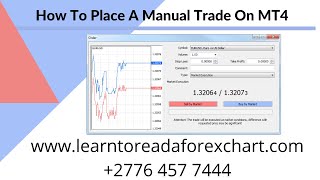
Alan Solarsh walks through placing a manual trade in MT4: log in, add the iExposure indicator, spot your position (he shows a 21.07 lot short in gold), and place a matching buy order to hedge it. The video covers setting volume, adding comments, and adjusting stops and take profits.
Questions this video answers
0.005 BTC
21.07 lots
iExposure (spoken as "I explore"/"Eye Exposure")
MetaTrader 4 (MT4) on the VPS
Chapters
Alan Solosh here, the passive income guru in this video tutorial explains to you how to place a manual trade on MT4.
Right?
So what you need to do is you need to log into your MT4 on the VPS.
So please pause the video.
Please go and do that step. Now once done, you can come back.
To this video and resume the video.
Now there's a fantastic tool called Eye Exposure which I use, which is in your indicator section. So if you just go to the indicator section over here. So how it normally looks is your indicator folder is normally closed and what you need to do is that you just click it down and then you go down to the section where it says I expand explore.
I think I've gone too far.
There it is. I explore. Okay, and then you can just drag it onto the chart. Let me just remove this indicator here.
There we go.
Delete indicator list. So you drag it onto the chart over here and I normally click on this value over here and I make this white and then I click ok.
So please pause the video.
Please go and do those steps. Now once done, you can come back.
To this video and resume the video.
Right? So over here you can see that we are net short, or rather we are net. Yeah, we are net short. 21 lots of the gold. Okay, so we want to hedge the gold. So in other words, there are 21.07 lots in the cell position.
On, on the, on this account. So, so I want to hedge gold. So I need to place a buy trade for gold, a bar trade to the value of 21.07. So how you do that is, is that you double click on the currency that you want to trade. So go and choose the currency that you want to trade.
Please pause the video, go and do that step.
Now once done, you can come back.
To this video and resume the video.
Now in this section over here where it says volume, that is the amount of currency that you want to add that you want to place the order for. So you would type in your value that you want. In my case it's 21.07.
So please pause the video.
Please go and do that step. Now once done, you can come back.
To this video and resume the video.
Now as you can see at the bottom in the trade console it says that, that. That there is a cell for 2107. Now to match it to hedge it, I would need to place a buy for 2107. So I'm going to, in the comment section, I'm going to put a reference for myself what this is. So it's a hedge against the hedge. Okay. Because my EA placed the hedge and then it took profit. Now I need to place another hedge to match this hedge and then I'm going to. So what you can do now is.
You can pause the video, put in your comment.
Once done, you can come back to.
This video and resume the video.
And then afterwards, after that you can then. So after that you can then place the buy trade.
So go and click on the buy.
Trade now please pause the video.
Please go and do that step now. Once done you can come back to.
This video and resume the video.
Now over here in the I explore window where we added that indicator, you can see here that the net lots that we are short or long is zero, which means that gold is 100% hedged. Okay? If you wanted to add a take profit or a stop loss, all you have to do is you. You need to right click in the trade and then say modify or delete order. And then over here you can put in here a stop loss if you want it and a take profit. Once you put in that value there. Obviously that is a price value.
That you want those.
This to activate at. Okay. And then you would just click on here to say modify order and you can also make a new comment to say why you've changed your order and then you say modify order and that's how you place a Trade on the MT4 console. So I hope you found this video interesting. If you did find it interesting, please follow the steps on the rest of this video.
Before you go. If you'd like to earn a little bit of bitcoin, I give away 0.005 of a Bitcoin every single Friday to a random subscriber. If you'd like to earn that, there's a couple of things that you need to do. You need to subscribe to my YouTube channel.
And how you do that is you.
Just mouse over the video that you're watching and in the bottom right hand corner of the video is a YouTube icon. Click that icon now. So please pause the video, go and do that step.
Now. Once done, you can come back to.
This video and resume the video.
Now if you're not already logged into your Gmail account, then you'd need to log into your Gmail account. Now below the video that you're watch YouTube there is a subscribe button. So what you do is you click on that subscribe button and then next to the subscribe button is a bell icon. You can click on the bell icon so please pause the video, go and do those steps. Now once done you can come back.
To this video and resume the video.
The next thing that you do is you need to give a thumbs up and then in the comments section which is over here you can leave a positive comment with together with your bitcoin wallet address. Now you have to follow the steps exactly to be able to get that prize. So you need to subscribe, you need to hit the bell icon, you need to give a thumbs up and you need to leave a positive comment with your bitcoin wallet address. Only then are you entered into the competition and are legible to win a prize if chosen. So if you want to win 0.005 of a bitcoin I highly recommend that you follow those steps and then you'll be eligible to win that prize. So good luck and I hope you win that prize and if you do remember to invest it in a passive income stream and I'll see you on the next.