How To Open An MT4 Account On FBS
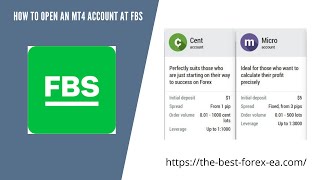
Alan Solarsh walks through opening an MT4 account on FBS: register with email and name, verify your identity by uploading ID or passport, choose between cent accounts (under $5,000) or micro accounts ($5,000+), then create your MT4 from the dashboard. You'll need to open an MT5 account first as an initial step.
Questions this video answers
August 11, 2021.
0.005 BTC every Friday.
Cent accounts: less than $5,000; Micro accounts: more than $5,000.
One capital letter, a number, a special character, and typically eight characters long.
JPEG, PNG, PMP, and PDF formats (as stated).
Chapters
Alan Solosh here, the passive income guru, in this video tutorial explains to you how to open up an MT4 account.
On the FPS broker.
Right, so you're on my website and the first thing to do is to click on step one to drop down this menu. And it's got two options here. Open FPS account for RSA citizens only and open Forex account other countries. So it's actually USA citizens. Anyone else outside of the USA can use FPS. So just scroll down above the video that you're watching actually about. Yeah, just scroll up above the video that you're watching and then just click on here to open up your Forex account. I highly recommend what you do is you right click and you open this in a new in a new tab, which will be this tab over here on your browser. That way you can flip between the training and between between the step that you're about to do. Okay, so on this link it'll ask you for your email address and your full name. So please go ahead and fill in these details and then go and register your trader account.
So please pause the video, go and.
Do those two steps.
Now once done, you can come back.
To this video and resume the video.
Right? So once you've completed that step, it'll ask you for a new password. So this is the password generated by the system. And if you'd like to create a new password for yourself, you can do so in this field over here. And obviously you need to fill in.
I wish I could get rid of.
That, but I don't think I can. So it actually asks you to.
Tells you exactly how to fill in the the password. So it's normally one capital letter, a number and a character and normally has to be eight, eight characters long. So please go and create a unique password for yourself. Once done, come you can then pause the video and then do the steps.
And then once done, you can come.
Back to this video and resume the video.
Now, on Google Chrome, it actually asks you if you want to save your credentials. I recommend that you do save your credentials. FPS has got very strict policies with regards to withdrawing money, so you don't have to worry about even if your account got hacked, nobody could actually steal your money. It's. It's physically impossible. So click on the save button now.
So please pause the video go and.
Click on the save button. Now once done, you can come back.
To this video and resume the video.
Now they've actually sent you an email confirmation. So it says here that you need to go and look for the email. If you haven't received it, then probably in your spam folder. So just check your spam folder. Now. On Gmail, there's a special place for you to find your spam. Your spam. So if you log into your Gmail account on the web and on the left hand side is the inbox and all your other folders. If you scroll down within their folders you'll see that there's the spam folder there. So sometimes it does land in your spam folder. So find that email and then click on I confirm.
So please pause the video, Please go.
And do those steps.
Now once done, you can come back.
To this video and resume the video.
So once your email is confirmed, you can click on the Proceed button and then you can proceed to click on a sent account or a micro account. So sent accounts is for people with less than $5,000 and micro accounts are for people with more than $5,000. So please choose which option you want. I'm going to open up a sent account. So we click on that button. So please pause the video, go and choose your account. Now go and do those two steps anywhere in the video that you get confused or you you forgot a step or you didn't understand, just rewind the video a little bit and then follow those steps exactly. Don't watch the whole entire video and then expect to know what's happening in any of my videos as there are plenty of steps that you need to follow and this is a paint by number system. So please pause the video, go and do that step.
Now once done, you can come back.
To this video and resume the video.
Now unfortunately with MT4 with the brokers these days, they don't allow you to open up an MT4 account off the bat. So you need to open up an MT5 account first. So that's what we're going to do here. So we're going to say open account. Now you don't need to save any of these credentials. It's not necessary. It's just for us to open the account and then we can go back to the personal area.
So please follow.
Please click on the OK or the Proceed button. Now once done, pause the video, then do that step.
Once done, you can come back to.
This video and resume the video.
Now at the bottom of the screen you can just proceed to your personal area.
So please pause the video, go and.
Click on that button. Now once done, come back to this.
Video and resume the video.
Cool.
So if you are in South Africa, then just Click on Yes, this is correct. And if you're not, then say no. Change settings here.
So please pause the video.
Go and do that step.
Now. Once done, you can come back to.
This video and resume. Resume the video.
Now, you won't be able to deposit funds into this account until your account is confirmed. They have confirmed your identity and your FICO documents have been done correctly. Now you don't have to do your phone number if you don't want to. It's not necessary. So you can leave that step and then you need to confirm your identity. So click on this icon and then click on Confirm.
So please pause the video.
Please go and do those steps.
Now. Once done, you can come back to.
This video and resume the video.
Now over here you can either put your ID number or you can click. You can put in your. Your passport number and then obviously you'll put in your birth date over here. And then you'll upload a picture of your.
Your your ID or your passport. Please note that they only accept JPEGs, PNGs, PMP and PDF formats. So any one of those formats is acceptable. You can click it, you can upload your documents and then you can send the. Click on the Send request button.
So please pause the video.
Please go and do those steps. Now.
Once done, you can come back to.
This video and resume the video, right?
So while we're waiting for your account to be verified, you can click on the dashboard icon because we need to now open an MT4 account. So please click click Back to the dashboard. Now.
Please pause the video.
Please go back to the dashboard. Now.
Once done, you can come back to.
This video and resume the video, right?
So if you are on the section where it says Partner, you can just ignore the section over here and where it says Partner there's a drop down window there and you can click on Trader.
So please pause the video.
Please go to the dashboard on the trading section.
Now once done you can come back.
To this video and resume the video.
Now here is your sent account, your MT5 cent account. And we now need to open up an MT4 account. So we need to click on this icon, this plus icon over there.
So please pause the video.
Please go and do that step.
Now once done, you can come back.
To this video and resume the video.
Now you can only open one MT4 account until your your FPS platform has been FIKA verified. Once it's FIKA verified, you're able to open 10 accounts. And if you if you need more you just contact me and then I Will arrange it with FPS so that you can open more than the 10 allocated accounts per person. So please click on Open Account. Now if you've got again, if you've got less than $5,000, open a sent account. And if you have more than $5,000.
You can open a micro account.
So I'm going to open the Scent account. So please click choose your option now.
Please pause the video.
Please go and do that step now.
Once done, you can come back to.
This video and resume the video.
Please make sure that it's on US dollars and your leverage is a thousand. There's nothing that you need to change. And then you can click Account.
So please pause the video.
Please go and do that step now.
Once done, you can come back to.
This video and resume the video.
Now what I recommend is that you copy everything. You highlight left mouse click down and then highlight everything on the screen. And then Control C or Command C to copy. Or of course you can right click and then click on the copy icon. You're going to need all this information later. So please copy this information and then just paste it into a Word document. If you don't have Word, then open a notepad, a blank document and then you can just paste that information over there so that you have it on reference and don't lose that information.
Okay, so please pause the video, go.
And do that step now.
Once done, you can come back to.
This video and resume the video.
Right?
We're almost done. It's almost time to deposit funds into this account. But you can't deposit funds until your dashboard has been verified. So if you click on the dashboard and you go back to your if you click on here and you say profile settings, it'll tell you whether your account is verified or whether it is not verified. You should get an email saying that your account is verified and been accepted. You can just log into your profile over here and it says verify your ID and then it'll say accepted. Now you can move this account into a corporate account. First you would need to register this account in your personal profile and then you can then get on to live chat over here. You can then send them the documentation, can ask them exactly what they need from you to be able to change your the registration from your personal account into your business profile. As you can see, this account is in my business profile, so it is possible. So they would need your memorandum of association, the document from.
Cipro and a resolution from the director saying that you can trade on their behalf as well as the IDs of all directors. So you can send that to them over here. If you have any problems, you can then contact me directly and I will then help you with the with any challenges that you may have.
Right.
So that's the end of this video. If you enjoyed this video, please follow the steps in the rest of this.
Video and I'll see you on the next video.
Before you go, if you'd like to earn a little bit of bitcoin, I give away 0.005 of a Bitcoin every single Friday to a random subscriber. If you'd like to earn that, there's a couple of things that you need to do. You need to subscribe to my YouTube channel. And how you do that is you just mouse over the video that you're watching and in the bottom right hand corner of the video is a YouTube icon. Click that icon now. So please pause the video, go and do that step.
Now click. Once done, you can come back to.
This video and resume the video.
Now if you're not already logged into your Gmail account, then you'd need to log into your Gmail account.
Now.
Below the video that you're watching on YouTube there is a subscribe button. So what you do is you click on that subscribe button and then next to the subscribe button is a bell icon. You can click on the bell icon. So please pause the video, go and do those steps.
Now, once done, you can come back.
To this video, resume the video.
The next thing that you do is you need to give a thumbs up. And then in the comments section, which is over here, you can leave a positive comment with together with your bitcoin wallet address. Now you have to follow the steps exactly to be able to get that prize. So you need to subscribe, you need to hit the bell icon, you need to give a thumbs up and you need to leave a positive comment with your bitcoin wallet address. Only then are you entered into the competition and are legible to win a prize if chosen. So if you want to win 0.005 of a bitcoin, I highly recommend that you follow those steps and then you'll be eligible to win that prize. So good luck and I hope you win that prize. And if you do, remember to invest it in a passive income stream and.
I'll see you on the next next video.
More from Alan





Double bottom forming - Gold ready for $4000 #trading #technicalanalysis #xauusd





