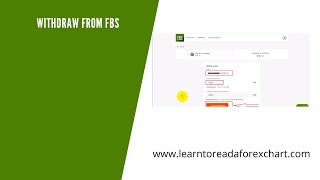
A short how-to video (hosted by Alan Solarsh) that walks viewers through withdrawing funds from an FBS trading account. Key points: log into FBS, go to Finances → Withdraw, withdraw capital only back to the original funding method first, then withdraw remaining profit to other methods. Demonstrates selecting a withdrawal mechanism (examples: Visa/MasterCard, Bitcoin, Tron, USDT on Ethereum or Tron, Litecoin, South African net banking), entering a wallet or bank address and amount (example shown: US$945), and confirming with a code emailed to the registered address. Host notes Tron withdrawals typically arrive in about 10 minutes and South African bank withdrawals take up to 48 hours.
Questions this video answers
US$945
About 10 minutes
Within 48 hours
To the email address used to sign up with FBS (emailed PIN/code)
Chapters
Alan Solosh here, the passive income guru, in this video tutorial explains to you how to withdraw profits from FPS.
Right? So the first thing that you need to do is you need to log into your FPS account. So please pause the video. Please go and do that. Now, once done, you can come back to this video and resume the video. Then at the top, on the top of the screen, it should say finances. So you can click on the finances, get to the screen, and then you can click on withdraw. So please pause the video. Please go and do those two steps. Now, once done, you can come back to this video and resume the video. Now just a note that your. You can only withdraw.
Your capital. So capital needs to be withdrawn back to the originating funding mechanism. Okay? So if you funded your account with, let's say Visa or MasterCard, then you need to withdraw your capital back to Visa MasterCard. If you, if you funded originally with Bitcoin, then you need to withdraw to Bitcoin once you have withdrawn all your capital. Only after you've withdrawn all capital can you then withdraw to another mechanism like your bank account or to Ethereum or to, well, this is the USDT using the Ethereum blockchain, or this is USDT using the Tron network, or you can withdraw to Litecoin. Okay? So please take note of that. So there are many different mechanisms where you can withdraw to. I like to withdraw back to using the Tron mechanism, which is very, very quick. So all you would do is you would click on this mechanism and you must drop down this.
Little menu here to choose where you want to withdraw your funds from. So I'm going to withdraw from this, from this account. I'm going to withdraw US$945 and I'm going to put in my wallet address. Right? Right. So what you need to do is you need to paste in your wallet address. So in this case it's my Tron wallet address. And then I'm going to put in the amount that I'm going to withdraw over here and then I'm going to click on Confirm. So you must please fill in your details in those fields. So please pause the video, please go and do those steps. Now, once done, you can come back to this video and resume the video. Now over here, it's going to be asking you for the code which is going to be emailed to you and it'll be emailed on, on the same email address that you obviously have signed up with FBS with. So please go and check your email account. Now, please Pause the video, please. Go and check your email. Now go and find the code. Go copy the code. Once you've got the code, you can come back to this video and resume the video. Right, so I've got my code, I'm going to paste it in there and then I'm going to click on the confirm button. So please do the same. Please go and do those steps. Once done, you can come back to this video and resume you the video. Now, what I like about the Tron network is that within about 10 minutes the money is actually in my Tron account. And.
I'm very grateful about that. So you can go and withdraw to whatever mechanism that you prefer. So if you prefer to withdraw to, let's say, Net banking, this is for South African clients only. You can say, put in what bank you want to withdraw to and you can put in your account number and the withdrawal amount and then you click on the confirm button. It'll obviously ask you again for the PIN that is going to be emailed to you. Put in that PIN and then within 48 hours the money will be in your South African bank account. The same applies for the other.
Withdrawal mechanisms. Perfect Money, which I don't use anymore, used to use that. Ethereum, I don't use that because the fees are too expensive. Litecoin, I've never used, and Visa Master I have used before, which works great. So those are the different.
Mechanisms that I use. And this is how you withdraw money from fbs. So if you enjoyed this video, please give this video a thumbs up. Subscribe to my channel as well as leaving a comment in the comment section to help the YouTube algorithm. I'd really appreciate that. So thanks for watching and I'll see you on the next video.