Lot Size Calculator For Gold
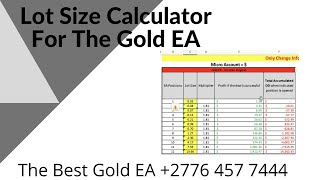
A spoken YouTube tutorial by Alan Solarsh showing how to use a downloadable Gold EA lot-size calculator. The instructor demonstrates two calculator modes (micro and cent), explains lot-size progression multipliers (≈1.81 and ×2), notes MT4 minimum lot increments (0.01), and shows how to read exposure at each cost-averaging level (levels 1–12). He emphasizes risk management—monitoring exposure, hedging at a chosen equity-drop threshold (he uses 30%), and starting small (0.01 lots) for novices. The video also includes a promotional CTA offering 0.005 BTC weekly to subscribers who follow specific steps.
Chapters
Alan Solosh here, the passive income guru in this video tutorial explains to you how to use the the calculator for the Gold ea.
Right, so on the training website, either next to this video or I think maybe above or below the video is the link to download the calculator. So please download the calculator now go and click on that button. So please pause the video. Please download the calculator now. Once done, you can come back to this video and resume the video. So you've opened up the calculator and this is what the calculator looks like. There are three tabs over here, they are locked. And what you can do is now there's two parts to this calculator for two different types of accounts. This is the section for a micro account which is for capital more than $5,000. And this is the, the calculator for the center count, which is for capital less thousand dollars. Right? So if you change the number over here to the lot size that you want, let's say you want a lot size of 0.4, it should, it should populate everything over here. And this is for one type of calculation. Okay, so there's two types of calculations that you can use. Now with this calculator, each trade increases by a factor of 81%. So if you put in a 0.01, then you can see here that each trade has increased by a factor of. It says here times two. But I mean, if we actually change this to a bigger number. Let's go over there. Can we go there? I can't change it. Let's do, let's do this over here and we can actually show you that it's increasing at a factor of 1.8. There it is. So 1.81. So it's this number times 1.81 is equal to 0.181. That is the next trade that opens will be a 0.081. Okay. The next trade that opens here will be a 0.03. Now with MetaTrader 4, it can't open a 0.018. Okay. The smallest lot size that, that MT4 can open is 0.01. That's why I've left it on the.
Only on two decimal decimals. Decimal point 0.01. So the next trade that opens is 0.02. Then it'll just round it up, okay, to the next to the next available number. Okay, so over here you can see it's the same thing over here, which is 0.9. Also all these numbers Here are copied over to this, this column over here. So this is a macro, this is a cent. So this section over here is multiplying at a factor of two. Okay? So it's doubling. So if we go over here and we Change that to 0.01, then all the numbers on the right hand side in the lot section will also change. Okay? So what you need to be looking at with this calculator is the amount of exposure and that you will happen when your trades open. So this is a cost averaging robot. And the maximum amount of trades that this robot can open at any 112 is 13 trades. Okay? So it's actually.
Let'S have a Look here. It's 12 trades, not 13. It's 12 trades. Okay? So level one, your lot size opens at 0.01. When you're, when your trade two opens, the amount of capital that you have exposed, okay is 2 is 0.02, okay, which is 2 cents. When level 3 opens, your maximum exposure is 0.08 cents or 8 cents. When level 11 opens your exposure is $37. So on a thousand dollar account that means that if you had $1,000 in your account the exposure is 3%. So it's $37 divided by $1,000 is 3%. Okay? Now what I found trading is that outside of news events, I think above this this calculator or below it it says there times to trade in with with gold. So when there's a news announcement, high impact news announcement like non farmers payroll, NFP cpi, interest rates, retail sales, cpi, any of those high impact announcements, I don't trade gold. Now what I found is that outside of these announcements, the robot doesn't get higher than level 10 or 11. Okay? I'm not saying that it's not going to be that you'll never hit a level 12. I'm saying that what I have found is that I've never seen level 12 open outside of a news event. The highest I've ever got to I think was a level 10. But the disclaimer that I'm telling you is that it can happen that you get to a level 12. So you need to be looking at your exposure, okay? To understand what the risk is. So this is what this calculator is. It's about the risk, not about the amount of profit that you're going to be making. You need to be looking at this calculator and calculating your risk, okay? And my I always tell you to protect your capital. So this is what this calculator is going to assist you with, to protect your capital. So if a level 12 opens and the drawdown is $70, it means that when level 12 opens, your exposure is $70. Now 70 divided by a thousand is 7%. Okay? So it's not a lot of money. So let's look at my, my capital. So this is my available balance. And I'm only interested in the equity part of what of my account. The equity is the amount of money that I have available to open up trades. So there's, although there's $484,801 in this account, I have a $434 drawdown, okay? Which means that I'm already at an exposure of 10%. So it'll actually tell us there what my exposure is. 9.13% is my exposure. That's what I already have exposed in the market. So my available capital or the available amount of money that I have in my account is the balance minus my open trades is equals to my equity. So effectively I've only got 436, $4367 available. So when I do my calculations, I need to be taking into account that that is the only money I have I have in my account, which is 4300. So what I found is that a, a lot size of 0.1 per thousand is the right figure for me. It may not be the right figure for you. You need to work out what your risk appetite is. So let's go here and see what a 0.43 looks like. So at level 11, my exposure is $1500. Okay? So if I, if I calculate it.
Let'S go to the calculator. So it's 1500 divided by 4300 is equals to 34% of my account, okay? And with my settings I have, so let's do that again. 1500 divided by 4300 is 34% of my account. Okay? So what I've done on my robot is that I've told my robot to hedge, okay? At equity drop of 30%. So when the 11th trade opens, if it carries on trending and my equity drops to 30%, my robot will automatically hedge to protect my equity, to protect my capital. Okay? So that is quite, for some people, that is quite a high risk. Okay? For me, I don't find that a high risk. You need to work out for yourself what, what risk profile you fit into. So if a fifteen hundred.
Dollar drawdown which is 30% exposure is too much for you, then you know that a.43 lot size on this. If you dub, if you're using the, the 1.81 factor. Okay, I'm not using the 1.1 factor. I'm actually using a two factor. So 0.14. Oh, okay. Which is currently what my settings are. At level, at level 11 it's almost $3,000. Okay. Which is way too much. Okay, so at level 10 it's $1400, which is about 30%. 1444. So let's have a look again and say 1444 divided by 4300 is about 33%. So again, my robot will hedge with, when it gets to level 10. Level 10, that's when my robot will automatically hedge and protect the capital. Okay, so that's what a hedge is. So a hedge is basically when the robot places a trade in the opposite direction of the market to balance your account so that you stop hemorrhaging money and your account is protected. And then in some of my videos on the training website, if you, it teaches you how to remove that hedge, I also have a robot that will automatically remove your hedge for you. Okay? So it's a safety feature that we built into the robot to help you to protect your capital and so that you can, you know, survive when there is some sort of anomaly in the market or a trend or an announcement that you missed. Okay. So the point of this is to find out what, what your, what your exposure is going to be, what your risk is so that you can make educated decisions so as not to put your capital at too much of a risk. Okay? So as a beginner, as a novice, if you are a novice, I would start at a 0.01. Okay, lot size to understand what the robot is, how it trades. Okay. Always protecting capital. Be conservative. Don't try and, you know, make 100% in one month. Don't even try and make 30% in one month. Okay? It's just not necessary. I mean, if you just made 30% a year, which is better than any investment, certainly I'm sure that you've got at the moment and better than any investment out there currently, wouldn't that be a good idea? It absolutely is. So let's dial it down a little bit. Be conservative, don't race the robot. Protect your capital and let this be a long lasting opportunity and investment that's got longevity and you know, you can, you can use this to project yourself into, you know, other opportunities where, where you're creating more passive income for yourself. Don't let this be like a One hit wonder or a one month story. This needs to be a long time investment for you and you can only do that if you're conservative. Okay? So start off on a 0.01. Understand the robot, understand your drawdown. See the levels that it opens. And then when you're calm and you're comfortable, you can then increase it to maybe 0.0.
Okay. And there you can see the exposure on times two, okay. Is $369. On a level 12 is $779. And it's high if you've only got a thousand dollar account. Okay? So if you've got a thousand dollar account, you need to be conservative and you need to be checking that you're using the correct lot size so as to again protect your capital. Okay? So on the other, on the training website, under.
The settings.
The inputs tab, okay. Over here it tells you where you can put your, your lot sizes. Okay, let's just go down there. Yeah. Here are your lot sizes that you're going to be doing. So your level, this is your level one, okay. And this is your level one here. And here need to be exact. This is your level two. So if you go back to the calculator and you put in there 0.02.
Okay. Then obviously this is level, this is level two, this is level three, this is level four, okay? So the same over, over here, if you're going to use an O5, then this will be 0.05, this will be 0.05. And your next lot size will be the next lot size up, which is 0.1. Your, your lot at level three is 0.02. Your lot at level four is 0.04. And you go down and you fill all these numbers in until you are, until you've everything's populated. And then you can switch on the robot and check what's going on and how the robot trades. So I hope that you found this video interesting about the calculator. If you did, please watch to the end and please follow the steps at the end of this video and I'll see you on the next video. Before you go, if you'd like to.
Earn a little bit of bitcoin, I give away 0.005 of a Bitcoin every single Friday to a random subscriber.
If you'd like to earn that, there's.
A couple of things that you need to do. You need to subscribe to my YouTube channel. And how you, that is, you just mouse over the video that you're watching. And in the bottom right hand corner of the video is a YouTube icon. Click that icon now. So please pause the video, go and do that step. Now once done, you can come back to this video and resume the video. Now if you're not already logged into your Gmail account, then you need to log into your Gmail account. Now below the video that you watching on YouTube there is a subscribe button. So what you do is you click on that subscribe button and then next to the subscribe button is a bell icon. You can click on the bell icon. So please pause the video, go and do those steps. Now once done, you can come back to this video and resume the video. The next thing that you do is you need to give a thumbs up. And then in the comments section, which is over here, you can leave a positive comment with together with your bitcoin wallet address. Now you have to follow the steps exactly to be able to get that prize. So you need to subscribe, you need to hit the bell icon, you need to give a thumbs up and you need to leave a positive comment with your bitcoin wallet address. Only then are you entered into the competition and are legible to win a prize if chosen. So if you want to win 0.005 of a bitcoin, I highly recommend that you follow those steps and then you'll be eligible to win that prize. So good luck and I hope you win that prize. And if you do, remember to invest it in a passive income stream and I'll see you on the next video.
More from Alan





Double bottom forming - Gold ready for $4000 #trading #technicalanalysis #xauusd





