Understanding The Magic Number
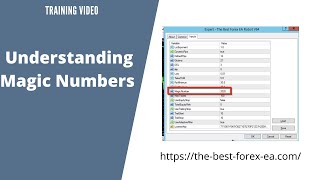
Alan Solarsh shows how to run multiple EA instances on the same currency pair by assigning each a different magic number so trades don't overlap. Set lot exponent to 1.0 for scalping, use magic numbers like 1 and 2020, and adjust chart timeframe (M1, H1, H4) to control how often trades trigger.
Questions this video answers
January 12, 2021.
1.0.
Numeric-only (you can only use numbers).
5 pips and 20 pips.
2020 (also used example ID = 1 on another chart).
Chapters
Alan Solosh here, the passive income guru in this video tutorial is going to explain to you how to use different setups of the ea.
Right? So let's say that you want to use different strategies on the same currency. How will you separate those different strategies? And what, and how will the robot know what, what those different strategies are or how to separate those different strategies on the different charts? So what we're going to do is I'm going to show you how to do that. So if you want to do that, you can log into your VPN now. So please pause the video, please go and do those steps. Now once done, you can come back to this video and resume the video. So what we're going to do is we're just going to drag three of the same chart onto, into our area, our trading area. And as you can see here in the bottom here, we've got three different charts. They're exactly the same time. So we're going to change each of these time frames to 1 minute chart and then we're going to set up the robot. So now we can see that they're all on the one minute chart. And now what I'm going to do is I'm going to set up my robot and I'm going to show you exactly how to do that. Okay, so what we're going to do is we're going to use a scalping preset and I'm going to just paste my, my license key in there. And this is the scalping preset. So the lot exponent must always be 1.0. And how we separate the different strategies is we separate it with the magic number. So you can use different strategies on different charts. And the magic number is what is going to tell the robot to keep the trades separate on each chart. Okay, so on this chart we're going to label it Chart 1. And we're going to put there, let's actually just put the EJ Chart 1. So we can only put a number, okay? So we can't use any alpha alpha alphabets. We can only use, use numbers. So we're going to do chart number one. And this.
This chart over here we're going to say take profit of 5 pips. Okay. And we're going to click on OK. OK and this is going to be chart one. And we'll just wait for the trade to open. Now what I'm going to do is I'm going to drag this.
This chart over to the left which will make a Chart 1. And this chart will now become Chart 2. So as you can see, I've moved those up. Move these tabs around. Now over here I'm going to, then we're going to open the robot again and we're going to make this chart number two. Well, let's, let's let me load the preset first scalp and let's change the my license. And over here we're going to obviously the lot exponent, we're going to make one again. And then over here with the take profit, I'm going to make the take profit 20 and you're going to see the take profit in a different place on this chart and you're going to see two different take profits. Did I change the magic number? I don't think I changed the magic number. So let me change the, the magic number to chart number two. And we're going to then do that again. So make sure that your magic number is different. Okay, there it is. It did open. Okay. And it opened as a.
Magic number of 2020. Unfortunately that trade is already open, so I can't change it. So if you mouse over the trade, you can actually see the magic number. Okay. So over there it says there the ID equals one on this chart and over here the ID equals 2020. And you can see here on the chart that we've got two different take places profits, which is quite incredible. Okay, so we operating the same currency, two different strategies and now the robot is operating with two different strategies and that's quite incredible. So if you get stuck with your robot, okay, in a trade you can open up a new tr, a new chart, same currency, restart the robot with a new magic number and you can start scalping the market again and start making a profit, which is, which is quite amazing. So I hope this has helped you to see how versatile that the robot is. And you can use multiple strategies with the same robot. So which is, which is quite amazing. Now how the robot works is it works on candlesticks. So at the moment we're using a one minute chart which is going to open up trades very, very rapidly. Now if you want to slow the robot down from opening so many trades, what you can do is you can just change the chart to a different time frame over here. So instead of it being on a one minute chart, so let's say your drawdown gets a little bit chaotic or the, or there's lots of volatility, or you're expecting a lot of volatility to it because of a news announcement and you don't want the robot to open a lot of trades during that volatility time frame. Or what you can do is, is that you can just flip the switch to an H1. And now the, the robot knows that that chart is working on a, on a, on a one hour time frame and only one candle will open on within that hour. So how the robot works is it works on candlesticks, it does not work on price action. So what does that mean exactly? It means that. Let me just flip to candlesticks and let's enlarge.
Enlarge the, the charger so you can see what's going up. So this is a candle and this is a time. Okay. So one candle is equals to one hour because we're on a one hour chart. So this is one hour. And then when this hour is finished, another candle will open over here. So if you want to see what the.
The time is of the broker, this is what you need to do.
Right.
So let me just explain to you what a time frame actually means. Because an hour doesn't necessarily mean an hour within your region. It could be an hour, it's an hour according to the broker. So how do you know what the broker time is? And how you do that is, is that you Open up your MT4 on your phone and you click on the quotes in the bottom left hand corner. And over here it needs to be not on simple over there it needs to be on the advanced on this section over here and here you can see the broker time and the broker time is 13:14. It's consequent, consequently the same as my time in South Africa. But that's the broker time and that's the time of the server and that's the time each candle. So in other words, my next candle that's going to open if I'm on a, on a one hour time on my chart, my chart is set to an H1. Then the next candle will open at 2 o', clock, 1400 hours. Okay, so if we, let's just minimize this and then let's check the crosshair and we can put the crosshair over here and you can see there that that candle opened at one o' clock and the next candle that's going to open over here. When the candle opens, the time will be 2:00'. Clock. Okay. And so let's get back to the explaining of how the robot works. If you're, if you're working on, on candlesticks. Okay. Now generally speaking, a Martingale EA is programmed according to price action. That means that when the currency trends x amount of pips. For hypothetical reasons, I'll use the example of 10 pips. If the once the currency trends 10 pips, the EA will then open a trade in the opposite direction. So if the currency is going north and the, and the currency opens trends 10 pips, another sell trade will open over there. And every time the currency trends 10 pips, another sell trade will open. That's generally how a Martingale EA works. My EA works very differently. It works on candlesticks, which means that if the candle, if the price spikes 100 pips on this candle, only one trade will open on this candle. Okay. Which is amazing. That means you can slow down the EA from opening multiple trades. So you can see how close the trades are over there. And then we change the time frame to a one hour time frame. And you can now see the distance between the two different. The two different. The second trade over here. So you can see the second trade over there was opened in a, with a big gap over here. So what's basically happened is, is that the one, the one chart has opened two trades. Okay? So if we actually mouse over here, you can see that the EA that has got.
That was set up to 2020. This is the, this is the EA that's got the.
Magic number of 2020 over here. Now, because we're on a one hour chart, only one trade has opened. But this chart over here, which has got the magic number of one, which is set to a one minute chart, has opened multiple trades. Okay? So you can see how you can control the robot on different time frames with different strategies. And now you can see how different the EA responds with the magic number and on the different time frames, which is really an amazing, amazing technology if.
You really think about it.
So you can slow the time, you can slow the robot down, or you can speed up, speed it up according to your risk profile. So let's say you were in a meeting or you were going into a meeting. What you could do is, is that you could set your robot to a four hour time frame so that if there was a little bit of volatility while you were in your meeting, you could concentrate on your meeting. And then when your meeting is finished, you come back to your VPN and then you can change your time frame back to a one minute chart. Okay? So I hope that you found this video informative. And if you like this video, please watch the rest of the video and follow the steps and then I'll see you on the next video before you.
Go if you'd like to earn a little bit of bitcoin, I give away 0.005 of a Bitcoin every single Friday to a random subscriber. If you'd like to earn that, there's a couple of things that you need to do. You need to subscribe to my YouTube channel. And how you do that, just mouse over the video that you're watching and in the bottom right hand corner of the video is a YouTube icon. Click that icon now. So please pause the video, go and do that step. Now, once done, you can come back to this video and resume the video. Now, if you're not already logged into your Gmail account, then you need to log into your Gmail account. Now, below the video that you watching on YouTube there is a subscribe button. So what you do is you click on that subscribe button and. And then next to the subscribe button is a bell icon. You can click on the bell icon. So please pause the video, go and do those steps. Now, once done, you can come back to this video and resume the video.
The next thing that you do is.
You need to give a thumbs up. And then in the comments section, which is over here, you can leave a positive comment together with your Bitcoin wallet address. Now you have to follow the steps exactly to be able to get that prize. So you need to subscribe, you need to hit the bell icon, you need to give a thumbs up, and you need to leave a positive comment with your bitcoin wallet address. Only then are you entered into the competition and are legible to win a prize if chosen. So if you want to win 0.005 of a bitcoin, I highly recommend that you follow those steps and then you'll be eligible to win that price. So good luck and I hope you win that prize. And if you do, remember to invest it in a passive income stream and I'll see you on the next video.
More from Alan





Double bottom forming - Gold ready for $4000 #trading #technicalanalysis #xauusd





